Day 40- Presentation Skill for Designers- 100 Days 100 Skill Booster Sessions
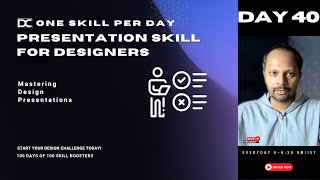
Jagadeesh P teaches designers how to structure presentations, manage nervousness, and use AI tools to improve their pitches. The session includes live demonstrations and role plays to help you communicate your work more effectively.
Sorry for the few minutes delay. Just give me a second. And also just confirm me that my voice, my video is all clear. Do provide me that confirmation. Let me also post it to our groups. Just a second.
Okay.
Fine. We'll start the session. Very good morning guys. Thank you for staying tuning here. And you wanted to just keep it like a spotlight. Good. So today the topic what I've chosen is very, very, very, very common pain point for every designer. It's not like it's true for only certain designers. It's not true for other designers. No. This is a very, very, very prominen. In fact this is a skill which can't be mastered over a time. You have to do it continuously along like let's say two years or three years. And eventually you get little bit better.
Okay?
Voice is too slow. Check your Internet minus full broadband.
Okay?
Yeah, minus. Like I have a MacBook and the audio quality is like MacBook. So definitely it should be very higher.
Okay.
And I also check my Internet. It is good. What about others? Others? Can you also confirm me that you are my voices? Good. Confirm me?
Yes, yes, yes, yes, yes, yes. Okay.
Okay, fine guys, so let me start this. Okay, so this is called Let me share the screen so that you will know what we talking about.
Okay.
Today is the day 40 and we are going to see a skill called presentation skill for a designers.
Okay?
See how important it is. How very, very, very, very important it is in order to learn that.
Okay?
A lot of people, they have the projects, they have lot of case studies, they have behance profile, they have this resume, portfolio, whatever they have. But people are very poor in presenting that. Completely poor. I've seen that even see, presentation is not only sharing the screen and presenting. Presentation is also about talking over the phone. Presentation is also about giving some information about your projects to others. So you need to know what information you have to present to the audience and what information you have to keep it.
Okay?
So that's the reason we are covering this particular topic. So now let me. Let me share my presentation, okay? So that you will understand. Just a second. Give me, give me, give me one second. I'm just sharing my screen.
Okay? Okay. Okay.
Yes guys, I'm just sharing my presentation screen. I hope it is. It's visible, right? For everybody. Could you please confirm me? Kindly confirm me that I'm able to. Can you confirm me that? Yes, yes, yes. Thank you guys. Thank you so much. Thank you. Okay, so I'll also tell you. See today class, I'm going to tell you a Lot of tools which you can try it out for creating some presentation, okay? Whether you're doing in a figma or PPT or word or it doesn't matter.
Okay?
See, this session is particularly designed to help you how you can present your work effectively. People are having a big time problem and I mean I've seen a lot of people losing their interview because of this reason.
Okay?
This is a very, very hard skill to learn. It is difficult. But it is worth, guys. If you learn it properly, it is worth which will give you job which is far beyond your expectation of your salary or anything.
Okay?
This is very important. Even if you go to the industry, this is a must and a mandatory skill.
Okay?
You will have to learn it. You cannot avoid it. Same like how many people are avoiding. No, Let me not switch on the camera. Let me run away. I will not type in the chat box. I will not answer this question. Let others answer. You cannot run away like that. If you wanted a great career in design, whether you like it or not, you have to learn the skill. Simple to put in one line, okay? That is the reason I'm exactly teaching you. And particularly we are in the day 40, okay? See, we have successfully did this from the day one to day 40. You can watch our YouTube live. Soon it becomes disappeared. Please go and watch all of this earlier videos. Whichever you feel is more relevant for you, okay? Because all of these live videos will not be posted in our channel forever, okay? It will be removed after some point of time. That's why I ask people to come live and take advantage.
Okay?
Yes. So this particular session is to help you build that confidence to present, okay? And also it will help you to present some visually impacting presentation. And I'll also show you some 20 AI tools. Guys. Okay? Stay till the end. I'm going to blow you a lot of AI tools. How you can able to present it.
Okay?
So why the skill is very important? First of all, the skill name is this, right? It is. It is. It can be applied for any industry. Guys, it's not like only certain industries are focusing that. No, it is focused for every industry. Okay? Whatever you have and why the skill is important is it provides a very clear articulation of your complex ideas. Because we as a designers should always have a thought process. You have to bring simplicity when we are presenting. It should not be complex. When you are making some ui, do you think you will make a complex UI or you will make a simple ui simple? I'm asking a basic question, right? Type out of the Chat you, you'll make a simple UI or you will make a complex UI type. Yeah, simple, right? So same like that. You will have to understand that you will have to try to make the presentation very simple.
Okay?
It helps you build your simplicity and communication to the people and people will connect with you.
Okay?
And particularly strong presentations can make designers more credible and memorable. That's why yesterday also I told you the guy who's having a lot of branding, they will be remembered more.
Okay?
Same like that. This is one of the key element for making yourself brand. When you create a very good presentation or when you create a very good stunning visuals for you to showcase. This is what I try to do in my case study or project or something. People will value your work like anything very simple. Okay, so what are the common mistakes to avoid? See guys, too much text. I have seen people writing a lot of text. Text, text. Not having pictures, icons, graphs, numbers. People don't know how to structure their presentation. See, first of all, you'll have to know whom you're presenting. Is it for the common public? Or is it for the recruiters? Or is it for the hiring managers? Or is it for the your boss? Your presentation, what you're going to make is for your subordinates or maybe your client. Make sure you create that audience first. Based on that audience, prepare a hook. I always told you start with a hook. If you're not presenting something with a hook, you will be missing out the greater part. What is mean by hook? Jagdish? Don't worry, we'll see in the two days workshop very detailed there because it's a very detailed topic. But you have to start with some kind of an interesting hooking elements.
Okay.
And also you'll have to present the main context and make sure at the last you will have to provide some kind of a call to action. See hook solution. The main content call to action. Let's say if you're presenting a project like let's say can you tell your project name? Guys, so somebody can you tell a project name in a very short line?
Okay.
Who wants to show their project in a very short line? That would be. That would be better for me to give you a case study in an example. Why it is very important.
Okay?
Highlight three to five main points that I'll tell you. Now you give me one project line. I will be able to explain you with a case study.
Okay?
So choose best visual design. Make it simple. Always keep it simple. And make sure you create a hierarchy. Hierarchy is very important in design. Like let's say in this slide, when you look at this is a hierarchy, right? The headings is little bigger, the subheadings is little smaller, the points is very smaller. The number is being 1, 2, 3, 4. So there is a hierarchy which is inbuilt. I've not put a deliberate points to show you this is an hierarchy, but intuitively it is communicating.
Right?
So your presentation should have that visual hierarchy inbuilt.
Okay.
So always use high quality images and make sure it is engaging and very relevant for that.
Okay.
So. And also make sure the interactive elements include questions, polls, engage your audience, breakup monologue, storytelling, share some stories related to your design, case study and also practice makes perfect rehearsal. So what I wanted to tell you again is make sure you're not having too much of text. In fact, if you have 10% text, 10% graphs and numbers and stats, and 80% visuals, videos, pictures, you will make a stunning presentation.
Okay.
And second is make sure you know your audience and then start with a hook. Time management app. Now. What is it now?
Okay.
Project names. Now.
Okay. Great.
Time management app. Okay, so Anju has said time management app. Let us understand how time management app could be presented. What is the hook like? Let's say I'll start something like this.
Okay.
Two hours per day is completely getting wasted for a working design professional. In the data my application has exactly divided and given a method called pomodoro technique or ABCDE technique or any kind of salami cheese method. These are all the methods of time management. Okay? Salami cheese method technique. In order to improve your productivity and save you three more hours, instead of wasting two hours, we will help you save three more hours by this application called now. Would you like to see my application? Click this link below. Would you like to see my application? This is the main characters. This is the main parameters, right? I took 30 seconds to explain. But look at the powerful presentation on this. So you have to start with a hook. You have to start with a hook. Tell the solution.
Okay.
You can also talk about the pain point. Ideally speaking, the pain point also I covered along with the hook. But hook pain point solution call to action. When you create a content around this, people will be able to engage in your content for a longer time. Let's say if you're presenting this to hr. Let's say if you're presenting this to a design manager. Let's say if you're presenting this to your co designers, okay. For networking purpose, you will have to know what to talk. That is what is your ability to communicate becomes okay. If you are not sure about it, don't worry. Go to your codex chat in ChatGPT AI when you completed the three codex document, you ask how I can able to pitch this project to my co friends. I've already tuned prompts in such a way that the moment when you put it, it will automatically show you the star format as well as the hook pain point solution. Simple. Your job is sorted.
Okay?
If you still wanted a refinement, you can ask the chat GPT same chat again to bring me the hook pain point and a solution. Ideally, I would request you to fill the details as descriptive as possible in the star format and the project details. If you've written only one line in your project, then you will not get quality response. That is why I told you spend a lot of time in your Codex document before coming and meeting me in online. People have joined you. People who are already are students also.
Okay?
It's very important. And then make sure you have visuals are very minimal and engaging. And sometimes in your case study, you will have to ask questions. You have to wait for some people to answer this poll. That's how you move ahead very very fast. Okay, so what are the practical demonstration? Constant boosting techniques. See, Create a role play guys. Always try to take accountability. Your mentor or your colleagues or somebody who who's also very interested to practice self this communication. Make sure you give some kind of a topic to them. And you also have a topic try to role play. Hey, now let me be an hr.
Okay?
Now let me be a recruiter. So you try to answer me. I'll help you. Let me correct. See, this is how you go. Go guys.
Okay.
Slide breakdown analysis. Analyze your slides. Well known Design presentation highlighting. What works can be improved. Show positive visualizations. Deep breathing exercise. Sometimes you feel very nervous. I'll tell you, this is a very simple technique, guys.
Okay?
When you're feeling too nervous, you can just use this deep breathing technique.
Okay?
I'll tell you. Let's say if you're in an interview, okay? Let's say if you're in a phone call or something, just take 10 seconds, okay? You should not use your mouth, okay? Only the nose. You become normal. Many people have seen they get too nervous when they're presenting.
Okay?
For me it has become practice. I'm doing it every single day. I'm getting it. But if you're not able to do it, maybe you're not enough practiced it. It's okay. That's quite normal. Okay, See, when you're spotlighted or when you are presenting something, what happens is there is a chemical imbalance which happens inside our body. There is always a chemical imbalance happens.
Okay.
In order to regulate that chemical balance, you will have to use some kind of a short breathing technique. Like let's say when you're inhaling, you have to do it fast. When you're exhaling, you have to do it four times slower, 4x.
Okay?
The moment when you do it, what happens here? Chemical gets balanced. At least balance. Okay, not fully balanced, but at least some level of balance. If you do it for 30 seconds, it will be better. Like let's say one of my mentors said, before he goes for presentation, he practices 10 minutes of this breathing technique so that he becomes completely normal and very casual. And he makes an excellent presentation. We don't have that much of time. At least we can do for one minute. That's enough.
Okay.
And you'll see the difference. You'll see the fear of judgment comes down. You'll see your cortisol levels and your other chemical levels come down. And then you'll see yourself very calm. You will sometimes get many ideas on that moment.
Okay.
I'm telling you, when you're presenting, 80 percentage is a presentation.
Okay?
20 percentage comes in the natural timing of you. You will have to know based on the audience and their body language, what they're talking. You'll have to know how to present that topic.
Okay.
Sometimes like let's say if you're talking to a hr, you don't have to talk much technical details about your. Hey, I did this kind of a user interaction. According to human centric design, people are not rewarded for the time management. That is why I've created this micro interaction to add some reward. Who cares what is mean by micro interaction when you're talking to a hr?
Okay.
When you're talking to a design manager or somebody who is hiring you, okay. That's why in the job special I talk to a people I talk to our students know about the company and the HR and the design lead who is going to interview you at least one day before you will have to analyze their complete profile and get ready. No surprises is required at that point of time.
Okay.
If you are ideally prepared, who is going to come for the interview tomorrow, you will have an excellent presentation to make. That is very important.
Okay?
People are attending jobs actively. I used to tell them, you know, we have the courses, we have structured syllabus for that. So I used to tell them very clearly, hey, prepare all these things, don't have any surprises. Even if you have one project, make sure you present it neatly so that people are really valuing that in a lot more sense.
Okay?
Are you guys with me? Just type out in the chat if you are with me. If you are able to understand what is happening or something is going above your head. Stripe out if you are.
Okay?
Yes, guys.
Great. Great.
I hope it is very simple. It's not a very complication topic. But when you practice it, it becomes little difficult.
Okay?
Make sure you collect the feedback and improve. That's it. It's as simple as that. So I'll give you an activity, guys.
Okay?
Everybody please switch on your camera and come to me live.
Okay?
See if you are not breaking fear now. When are you going to break? Don't be shy to come here.
Okay?
I request you to create and present one slide.
Okay?
One slide. Whatever. You take your existing project or maybe you take your existing behance. You take your resume also here. I don't care. You take any Google picture. Also. Content is not important for me, okay? You need to present a project to here to the audience, okay? And we'll give you quick feedbacks. It's a short five minutes activity. What we're going to do. Because it's not like every time I'm teaching. Teaching.
Teaching.
Design cannot be taught. Design can only be learned by making mistake, okay? In fact, in the skill booster session also, many times I've been tempted to talk. But that's ideally not suitable. You'll see. After this design verse workshop, our skill booster session will be in a very different way.
Okay?
But for now what we'll do is we'll try to do some kind of a one slide. So I'll give you two minutes time. Guys. I'll give you two minutes time.
Okay?
You'll have to take some topic, whatever is comfortable for you in your profile or behance or whatever you have. If you don't have also take some online image. That's enough.
Okay?
And then I'll give you two minutes time to prepare. Take that and then present to us.
Okay?
So I'll be. I'll be going away in spotlight when I'll. I'll be out of spotlight.
Okay, fine.
Let's take two, three people, right? Let's. Let's understand. So people who are having people. Whoever is feeling very nervous now. Who is feeling very nervous now? I feel little nervous to talk in front of audience. Hasan is not required by AI has nine. You can just present normal presentation. That's enough.
Okay?
Who Is very nervous towards this kind of a things when it comes to presentation I became very nervous. Chish who's like that? I'll give you a quick hack. You can able to fix it in one minute. Everybody's confident. Nobody's very has so you have to present fast. Hn.
Okay?
Happy? Come on, you can do it.
Okay?
You just share your screen. You have something open ready in front of you.
Okay?
I'll tell you guys what to present, okay? If you're not having the content enough, that's okay. Share one slide. Make sure you tell what is the hook in this topic, what you're presenting, okay? And then try to explain that pain point and the solution what you offered and final call to action.
Okay?
Four elements, one minute. That's it. Simple hook, pain point, solution, call to action.
Okay?
I'm telling you in the presentation how we can make it very short.
Okay?
Presentations could have visuals, hierarchy, all the things I told you. But let me first understand from your side how you guys are able to do it practically. Okay, can we start? Just be casual Asnain, if you wanted to break this barrier, you have to do this, okay?
I cannot open my other browser during the class because my system not supported it.
Okay? Can I share some presentation? Can you share it to me? Your. Your behance profile or whatever? No, can you share to me? I will share the screen you can present.
Okay?
Meanwhile others get ready. Try it out. Let us try guys. It is definitely difficult but let's try. Guys, go to your attendance panel in the feed section and mark yourself as present. You're going to get 250 points because this is a holiday and you guys have joined the session, right? So I'm going to give you a lot of points for that, okay? So kindly go and take an advantage. And yeah, before the design verse game starts, you guys are already collecting points. So you guys are ready to already win one lakh rupees prizes, okay? Collective prices for one lakh for the top five winners. I think a lot of people might know having we are having the design verse workshop on November 23 at the end of number three, which is on Sunday, the end of the session we are going to announce five winners, okay? Whoever is in the leaderboard and they are going to get surprise gifts like whoever is stopping in the. In the point system, okay? So people who are ideally freshers and new people climb for the fourth and fifth, what you call lead about points because fourth and fifth is for the people who are joining at that time.
Okay?
So go and experiment Our LMS portal, lot of options is available for you guys. You guys can try it out. And if. If you. For some reason if you're not having any access, just let me know. In fact this. This level up and some of the activities has been given for everybody to operate it. But still if you have some kind of a doubts, you can reach out to me.
I'll help you. Okay. Yes.
As. Are you ready?
Sir, one minute.
Yeah.
Can I share something? Presentation. Will you present? Is it okay?
Yes sir.
I'll share my screen. Just one. One slide I will keep.
Okay. Okay.
Like let's say this is a feature what you have designed has. One second here. Just a second. This is a feature what you designed has time.
Okay.
What is this? Advanced resume score calculator.
Okay.
Yes sir.
You have designed this AI chatbot. If you click this chatbot, it will produce a resume score for you.
Okay.
You are doing it for the design community. This is your project. So now explain with a hook. So pain point solution call to action. Come on. I'll help you if you are making mistake.
Don't worry.
Sir.
Try. Try. No problem. First you understand what I said?
Sir. Yes, sir.
Okay. So you as you as a person has designed an AI chatbot for people to help them get the resume score. Like let's say out of 10 how much their resume ranks.
Okay.
This is your project you've created. So now HRS are asking you. Hey astray can you tell about your project what you did?
Okay.
And they are giving you only one minute. So what you will talk. You don't you leave this pain point. Who condone you tell me generally what you will talk. Let me understand from you.
If.
You can have some random numbers. Also if you. If you are not comfortable with exactly finding statistics, you can just have it.
No problem.
Sir, I will tell him that we have create a.
No, no, no. I'm a HR now talk to me. I'm a HR now we are doing a small role play.
Okay.
Hi Hasnain, how are you? We have shortlisted your portfolio. Hasnain, welcome to our company. So can you tell about your advanced resume score calculator project? Come on.
Yes sir. We have launched a new advanced resume score calculator. In this people student can easily make. Their student can easily learn how to create resume.
Good.
We have created this.
We have created this.
We have created this. Easy for everyone.
Okay.
Everyone can be easily accessed. Good. What else? Okay, let's do one more thing.
Okay.
Start from the beginning.
Okay.
You tell about this resume is going to help students find the score and more than 50% people are facing problem. I'm just giving you some random statistics. Okay? It's not a correct statistics having problem with resume how they can able to structure. They don't know our chatbot is going to help them.
Okay.
And something like this I'm very what you call confident to design a product for your company. Also in the future if you're giving me an interview chance. Okay, Four things I just told you so. Now repeat it again. Okay, let's start. Hi Astain, how are you? We got your profile selected for the portfolio and you are now shortlisted for the next round. Can you tell about your one project which is that resume calculator?
Yes sir, we face that. We face that many people face this problem. Then can I repeat again?
Yeah, you can repeat again please.
You.
You just do one thing hasnain.
Okay.
And then you start again. Just one breathe. Close your eyes.
Okay?
Try to do it and then you present again. You'll see the difference.
Hello sir. Sir, we create a new advanced resume score score calculator. This help people to create their resume easily. I. I saw that many people face this problem so that we created this for everyone to they can create their resume easily.
So what do you want by this?
Huh?
What do you want? You created this resume app. So what do you want now?
Sir, I want that please give me an interview. I will change. I will try to change your.
Ah.
Change my.
I am sure that I will create a big surprise for your company.
Okay, good. Fine. So Hasan has took some time but he has exactly conveyed, right? First he talked about the pain point and then he. In fact he did not give the numbers. But it's okay. He gave in general and the solution and then he little bit explained about why people are facing this problem and then he finally asked. I'm also. I will also create some similar product for your company. So this is exactly called the structure of a presentation.
Okay?
For doing this presentation you need to have some kind of a very good visual.
Let's.
Let's say I've not presented it for visuals purpose. I'm just giving you an example.
Okay?
Your. Your project could have a heading, it could have a hierarchy. It should have a call to action. It should have some details. What is this all about? Okay, so ideally speaking this is not a presentation but this is a banner what we have created. Okay, but you can create any kind of a presentation something like this.
Okay?
Oh, sorry guys. Just a second.
Okay.
Just sharing the screen like let's say if you're having A presentation, something like this. You need to have a very good picture what you're talking about. Let's say if this is the presentation.
Okay.
You are going to present here. So you are having this kind of a slide picture. And this is a heading. And this is a number hierarchy. And this is a subheading. And this is the small text which is around it.
Okay.
If you want to show some graphs you can do like this is your presentation. So how will you present? Let's call other people now.
Okay.
Sneha, are you ready? Are you here?
Yeah.
So now this is your slides, Neha.
Okay.
Activity for students.
Okay.
And we will take something else. Yes. Neha, you can present here. Let's make little difficult for Sneha.
Okay.
Fine. Sneha. So now just glance through this slide for 1 minute in 1 minute in our same format what I asked you.
Okay.
Like I'm going to do a real time role play. Like a H. I'll give you 30 seconds. Others also I'm going to ask next Anju and J and. And other people also. Okay. Sh. Kindly be ready. This slide is for you guys. And imagine you have given a solution for this. Hypothetically. That's your assumption.
Okay.
Yeah.
Don't worry whether you are able to create this kind of a presentation or not. I'm going to literally blow you out.
Okay.
Just wait till the last session and right now we're doing a role play.
Okay.
Are you ready?
Yeah.
Yes. Neha. Hello, Sneha. How are you?
Yeah, I'm good.
Yes. Sneha, we have shortlisted your portfolio. Sneha, I wanted to just know about your recent project. Can you explain please?
Yeah. So basically 75 percentage of the presentations are improved when storytelling is used. So that has been like found by the journal Business Communication. So many based on like instead of storytelling. If storytelling is not used then the engagement rate is lesser. Lesser like 20. Sorry.
Okay, wait, wait. One second. One second. Start from the beginning.
Okay.
So I'll explain you one more time shortly. Okay. You have to explain the hook and the pain point. And what is the solution you offered? Hypothetically, let's say you designed some solution for this. Okay. You can assume no problem. Finally call to action.
Okay.
Remember this.
Okay.
Now start over again.
Okay.
So basically what the study shows is 75 percentage of presentations are improved when storytelling is used. So in the pain points that we are facing is it will reduce the engagement rate if we are not using the storytelling. So for that like the suggestion is we can use EA presentation tools to grow 25% annually. So by demand pricing. So it will just raise the importance in professional setting if we are using the AA presentation tool.
So.
So what did you do? Tell me what is your work on the contribution in this project? Let's say next question I'm asking, assume, assume you did this project.
Okay.
Okay. So I'll be adding some real time mentors or some HRS input to the users if they are like add having some premium substitutes.
No, you're giving project details. What is your role? That means you can say something like I have did the research for this project and I have created visuals for this and I've also did some kind of a prototype and tested with the user. Talking technical is good but first level you have to talk about the process what you did, okay? Very high level you talked about the hook pain point solution. Call to action.
Okay?
If you. If you forget this guys, I'm telling you everybody please write it down and mug up it. I don't care. You have to mug up because this is process. You should not deviate this.
Okay?
Don't put your creativity here. Put your creativity inside the project on your ideas or something.
Visuals, okay.
But process is very very same and it's simple. You have to mug up like let's say hook pain point solution. I mean hook pain point solution, call to action. Then you can talk about process. What did you take? Like you did some design thinking approach or you did some kind of a primary research and secondary research to understand solution. You can talk about process. Then you can talk about what key roles you played in doing that. I took the entire part of research. We did a team project but I as a contributor Sneha has completed the entire research work and I did the presentation every week to my clients. See you can talk that.
Okay.
And finally you can talk about. Mainly we talk. We. We solve the problem of people who are having presentation problem and we help them by gathering some data in our application and automatically our application will provide some kind of a presentation solution and detailing. You can talk very later.
Okay.
So you have to understand what other people are also seeing.
See in.
In this case I asked you right? Sneh. I wanted to know about your role.
Okay.
Then you can talk little bit more about. Then you should not ask who pain point and all that is the first level that is to engage the people and bring towards you.
Okay?
When you're going forward you have to know what to talk again ppt. You don't have to put everything in the presentation or case study. Ideally that's not Required also sometimes you have to talk behind this topic. Sometimes one line is enough. Like let's say in this case. See, two points is here. But I gave you a lot of clarity about this, right? That is how you have to know how to expand your topics. Also presentation need not have to be. You have to put all the single details and. And all the finer details. It's not required. Just one point is enough. From that you can able to explain. Got it? Sneha?
Yeah, yeah.
Let's. Let's go for others or you wanted to try one more time.
Like earlier I said or like something else?
You can tell one more time also you can tell also same.
Okay.
Hi.
How are you?
Fine.
Yeah, I'm good.
Yes. You selected for our interview and I saw your portfolio. So can you explain about your latest project? You did some presentation and all. Can you please explain me?
Yeah, sure. So. So study says that like 75 percentage of the presentations are improved when storytelling is used. So the pain point is with if we are not including any storytelling in your presentation, it'll lead to like the ret rate will be decreased. So for that like if we are using the AA presentation tools. So the market is expected to grow by 25% annually. And it demonstrates their raising importance in the professional settings. So this is the project that I have done. If you would like to know more about it, like.
Okay, very good. You've also given a call to action. The call to action is if you wanted to know more about it, you can ask me.
Yeah.
Can I expand upon this? Sir, can I tell more about the process? Sir, can I tell more about the solution? So understand who is sitting in front of you. It may be a design hr. It may be a design technical lead. So based on the audience, you should know how to do it. Thank you. Excellent. So can you see some difference happening, guys? The first time when Sneha explained and the second time when she explained. The third time, the fourth time when she explained, she's able to exactly get the point right. So what's the key here? Practice is the point here. When you do it consistently with your friends or your mentors or your accountability partners.
Okay.
You will be able to do it much more faster. See guys, this is very important. I'll tell you why. The brain processes up to 60,000 times faster visuals than the text. So that is why I'm asking you. Stunning presentation visuals and communication is very important. Which is why visually clearly appealing slides is more better.
Okay.
Interactive elements stimulate the brain's reward system making the audience More engaged and receptive. Okay, how does this presentation look like? Whatever I created, does it look good? Conveying the meaning is good. How much time did I take to create this presentation? Can anybody guess for this topic? The entire slide? I'm asking. Okay, including this slide. This slide, this slide.
Okay.
How much time do you think I would have? Our students know it. But anyway, I'm just asking you. Okay, I'm going to tell you some AI tools also. And finally, I prepared the call to action. Okay, so could you just tell me how much time did I take? A minute. Exactly. It's not even one minute. It's less than that. So it's not about tools. It's about. You have to explain the hook, pain point, solution, call to action. With stunning visuals, nothing is going to happen unless until you don't present properly. Okay, so Jagdish, how do I create this kind of a presentation? Wait for the Designverse workshop. I'll teach you separately.
Okay?
Now I'll teach you some basic tool. That's not a problem. But ultimately you have to know what to do with that tool, right? Then you will be clueless what to do in your Codex document. I'll give you a specific prompt in a way so that you will be able to get exactly your project details. Your entire headache is done. You'll have to copy paste in that AI tool and it will present you what you call stunning visuals. In just one minute, your pain point is sorted. I'm making your pain point very easier.
Okay?
But mastering that art of communication is in your hands. Nobody can master. No AI tool will help you. Maybe there is a tool called Yoodly AI Y O O D L I udli AI udlie AI will help you like a mentor.
Okay?
That's AI tool will create a very good suggestion for you. Like let's say you can switch on the camera and you can talk, okay? And it will provide you a grammatical mistakes. It'll provide you some kind of a. How much lexical fillers you are using, how much you are repeating certain words you are. You're giving some kind of in your communication. So that level it will suggest you, but only practice will improve it. Okay, so how many of you felt that this particular information, what I gave you, was very, very useful for you? How many of you are making many mistakes? Could you type out in the chat? Let me understand. In the small group also, how many people are there? Okay, let me check in the live also, guys, a lot of people are there in the live also. Oh my God. I left Them. Oh, I'm extremely sorry. Okay, Mac Creatives, how can I join Google Classroom Live? It's not a Google Classroom here. It's. It's a zoom call. It's for our internal community, Mac Creatives. But don't worry, this is a open live session.
Okay.
We can meet on number two and three. Don't worry about it. Okay, thank you so much. Yeah. So coming back to the presentation. Fine guys. So it is a. It is a very, very important skill which you have to master. Don't ask me it's important or not mandatory. You have to know. You have to be a very good visual presentation, a guy. You have to put good numbers and text and graphics and visuals. You should know how to communicate your project in 1 minute, 2 minute, 5 minute, 10 minutes, 40 minutes. Also you should explain how you how your project. Somebody has asked me, okay. In my interview when I went for this HCL tech, I explained my project for 30 minutes. So that particular person is a technical lead in design. He has did more than 100 projects. If I'm explaining only the hook pain point, on what basis he will hire me for him, I need to show the process, I need to show the project the pictures, what I took in the field, what interaction I had with the stakeholders.
Right?
Don't put only stakeholder mapping and talk. Take a picture with your stakeholder. You talking to them and getting the data. Don't tell them I created prototype and put only visuals. Show them that how people are able to interact with your mobile prototype and how they were able to feel how much steps you've reduced. So this is what is the background of it. Okay, I'm just giving you in a very surface level but these are all very, very deep topics. When you go along in a very what you call finer details. Because presentation visuals, communication is a mandatory skill. Everybody has to learn whether you like it or not. Okay, so please make a note of this guys first important tool is Canva. Second tool is beautiful AI. Third is Tom App. Fourth is Pressy. All these four tools are stunning presentation tools which is all AI integrated. You will have to take the what you call text from your Codex document. Copy paste in this tool. It will produce you stunning output. Okay, I'm using a tool called Gamma AI. This is a beautiful tool. It's a very simple interface. Click that copy paste your content, generate ppt. It will automatically provide. Okay, don't worry about this. These are like very simple tools but you will have to know what to structure in your presentation. And every AI tool has an option to edit also. You can also edit your pictures, everything, whatever you want. Like let's say if I have to show you a small understanding of this, have to take the picture out, you can just delete it.
See?
Came right? Like, let's say I want to change the presentation style. Look at this. Text boxes. See.
Timeline.
Look at this. In one second, I'm able to do it conventionally. If you work on a ppt, you will take half an hour to do this.
Okay?
Don't waste your time by doing the manual labor job again and again. You have. You guys have to become very smart, okay? And look at this. If I have to create a visual hierarchy for this, what do I do? This, this is a heading, right? So I can able to create a. Like let's say a heading like this.
See?
Heading. Okay, I'm able to create a number. 1, 2, 3, 4. This is a hierarchy. And this is a text.
Okay?
Even I can reduce this text. Very, very small. Like let's say I can put. Maybe I can increase this one. Okay, Normal text. I'll put control. I'll. I'll highlight this. See, now the hierarchy is coming, right? Look at this. First hierarchy, second hierarchy, third hierarchy, fourth. So you should know how to hierarchy your presentation also.
Okay?
Whatever you're doing, whether you're doing it in the canva or whether you're doing it in this beautiful AI or anything, the hierarchy is very, very important.
Okay?
And you can just bring this text to. It's already small only. Good. So like this, you can able to create some presentation. If you want to bring some kind of an image, you can also go and bring some kind of a Google image. Like let's say what is this context about? It's all about beautiful AI, right? You can go to something called unsplash. Oh, sorry, sorry. Guys. Excellent. Wait, in this GA tool, okay, there is an option called Images. Can you see here? Unsplash. Just go here. Okay, like let's say you want to create some kind of a professional. What's happening?
Hey.
I just dragged and dropped. Can you see guys here? Something happened.
Okay, fine.
Like let's say this is one tool. I want to just put it.
Okay.
I have to create a small presentation here. Okay, good, Sounds interesting. And when I think there is a plugin inside available here, guys. Okay, the moment when you put it, like let's say how it came, it came. So Unsplash is an inbuilt image editing tool, guys. Okay, what is this context? This context is all about presentation, right? So you Type that keyword unsplash is all royalty free. You can use all of these images.
Okay.
Presentation like I feel this is good. Okay, now let's bring this into the small. That's it. You guys are sorted already. Your presentation is now looking better than 80% of the people out there in the market, right? So make sure you choose the medium. And also this is a tool where you can able to easily create very good stunning visuals and you can able to present it, you can share it if you want. You can download as a ppt. You can do everything. Guys, experiment with these tools.
Okay?
First tool is Canva. Second is Beautiful AI. Third is Tom App. Fourth is Prezi. Okay, it's another beautiful tool. And fifth is Pitch.com. okay, take a screenshot that would be better for you guys. Okay, pitch.com it's it's a collaborative tool also. And you can use Visme Vis me.
Okay.
You can use Lumen Fi. You can use Slide Bean. You can use Scribe. You can use Decktopus Designer Mentimeter. Mentimeter is a beautiful tool guys. If you're conducting live presentations, you can add some polls and all these things. Let's say if you're having some group brainstorming session with your stakeholders or maybe if you're having a group research, you can able to send this mentimeter link so that they can able to click and present something mean register their vote. So that becomes a qualitative insight for you. When you take a qualitative insight and put it in your case study, that becomes beautiful interaction and presentation skill for you. See these are all the tools which you can able to use it synchronously.
Okay.
But ultimately your ChatGPT Codex is the basic thing. Your project details is already fed there. Okay, start from there and use these tools. Don't jump here and there, just start from there. Get the content first and then think about whom you're going to present and then choose the tool accordingly and do it.
Okay?
Then you can use something called. There is another tool guys. There is something called haiku deck.com there is something called powtoon slides.google. this is a normal Google Slides guys.
Simple. Okay.
V Video creation. Okay, this is, this is a video creation tool. But ideally when you put your presentation it will create a video. These are like mind blowing tools. You can try it out.
Okay.
Zoho.com I mean to be honest, I have not tried this tool. I've not tried this V O N D It's like great for creating animation presentation. Try it out. Guys, I'm just giving you an option. If Nothing works, use PowerPoint Simple. If nothing works, use Google Word file to present. I mean I don't care which tool you use, I only care what you're trying to present. Simple. Add pictures in Word file also it's possible sometimes I would recommend my students to also present. If you have written something in the paper, show. This is my sketch. Like let's say if I have to show a small example for you guys, I'll just give you an example.
Okay?
Just give me one second. Like let's say if I have to show you like sir, I have immediately an idea coming.
Okay.
For this resume, a lot of people are having problem, right? 70% of the people I have something like this tracker system. Okay, look at this. I'm just. I'm just trying to having a problem. Look at this. I'm having a sticky notes. Okay, I'm just drawing. People can upload their resume.
Okay.
People can upload this basic questions and automatically our AI tool will produce a resume.
Okay.
Fourth is that can be published to companies also automatically based on the keywords. This is a small idea what I'm having. Sir, this is also a way of presentation. You don't need an AI tool to present it. Okay, you just. You can just show them in the camera. That's enough. Okay, sir, more to expand upon this. How does this AI tool work? Is this AI tool will have something like a deck here.
Okay.
And this particular deck is connected to our server TikTok. This particular server has been connected to the HR recruitment portal consulting partners. What we have and these HRs will shortlist their interviewer people, whoever has sent the resume and they will give a call back. So the moment when student uploads some resume in our portal, we will do the auto correction and we will send it to the HR and they will get hired. Conventional hiring process is 10 steps but we are doing it in three steps and that too in just one minute. This is our rough models are what we are thinking. See, this is how you present to your stakeholders or managers or somebody maybe in the interview if somebody is asking you any question, you can show like this way. This is a great way. I would say more than any AI tools use this kind of a hand method. This is like more sustainable and better.
Okay?
So whatever tool is comfortable, you do it guys, it's not a problem. Inside Figma also there is an option called Figma Slides. Many of our students said it's a great tool. I have not tried that but you can do that for me, tool is not a problem. Whatever tool you're comfortable, you do it. But you should know what you're talking, whom you're talking and are you having some simplicity in your presentation that is required. If you don't do that, everything even if you have a stunning visuals, no point ultimate waste of time. Okay, so now we are coming to the end of this session guys. I would recommend you to go to my podcast YouTube and watch all of our content. Also whatever is really, really relevant for you. And here I would also request you to just rate us in trustpilot whether this class has really added some value or not. Okay, that that rating will be a super useful for us. I hope you guys have learned a lot more things. But you will have to recollect what you've learned. We talked about structure of presentation, we talked about audience, we talked about some AI tools, we talked about how you can able to present your hook, pain, point, solution, call to action. So what is your key takeaways? Top two or three. Just go and put it as a review and give us a rating what you feel. Okay, I'm not asking you put this rating that rating, but whatever you feel as a best rating you put there. Okay, we're almost coming to the end of this session. If anybody has a doubts, please ask me in this topic. Go ahead. How to mark attendance. Okay, Click this link. Anju. Okay, I've pasted you a link. So go to our learning management portal. See in our WhatsApp group there are a lot of people available.
Okay.
Ideally you can ask Faisal or maybe you can ask Srinivas. These people are toppers in our leaderboard. Just ask them how to use this platform.
Okay.
In the daytime just message them. Faisal, you can get on a few minutes call with her. Okay. She's a new student, so. And Jay Bahadi also both of them. I would request both of you to contact Faisal or Srinivas. But these people are like toppers in our leaderboard. Manikandan also they'll explain you what is this LMS and where you have to go and mark your attendance and what are the main features and what is the benefits available in this? And. And anyway I'll explain you guys over the time but for now you can just get some small help from them. Okay, this is our learning management portal. Looks like. And if you go to your feed section. Okay, feed section. Ideally you will have something like a box here, attendance mark me present. You just have to click it automatically. Your points will get added.
Okay.
And there is a portal called Level up next to your courses.
Okay.
And you will see your activities, your. Your habit tracker. Everything is available. Go and claim your points because before the workshop starts tomorrow you will be already getting a lot of points. As you can see, Faisal, Manigandan, Muthu is all topping this board. So you can also be a topper.
Okay.
I'm just giving you a small heads up, but yeah, thank you so much guys. Fine. And I've also pasted the link for Trustpilot. Go and click and put your top three takeaways. And yeah. And ideally speaking, tomorrow 10 o' clock we are having the design verse workshop. Please bring a lot of your friends who whoever is very relevant here and definitely I'm sure they will be able to take lot more value from this session, guys.
Okay. Hi.
Hi. Hi Lalkot. Hi Mac Creatives. A lot of people have joined in the YouTube live as well. Thank you so much guys. I hope maybe you could have joined late. You would have missed earlier part. So watch this video. From the beginning, if you wanted the skill to be more. What you call you want to practice the skill more, you can ideally watch it. If you feel you're already good at it, it's okay, no problem. You can stop that.
Okay.
For our community people, this is a, this is a mandatory skill, guys. I'm telling you because this is very, very important. A lot of people take it very granted.
Okay?
So that's the reason we have took it.
More from Jagadeesh
Comment “ME” if you want to join the next upcoming hackathon — we’ll send you the registration link.
Comment “ME” if you want to join the next upcoming hackathon — we’ll send you the registration link.