Day 71- Paper Prototyping Ideas-100 Days 100 Skill Booster Sessions
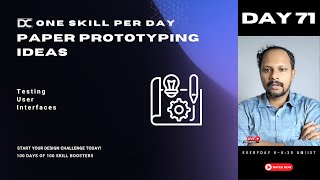
Jagdish P teaches paper prototyping for product design, walking through low-fidelity prototypes with Ramraj, Anju, and others. The session covers hands-on techniques using simple materials, iterative testing, and how to collaborate while building and refining ideas quickly.
As a skill particularly. Okay, so that's the agenda behind this. So let me. Let me put a link also in the group so that people can join. Good morning, Ramraj. Good morning, Kandasami. Good morning, Jay. And then good morning, Anju.
Anju is there. Okay.
Good morning. Good morning. Good morning. Let me put in the WhatsApp first. Hold on.
Okay.
We are live, guys.
Okay. Okay.
That'S interesting. Fine. So yes, we are already live.
And.
Let me also put this in spotlight.
Okay.
Excellent guys. Fine. So good morning guys. Good morning. To this particular skill booster session. We are in the. We have completed 10 weeks in fact, to be very honest. And the kind of response you guys are providing is really, really high. And I can see that some of the people are consistently coming. Some of the people are learning and I really appreciate that. The point here is we were seeing about what you call storyboarding thumbnail sketching for the past few days.
Okay.
So I thought why not we teach something called rapid prototyping. See, rapid prototyping in the sense, lot of people will have many different ideas towards that.
Okay.
Like let's say hi, SRI Balaji. Good morning. So a lot of people will think it is all about always making a perfect one.
Okay.
See, prototyping itself is a very rough concept. You'll have to understand the word when you say prototype means that it is a very, very rough way of taking the particular concept and showcasing to the people.
Okay?
But in that we are going to see something called paper prototyping today. So how to create paper prototypes? Like let's say if you have an idea. Ramraj, can you show your screen yesterday what you did? And I think. I think you did one good storyboard, right? Just. Can you just share it with me in the zoom chat or WhatsApp or something? That's great, Ramraj. Okay, can I take it from your WhatsApp chat? Is it okay? Is it fine? Just a second. I share it. Welcome guys. Welcome to the skill booster session. Okay, Ramra, you've shared me that.
Okay.
So today we are going to see paper prototyping as a skill set.
Okay?
So now let me share the screen, guys, so you can understand like what. What our student did in the. Okay, look at this. So this is one such skill.
How?
By creating a simple storyboard for a Spotify. So yesterday we saw this skill set. So what Ramraj and other people. There are a lot of people also who have messaged me personally. What they did was they tried to create one scene, okay. For a particular use case. See, it could Be anything. But we have tried to number it accordingly. Like let's say 1, 2, 3. Like what a person will do while he's going to office. Boss gets angry. He's getting stressed in the work. And he's returning to the home thinking of the park. But he to Spotify. And then he's so happy. And then finally he slept and he got relaxed. This is one scenario.
Okay.
This is one scene. This is one scenario. So Ramraj has put it in seven steps. But ideally you guys can put it in even three steps also. Or you guys can put it in 10 steps also. So similarly for one solution, what you. What you already have in your projects are probably your. Your case studies or anything that is up to you. But you can able to detail it out this particular use case storyboard first.
Okay.
And then we'll try to create a small paper prototype for it. So like let's say we are providing some solution for the user. What are the solution? We are building a Spotify app. Example.
Okay.
Spotify app is already there. But you're just rebuilding it again. Let's assume so first, what should I do to make his stress reduced? You start from the initial moment when user logs into the screen.
Okay.
It doesn't. It doesn't matter that you have to only design always login screens and all. It doesn't matter. You also always design only starting screen, ending screen. No. Think about how the user will navigate. My objective for the user is to get relaxed, right? So.
Okay.
My objective for the user is to get relaxed. So what happens is you will have to create a particular experience or an entertainment which makes him get relaxed.
Okay?
So I can have something like a small screen on boarding. Like let's say I'm just giving you an example, okay? Like I can. I can. I can. I can do something like this. Like let's. Let's assume example. I'm giving you this. Okay.
Let me.
Let me. Let me show it for you so that you guys will understand better.
Okay.
So I'm just drawing on small screen. I'm thinking Spotify is a musical application. So you should be there in the mobile. So I'm just thinking, okay, why not? Why not something three screens like this.
Okay.
Just roughly in this three, I am asking one question. What is your current mood? What's your mood today? That is the first question what I'm asking. I'm just showing you a rough case how you can able to do it. Let's say if the user is feeling happy. If the user is feeling okay. If the user is feeling stressed initially. Just basically three buttons will be there. Once whatever he presses, it will branch out to the next screen. Assume the flow. Assume. Okay, then what, what happens? Like let's say if he's feeling stressed, you can have one message saying hey chill, today we have something special for you. Okay, you have the recommendation list. See, look at this. And automatically there will be one music which will be which will be playing with his favorite listening track already he listened. Or maybe that can be taken from his earlier past region based preferences. Okay, it will automatically pay some list will be suggested for him.
See.
Second, second experience what he's saying. Third, once he clicks some song automatically it will start playing. Okay, like let's say I'm just giving you a small example.
Okay.
So this is one small three, three layer of information. What I can able to do it. Okay, I'm just switching out this portrait so that you guys can see better. Okay, Just a very simple one guys. So my responsibility now is my user is getting stressed. I'm just taking example of Ramraj but you can do anything.
Okay.
My user is saying hey how. How are you feeling today? What's your mood? He's saying I'm happy, I'm feeling low, I'm feeling stressed. It's okay, fine if you're stressed. Like let's say if he's stressed, let's draw arrow mark from here if he presses this button.
Okay.
Or maybe if you press ok also automatically it will open another list of screens showing hey chill, we have something very special for you. Look at this. This is strong, strong recommendation for your listening capability. Or maybe it will automatically start playing once he clicks the button. And once he clicks this automatically this will go to the third one.
Okay, it will play.
See this is actually called bringing those storyboarding whatever you have Ramraj in into a small prototype. Prototype in the sense what it is not a real working model. It is a rough way of creating it.
Okay.
In fact this is also not called prototyping. This is actually called creating a basic level of wireframe. Once if you are able to create a very good clarity towards doing this then what you can do is you can take this paper, okay? You can just cut it. You can just cut this rectangles like the Lego screens and you can just paste it in the chart paper or you can put it in the sticky notes. Also not a problem. Actually I was in a different location or else I would have bought you guys sticky notes to to tell you that because it is damn easy to do it in that way.
Okay.
If you are a student already, you should have bought all the sticky notes and I believe you will have. Okay, so what happens is you can able to keep it in the post its sticky notes.
Okay.
And then you can draw some thread.
Okay.
In Tamil they call it as a no, right thread. You can have something like a thread and you can put something like a board pins in the chart paper and then you can connect the threads from one stickies to other. That means if the user process here, he will go here a very simple flow diagram. It is actually called creating flow diagram. Okay, and now you're making it little interesting. You're just detailing about this. You're just trying to create some colors for it. You can put some sketch pens, you can add some small illustration. See, simple like what Ram Raj did. It is detailing down the screen. But the one use case should be very clearly detailed for this prototype. Okay, so when people are reviewing your project or maybe when people are looking at what is your idea, maybe your team of stakeholders or developers or boss or somebody, what they'll say is oh, I can able to understand it better. Yeah, we can test it quickly, see what happens when you have the clarity in your idea. If you just present it in just wireframes and then you're showing it in Miro or Figma or anything or whatever file your sketch or whatever you're doing, people will say okay, okay, what next? What next? So that, that idea towards going and testing with the user will not come. When you make something tangible, when you make something interesting with a connected flow, it will become little more interesting to check it out. Maybe you guys can do one thing. You can also take a thermocol. Okay, like, like a small thermocol. You can do it today.
Okay.
If, if you wanted to do it very hands on, you can take a common size of a thermocol, same like mobile shape, okay. And cut 10 pieces. Go to go to a stationary shop and get something like this. Take exactly a printout of whatever you guys are thinking and paste it on the thermocol. That will look like a mockup of the mobile.
Okay.
So you can see like when user is pressing here, it will automatically go here, there, over there and automatically he will navigate here. See it will become even more interesting for the people who are saying this looks something practically doable, practically testable. This is called rapid way of prototyping. You can ask me, hey Jagdish, this, we can do it in paper pen itself or we can do it in the Software Miro itself, no like mirror also pretty much does a lot of good wireframing. If you guys are starting a brand new, I would highly, highly, highly suggest please start with Miro. Because Miro is a very very simple software. You can try it out but it's not about perfection.
Okay?
You can do it in paper, pen, pencil and all. But when you come to do it in the practicality live like let's say a paper or something like a tangible material. Or maybe you're designing some kind of a watch interface. Maybe you can also create some kind of a small strap other you can put the sticker of the interface that becomes little interesting. Maybe you can put it in the real time user and wear it like a watch and test it. Hey, if a watch is given like this, with this kind of a sizing button, will you be able to see it? You can ask the user. User may say hey yeah it is okay. No, it feels very small for me. Oh fine, let me make it little bigger. See you can't test it out the small big in the screen. Nobody will tell you because you itself don't know. Unless until you make something real practical, you're not going to get it. Okay, so this is the main ideology behind going forward. Are you guys getting it? I'm just giving you a small heads up before we start the session.
Okay, just.
Just give me one second guys. Give me one second. Subara, super. Ramraj is saying super. What is super in this? Okay, just give me one second guys. I'm just pasting the link for the people who want to join from outside. I totally forgot that. Just a second. Oh people are messaging me personally. Okay, just a second, just a second, just a second.
Give me, give me one second. Okay.
Okay. So yeah, you guys must have understood what is mean by rough prototyping and paper prototyping. Okay so today whatever solution we are going to see, I'm going to, I'm going to start this session today whatever solution we are seeing guys I want everybody to try it out in their home with your earlier project. Don't take any new project. Okay so my objective here is to just help you guys to bring out how you can able to create some basic fast prototyping using your with available materials what you have. You don't have to go and purchase anything in the what you call Amazon flipkart and maybe don't go to the middle of the forest and get anything. Just do whatever is there in your house and just get comfortable with this. Okay so the skill what you're going to see is called paper prototyping. So why, I mean paper is. Why not cardboard jayantish, why not steel board? See, it doesn't matter whatever material you choose. Paper prototyping in the sense it is a very rough way of getting close to the reality of the prototype.
Okay.
See, this stage ideally will be started once the wireframes are ready in the project. That means people have a lot of ideas during the ideation phase.
Okay.
Like let's say solve a problem. After they create a lot of ideas, they create a lot of wireframe. And in that wireframes they'll try to. Once they find a minimal solution, what they'll do is they'll try to test it with the user.
Okay.
At that time this becomes very important. Okay, so why it becomes very important? Because people have to see the reality. People has to go and check how the product really looks like. Like, let's say if you're designing some kind of a medical device which is not a regular mobile screen or a rectangle, what do you call this? 1920, 10, 90 pixel or watch or any. It's something in between. You never know how the doctor is going to use it. Okay, See already doctor has a gloves he can't touch comfortably. I mean the doctor's button size should be little bigger, right? Because doctor wears two set of glasses when he does surgery. Imagine if you're designing a ventilator. We face this issue when we designed a medical ventilator. So he has to go and press the interface, right? Imagine if he presses same like the mobile next button by mistake he presses. What happens? That patient will die. So you need to understand the functionality of your interface. That is why paper prototyping plays a major role in testing out these ideas. Okay, so with that context, I'm going to quickly explain you guys.
Okay?
So I told you. Basics, back to basics. Creating some interactive baselines through paper prototyping. What is the objective? See how to create quick tangible materials. That is what is the major objective I wanted to teach you guys.
Okay.
And also focus on interactive iterative testing and visualization designs before translating into digital tools. Very, very important point. Why? Because I wanted you guys just test it out some method before you talk to the user. If you talk to the user like hey, I made a. I mean I. I have a solution. This is the screen. Is it? Okay? Yeah. People will give you feedback. But imagine when you take a chart paper, when you put 10 pictures of your mobile screens. Put a real pictures. Okay. You put real screenshot. You can Make a good also Raj. Okay, continue into your solution. I'm saying even for Jain and then you all the people, a lot of people have actually sent me personally in WhatsApp. I'm asking you guys whatever is comfortable. Or you can just take a printout in Canva also. It doesn't matter. But okay, but I wanted you guys to just take it into reality. Cut it in a paper and pen, stick it somewhere in the chart paper, put it in your wall, ask your nearest people to go and select. Hey, how this flow is there? Is it understandable for you? Were you able to do it? That is called paper prototype. See, the observation and feedback compared to a digital screen and a physical one is much better. In our last batch, many of the students have tried this. They created one bus ticketing application for smart transaction inside the buses. Because the GPA and all the things are not inside the buses, right? So these people have created that. I think that team has brought this solution. It's a good paper mock up they created. But anyway, I'm just giving you an example. But you guys be creative. Just because I told you, you don't only make mobile screens and everything.
Okay.
Why this skill is important. Let's talk about this. Speed and cost effectiveness. Speed and cost effectiveness. Better team collaboration. User testing made simple. I think I told you all this.
Okay.
Enhanced creativity. So let's say quickly test ideas without complex tools or technology. Simple, right? See, you're just doing it with a paper and pen, gum and scissors. That's it. And it's more hands on. See the. The moment when you do hands on, you feel very happy that you are. You are testing something very real. Samples and prototype.
Okay.
And you can do it for real also. In many design studios, they do it for real also. They create the actual mobile. They put some mock up mobile inside it. And then they'll take the user you can prototype. You tell me how will you answer your phone? You tell me how will you answer your phone? When you're in the work you're creating physical, you can also think about physical part. No problem in that.
Okay.
But for me you will have to just test it out how this. How this thing works for you.
Okay? Yes.
Anju, you want to ask something? And you go ahead. Want to ask something? Your voice jerking. I'm extremely sorry. I told you, right? Rain problem. It's totally a different Internet what I'm using. Is it fine now? Is it little better? Is it little better? Can you confirm me? I understand there is some kind of a shakiness in my voice. Okay, but just bear with me because guys also I'll tell you one thing. Just go to the utterance panel and mark it because people are coming here. We can also give you some points. Guys, okay, just mark it in your attendance panel in your learning management portal.
Not now.
After this. Okay, fine. So teams using paper prototyping reduce iteration time up to 40%. Journal of Design Thinking 2022 says that that means. Look at this. See, people are using it. It's not a. Just like a theoretical concept. People are using it every single day in their product design and UI Visual design studios. See, maybe consulting design studios are just who who is doing screens and servicing the people. They don't take care of this much. They'll just answer the call of the client. They'll ask hey, okay, you need screen. My graphic designer will build it, let's send it. That's it. They'll try to get the payment, they'll get the project done. But product design studios don't do that. Product design studios really go into the depth of the problem. They try to understand the user. They do research, they do testing. They do come up with a small mock ups like this. Once they create a very good wireframes, okay, this is the best way to test it out. And then better team collaboration. I said yeah, I would say great example is Ideo. I mean we saw last week a good case study, right from Ideo shopping cart. Have you seen how much they've created a mockup, right? A mock up like a shopping cart. How the interface really works, People have created. So think about it, okay? Encourage stakeholders to take feedback through the tangible prototype. And yeah, focuses on interactions rather than aesthetics for usability testing. See this is the most important part. When you guys are working in the real time project, you will hear this kind of terminologies. 70% of the usability issues can be identified with early prototypes. I told you, right? When you make something tangible, people will tell you the real feedback. You cannot assume beyond a point of time.
Okay?
Enhanced creativity from ideas from. From perfection pressure boosting engagement to ideation. A lot of people are there in this. I don't know. Perfectionism, procrastination. This disease comes and eats them. For these people take action. Whatever project you have earlier. Like let's say Anju has some project. Jayanandani has a project. Ramraj, I've shown you the project. Shashank, I'm not sure whether he has a project. I think he has some project. Kandasamy has a project. Sharad, Steve Balaji, everybody has one or the other way. Some project and people are there. The YouTube live also.
Okay?
Take something. Don't do anything new. This is not a place to do a new project. Take any one project. Think about how can I put it in a visual form physically to the people to test it out.
Okay?
You try to draw it in a paper. Don't do anything very superficial. Just draw something. Add some kind of a bindi or stick or sketch pen. Just do it little fancy. Try to do it, okay? And then try to connect the dots. You can use thread, you can use some kind of a sketch, pens or lines. Be creative. Go to your kitchen. Go to your junkyard near your house. Just. Just go and find out whatever things you got. Do it with that. Don't do anything from the shop if it is really urgent or necessary, okay? Don't spend beyond 100 or 200 rupees, guys. Just do it. This is called prototyping in studio also they will do this only they will not go and buy any equipments.
Okay?
Think about it. So activates both logical and creative brain function. That's how you become so creative. I told you, right? You can able to find it. So what are the components of this? What is this Paper prototyping Jagdish. See a low fidelity method used using paper to simulate interfaces and workflows. I think I told you this. I'm just showing you the definition so that you guys can able to grasp it.
Okay?
For the people who are not able to get it, it is to visualize and iterate the design on the flow. Mainly you are testing out the flow. You're testing out the one is to one ratio of the sample. Simple how it's going to work. Like what are the key components of prototyping? First of all, you will have to create some kind of a screens or frames. Similarly what I showed with Amraj. If you already don't have, just try to take a very, very rough screens and frames from your earlier project, okay? And then try to take interactive elements. What are the movable parts in your elements like? Let's say it could be sliders, it could be buttons. I'm just taking an example, but whatever you want, you guys can take it, okay? And just try to take notes explaining functionality and user behavior for each element. It will be more interesting guys when you do it. That's why I'm telling you people who are starting up as a new designers one or two years experience, please don't have the comfort of going and working in a Remote environment.
Okay.
Please try to go and work in a physical design studio. Yesterday. I don't know yesterday or last week one one housewife, she called me Jagdish. I'm looking for a remote job. I said how much experience you have? One year? No, not even no experience. I'm just learning. If you start your career with work from home or hybrid, you will not experience this kind of a factors. Guys. You will think making digitally is the actual world of design. No, There is a lot of fun when you do it live. So go to the physical product design studio. Even if you're a fresher, they're not paying you. It's okay. Just get started.
Okay?
Because you will not experience all these things I want. Ramraj said, I found one storyboard prototype. Try. Ah, no problem. You can do it. Just wait for one second. Let me complete this.
Okay? Okay.
So iterative design annotations. I told you. Third benefits of prototyping. No software dependency. User centric design flexibility. Simple guys, no big brainer. What are the techniques to do an effective prototyping? So you can have layered design. Use sticky notes. I told you right? Just use sticky notes. Transparent sheets. You can go and get this butter sheet or maybe something just to spend little.
Okay.
Similar interactions. One team member act as a computer to show transitions. That's what it's. It's very fun when you do it with your team. But anyway, now you're there in the home or maybe you can contact any one of our in our group. In WhatsApp group. I kept it open. You guys can message. Hey, who is ready to do paper prototyping? I'm going to do it today at three o'clock in the afternoon. If people can do it, it's totally fine. Do it virtually. It's totally, totally fine.
Okay.
Connect in a gmeet or something and do it. Keep it simple.
Okay.
Remember this. Keep it simple.
Okay.
Kiss. Prioritize core functionality. Avoid unnecessary details. This is not a place to do a perfection one. I already told you rapid iteration.
Okay.
So continuously refined prototype based on the feedback. Okay. Studies guys. See I will tell you Ideo. Ideo is a one design studio. They continuously do paper prototyping. They. They don't go to the distill without even touching paper. They're like a very hands on design studio. I really like their approach. Accelerated decision making. They take. Okay Dropbox. Dropbox is one case study which I've been telling you guys.
Okay.
They have actually improved their user experience by testing out with a lot of iterative methods. In fact Dropbox and all these people, they are like pioneers of this. What you call this design thinking methodology. They were very predominantly using it. That's why their products are becoming so viral.
Okay.
Google material design. I can see like let's say I here plays apps. See many of them examples what we saw yesterday. I took it because you guys can able to connect the dots properly.
Okay.
Slack interface, Spotify Discover weekly app. You can say Apple fitness watch night training. Imagine these are all like practical case studies. See I'm just taking one example. Design a seamless fitness tracker Experience paper prototyping workflows during development. A user centric daily fitness companion. See by creating this you can able to get some clarity on what you're doing. These are like common case studies. You guys can able to do your project.
Okay.
Prominent design studios who are applying. I would say frog. I would say design it. One of my friend is working in design it. They do crazy prototyping there in Bangalore. It's a very good design consulting studio. They will do it.
Okay.
Adaptive path early adapter of paper prototyping in UX flows. So like I'm just giving you an example. But while you're choosing the company, your value aligned should be more towards choosing this kind of a design studios. Then you will experience a different reality of design. Or else you will not even know what is mean by design. You will think something else is design. It will take two, three years. The reality.
Oh.
This is what design people do. Like I don't know. Many people are still asking that question.
Okay.
So these are all like one taste to experience the product design in reality.
Okay.
There are much more things guys. Physical product designer there is a lot of fun. We will do some kind of a real mock up and then we'll ask the user to test it out. Like let's say if you're making a motor pump. We'll ask the user to test the motor pump.
Okay.
The user will kick the motor pump and automatically it'll get break. So we'll try to. That's really fun. We will go and fix it again. We'll ask the user to test it again. Like we used to ask the user to carry that weight. How much weight it is? We used to test it with. Can you carry this weight? In the first floor and second floor we designed a baby incubator physical product along with the interface. So we used to ask the patient to go and check it in the. Can you climb in the first floor and come down? So that girl felt it's very Heavy. So see it's really heavy. We have to reduce the weight. So some kind of a feedback. You will get it. Guys. Okay, fine. So live activity. I already told you you don't have to do anything. I already told you this. Live activity. The neuroscience behind this. Let me explain you very quickly. See hands on activities activates your motor skill and visual processing areas. Physical prototyping boost creativity up to 60%. Harvard Creativity Lab says that. I'm not saying this.
Okay.
Tangible work reduces cognitive load and highlight core features. Teams using paper Prototype completes project 30 times faster. 30 faster. UX research report says physical creation reinforces understanding and recall very well. This is the benefits guys. Every time I connect with the neuroscience, I can't connect it without a skill with neuroscience. Please understand this.
Okay.
And also if you are completely stuck, use this prompts. Guys. Okay, I'm just giving you for the complete. No beginners who. Who has a problem here.
Okay.
So you can go to our. What you call. You can go to our Zoom Chat. Copy paste this. Use this prompts also. You just. You don't have to just completely get stuck. Jagdish. I don't have project. Don't tell that as an excuse. And don't do this. Just. Just start using this prompts and take on.
Okay.
And yeah. Final call to action. Please come to our webinar if you have not attended. I think a lot of people attended last Sunday and listen to our podcast. I've created a lot of needles in the podcast for prototype based. Please go and listen to it. Okay, I'm just pasting out the link in the chat box. You guys can able to listen to it.
Okay.
Just subscribe this channel today. You guys will be able to get a lot of materials over there. We have created an insane amount of value in those materials. Okay, I'm just pasting the Zoom chat. Take it and also read our LinkedIn blog. I would highly, highly suggest you to do it.
Okay. Yeah.
What are the learning outcome? You guys will become a master of paper prototyping. You guys will know what is user centric design because you're taking it to the user.
Right?
And automatically you will work with the team. You will understand the dynamics. A lot of people will not know. A lot of people will be super knowledgeable. So you get to work in a team to understand their equality.
Okay.
And automatically it builds a good confidence for you. Okay, we are coming to the end of this session, guys. Are you guys understanding what is the skill? I honestly don't have time to make you guys Do a prototype. But yeah, we can do one thing. We can do a few minutes of small rough prototyping. Can you guys take a sketch pen and pen and try to create something tangible for me? Anything you do whatever you want. I just wanted something for you guys to just show. Like let's say Ramra Janju, can you guess put a paper or pencil or something and create at least three screens for me. Any basical thing. Like let's say if you want to do any watch interface or any other different design just you can take your own choice and do it. I just want to know how you guys are doing. Okay, can you just try 5 minutes 632 it is till 6:37 we will do and then we'll drop off for the day.
Okay fine.
I'm asking for the people who are there in the YouTube live also I'm just pasting you this chat GPT prompts. Guys don't feel numb, you guys can have it.
Okay? Okay.
Just follow this. And also I'm just pasting you the chat GPT prompts. Fine, the time starts now. Guys just try to take a paper pencil and try doing it. Nothing big, no brainer. Anything you can do here Ramraj? Anything you can do? I just wanted to tell you guys just create some three boxes and try to put some screen and put some arrow marks are connected. I just want to see something physically tangible with you guys.
Okay?
No need to be perfect. Just. Just create Basic. You voice is completely breaking. I'm extremely sorry Ramraj. I understand. Because this Internet is the mobile Internet. What I've connected still the wi fi has not retained. So that's the reason.
Okay.
Once if you're done just post this thing in our chat box. Let me see whoever has just did basic. Just put reality like on top battery symbol will be there. Let's say if you're putting music player actually how the play button looks. If you want to put any call to action. If you have any color pencil sketchman near you by any chance just. Just use that. Or maybe you can draw a simple block diagram. Just put a human figure stick diagram I showed you, right? Simple. Don't go into artistic mode.
Okay?
Just.
Just roll.
Two more minutes left. That's great. How do you feel guys? Waking up early in the morning, how many of you are coming for the first time after a long time? This is a habit for all of our people. Like some people come, sometimes even 20 people come. Sometimes 15 people come. But I don't really see the count. Even one person even if nobody is there, I'll just conduct this. Because I'm not just doing it for our people. I'm doing this for public. So you guys can jump on if you need. But we'll be doing it till December 31st only.
Okay? So.
So every day we'll be teaching you a skill. So you can. You can join this and take an advantage.
Okay? Yeah.
Divya, are you doing it YouTube live?
Yeah.
Okay. Divya.
Fin.
Excellent, Divya, excellent. Do it. Do it. If you have any doubts, you can message me.
Okay?
Oh, I'm really sorry. My Internet is completely choppy. Guys. I can see the review in YouTube. Guys, please bear with me, okay? I don't want to stop this because of Internet. I just wanted to get. I. I recharged this 5G Internet and I got it. But it's not really working. Tomorrow it will be fixed. Guys, don't worry, okay? You will get the 1080 recording. Don't worry.
It.
Guys. Post it in the group if you completed. Okay? Okay.
Fine.
Guys, enough. See too much. We. We will be able to do. Because it will consume a lot of time. It's fine. But some screens have you got. Can you just share it with me in the chat box? Is it okay? I will also show you some examples for you guys. So that it is clear for you.
Okay?
Yeah.
Yeah.
I'll also show you super examples as well.
Okay.
You guys can able to get all this is how it should be done. Again, don't get biased. Okay? I'm just showing you an example. I don't want you guys to get biased with that.
Okay?
With that caution I'm showing you because since the time is up I'll have to wrap up the session. So I'm just showing you quickly. But ideally I would never show to my students. The reason is they get by super biased.
Okay.
I wanted you guys to first experience it, make mistakes and then let's see some inspiration.
Okay? Okay.
I've got few examples for you guys.
Okay?
Yes. Can I look at your chat? I'm just not looking at the chat. I'm just putting out something for you guys.
Okay.
That's great. Fine. Something has come in the chat.
Okay.
Ramraj. Excellent, Ramraj. Guys, can you look at the chat? That's what. That's what I'm expecting.
Okay.
So this is one way of doing this paper prototyping.
Okay.
There is nothing wrong in it. I'm also going to show you something now.
Okay.
Listen to me very carefully guys. Excellent. Ram Raj, you're in the Right track. But what I was also thinking is you guys can try this once. Can you see? Can you see this? Don't get biased. This is one use case. Okay? Example. You guys do it in your own way. You don't have to. Exactly. Oh, this is a perfect way of paper prototyping. No example if you're completely numb. Try this, okay? You can use this. See how detailed they have gone? Like they put a name of this, they put a task, they put even what you call the interaction buttons very clearly. So that what is really happening, okay? A simple mobile frame in a chart paper.
Okay?
Very simply they have it. See, this is how Ramraj, what they did is simply like this, right? This is how you start and then when you go forward you can also make something like this. See, this looks little real in a real phone. Imagine if this is a phone. If this is the interface what people have. See, this guy is very crazy. He has created a cardboard mobile and then how smart it is like he put the paper. It can be slide. Very creative, right? That's what I'm telling you. Don't. I'm not going to stop you for any reason. You guys go wild. I'm just showing you some ideas which is possible. Look at this tablet application. Look at the scene one. I told you, right? Scenes and frames is very important when you're constructing it.
Okay?
Try to do it. See if you want to get a little glimpse of what is the storyboarding, you can watch the yesterday's recording in the live.
Okay?
See this? All videos will go unlisted guys after December. Please try to watch it whatever skill you want, okay? And. And take an advantage. Again, don't go and watch everything, whatever is needed. You guys go and watch it, okay? So few examples. I'm sharing you guys, okay? Again, don't get biased. You do it in your own way. Because everybody has a different crazy way to prototype and create, okay? When people are given a chance to do it, they'll exhibit anything. Even you can make a big sense out of any whatever you have. This is one DAPA I have in front of me.
Okay?
You guys can do any crazy stuff with it. But how it is relevant to your prototype. You guys have to think, okay, I wish you all the best guys. Have a great day and we'll see you tomorrow in the hackathon. Particularly tomorrow is going to be a 5:30 session and yeah, after that we'll be having a normal skill booster.
Okay?
Any doubts? Can we wrap up for the day? Excellent. Thank you for coming all the people. Shibalaji, Sharath, Ramraj Jain and Shashank, Anju Kandasami and all the people, Sharat. Yeah. Bye. Bye. And also Divya and other people who are watching in the YouTube live. Take care all the best guys. Have a great day.
Yeah.
More from Jagadeesh

Comment “ME” if you want to join the next upcoming hackathon — we’ll send you the registration link.
Comment “ME” if you want to join the next upcoming hackathon — we’ll send you the registration link.