Day 78-Feedbacks and Mapping 100 Days 100 Skill Booster Sessions
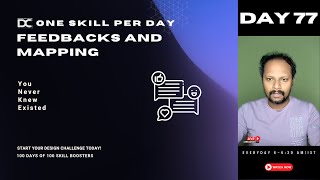
A design workshop on feedback and mapping in interaction design. The session covers how these principles improve user experience, with live examples and interactive activities from attendees working through real design problems.
People will be joining over here.
Okay? Yes. Okay.
Okay, that's great. Fine. I think we are live now. Excellent, guys. So very good morning to the skill booster session. So what we are going to cover today is a very important topic which is called feedbacks and mapping.
Okay?
So so far what we have seen in the, in the, like let's say in the, in the last two days is interactive design principles, okay? So you might not be knowing about it. Like let's say we have covered totally 77 days, okay? In fact, this is the 78th day and people who are continuously taking part in this are taking a great advantage out of it. The very reason being like we wanted to complete the 100 day skill booster challenge. So that is the main objective behind this. And yeah, we are doing it in a massive way. And particularly in the last two days we are covering about interaction design principles.
Okay?
With that being said, many people are doing designs. They are building screens, they are building buttons. But they were not able to understand how to create a meaningful interaction. What psychologically happens in the user's mind when they are interacting. So that's a conscious thing which designers are many times missing it out. So this is also one such reason why we have particularly talked about the interaction design principles.
Okay?
Yes guys, so this is actually first of all we covered about affordance in the, in the day, in the day 75, I think. Then we covered about discoverability. Okay, so then we covered about another topic called like let's say signifiers.
Okay?
And we covered about there is another topic called constraints. So the four topics which we covered in the last two days. But today it's going to be the last day and we are going to cover another more two topics, okay? So these two topics are damn important. So the first, first topic is actually called feedbacks.
Okay?
So it might sound easy, but let's see how easy it is, okay? The second thing is mapping.
Okay?
So I'll have to show some pictures for you guys to understand. But anyway, let's move forward so that we will be able to get more feedback towards it, okay? Yes guys, just give me a minute, okay? Welcome guys. Welcome. Fine, so now I'm going to share my screen and I wanted to show like what is the.
Just a second. Oops.
Okay, fine guys, so I'll share the screen in a while. First of all, I wanted you guys to little bit think about like let's say, like let's say we have something feedback.
Okay?
So feedback is the very first topic, what we are going to see. So before Me sharing the screen. I wanted to teach you these two concepts via some activity. That's what we used to do and last two days also people did a lot of activities to bring that things forward. So in any form of interaction in every single day, like let's say let it be a product which is near you or let it be the product which is which which is there in the online reference what you're taking. It doesn't matter guys.
Okay.
I wanted you guys to just think about how can you think like let's say jagdish. This is actually something like a feedback.
Okay.
And I find that when I interact with this product there is a feedback coming to me.
Okay.
It could be a positive feedback, negative feedback. Totally up to you. But there should be a feedback.
Okay.
So think about it. I'm just giving you a few minutes, two to three minutes. So try to find out that it could be a physical buttons like let's say. I'll give you an example. So if I press this option, let's say there is a remote in front of me. If I press this, I get two feedbacks. What are the two feedbacks? One is this button is getting pressed. Second is there will be a sound feedback. Ding ding. That means the AC is switched on, right? Am I getting a feedback or not? I'm getting feedback in terms of auditory as well as the physical tangible button. I'm getting two feedback. So think about any one product or any one digital application or anything. What you guys really think about is being having the. The what do you call is his having the feedback in it.
Okay.
Can you just try it out? Akshita Jayanandani Mekna. Can you just try one example of you guys like. Like bringing the feedback into the reality. It could be anything digital or physical. Totally up to you.
Okay.
Go to Google, take out online. No problem. Just find it out. I just need a few example.
Okay.
One or two. Maybe you can just copy paste that in the zoom chat itself. No problem. Yes. Come on guys. And people have joined you and just asking you one simple question. Like can you just take one feedback device which is around you which is giving you some kind of a feedback in your interfaces. That's what this my question is.
Yeah, yeah.
So people have given me some answers.
Let's see.
Desktop. Turning on desktop. That Windows sound. That's great. Superb. What else? What else? A very strong feedback. Can you just try Headphones case light blinks that red and green. That's great. Interesting. Okay. Alarm. That's good. That's good. Okay. Auditory feedback. You guys are telling about what about physical feedbacks? What about physical feedbacks? Very, very crucial feedbacks. Think about it. Imagine how blind people will be able to see this red, blue color. Think about them. How do you, how do you bring an interaction to these people? Think about the disabled people, okay? Especially abled people. How will they see the yellow light or green light or whatever for them? How do you give feedbacks? I will tell you what happens when we don't give feedback, okay? In the coming, what you call coming classes. But I'll just tell you first of all to take out some kind of a feedback. That's great. Kanda. Vibration. Meghna saying blink blocks lines at the metro railway station. That's great. See, there is something called tactile experience, okay? Mostly for the specially abled people. We give this tactile experiences. The second thing what I wanted to tell you is apart from sound, apart from what you call apart from visual, apart from vibratory, you can also make the person feel intuitively inside something, okay? It's a physical interactions what we're talking about. Like let's say if they are dumb duff, maybe we can give them some kind of a feedback with respect to what you call vibration. Or maybe we can test them sensorially. And there are some many devices also nowadays coming. Like let's say there is something called bone conducting hearing. People who completely lost their ability to hear. Where the hearing aid will not work for them. There is something called bone conductive hearing, okay? It's a technology. Many, many people in the world have the technology, okay? So they find a way to induce a particular electrons into the brain and the cells get activated inside the bone and then it will make you hear properly. This is for the people who completely lost the hearing, okay? It's a very new technology. So there are multiple technologies. Keep coming. But ultimately what we are doing is we are touching the five senses of the people to give the feedback, okay? What happens when we don't get the feedback? It's good that you said that you wanted a feedback in terms of switching on the system switching off. Imagine if you don't have the feedback, what will happen? Can somebody type what will happen if you don't have feedback in product interaction?
Come on.
Let's understand from you guys. Go ahead. What happens when we don't have feedback? I wanted to know the impact of it. Then only it will be more interesting for us to read. What is this topic about?
Okay, Come on.
Go ahead guys. Go ahead. Go ahead, go Ahead, if you don't have feedback, what happens? We'll miss crucial information. That's one thing. K Swami.
Good.
What about the other thing? When we don't have feedback, we will get frustration. You will become mad. Imagine if your home and then the lock doesn't see lock. Still check the door is locked. Locked or not, locked or not, Again and again you'll put the key. Frustration develops. You will not get satisfied. Your loop will not be closed inside your brain. Okay, so think about it. So we should never make our users to wander around like this for a lot of time. So that's why feedback is damn important for any interaction what you guys are creating. Okay, so think about it. And yeah, we don't. We don't whether it is activated or not. So we keep on repeating that. That's great. Generally that's what I'm trying to say. It will never be intuitive and engaging. Yes, leave intuitive. Leave engagement. First of all, functionality itself is not meeting. Okay, so think about it. There is something called usability functionality. What you call and aesthetics functionality. Usability emotional. So you need to have this four terminologies for your designs. No matter what problem you're solving, what interface you're building, if you guys are not thinking about this four terminology, you will end up making a substandard design which everybody has already in the market. Okay, so the only place where the designer really gets different is by applying consciously these things.
Okay.
Accessibility. Accessibility is an additional term, inclusivity, additional term. Let's talk about the basics. Okay, yeah, fine. We can definitely do accessibility for sure based on the context what we used to have. But yeah, so you need to go in this order. Okay, great, great. Thank you for reminding. So today we are going to see something called feedback and mapping. Okay, so now let's talk about feedback. I already gave you the examples, so you guys know about it. What are the feedback? It ensures that the users outcomes and the feedback reduces the uncertainty. Blind trust. Okay, I told you about this, right? And enhances user satisfaction by providing a real time system responses. See, I will tell you very complex examples.
Okay.
When a doctor is performing a surgery, or maybe if that equipment, whatever they're operating, imagine if the feedback is not given properly. Like let's say if any vitals goes wrong while they're doing a surgery. We had a problem when we did this, what you call alarm settings in our ventilated device.
Okay.
So what we did is there are three types of alarms which we used to have. One is a low priority alarm medium and the high Priority alarm.
Okay.
Yeah. We created this alarm and then the alarm is working good, everything is fine. But in the ICU there are 20 ventilators available. Imagine if 20 ventilators start peeping different, different alarm sound. What doctors will get. In reality, they will get super confused which patient is having this problem. That is why if you go for nicu, they'll be always. There'll be a sound continuously beeping.
Right?
Okay, here. Feedback is too much. Feedback is coming, but the feedback is too much. So that is where you need to take multiple approaches. So, so why don't you just flash a LED screen over there? So why don't you just put a color on top of it along with the additional alarm screen. Why don't you increase the sound for high priority alarm and keep a low priority sound for a low alarm. For a low priority. Critical things like let's say if the heartbeat goes down, that's a very, very bad symptom, right? Like for that the red color should pop out, the sound should be high. So we created a LED panel around our ventilator to do it because Dr. Gets super confused. Okay, so think about it. Without feedback, if the doctor is passing by the hospital, by that ward, and then if nothing happened, that patient heartbeat is losing and no feedback is coming that causes the death of the patient. So think about it. Feedbacks are very, very, very, very important. You may take it very easily, but in reality, the kind of product you're working on, feedback matters a lot. Okay, so what is this feedback? Is any visual, auditory or tactile experience to provide reaction to the user's action.
Okay.
Like let's say we need to get some action for the reaction. What we're making, it's to create a dialogue between a user and a system, confirming action and guiding the steps. I think we all know it.
Okay.
There are many types of feedback. One is the haptic feedback. You can use this vibration tactile cues in a mobile, mobile device. Second is visual one. You guys talked about it. Third is the auditory one. Very, very simple. Not much what you call feedback in it. So what happens neuroscientifically? See, feedback activates a dopamine energy system, reinforcing the user's behavior and building confidence. Definitely it's every time connected to neuroscience. We cannot have a topic in design which is not connected to brain activity and human behavior. The reason being when we do some activity and when somebody is saying, yes, it's completed, yes, it's done, it's superb, it's great. So you hit A dopamine hit. When you plan a day and then you complete all the tasks perfectly, you get dopamine hit. That's a feedback for you that you've completed, right? Yes. You written something or maybe you planned something and then you executed it. So your brain really gets a dopamine hit. Okay, behaviorally. So think about how the users are going to use your applications and products and how can you give them a dopamine hit by using it, by closing the loop, by giving the feedback. Think about it. Okay, so real time response is reduces cognitive load. This is very much superb. I told you, if the stress gets reduced automatically your cognitive load comes down enabling the heightened focus and satisfaction. Examples. I can take a lot of examples guys. Like let's say Google Docs autosave feature. How many of you are really feeling thank you about it. This is a super, super feedback guys. Whenever you're working on a file, the big problem is we don't save it. Like let's say I would say three to four years before, the prevalency of using online documents was not that high. Now in the last three years it was really high. So previously what happens is when we don't save a file, it will automatically close system offs. You'll have to do everything. But now because of this Google Doc feature and every time, every few minutes you will get that tick doc saved live. That creates a sense of feeling that this is saved and we don't have to worry much about it. And most of the software nowadays having Gmail undo send button confirmation, you get an interaction while you give undo. Can you see in all the interactions when you give undo button be a blink of the screen. There'll be a small micro interaction. There'll be a small what you call go back arrow. So that gives the feeling okay, this has been undoed. So I'm just picking out few features. But it is, it is prevalent in all the cases. Physical product beep signals completing of the cycle.
Right?
Washing machine completes the washing cycle and maintain some sound comes car indicator, elevator buttons. See many, many examples. Let's talk about bad feedback.
Okay?
Poor form feedback, no confirmation after pressing submit button. How many of you felt this confusion? How many of you filled a very big form submitted and not got any response? Frustration, right? That's got a bad example of what you call the feedback ATM machine slow response without a loading indicator. So when a person is operating a machine or anything, some kind of a loading should come like let's say 5% done, 25% done. If nothing is Coming. People will get into a complete confusion and frustration. Sometimes they will have. They'll take the card from the machine. They'll try to pick it. That's not correct. They'll force and sometimes they will. They will be like impatient. They'll just press cancel. They'll press enter that is also not responding. Press again, cancel. They'll do lot of things and machine guess even more. What you call hanged. So think about it. Feedback is damn important. Even if the machine is slow, the designer has to create a software, write it in a way that machine will only operate after five minutes. At least the user knows that this is going to operate after five minutes. He'll just keep quiet. Think about it. Okay, so that is the major thing. I can give you many case studies, guys, but that's not the point. Okay, let's go to something. Next concept. Mapping. Okay. Before that, I'll give you one small activity.
Okay?
You guys have to find out five good examples and five bad examples of feedback. Not now. After we complete this session, okay? And take a screenshot of examples and just send it to the WhatsApp.
Okay?
Five good, five bad. When you take a lot of bad examples, you will learn a lot more than the good feedbacks.
Okay?
That's the major thing and we can discuss. Definitely. We don't have time to discuss. Or else I would, I would, I would do some kind of a brainstorming and discussion with our students. After the session, what you call really happens. Just one second, guys. One second, one second. I'm extremely sorry. This YouTube live, I forgot to send it to one group which is actually expecting my message. Just a second. I totally, totally forgot. Okay, that's great. Now. Good. Fine guys. So now let's go to something called mapping.
Okay? Yes.
Listen to me carefully. Before I teach the topic I wanted. Mapping. Can you type out in the chat? What is mapping? What is mapping? Yes, that's a good example of light continuously flashes.
Great.
What is mapping?
Quick, quick, quick.
Just a quick thought. Time is about to end.
Come on.
Come on, come on, come.
On, come on, come on.
What is mapping? Map. Mapping. Go ahead, guys. Meanwhile, I would request you to go and fill your attendance and get 200 points.
Okay?
You guys are so lucky. The reason, the very reason being today is a Sunday and you guys have woke up very, very early. I want to give you a reward, guys, okay? You need to get dopamine hit, right? Feedback for feedback for you guys is to go and mark the attendance. Go and do it. Take an advantage. Okay, that's great. Okay. Linking any task to action. Linking any task to action. That's great. K. J is saying simplifying the things. Mapping. Okay, you're telling about the functionality of it. I'm telling what is. I'm asking simple question. What is mapping? Relating the elements. That's what I'm expecting.
Good.
Relating the elements. Linking the task to action. So leave the functionality Jain. Let's talk about it later.
Okay.
Mapping is to look complex things. Listen, listen. So Anju Jain and come down. You guys are going too fast. Okay, that's an application part. Let's talk about what is mean by mapping. See be.
Be little clear.
Because this is little tricky to understand. The word mapping is very simple. But the way in which interactions could be understood in mapping is little tricky. Okay, I wanted you guys to just. Just tell me what is mean by mapping. Come on, do it fast. Do it f. I'll take one classical example for you guys. Okay, I'll take on classical example for you. Then you will be able to understand much faster.
Okay, just a second.
Very, very prominent example. And you guys will not forget this.
Okay, wait.
I'm just picking out that example the online so that you guys will get the clarity of it.
Okay.
Just a second.
Okay.
Okay, I'm going to show you a picture guys. Okay, I'm going to show you a picture.
Okay.
You tell me which mapping is really correct.
Okay.
Do I have any answers? Mark you course of action. Like a map. Where to start, where to end. That's great.
That's great.
K Super. Linking between interfaces. That's great. Meghna. Correct mapping is to look. Okay fine guys. So now can you give any examples of a good mapping around you Mapping. Can you give me an example of good mapping? Come on, let's try to bring that good mapping example of good mapping. Can you try? Go ahead. I'll give you two minutes. Find out a good mapping whether it's a distant or physical. Let's do it first.
Come on.
Where the keyboard lies, where the monitor lies.
Okay. Okay.
Kanda, I'm not able to connect the mapping. See interaction. Think about interaction. Like let's say in the keypad. In the keypad. Where is mapping? Can you point out one example of mapping? That's what I'm trying to ask you. Can you think about it?
Yes.
Meghna. Yes. Akshita.
Yes.
Jaina. Yes Anju, Think about that one good example.
Go ahead.
Two minutes is going to end.
Okay.
Okay, that's great. Fine Kanda, good. But you can take some more stronger example where to Find the function keys. Okay. That's a learned behavior. It's not. It's not mean it's mapped but it's a learned behavior.
Okay.
It's an example. Not a very strong example I would say. Arrows on the keypad is actually mapping. This is great. Make nice. Right? Arrows on the keypad is mapping. See, mapping means directly trying to make a relation for your product. Okay, so now I'm going to show you a screen, guys. Okay, can you tell me which mapping is good? Okay, this is stout. This is knob of the stove. Can you tell me which mapping is good? The question is how.
How? How?
How.
How?
The second one is good. Why the second one is good? I know everybody will tell second lhs left hand side. Meghna. Interesting. What makes you say left hand side? Tell me. Arrangement is the same pattern. Who is that? Akshita. Excellent. A. Achita.
How did you.
How did you. How did you arrange in your mind? Can you just recollect and tell me quickly what makes you say that arrangement is in the same pattern. It is arranged in the same order. How many of you really got confused? When you press fan and light switch in any new house? Okay, maybe in your house. You guys have practiced it. Remember, whenever we press a fan switch, every time it is next to the regulator, we will remember that as a fan switch. And when you keep a regulator here and then when you keep one switch here and one switch next and one is for fan and one is for light. Many people get super confused because they don't know which is for fan. They'll try to do a trial and error and know it. How many of you are like this? Type out in the chat. How many of you are like this? Anju. Left hand side. Because the stout regulators are one line and it makes easy for users to move around. That's great, Meghna. See, this is poor mapping. This is good mapping. Why? Because the knob is exactly arranged in the same pattern. Actually the answer is right.
If you keep this.
See, nowadays all the stuff is like this. But sometimes we used to recall the memory to map for this one also. Or maybe for this one also. We never know, right? Sometimes this could be mapped for this one also or this one also. So see, some people will talk about one from here. Like let's say hey, I'll put one. Hey, I'll put two. Hey, I'll put three. Hey, I'll put four. Who knows or maybe Meghna will think this is one, this is two, this is three. He is. She's a left Hand person means what she. There is no control, guys. User will think from any direction. You cannot exert any control here. Some people will even think like this. We can't really control it. These people are crazy people.
Okay.
We can't complain people. People will be like that only. Okay, so we as a designer have to keep this the moment. When you arrange like this, do you think any confusion will happen? No confusion. Even stupid fool educated, ill educated. Not doing anything. Everybody will interact same without the error because of the arrangement. This is called mapping. Have you guys understood what is mean by mapping? Super clear type. Yes, C super clear. If you're clear. This is little tricky to understand. Okay, that's why I'm explaining you with an example. Because you guys will get the flow. Okay, let's. Let's see some more examples.
Wait.
This is very interesting one. By the way. This is the last interaction principles for you guys.
Okay?
So think about it. I'm just going to show you some more example. Think about it. This is a good example from Niels and Norman Goose. I'm just taking out that example.
Okay, See.
Look at this. Look at this example style system. Think about it. See. Think how the user will really interact with this product. See, this is how your user will also get confused. When you create a user interface. If you're having controls in your mobile app. If you give left side, right side this that try to understand mental model of the user. If the mental model of the user is understood properly, you will be able to remodel that mental model into your app. So that the user feels like super comfortable when they interact with it.
Right?
So look at this style. On the left, a typical stove arranged burners in a two sided grip. A two side grid and controlling knobs are in a single draw across the bottom. This design makes this difficult, right? Similar example what we saw now. But look at this one. 1, 2, 3, 4, 5. See 1, 2, 3, 4,. There is no confusion and it's also space is saved.
Okay?
Or else we have to draw a particular style like this one.
Okay?
You need to draw a straw like this. Nobody will have only kitchen slab. Only star will be there in your kitchen. Okay? One stove, one button second Stove second button third stove third button fourth Stove, fourth. Your entire kitchen staff is filled with stuff. See how they have also taken the space smartly and they have contrary and they have concise. So think about it. So this is how interaction should be planned.
Okay.
Look at this. 1, 2, 3, 4, 5 6, 7 zip code. Good example. What I'll Tell you is guys, maybe this also is fine. The business control,Os introduce a natural mapping that's see in 2015 actually I got my first iPhone of 2014. It was like not very prevalent in India and people are now buying that. And I remember Apple was the only one first person who brought this brightness. Like they did a natural response feedback so that people while they increase the brightness it will automatically increase or else typically it's a button kind of a touch before right side, left side people have to increase the button and it's not a what you call and it's not a immediate feedback. Also once the brightness is set automatically pops up. But Apple has a feature like let's say it's exactly mapped to that feedback. Also the moment when you increase, you'll also see the brightness increased. I think all the smartphone companies benchmarked it taken it. Okay, look at this natural mapping how move two fingers around to rotate a photo or an item, right? Imagine the fan knob. Fan knob is to rotate, right? So we are getting a mapping for rotating in this particular direction. So it is also affordance. It is also a discoverability. It is also a signifier. It is also what you call feedback. It is also a what you call what are the last concept we are seeing mapping. Okay, so every interaction is imbibed into a button or inter additional interfaces or anything. But how you are differentiating it and making the user very clearly understand it is up to you. It's your responsibility. Okay, so think about it. I could go for this example much. Okay, I could take another good example.
Wait.
Style is a very very classical example. Guys. Okay, I think I've already told you this fan switch is fine. I like this fan interactions look most most confusing is fan and light interaction. Guys. Okay, I'll just show you it. I mean it's a good example by Don Norman. How many of you went to any auditorium Hall? Auditorium hall, auditorium. If you go to auditorium there'll be 10 switches available. Okay, there'll be 10 fans available. How many of you use trial and error method to know which fan is which? You press everything and then you switch off and then you know. Very, very bad and poorest way of mapping. Imagine if that electrician would have thought like a design thinker or maybe you have been an architect or somebody who has designed it. All architects who are applying design thinking will not do this mistake. They know user will get confused. So what they do is they keep the fan first first which will be the first time. Second for second, third for third, fourth for fourth. Sometimes they'll keep the regulator bottom it's very clear and evident this switches for this regulator. If you keep next regulator and the fan switch, what happens? Confusion. See here how smartly these people have. Did I really like this example? Look at this. Nobody gets confused, right? This regulator is for this switch. This is for this. Imagine if there is a switch inside and then. And the regulator is that way people will get super confused, they'll make mistake and then they'll learn.
Okay?
See, if it's your home, you will know. But imagine if a guest is coming to you. Imagine if you go to other places. Imagine if there is an emergency at your house, okay? And if you don't switch on the light immediately or maybe don't switch on the fan immediately, something is going to burn off and the mapping is very poor. Imagine what will happen at that time you will learn what is mean by mapping.
Okay?
At that time you will learn very good mapping psychologically and you will never forget for your life. Okay, fine guys, so now this is an example of mapping and it's not very easy, guys, I'm telling you this is not really an easy topic. But you can understand many good examples. But as you go forward, what happens is you will get little confusion as well.
Okay?
So that is why I'm showing you as much examples as possible. But I'm sure you'll be able to get it all the time.
Okay?
So good mapping reduces a learning curve enhance the usability. Very simple. There are many mapping available. Cultural mapping, spatial mapping. Cultural mapping is leveraging conventions like green for success, red for failure or something like this. They have right? Red for stop, green for go. You can use that also for map like same like how people said. Now with examples spatial mapping. I talked to you about spatial mapping. Space wise you can map that, right? Controls aligned with the effects style burner knobs. I already told you what are the neuroscience. Good mapping aligns with the brain's mental model. I told you, right? Mental model is very important. Reducing the cognitive dissonance and improving decision making accuracy. Examples I would give lot but anyway to quickly touch upon volume. Slider map left to right for increasing or decreasing sound. Figma toolbar represents the tools visually Pen tool shape. I like this Photoshop and Illustrator tools guys because they were the first who did that. They did this Photoshop and Illustrator with a tool like a shape of pen. They used to have a gradient brush.
Okay?
So the mapping is exactly designed for that particular tool for that particular action in a very representation way.
Okay?
Spotify horizontal Scrolls, adjusters, playtime, bad examples. I would say car controllers, confusing dashboard, misplaced essential features. I would really complain. All the car dashboards, there are only few manufacturers who actually design it properly.
Okay.
ATM keypads, misaligned keypad create usability issues. Physical style control, car AC, light switch panels, direct went with intuitive dials or sliders. Okay, so these are like physical products. I've given you many case studies. Are there guys you can just go and read about it. That's okay, no problem. But here I wanted you guys to do five good examples and five bad examples. Same for how we did for the feedback.
Okay.
Because if you're able to do it only you'll be able to get some clarity.
Okay.
Maybe if time permits you can redesign. But I believe a lot of people are doing the two day project also. So just focus for 20 to 30 minutes for this and then you can do it. Okay, so what you will learn after you do this activities, you will learn what are the principle of mapping and feedback. And you will develop a critical thinking skills to analyze what is the error, what went wrong. You are not always taking advocate side of your design. You are also being critiqued for your design to know. Acha, I made a mistake. This is not correct. So let me make it feedback. Let me give a mapping, Let me provide a proper mapping. Let's understand. That way your consciousness will grow.
Okay?
Yes. Guys, the call to action is. Yeah. Listen to our podcast. Come on, attend our upcoming webinar. People who are watching live in the YouTube later. Okay, I'm going to be pasting the link as well.
Okay.
In the, in the chat box. Please do watch it. And if you guys wanted to go and learn from our free materials, please go and learn from the podcast. This free of cost. You can, you can learn from there and you can watch the skill booster session also live in the. In the YouTube which will be available for some time and it'll before it get removed. Keep learning. Okay, so now before we end the call, I want to give you a small activity. Guys, can you give me one bad example of mapping? With that we are concluding this. I want one bad example of mapping. A saying car steering. Okay, you just gave example. Now I wanted you guys to find a new example bad example of mapping. I told you what is mapping? Okay, one bad example. Can you give me. I'll give you a few minutes, two minutes, think about it. Bad example. Come on, lot of examples you guys can take. Maybe it could be a very, very high safety critical component also no problem. Just Just tell me.
It'S always going like this.
Yes, it's my audio. Same or it's better. Now can you confirm me? Norman door mapping. Mapping. Norman door.
How mapped?
You can find another example. Anju, it is okay but not a very strong example. You can try something else. Remote buttons. That's great. Akshita, can you point out any one function in the remote button? That would be better. Old ATM console where buttons are mapped to the menu in the ICD screen. Excellent. Kanda. Kanda, you are a classical person. I can see that. A few years before it was like that.
Great. Great.
Kanda. Superb. Good. Guys, this is a great example. But I want other people also to type the example. See by the way in which you guys tell the example I'll know whether you got the concept or not.
Okay.
There is no judgment. But I have to correct if it is in a different angle.
Okay.
Come on. Come on. Kanda is good. Anju is good. I mean Akshita is good.
Okay.
What about Anju? What about Meghna? What about Jainandini? Go ahead. Just give me strong examples so that we can wrap up this call. Go ahead.
Go ahead. Go ahead.
Go to online. Find something. No problem. Think about it. If you slowly think, mapping will be there a lot. Same like how K Sami did in the door. Anju, tell me what is mapping? If you can point out me that. That is great. Think. Think. Just. Just 30 seconds. Think about it.
You will get it.
Make now where you were the one who booked the 121.
Now.
Buttons inside. Lift mapping. That's great, Meghna. Wonderful. Mind blowing.
Here.
Smart. Smart. Smart. Very nice example.
Good.
The typical example is actually a lift. Because when you take 1, 2, 3, 4 it's a very clear indicator that you are the first floor, second floor, third floor. Excellent. Yeah. Super smartphone. Volume control. That's great, Anju. Now I. I understood your right example. Good. What about Jay Nadini? Were you able to give some example? Go ahead. Yes, Meghna, tell me where you. The one who booked one to one yesterday mentioned we'll do it in the evening. But today morning somebody has booked the one to one with me. I don't know who's that. I haven't booked.
Okay.
Jay, you. There are three people who are after me for the one to one. Okay. Just let me know the time.
Okay.
We'll connect in the evenings. Not a problem.
Okay.
I'm available after 6, 45 or 7 o' clock in the night.
Okay.
Fine.
For you. Good.
Good.
Good.
Thank you. Thank you. Buttons Inside lift smartphone volume controls.
That's great.
Okay, fine guys, I hope you guys will give me an example. Don't know the door that confuses user but it design does not clearly indicate how it should be operated. Oh Acha, you're saying this as as a bad one. Okay, that's great. No problem guys, fine. So think about it. There are many lift which is confusing Also they don't put the 1, 2, 3, 4 properly and they put it volta.
So.
So imagine if the mapping is not given properly. Many people have a confusion, Many people have a frustration. In order to avoid that we as a designer have to think about it. Okay, So I would request you to watch the last three days which is affordance and discoverability. Second is we saw about constraints and what you call signifiers. Very very important. The third one, what we saw now is what you call the third set which we saw is actually a feedback and mapping. If you understand the six principles of interaction, guys, your interaction will be far more different and primitive and classical and error proof than any of the designer. Okay, I wish you all the best to take these examples and implement it in your design. And I wanted you guys to bring five good examples and fired by five bad examples of these two concepts. So totally it's 20 examples. Take a tuk tuk tuk screenshot, send it in the WhatsApp so that this becomes a learning for you.
You guys.
Okay, I wish you all the best. And people are watching live. There is a webinar at 10 o' clock also you can come and participate. People har our community keep working on the project what we gave you. And I wish you all the best. We'll see you on the other side. Okay, Monday we are skill booster session is there. Tuesday we have a very interesting hackathon mission. So just stay tuned for that.
Okay?
All the best guys have a great weekend. Bye bye.
Thank you. Bye. Thank you.
Thank you Meghna. Thank you Akshita. Thank you J. Thank you Kandasami. Thank you Anju. Thank you Vishwish.
Bye bye. Yes, yes, yes, yes.
Thank you.
Thank you.
More from Jagadeesh



Comment “ME” if you want to join the next upcoming hackathon — we’ll send you the registration link.

Comment “ME” if you want to join the next upcoming hackathon — we’ll send you the registration link.