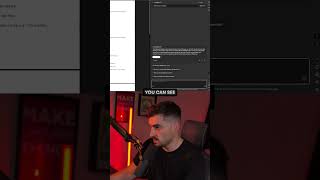
A short YouTube demo by Jeremy Mura showing Adobe Acrobat's new AI Assistant used to summarize contract documents. The presenter demonstrates opening a contract, clicking the AI Assistant button in the top-right, viewing an automatically generated contract overview (scope, payment terms, timeline) in the right-hand sidebar with clickable citations, and suggests the tool is useful for designers who need quick contract highlights.
Chapters
Adobe Acrobat launched the AI Assistant. So I got this agreement. I'm going to double click on it and if you go to the top right corner you can see the AI Assistant button. All you got to do is click on that and it'll basically summarize all the key highlights, explanations and points inside of your document. So maybe a client sends you a contract and you want the AI to quickly go through it, summarize them the key points. Then this is the best way to do it. So you can see on the right hand sidebar, you can see it's got the contract overview and it gives you some predetermined suggestions you can ask it. So we'll click on this and it'll start generating. You can also enter a question or a prompt in the box. You can see it's gone ahead and given the scope, giving me the payment terms, project timeline, all the juicy stuff I need in that contract. And then it gives you a little citation where you can click on it and it will show you where that is in the document. So I think this is perfect if you're a designer, if you want more design and AI tips, then just follow me for more.