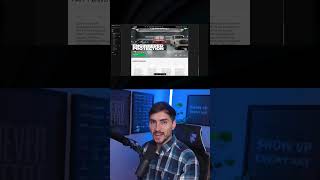
Jeremy Mura uses Framer's AI-SEO tool to audit Amigos Wraps, a car film protection site. Two fixes pushed it from 89 to 100: removing duplicate H1 headings and adding JSON-LD structured data. The site now ranks in the top 5% for search visibility.
Chapters
If you have a website and you don't have a high AEO score, then you're most likely not going to be getting traffic and being found. I'm going to show you this cool tool from Framer they just released, and thanks to Framer for sponsoring this video. But it's actually a tool that shows you AI SEO. I just did this brand new website for my clients in Canada. It's called Amigos Wraps, and they do basically film protection for cars and window tinting and ceramic coatings, things like that. So here's a new website I built in Framer.. And I'm gonna plug this website in. You wanna go to framer.com/aeo and it'll take you to this page. You just wanna put your website in here. And then I wanna put my name and then my email. And what we wanna do is click scan your site. And so now it's giving me a score. It's telling me I have a strong foundation and there's not that much to fix. It's only a few things. So I've actually got 89 out of 100, which is pretty good. Uh, it looks like I'm doing my job as a web designer. Um, so we got findable is good, quotable good, and trustworthy is good, which is great. And but just understandable is average. So we need to get this up so we can bump that to 100. So I'm gonna scroll down and you can see we're actually in the top 15% of websites. So most websites actually average from 45 to 70, it's telling me. So if you're above that, you're in the top 12, 15%, which is really good. We wanna make sure that, um, we're building great websites for our clients and it's actually working. The cool thing is it gives you all the information. I can actually open this, uh, little tab here and it'll show you everything here. So we've got the robots.txt. Sitemap, um, AI crawler is allowed, HTTP enabled. If we click on quotable as well, you can see meta description substantial text content. We got the signals and FAQ style content, which is great. And then we'll go through understandable. So we need to fix this area, single H1 with reasonable length. Check for a single descriptive H1, the clearest signal to AI of what page is about. And then we can fix the structured data JSON-LD. And the cool thing is Framer gives you more information on how to fix this. So we're going to go through that and fix that. And let me see, down we've got our Open Graph tags, image alt text coverage, which is good. So all our images have that alt text. And then we've got internal links present, which is great, and external citation. And then there's a bonus one here, which is like extra LLMs.txt file, and we can also add that as well. So I want to show you quickly how to fix this, uh, these two things to improve that. And then you can do it for your own website, uh, so you can improve it. So I'm gonna go into the website, as you can see, in Framer. And what I wanna do, I wanna go to the desktop breakpoint, and we wanna make sure that we just have one H1 tag. So when I click on this title, you can see I've actually already applied a H1 style. So we need to make sure that on every page we have the first main headline should be, uh, H1, as you can see, a H1 heading. Now we need to scroll through and actually check if we have any other title set to H1. You can see I've got these ones set to H2, and then we've got H3, um, for some of them, and H4 as well. So for example, if I click on this, we can see this is actually set to H1. And so what I can do for this heading, I might just turn the style off. So then it gets rid of that. If you don't wanna delete the style, you can just make a new style. By pressing New Style, and then we can do, say, 4 or something. I can bring this up into here and we can say H4 white bold. So I'm gonna go ahead, go through every single page and make sure I haven't accidentally put an extra H1 somewhere. And then once I fix that, we'll refresh and see the score. So after going through the website and just making sure that I fix the H1 tags and make sure there was only one H1 headline on every page, you can now see the score jumped up to 93. And now it's starting to look green, which is really great. And if I scroll down, you can see single H1 with reasonable length is now at a 5 out of 5. So now I'm going to show you how to finish this structured data JSON. If you click on this little link here, it will take you to, uh, how to structure it, and it will give you the script here. And you just want to paste that into your header section. So I'm going to go back into Framer, and we're going to add the JSON code. So I'm going to go to my home page, click on the three dots, and click on settings. Navigate to Code, and then we want to click Add, and I want to type in Auto Body Shop. And then I'm gonna go to the end of the head, and I've got Claude to write out the script based on the home page. So we can see we've got all the details, and we've got the script tag here, type, and it's a JSON file and has all the structure and details of the page. And I'm gonna click Add, and I'm gonna select the home page for this script. And I'm gonna click Save. I'm gonna add a new code, and then I'm gonna go ahead and copy the script for each other page. So we'll call this one Services, we'll call it PPF. So the page name, you can just put that, that— make sure it's the end of head. And we're going to click on PPF, and I'm going to paste this in like that. And I'm going to do the same thing for all the other pages. So just go through and do that. Once you've gone ahead and added all your codes, as you can see here, I've got everything set up, all the codes for every individual pages. I've got the FAQs here on all pages and they're all set to the end of head tag. What you can actually do is go to Rich Results Test on Google. So if you just type in Google Rich Results Test, you can go into here, paste this link, and then it will tell you that it's actually working. And so it will validate all those codes, as you can see. So it called and you can see it's valid. And then what you want to do is make sure you publish your website Now I'm going to redo the tests once again and we should have better results. Woo! There we go. We now are at 100 AEO score. It's a good feeling. We're in the top 5%, which is great. So we can see, uh, we now have fixed, um, the structured data. If you do wanna check out Framer, I will put a link in the description below. It's a great web building tool. You can build any type of website, portfolios, client websites. If you do want to see some other website inspiration, I've got a video right here that shows some other cool Framer tools.