A short YouTube tutorial/demo by a freelance designer explaining how to use Contra’s ‘Indie AI’ (requires Contra Pro) to automatically scan connected accounts (X, LinkedIn, email) for design job opportunities. The speaker also briefly promotes their Skillshare classes and a one-month free link and demonstrates workflow features like viewing, marking as applied, filtering low-quality leads, and opening original posts on source platforms.
Chapters
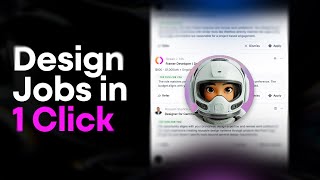
This is one of the most efficient ways I've found to get jobs as a freelancer. Sometimes in the months where it's a bit more quiet, I look for jobs and I've actually found this tool. Hey, before I show you the tool, I want to share this platform called Skillshare. I've used it for many years, since around 2014. It's got tons of different classes on there. You can learn anything from logo design, branding, building websites, creating your portfolio, business stuff, freelancing. I personally got 30 classes on there that you can learn from. And I also do have a one month free link. If you're a new user, you can try it out for one month, just click the link in the description below. If you're just starting out, you want to learn how to do design, how to build a brand or how to get clients, I teach you all that, so definitely check out my classes on there. I've had over 80,000 students come through and learn a ton. Let's get back to the video. If you go onto Contra, it's actually called Indie AI. You can see in the bottom left, it says to get the Pro version. So if you do have a Pro account, you can get in the AI. And so what it does is it scans all your platforms. You just got to connect your LinkedIn X and then also you have your Contra account and it will just scan for job opportunities or people posting about, you know, brand designer, web designer, whatever keywords you give it, it's going to find people who are looking for those type of designers. Before filtering through that, you want to go to the Chrome Web store and you can see here it says in the AI got some reviews. You want to make sure that you install this first before using it. And you also want to make sure that you have a PRO version once. Once you do that, you can see now if I get on the top right, I've got my email connected, it's scanning for opportunities always. Then I've got X and I've got LinkedIn connected here. I can also disconnect it really easily. Now if I go back to Contra, you can see here that actually because it's in beta, they'll have a full, more refined search or opportunities that come through. But you can see opportunities here. It's in beta, it constantly searches my accounts, as you can see, I can always just come to the chat and I can say, hey, I'm looking for, hey, looking for some contract work. And then within a few seconds it will give me some opportunities that match my Profile and then you can see on the right hand side our webs developer, her lab graphic designer for third eye freeness, production designer. So just give me a few of these opportunities. Maybe I like this one. I'll click View opportunity and it's gonna go ahead and take me to that post. So you can see, see we're seeking school, website developer, freelancer, agency and obviously there's other designers applying on it. But every day if I come on here and I'm looking for a job and I apply very fast, I'm most likely gonna get in contact with a client and have that potential lead and then jump on a call and then I'll go ahead. Usually DM the person go to the accounts in the DM or post on in the comments as well. But I typically do both. But I always try and get a DM and so I think it's just one of the better tools out there. It just saves a ton of time. And if I just scroll through here, you can see maybe it's not a fit. I can just say not a fit. Click that and then it's going to give you some options. So then it can better serve you in the future when you come back and look for more work. So maybe it says low quality client unclear, low budget or whatever. So maybe I can submit that and I'll get rid of that opportunity. I can also mark as applied. So let's just pretend I applied for it. I can click mark as applied there and it should get rid of it. So you can see it gets rid of it. So I'm not coming back here and scrolling and seeing the same thing over and over. It's always updating, it's always posting new stuff here as you can see. And one of the opportunities, you can see the little icon, see how it says a little LinkedIn icon there. That means this person is on LinkedIn or this post is on LinkedIn. I click on that, it'll take me to the post as you can see there. But else this one's on X, you can see one from Adrian. We click on that, I'll take you to the post. Super cool. And then you can see the star, the contra logo. So this one, it'll it also tells you sometimes it gives you the price, it will show you the time frame and the date it's posted. So typically if it's probably an older post, someone's probably been hired already. So if you click on that or go to the job post on contra, I wish I had this like years ago. It's just mad time saver. Don't have to juggle between platforms. The AI is just doing all the work for me. As long as you connect it and pay for pro, I think it's really cool. I appreciate it. If you can like this video and share it to a designer friend, it might help them. And if you like looking to find some more jobs as a designer in branding, web or ux, then check out this video here. It's gonna help you find some more jobs.