Jeremy (wise-echidna) demonstrates and reviews three free/background-removal tools available in 2020, showing how to remove and replace image backgrounds, add colors or image backgrounds, and export results. Demos include Sticker Mule (Trace) with interactive background selection and layering, Remove.bg with a quick background removal and a note about paid high-resolution downloads/pricing, and PhotoRoom as a recommended mobile app. The video closes with a call to like/comment/subscribe.
Questions this video answers
September 2, 2020.
Sticker Mule (Trace), Remove.bg, and PhotoRoom (mobile app).
Chapters
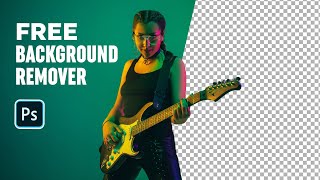
I want to show you my best image remover tools that you can use in 2020. What's up? It's Jeremy here and I'm going to show you the best free background remover apps in 2020 that you can use for your images. So first up, we have Sticker Mule. They recently released a new version of Trace. It's an awesome tool. You can see you can remove the backgrounds pretty easily. You can actually add colors and backgrounds and do all this crazy stuff and. And let's do a quick test of it and overall it's been really great. So you click, upload a photo. The website is sticker mule.com trace so I'm going to just double click on one of the photos I downloaded for free of unsplash, and it's going to process this file and upload it. So if I go to the original file, you can see here, this is what it looks like. And they should cut it out really nicely. So you can see it's starting to load up the back end. It's got our image here. So have the lady here and you can see I can move it around. I can click on her. I can scale her down by holding the corners there, which is really, really awesome. I think that's amazing. And scale it up. And maybe I want to add a bit of color. So maybe I want to add like a blue or a purple, pink, whatever color out for the background, which is really lovely. I can also click on images down here, actually select a background. So maybe I want this, like nice marble. All I have to do is like click that and it will add it in. So that looks super awesome. And then what I can do is click the crop button and I can crop it in like this. So if I want a less wide image, then click done and it should crop it. So within a simple, you know, 30 seconds we can change colors, add an image. You can add your own background image if you want by clicking the plus, then locating a background. And overall it looks really cool. I can also add a new photo. So maybe I want to add another person. I can add maybe this lady here and it will add it on top of this piece that we've created. You can also search images here, the background. So if I type in trees, it should search from unsplash. Press Enter so you can see what tree backgrounds there. I think this is awesome. So you can see I've added another person here. So maybe I would have a duet here. And they're like a band or something. I don't know. Okay, that's awesome. So once you're happy with that, you can click download and it should be that simple. So while it's downloading, I'm going to show you another two tools that you can use as well, which is really awesome. So I can click download the full image, I can share it, I can copy the link so you can see the final image by itself. You can see this is what it looks like and I think it looks amazing. And you can see if I go down, I can order the prints, magnets, the buttons and stuff like that, which is really awesome. So if I want the sticker, I can literally just click that. So the final design we did, it's gonna print that. But what happens when you, when you download the file? It only saves the actual person because that's the main core of the of it. You can see you can go print off that stuff, which is cool, but we're not gonna do that. So that is sticker mule and that is the trace option for that. The second one is Remove bg. This is a great tool. It pretty much does a similar thing. I can upload an image and I'll locate my mate here, which I got off unsplash as well. So you can see here, this is the original and within 10 seconds it literally removed the background. So easily I can download the preview image. And there you go. Obviously this will be low res, so keep in mind that if you want to download a high res, you probably have to pay and that costs one credit. So overall it costs like 30 cents. If I just go back here and go to pricing, you can see there's a plan. If you get like a plan, it will cost roughly on 30 cents per image or like 50 bucks a month. So definitely check that out. It'll really help you out. Both tools are really useful, but if it comes to a point where you don't have a PC or laptop at the moment, you can use a phone. There's an app called Photo Room, so you can literally automatically remove the backgrounds from photos. You can add elements, you can add a collage and it's got a high rating, so you can see 4.9 ratings. So this is called Photo Room. Overall it looks amazing. And you can see all the cutout and it's high quality some of the reviews there. So that's what I'd recommend if you're on your phone. But these are the three best apps to remove your backgrounds that I found and they're gonna help you speed up your time so you can cut out your images, maybe you got portrait shots of yourself. Then you can use it to add it on your own website or use it for design work. So hope you guys enjoyed this video. Remember to like, comment and subscribe for more amazing design content. And always remember to stay creative. Catch you next time.