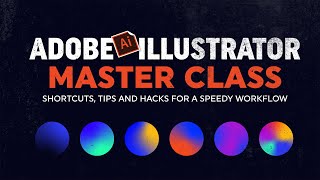
A Skillshare/YouTube class by Jeremy Mura presenting intermediate-to-advanced tips, shortcuts, and workflow hacks for Adobe Illustrator. The instructor promises practical demonstrations (actions/scripts, swatches/libraries, grids, workspace customization, typography shortcuts, plugins, artboard/layer workflows, fast exports) and provides templates for practice; students are asked to try at least one trick as a class project.
Chapters
Hey, my name is Jeremy and I'm a top teacher here on Skillshare and I've got heaps of design classes to help you grow in Adobe Illustrator. I've been using Adobe Illustrator for eight years now on brand projects, client work, content creation and even making products as well which have been super fun. I've learned so many tricks along the way, shortcuts, hacks and little nuggets that I want to share with you. In this class I'm going to show you all my personal tips, shortcuts and also the things that I use on a day to day basis, working on client projects or creating content. Those things that will include how to create your own custom action scripts, how to master swatches and actually create libraries for your own brand projects, how to use grids and customize your workspaces, typography, shortcuts to make it super fast to edit typography, my top free and paid plugins as well that you can use as extensions in Illustrator, how to use artboards and create layers very fast, how to export files the fast way, and plenty more other little tricks as well as along the way to help you. Also you'll get some templates in the project section that you can apply and use so you can practice. And for your class project just at least try one trick or one hack that I've shared so you can actually see in action. And for each tip and trick just apply it to your own work or previous client work. So I encourage you to get familiar with each shortcut that I've shared and apply it to your workflow on a regular basis. But this class is going to be super fun, especially if you're an intermediate designer that wants to go a bit deeper into design and build on that basic knowledge. Hope you guys enjoyed the class. I look forward to seeing you dive into it. See you in there.