This content was created by Jeremy Mura. This content was uploaded by Jeremy Mura. This is a YouTube video titled "Patterns are easy in illustrator" created on May 14, 2025, featuring Jeremy Mura. The video is a tutorial on creating patterns in Adobe Illustrator, demonstrating techniques for making and customizing patterns using the software's features.
Chapters
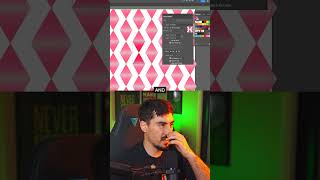
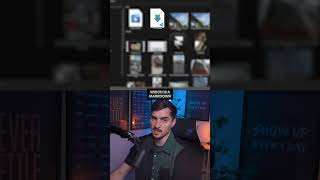
I want to quickly share with you how to make patterns, because patterns are a key thing, especially when you're doing a brand identity. I've got this triangle here. I'm going to bring it here and let's just say we want to have two triangles like this. I'm just going to rotate it. Now what I can do is go to object. Let's just go with a pattern and click make. And you can see now it's going to make this diamond pattern. I can change the options by row and you'll get some different effects here, as you can see. And when you're done, you just click done. And then we've got this pattern here. So, yeah, now another way to generate a pattern is you can actually go to Window and you can click on Generate patterns, which is one of the new features of the new Illustrator. And I can make a shape. Let's just make a box and I can describe a pattern. Let's say we want cooking herbs with food or something. Click generate. Cool. And it generated a pattern. Really cool. And you can go ahead and you can customize it. If you want flat design or geometric, you can do the color presets. Maybe you want vibrant generate and it will create another variation based on those parameters you set. If you want to see more of this tutorial, I've actually got the full video on YouTube, comment or DM the word YouTube and I'll send you the link.