Jeremy Mura demonstrates how to pitch a logo/design to a client in roughly 30 seconds by using Gamma's AI-powered creation tools. He walks through Create New → generate a proposal (presentation/document/webpage), choosing a theme, and using Gamma to animate images (example: a slow zoom) and change visual styles (origami, textured pixel art, fantasy, isometric). The video ends with a short call-to-action inviting viewers to comment "gamma" for a free link.
Chapters
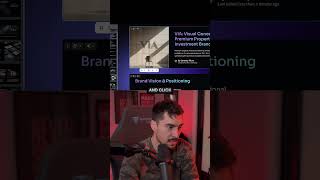
Pitching a design to a client can be done in just 30 seconds. If you go to Gamma, click on Create New and you can actually generate a new proposal or pitch from scratch. I can click on generate, I can just do a simple prompt and we can select presentation, a document, a webpage, whatever we want. You can actually select how many cards you want. Like the theme. So we really like this theme right here. I can select that. You can actually animate these images. So if I select this and click this little button, ask AI to little stars, I'm going to scroll down to animate. Gamma's AI animated the image just like that. And you can see I've got a slow zoom. In effect, I, I can double click on the image and go to Style in the style section. And we can change it if we want. Different styles here can have origami, textured pixel art, fantasy art. Let's just say we want an isometric design and there we have it. It's given us a whole bunch of different options here that I can change and it will update my presentation. And there we have it. You can see it's animating beautifully. If you don't want to make proposals or even a portfolio, then ding. Or comment the word gamma and I'll send you a link to try it out for free.