AI MARKETING NEWS Dan and Madison
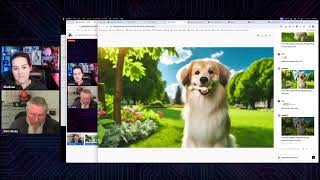
A recorded livestream (April 5, 2024) featuring Madison Doherty Tipton and Dan Havey demonstrating how current AI tools are used in marketing content creation. They describe building AI “storyteller” videos (MidJourney + HeyGen/11Labs + Runway/Leonardo) and show practical demos: image generation and inpainting with DALL·E 3, auto-cutting/repurposing long-form video into social clips using Opus Clip (Opus Pro), and a YouTube workflow (ChatGPT/Claude Chrome extension + VidIQ). The hosts discuss tool capabilities, common limitations (animation artifacts, prompt sensitivity), and their weekly training schedule in the Clickfunnels group.
Chapters
In an era where the mystical arts dazzled the masses, there existed secrets beyond the realm of the ordinary. Today, in the digital cosmos, a new kind of magic unfolds. Like the illusionists of yesteryear, today's marketers face a formidable challenge, capturing the fleeting attention of a world awash in information. But behold the emergence of AI storytellers and video. Not mere trickery or hype, but a powerful alchemy transforming marketing. See how the geek out ghost of marketing past funnel a creation most wondrous outdid even the famed Russell Brunson control. With these tools, the marketers of today weave tales that captivate, resonate and illuminate skeptics. Once disbelievers in this digital enchantment now bear witness to its tangible triumphs. Conversions impressed customers and fortune is made. Step forth from the shadows of doubt and embrace this new era. Do you want to unlock the secrets to marketing success?
What?
Welcome.
We're live.
We are live.
As I was watching that, I was thinking about Rod Serling and the Twilight Zone. I was thinking, oh, we gotta, we gotta do one that mocks up that. That would be hilarious.
So that one, I don't know if you ever saw that movie the Illusionist.
No.
Oh, it's a good movie. You should watch it. That's so that, that's what inspired that one. But I wanted to play that because that's kind of what inspired us coming together to talk about AI because you saw me make these cool videos and you say, how in the world do you do them? And I must learn.
Yeah, well, yeah, and well, why don't. First off, we should probably introduce ourselves here. I am Dan Havey. That is Madison or well, I guess you're just going by Madison today.
So I'm just like a one name. Yes, just like Share Elvis.
That's right. We're. We're Madison from now on. And on Monday of this week, we started doing some training here in the Clickfunnels group. We started off this Monday working with Mid Journey and our intention is to go twice a week, Mondays and Fridays. On Mondays we're going to do longer form training on some of the AI tools. On Fridays we're going to answer any kind of questions that happen to be AI pertaining in the group. And then we are also going to do some shorter form demonstrations. And I'm going to try doing mine live today, which may be a complete disaster because we all know that AI takes a while to render, so that may be a complete flop. Madison has recorded a short video on how to use Opus Pro, which should be pretty cool. So we're going to just jump into it and I'm going to start off by apparently I need to do something here to connect to the comments. I wanted to drop in the link to Monday's show. And then while I'm doing that, Madison, why don't you give us a heads up on what you were talking about, about that video that we had created last fall.
Yeah, exactly. I should say we are both Clickfunnels ambassadors. That's how we have the privilege of going live inside the group. We're not to some two random people that Danny and Andy pulled off the street. So, yeah, that's just a little warning on it. We do know slightly, a little bit what we're talking about. But yes, I made actually talking about Danny Walsh. Before Funnel Hacker T. Before Funnel Hacking Live, I played around a little bit with these AI videos and my dad actually wanted to make one and he had this whole concept. So we have a cattle ranch, we raise hay. We have a baler and a swather, and the baler has gears, and one of the gears broke and it looked like a part of the Clickfunnels logo. So he wanted to pull this kind of joke on Danny a little bit and say, this is the missing gear, the magical gear of magical funnel makers. And so we made this AI video of this guy talking, and Danny loved it. And so then I was like, I wonder what other ones we could do. So then I did the one for Secrets of Success. And then Dan and Andrea and Susan said, what are you doing for Funnel games? And I'm like, well, I'm. I'm not in the certification program, so I'm. I'm not doing anything. They said, will you make us a video? And I'm like, what's your concept? They're like, the ghost of marketing past. And I'm like, yes, I can make that video. And so that's when we went down this rabbit hole with, you know, the ghost of marketing past being Dan Kennedy and the ghost of marketing future being Russell and. Or the ghost was. The ghost of marketing present is Russell and then the ghost of marketing future is you.
Yeah, yeah. Pastor's Dan Kennedy, even though he's still with us, thankfully. And the president was Russell Brunson. Yes.
So just so people know, and then we'll kind of talk about how this played into the Geek out team getting third place. We'll play just a short little bit.
Didn't we get second place? I think we got second Place. Yeah.
Yes, I think you did get second place. Yeah. So people know what we're talking about.
Embark on a ghostly marketing journey where the spirits of the past, present and future have now converged. Our tale begins in the hallowed halls of history with the ghost of Marketing past. Behold Dan Kennedy, a marketing master who journeyed through the world of direct response advertising, leaving a lasting legacy in the realm of marketing. His timeless wisdom, recorded for all ages, knows no bounds of time or era.
The answer to the single most important, important question anybody's going to ask you as long as you're in business, here's the question. Why should I, your prospective customer, client, or patient, choose to do business with you versus any and every other option available to me, which includes doing nothing?
So we took is. We took the original video from the no bs, which was the control of the funnel games, and basically put the spin on it of being the ghost of Marketing Best.
Yeah. So how. How it came down is we had this video here, and I've been in the Dan Kennedy world since 2000, so I'm very versed in Dan. I bought all of his programs over the years. And so when we had this opportunity, I just looked at the video and I said, oh, what we need to do is to tell a story. And then we. We came up with the. The Ghost of Christmas Past, because this was like November of last year. And. And so we. What I did is I cut up the video into segments and arranged them in an order that I wanted them. And then Susan Leonardson and I sat down and we wrote out the script. I think she might have even started with something from ChatGPT. I'm not even sure at this point anymore. But we sat down and wrote out the script. We then gave the script to Madison. She then plugged it into whatever tool she used there. And. And so she generated the image of the guy using Mid Journey, correct?
Yes.
Okay. And then what did you use to then animate the video?
I think I used hey, Jen. And then so, like, there's a little bit of, like, a combination of things that go into the video. Right. We. We play with a little bit of the filmmaking aspects of, like, what else can I add into that? And obviously this part of Russell here is really from the video we're just talking about. The manipulation we did was just simply the Christmas guy, Right. The storyteller, like I like to call him. And so I believe I used either Heygen or did to actually make the photo talk.
Okay. And then you then had to use another third Party software in order to create the voice, correct?
Yes. And we used 11 labs. And like, as you can see here, there's like a little bit of snow falling behind him. So it was like, okay, like, we pull out him in the background or for the foreground, and then we can stick the snow behind him and then play with a little bit of the. The parallax, like the view, make it look a little more like. Not so much just like a photo.
Right. And then. And as. As I'm looking at that animation now, I'm thinking to myself, how far has animation come in six months? And how much better could we make that work? Because I don't know if you can roll back on here or if you have to just let it keep rolling. You can see that as he's talking, the mouth is moving, but the beard below it is not. Same thing with the hair, the head, things like that are not necessarily moving. Whereas now, I think just in six months, the animation on this here, especially if we threw it in a Runway or something like that, and you use their magic paintbrush in there with. We could probably have his entire head moving for animation. So it's getting to the point now where the images are almost lifelike. And then the next real big thing that's coming is the motion that will also become lifelike. And because we've all seen deep fakes now, it's out there. You got to work pretty hard to get to it and probably use six different combinations of software and run it on your own server and do all that kind of stuff. But it's worth it if you really want to punk somebody and do a deep fake. And that's why coming into the election right now, SORA has already made it very clear that if they release it before the election, they're going to really tighten that thing down. So there's no deep fakes of any of the candidates being made out there by going forward. Just beware and you see political commercials or just about anything decide is not true at first because it may not be, because somebody may have just made that video in their basement.
Oh, 100%. And I like even thinking about, like, that the photo and what we would had what we did to animate it. And you're perfectly right. Like, the motion brushes inside a Runway now allow you to add some more of that native filmmaking to it. I remember when I first did it back in the fall, and it was like it now formed the guy's face, like, as it zoomed in it, like, and it, like, became all weird. But that's really not the case anymore. It's crazy. And you can do different directions and paint different areas and we'll get into that in. In another show, but not today.
Yeah. And on the near horizon, things like LTX are coming out and Sora and so, yeah, it's just going to get crazier. And I, I was kind of pushing back and going, I'm not going to get into this AI stuff. Until last year when I saw some of the stuff that Madison was doing, I. Okay, it's time for me to get into this and really start learning it because this is the wave of the future. And I'm actually in the middle of going through a bunch of training on how to create cinematic movies using AI and also advertising using AI. So it's that will. Those will all be things that we'll be talking about over the next six months on either the Monday or the Friday show. And probably a little bit of each. And you can see here. So again, like I said, in that image, his face is moving. Actually, you do have his hair on either side moving as his head's going back and forth. Maybe that's just a function of the image. But the beard definitely was not moving along with the face.
You know what I have found with a lot of these is it's like, it seems to be like it gets to about this point sometimes, even with hair on women, where it doesn't do anything like blow it. So like, and especially hats is another thing, right? A lot of times hats will not completely grab the top part. And so that's just things that you have to do. Like, that's why it has letterbox bars at the top. It's because it had to hide of like, not the whole hat moves.
Yeah, well. And I think I read somewhere, I think it was in hey Jen. That it says right in there and their documentation is just like. Yeah, it doesn't like hats. It doesn't like big, big jewelry hanging down off the face. It doesn't like sunglasses. Basically anything you put on the face, it. It can't animate it properly.
Now I did read and I don't know if it's fully out yet. Hate Gen supposed to be coming with a thing where I record a video like this with my head movement and then I can plug a talking head photo in front of it and it will mimic that motion.
Yeah, one of them I know has just come out with that recently. It's probably because 11 labs, that's just audio, right? They. They don't do video. So it is probably, hey, Jen. That has that. And I forget what they're calling it now, but yeah, basically you can shoot a video of yourself moving and then it will mimic it. Just like in the old days, they used to like put the balls or the dots or something on an actor and then film them in front of a green screen to animate it like that. Now you can just do it shooting it on your cell phone and put.
It into the software. Yeah, when I looked at it before, like around Christmas time, they had preset videos that you could utilize, like Felice Navida, but they didn't have the fully, like, upload. And I got super excited about it because I'm like, I'll even figure out how to do this whole API call to get this thing if it's going to allow me to upload a video. But like, like we just pointed out, like, how fast does AI change in the terms of four months that that could be out completely or pretty much ready to go.
Well, yeah. And then they're coming out with the text to video. Of course, we have text to image now. Things like Mid Journey, Dolly, Leonardo, things like that. But now they got text to video. That's what SORA is going to be. And then as we're talking about here, it's actually video to video prompting.
Yes.
So you could put in your video and then you could say, you know, make it, you know, Pirates of the Caribbean kind of a scene. But it's just you sitting there on your front porch. But now, now you're Pirates of the Caribbean. Or I guess if you're sitting on your front porch, maybe a better reference would be Deliverance, so you pick up your banjo and start playing. So on that note, why don't we jump into showing off a couple things here today. Do you want me? I might as well go first. I'll do. I'll do some stuff on Dali and then why don't you jump in, play or talk about Opus? Because I'm. I've yet to see Opus. I don't know. And then I'll jump back in and show something to do on YouTube if we still have enough time left. Because we don't really want to go over an hour here and we've been yapping a bunch. So let me start off here by sharing my screen present. Share screen. Share screen. Okay, we should be good to go. All right, let me pull this over so I can still see us, but not the other. So let me hide that down there. So first thing I want to show is something actually Danny Walsh was doing earlier on today's show. We were on the, what do they call that show? Whatever. The funnel race is what we did this week here where we all had to take an existing website that we wanted to model, not steal. Of course we're modeling this stuff and basically build our version of it. And Madison's been doing this a lot lately where she's building stuff and then you can share it. So you can share it as a share funnel. You can actually share memberships or courses inside of 2.0. You can share or you will be able to share at some point themes and you will also be able to share workspaces. And so if you're doing that, great. But let's say you built out a site for one of your customers and you can't use those images, but you want to be able to share this thing with other people. Especially because you can get, you know, if somebody opens it up and they don't have a Click Funnels account, you can get the affiliate commission, you can sell them, you could do whatever you want, but you don't want to be putting your customers images in there. So for the funnel games this morning we said, or funnel race, whatever it's called, we. We got the task of basically modeling a popular site. And so Danny Walsh was doing the Gucci site and I pulled it up here and he had an image right here on the page. And so he wanted to use a similar image, not exactly this one. So what you can do to do this, you can come over here and you can right click on this. You got to hunt around a little bit. In this case here, it's in a element known as pictures. It's got the tag of picture on it. And we can come down and if you hover over this, you're going to see the image pop up up there. And so I'm just going to right click on here and we are going to copy that link address and I'm going to pop it in here and we're going to paste that. And then I need to move my screen over a bit. And what we will do is we will just grab this and drag it over. Let me see if I can do this. Oops. Okay, it already worked. So I got my image here now and so now I have that over there. Let me move this over. Oops. I'll get this figured out eventually.
So.
Let me just resize that. There we go. Okay, so we got, we got our image and so now we're going to come back into our chatgpt. Now, what Danny told me to do was just to drag the image in and then tell it to recreate the image. So let's just try that because I was having trouble getting that to work. So you can just drag the image in here. And now we're going to say that we want to recreate this image. Recreate this image. And let me put in here in a photorealistic style, which I don't even think is a real word, photo real, but everybody uses it. And we will hit enter and let it go. Now, it's going to take a little bit for this to render. So while that's working, I'm going to do another thing here, which is I'm going to grab that same image again, I'm going to drag it back down into here. And then what I'm going to say is, what I want them to do is to describe this image to me and it will give me a description of the image. Now, in this case here, this actually worked. I was having limited luck with that earlier of it doing it because it kept saying to me, I can't do it, because I can't. I can't see what this image is. For whatever reason, I was like, okay. But then I hit enter down here instead of hitting the arrow to make it go to do the description. So then what I found is if this wasn't working, what you can do is drop that same image in there and say, describe this image. And then we can come down here and we can say based on the above description. And let me see here what I put in here. Okay, let me.
This is such a key thing because I feel like. And I've recreated a few of these sites, right? It's the imagery that they have that really helps to make that site feel authentic.
Are you talking like the Gucci site?
Yeah, or any of them. Under Armour, Netflix, whatever.
Yeah, the. As we were joking before, it's like, you know, this looks like an image somebody took at the airport with their iPhone 6. And it's like, it's not any. This is not a photo shoot, even though it probably was, but it doesn't look like one. If you go back to their main page, the images on there are even worse. I mean, I looked at this picture here, I was like, seriously, I could have taken this at the airport myself. So it's. And, you know, I guess that's what they're going for these days is kind of a grunge thing or something. I don't know. So here is the second result. So here was the first one where we just dropped in the image and said recreate this image as a photorealistic style. Pretty good looking image. Not quite sure what this thing is sticking into the image there, but that's okay. And now we have. Did I get the same image? Well, it's close. Okay, so he's got a tennis racket hanging over his shoulder here, which again looks kind of odd being there. But. So here's the second thing I wanted to show you in Dall E, which is what this is. Dall E3 inside of OpenAI is we can now come in here and we can do infilling. Let's click on this image and we can edit it. The only thing you can do at this point is using essentially their cropping tool. So we're going to come up. I clicked on here, let me cancel this. There's a little select tool right there and the, the thing that comes in is usually pretty big. So I'm just going to pare that down a little bit and then I'm just going to paint over the entirety of this. And I don't know, is that like a lacrosse stick or something? I mean I'm just over here on the right hand side. Then I'm just going to put in remove and we'll hit send and we'll see if it removes it. Now I got another window open up here. So I'm just going to come in here and say something like in the style of food photography, give me a close up image of a. Let's make it a porterhouse steak. Let's see how close we can get to realistic words here. Porterhouse steak in a fine dining restaurant. And let's see what we come up with. So I put a couple extra prompts in there instead of just go give me a picture of a steak. So style of photo photography, we'll see if it understands what that means. It's going to be. I mean we've all seen the photo photography images in the magazines and then porterhouse steak, not really looks like somebody already ate half of it. But so let's go back to our other image here. Let's see if it cleaned this out. And so yeah, so here you got to click on the new image. So here's a new image with that cropped out of there. Now let's say we don't like this guy's hat and so let's make this get a little bit smaller and let's take his hat out and then let's replace that and let's see if we put in here replace baseball cap with a cowboy hatch. Now of course we can do all of this inside of Mid Journey and Leonardo and who knows how many other different video, I'm sorry, image editing tools there are out there now. But these are all things and. But the thing is, is Dall E finally caught up to the point where you can actually do something like that. So now let's do the same thing here. And let's just simply add a pat of butter to the top of this because we need to have some herb butter right on top of there. So then add a pat butter of herb butter to the image and we will hit there. Now if I were to have prompted this and said let's. Okay, it's still creating that image. Let's come over here. We can give me a picture of a dog. We'll just make this really quick. If we want to change the image by putting in a prompt without using the infill tool, it will give us a completely different image. So here we have it now with our pat of butter on top. But now, like I started to say over here, let's see if the dog came in yet. Good enough. Oh, look at the cute little puppy. So if we just say here, even if I go into the edit tool here and I say here, now change the aspect ratio to 2:1, it should give me a completely different dog picture. We'll let that render there for a minute. So now we got our pad of butter on top of here. Great. Had good experience with that. But as soon as you start changing anything else on the plate, it. It wasn't doing much for me. So let's try this here. Let's say, let's just crop out this sprig of whatever this supposed to be here. And we're going to say in here we're going to add a potato. Okay, we can add a potato. I was going to add a mixed salad, but that's fine. Add a baked potato. Oops. Nut with butter, of course, Sour cream and chives. I mean, come on, let's really clog up those arteries here today. Just kidding. So let's see what it did to our dog. Hey, it actually gave me the right dog when I did this earlier. I need to aspect ratio. It gave me a completely different picture. So that's interesting that that actually worked. And then of course, we could do some inpainting on here. And let's say we want to put a bone in his Mouth. We'll see if that works. Let's just do oops, put a bone in his mouth and we'll hit enter. And now let's see if our guy over here. I wouldn't exactly call that a cowboy hat. I think if you wear that in Texas, you're going to get beat up. But okay, it's. It changed the hat. It definitely changed the hat. And he's got kind of a bowling bag looking thing on here with way too many straps. So I think we're going to have to click clean that out of there as well. So we'll just remove this here and what do we, what do we want to put in here in place? We'll just, we'll put in a army rucksack, see if it knows what that is. That's another thing I found is sometimes you use terms and I don't think that these AIs know what certain things are. I was trying to prompt one day for a jukebox and it had no idea this thing looked more like a slot machine than a jukebox. So let's see here. Oh, we got a, we got a bone and a half in there even. And it didn't totally distort the face either. That's, that's pretty cool. So this is actually working pretty good. Oh, except for our potato. We're, we're on a no, no carb diet apparently right here. So it, it knew better than to give us the potato.
So you got one chive.
It's. And that's what I found here. I was playing around with this for half an hour before and it's like I cannot get it to. Well, a couple times it did add in stuff but I said add in like a potato like you said. And it added in something though. Oh, I was asking for asparagus. It made me think, does this not know what asparagus is? So let's just say a green salad. It should know what a green salad is. We'll see.
Potato was too.
But yeah, you think so it seems like sort of like a stuffed potato, mushroom something thing over here in the back. That is not exactly an army rucksack. See, that's the biggest problem here is it is doing it, but it's not understanding my prompt. Now I haven't read if there's any instructions anywhere on how to do this, but neither would 90% of the people who are doing this will not read the instructions anyway. So that's what that is. And we still, we're still getting nothing here. But I Should be able to take those nasty carrots off the plate there because we don't want any carrots messing with our steak dinner. So we can get those off the plate. Put that over there and we can add in place with a piece of cheesecake.
And we should say you can do all of this inside Mid Journey as well.
Yeah, yeah. And it actually works quite well inside of Mid Journey. I've had a lot of success on that and I already showed some in the first two videos that I've shot. One of them has been aired. The other one will be aired not this coming Monday, but the next Monday after that. Because next week, Madison, you're going to be talking about what Whatever you tell.
Me to talk about.
Okay, what do you want to talk about? Oh, look at. Well, it took away some of the carrots but left the other two. So it's really hit or miss here in Dolly at this point. So use it at your own discretion. You're better off personally, for me for image creation. I do everything in Mid Journey at this point. The only reason I'm not using Leonardo is just because I know how to use Mid Journey a lot better. And, and as far as cost goes, mid journeys like 20 bucks a month in order to use Dall E3 inside of Chat GPT. That's 20 bucks a month. But if you're already paying for Chat GPT because you're using the bots in there or just using Chad in general and you're already paying the 20 bucks, then you know you don't want to spend any more money. This is a good way to get some relatively decent pictures. I think the ones in Mid Journey are much better. And Leonardo is doing a lot of crazy stuff, including animating your images. Now, even though I didn't have much luck with that the last time I tried it. And my understanding is they also have a really good up res tool in there now, which I have not tested yet either. I mean, I was listening to some guys last night and they were taking the images that were created in Mid Journey, putting them into Leonardo to up res the images. So it must be working pretty good.
There is some cool things inside of and Leonardo that are more out of the box in terms of like styles. And I think maybe that's going to be a cool thing to talk about for Monday. Is like creating this Persona of this person of whoever is going to be like the face of your brand. Like when we do these videos, we call them storytellers because that's truly what I feel like they are, they're storytellers. And how do you create your own storyteller? And then utilizing. There's a really cool website that I'll share on Monday that gives you all these different types of styles that you wouldn't even think about that you can incorporate in a photo to completely take it in a different direction.
Right. And that's the one if you're thinking about the one that was designed specifically for midjourney.
The library.
Yeah. Yeah. So, okay, well, I'm done with what I'm doing here, so I guess I should stop my share and then we will let you stop screen. Okay, so now you can jump into OPUS at this point and if we got some time left, then I'll show the YouTube thing as well. I've been kind of monopolizing the time here.
All right, so I have this. I think it's like about six minutes or so. Or watch this and then I'll show you the result because I had to set this up ahead of time. So like we had this result. We could show the video that I reference in here. So. All right, we will add this to the screen. All right, today we kind of want to go over Opus Pro. Opus Pro, it's Opus Clip. And what it allows you to do is allows you to take YouTube videos, long form content and cut it down and have AI actually cut it down for you into shorts. So I'm going to log in and then we will run this through and see what it does. All right, so here I am, I'm inside. This is kind of what it looks like. As you can see, I have a whole bunch of saved projects here. I can tap into these and this is kind of like what it's going to show you, right? It's going to. It's going to get cut these. This is a podcast I did with Talia and I called Funnel Frontier. And what it's going to do here is it's going to give you kind of an example of the video. It's going to give you these metrics at the top for what it feels like for your hook, your flow, your engagement and trending parts of it. And then right here, here's the description of what we say. Now what I can do here, which is really cool, I can come through and I can actually edit this and I can edit it in a couple of different ways. So obviously I can come through and I can extend it or I can delete a few things. So say I want. Let's go up to like here, come through and just hit delete like that. And it's going to remove both the audio and the video. So if you make a mistake or something like that, you can easily get that removed. I can also come through here, change these to be colored. So like say I want to highlight that word right there. I have tons of different options when it comes to design. I can do like different layouts or I can include generate B roll with stock video or AI Tons different. Also puts in like emojis. I also have preset templates up here. And what these templates are going to do is going to change kind of the style of the way the words animate. And obviously I can create my own like brand template here. Right now say like, this is two people, right? Opus works really, really good when it's two people, but it also still works great when it's just one person. So I have this whole clip right here. And the cool thing about Opus with the AI in it is it will actually detect who is the one speaking. I know it's freaking cool like that. So obviously I can drag myself around here. As you can see, Talia and I are side by side. I can also come through here and change the layout. So I can do split screen. I can just have it be just me or the person talking on the screen. I can also have it fit both of us on there, have it split. Obviously, if there's like three of us or more, I have all of those options as well. I could add my own logo to it. If you just watched the funnel games, you will see funnels on, right? So I can add my logo to it. I'm going to do lots of really cool things. And now what I want to do is I want to hit save and compile and I'm gonna let it do its magic in the background. It's gonna come through and give me an amount of time it's gonna take and we will come back to that one. So now the question is probably like, hey, that's awesome, but how do I get my video in there? Well, you can see this is starting to kind of go through. Says drop a zoom Link. Drop a YouTube link, drop a rumble link, Drop a streamyard link, Drop. Drop a Facebook link, right? Tons of different options. When it started it was just YouTube, but it was still awesome then. So I'm just gonna put in the YouTube. This is from Dan and I show on Monday. And now what I can do here before I get get clips, I can come through here and select my template that I want. So as you can see, it's, it's going through a lot of different ones here and do multiple lines. Like I said, I could also set my own. Now you can also come down here and choose genre. And these are actually, this is in beta, so it's kind of, you know, right. But I'm going to say that it is marketing. Now I could also come here and grab keywords, right? So it will search for say click funnels. So I want to go AI tons of different things there. I can also make them like, hey, I want them to just be shorter than 30 seconds. I want them to also be 30 to 60 seconds. I want them to be 15 minutes, right? So if you had like a webinar and you wanted to cut your webinar down into like more bite sized pieces, you, you could do 5 minutes, 10 minutes, tons of different options like that. And all I gotta do is go click get clips. I also have the option to simply just upload a video as well, which is new. So as you can see, this is fetching. We might have to come back to this in the show to actually see the results and to see what's happening because it does take a hot minute. Now going back to the one that we edited that I previously had here, just needed back to come compile again. It is this one here. As you can see, funnels on, logo on it. Obviously we're not going to actually use that for anything. Now I have a couple options here. I can simply download this as just a simple video file, send it to my phone, upload it to TikTok, YouTube, Instagram. I can also come through here and download this whole file as a Premiere Pro video file. So if I want to do some extra special tweaks to it, edit it, maybe put some transitions in it, some other kind of like footage in the background, this gives me the ability. It's going to actually export it with all of these captions already animated, which is super awesome and super cool. So say I wanted it to be square, for example. I could do that inside Premiere Pro. I could change the location of the, the text and tons of different options like that. And all of that is going to export. As you can see, it already came through here and grabbed. So it already put that AI footage in there, which is so awesome and so cool. And it's just simply B roll from stock video added already into your reel. And this right now, this is ready to go. It's ready to simply upload to a platform only thing I wish. And it's Supposed to be coming soon. You can use this headline here. I wish it gave you some more instruction on like what to use as a caption for your video. Right. Like what hashtags to use. But a lot of times I will take this part right here and I will run it through Chat GBT and have Chat GBT come up with those captions in. So that was the, the quick rundown. Dan, do you want to see what it gave for clips for our. Alrighty, sure.
So, so at this point here, you can basically use a video from just about any source there is. But as you're chopping up these videos and, and enhancing them and, and mixing them up and all that kind of stuff, where would people use these videos and how, how does it know where, where you're going to put them?
So I don't. It doesn't really know. It's only just assuming you're going to put them on social platforms. So your tick tocks, your Instagrams, your YouTube shorts, that's really where it's, it's really taking long form content. We think about like the attractive character Flywheel. So think podcasts. That's why I use video for my podcast. Not because I love to see myself on video, I love to utilize it in something like this. Because at the end of the day I could stick just a static image over this, this reel and I still have the audio and I still leverage AI to help me create that Flywheel content. Because we know we need to be everywhere. But being everywhere is tiring. It's the same reason, like I stream a lot of stuff to YouTube unlisted. So like I have the ability to bring it into something like opus and make these little short clips from it.
Okay, so it goes out in this case here, it looks like it's an hour and four minute video. It goes out, it picks out the pieces that it thinks they're going to do best on on any of the social platforms. And then what you just said there is. So you're going to, let's say you don't like to see the, the image on the screen at all. You could put any other image on there or an animated gif. Could you even put a different video into it? And, but then also still you're hearing the audio and you can also still see the words on the screen.
Yes, that you would have to download it in Premiere Pro. Ideally, if you want to keep the words on the screen so that you could just stick another video over the top of it, maybe we'll go we'll create more in depth video for maybe like next Friday about how you would utilize Premiere Pro to do that in.
Okay. But it sounds like you got a lot of flexibility. And again, if. With the Premiere Pro, if you can download it into there it and so it comes with different tracks. So you'd have a tracks for the words and attracts for the image. And so then you just paste a video in between, save it, put it out on a TikTok.
Yeah, 100%. I've utilized it where sometimes screen share is not that great with it. So like I just stuck the screen share video on top of it and still had the words.
Yeah. Now in, in this case here. So we got four different ones that you're showing here on the screen. Now this one here, we got a.
There's probably.
Okay, so these are all different clips that it pulled out of that hour and four minutes. Yeah.
I will say there is sometimes a lot of overlap in the clips. You'll find like, maybe it'll take that same snippet that you said, one line and it might link it together like a couple different times. When this first came out, it was really rough. It really jumped around a lot with a video. I think they really, I know through like some of the talk on like the Discord server about it, they worked really hard to give it more linear storylines. So like, it's not so much of like giving you just like the tenfold highlights of your. Your video. It's more like a section in time.
Okay. So but it is taking parts of video from different parts. So in the hour and four minutes, it may take apart from the two minute mark and another one from the 58 minute mark and mash those together.
Yeah, for the most part it's from like the 30 seconds from like, you know, 14 minutes and whatever. Like this one here.
I mean, everything is being created by AI these days. So what we're gonna do here in the next couple of weeks worth of videos, just specifically so like you could.
Plug that in and that could be like the teaser for the show on Monday.
Okay. All right. Yeah. I mean, this is. Saves you a lot of work. I mean, could you imagine having to go through an hour and four minutes worth of video and edit it and cut it and I mean, you still got to do some stuff here. But what's cool again is you can, you can watch it one time. If you even have to do that, you. You see the part you want cut out, you just cut out the, the text and boom, it's gone.
Yeah. And when you download it with Premiere, it does give you, I think, a minute or two of extra space on each side so that like, if there was a word that was cut out or something, something you think needs to be included, most likely you have that all there in the Premiere file.
Okay. And I also see there. So there's a direct link, right, to Premiere. So you just click on that, opens up your Adobe Premiere and you just start editing.
Yep, you just downloaded it. It's like its own file, its own project.
Wow, that's pretty cool. So now on the hooks, I'm assuming the hook is the, the headline there. Creating stunning or create stunning share funnels with AI generated images. It's got a B for a hook. Can you then edit that hook or tell it to give you a better hook or anything like that? Is there any kind of AI generation for that?
Not currently. I think a lot of that is coming in terms of like AI descriptions and AI hashtags and stuff. I think when it means hook, I think it means that first three seconds of the video.
Okay.
It's just my understanding of it, but I have found like ones that I've run that are, you know, lower on the score with a brand new account didn't get the reach that like a 99 or a 90 higher video got.
So. Okay, so the number there, the score as well. So you think anecdotally. Probably haven't scientifically tested this yet, but stick to the ones that are 95 or above because again, it just generated 30 some odd clips here. Just grab the best couple of them. Boom.
We're still going. Yeah. Oh, 32.
Yeah. So 32 in an hour and four minutes. And, and again, because I mean that's, that's a huge file. That's. That is, in terms of speaking in AI terms, an hour is. I think they refer to it as a million units, whatever a unit is. I don't know how they do that, but It's a, a one hour video is 1 million units. And most of these AIs now are able to process that. Yeah, some of them can. I don't think chat GPT can, but I know Claude can for sure and I think Mistral as.
So.
Yeah, well, it's pretty. That's pretty cool stuff. We'll have to deep dive on that a little bit more in the future. Oh yeah, well, that's the other thing too. It's just as I heard somebody the other day, it's like, you know, this is his worst. This is, this is the worst. It's going to get. Because it's all improving. Unless, you know, suddenly they take over and create giant robots and crush our bones into the ground. But hopefully, hopefully that's just Arnold Schwarzenegger movies we don't know. But. Well, we got 12 minutes left. Should I. I might as well share the other thing I had ready to share. And so let me go to present my screen again. We can hide that. Okay. Did I share?
Nope. Okay. Yeah, we're good.
There you go. Okay, so what I'm going to show you here is a very quick, simple way to create your YouTube headlines, your descriptions, your tags, your thumbnails, everything you need inside of your YouTube video. And so here I have a video I uploaded here. It's 13 and a half minutes long. It's on how to create a palette of colors inside of mid journey. And the other day I was in here and this is a function of vid iq. The part, the first part here I'm going to show you. This is a function of vid iq and I just clicked on it and I said, oh, hey, give me some, give me. What am I thinking? Give me some thumbnails here. And all it had to go off of was basically these two words right here. Because those were the only two words that had anything to do with this video. This stuff here is just some boilerplate default that gets put into all my videos. So couldn't even have used that. It made no sense. But it just took create palette and it actually created this here AI palette wizard. I mean, that may work just fine off of two words. So that's pretty cool. But that's not what I was really going to show you. Here is the. It's a tool. I'll show you where you get it from. It's a YouTube extension, is absolutely free. I'm sorry? It's a Chrome extension. It's absolutely free. And you can come to not that page. You got to come this page here. Here is the Chrome store right here. YouTube summary with ChatGPT and Claude. That's what you're looking for inside of the Chrome extension store. Just download this and when you do, you will have a. When you open up your image. I'll be able to spit this out here. Eventually, when you play your image live, you're going to get this little box up here and it's got two icons. One here is the one that you use to trigger it to make it run. The other one here. The gear is for your settings. So let's take a look at the settings that I have in here and you can change your format and that kind of stuff, that's okay. But on the AI model I use Claude, Claude is made by a company named Anthropic. And Anthropic is getting a lot of money from Amazon. The other day they just gave him, I think another two and a half bu billion. They had already given them like one and a half billion before, so. So Amazon is basically creating a relationship with Anthropic, just like Microsoft created a relationship with OpenAI for chat GPT. So in my case here everything's going to be in English. And then let's see if I scroll down to the page here. So now we go prompt for summary. You can customize the prompt for summary. So it's going to give me a summary of what is the transcript essentially of this page. So pulls down the transcript and then it summarizes it. So in my case here I said summarize the following in up to six paragraphs, right in the first person using the term I in the same voice tone and tenor as the video. Okay. And you could put, you could put some liquid syntax in here if you wanted as well. I did not do that. Then it gives you follow up prompts. So at the bottom for when you see like on Chat GPT, there'll be little follow up prompts, I guess. Let me see if I have any on my screen over here. I don't think so. Nope, not anymore. So I'll show them to you here in a second. So I wrote here, then Write up to 12 YouTube SEO optimized tags provide in a comma separated format. That's very important because that's how you got to paste it in. So then I also had here right up to nine bullet points summarizing the content provided. Same thing as above. I says make it the terms of I, same voice and tenor. And then right up to 12 traffic stopping titles for this video based on the transcript provided. Okay, so that's what we have here in our settings. I've never even looked at what the rest of the settings are down there. So if we do this now and I click on the little glass icon there, I'm sorry, not glass, the Chat GPT icon you saw there. The screen flashes around a little bit. And then this is the summary, this is the transcript, I should say, of this video. And so it gives you the transcript. Now it's giving me this. Now I'm seeing in this case here it's saying paragraph one, paragraph two, paragraph three. I don't really know why it does that sometimes. But we can reroll this if we want and maybe get rid of those paragraphs. Let's see here. If not, we'll just copy or cut them out when we paste it in. But we'll come over here. Let's just grab a hold of this. You can come down here, you can say, copy, come back into my video editor. And we're just going to paste that in. And then we can take out the paragraph tags as well. But let's see the second version of this doing exactly the same thing. So let's just take those out really fast. We'll also take out this title and. Oops, don't want to do that. I'm going to do this real quickly here simply because I want to. Then when I get done with this, I want to see if we can create a new thumbnail as well. So we'll just put this in here. Now, of course, you probably should read what this actually says here because these bots can still hallucinate sometimes, so you may want to make sure you know what it says. So now we got our additional prompts down here. So we go right up to 12 YouTube. This would be optimized tags. So we will do that. And then I guess we got to click that little button there that just popped up. So it's going to give us tags. Boom. Again. Take a look at the tags. Are they any good? Come down, put them into our tags, wherever that is. Here we go. So we'll just take out the existing tags. We will pop this in any that don't work, take out any that you feel you need in there, put those back in as well. And we will save that. And then we also here we can do bullet points as well if we want. And then the last part, we'll give this a second to run. Should do the nine bullet points pretty quickly.
I will say while that is going for people that do a lot of agency work, in a lot of times, the hardest thing with AI is getting the tone right. Specifically writing emails for your clients. I actually utilized Glass with a client who was originally from the uk. Took her video, little snippet she recorded, put it in. Glass said, analyze this tone of voice to put into chat GBT and then use that to write the email. And she said she thought she would have written that email. Like it sounded that much like her.
Yeah. And there's as. As we know you can do things inside of chat GPT where you can train it on who you are. I forget what it is just down in the settings in the bottom left hand corner. That's one way of training it. But. But then also, especially if you're running a bot, you can drop in a whole bunch of transcripts from videos, blog posts, previous emails that you've written, anything like that and say based upon what's in this PDF, write in that same style and if they were all the things that you wrote or all spoken words that you did. So if you're wanting to do, you're telling it, give me a Transcript for a YouTube video. Well, you drop in five YouTube videos, you already did that. You are in your voice, it will spit out something very, very similar. So this very last prompt I have here is right up to 12 traffic stopping headlines or titles. I said in this case here. And so then we can come through here and we can pick one out. Let me see here. We'll just pick this one here. The Ultimate Guide to Consistent Color Schemes in Mid Journey. That sounds pretty good. So we will copy that. Come down here. You saw some coloration on the screen there. That's actually by a different glass tool that I may demonstrate how you can use that to keep track of all, all kinds of stuff that you can save to the web. Okay. So the Ultimate Guide to Consistent Color Schemes in Mid Journey. So we took everything using the glass tool. We put it all in here again like I said, make sure you read it. Don't just copy and paste like I did or like I usually do. And I don't actually read it. But so now I want to just see what is the difference here on this thumbnail builder. Again, this is not part of glass. This is part of Vidiq, which I think is a paid tool. I forget what I pay a year. 100, 200 bucks like that. So now I think this is reroll here. So let's just click on that. Confirm regeneration. Yes, let's do that and let's see what it comes up with if it's better or worse. Now that we put a lot more information onto the page and of course I get an oops. Let's see, that's why you're not supposed to do this stuff. Oh hey, there you go.
I was gonna say you might have to go to Dan's YouTube video, YouTube channel, watch all of his videos to figure out what the thumbnail is.
Yeah. So yeah, and I've never really used an AI tool to do my thumbnails. I, you know, you've seen mine. They're all pretty, you know, they're nothing great I usually have some image that I captured on the video and then I put some sort of text on it. But so we got perfect your palette. We have consistent color magic. I don't know. I think I actually like the old ones better. The original ones where I just had in the. The little title from where I created it in using Camtasia. We'll let it roll one more time here and then we will get out of here. Just curious to see what comes up. But again, this is why it's hard to do this stuff live, because you got the render time, you got the errors, and we're all going to run into those errors as we're working on this stuff these days. Let's see if it fixes the last one. So, Color Scheme Secrets. Consistent Colors guide. The nice thing is, is it's actually spelling all the words properly. And that's another. Yeah, that's a big issue with most everything. I did not try putting anything in here. Let's see. Let's see if we can put the name of the dog under here. Put the dog's name of Barfy under his chin. Let's just see if it does this as we go back over here. Where were we right there. So, yes, it's not going to give me a third one, but either way, I mean, it's. It's definitely picking up the idea that we have color palettes, color scheme, consistent colors and you know, so it's like kind of like the character reference. So in, in. In mid journey, we would put this in as a style reference. You create the palette, then you add it in as a style reference and it will pick up all of those colors. And let's just see if Barfy got a new name. Hey, there we go. Change the dog, though. See, that's. That's the thing there. So now this time it's. Oh, that's right. Because we didn't had. We. Let's do. Here, put the. Let's. Let's do this. We will copy this and what we will do is we will put this right here and now we'll paste it in now. It shouldn't replace the dog, even though this dog is cuter.
But you've hit your limit.
Oh. Use the default model so you reach the current usage cap for GPT4. You continue with the default model. That's interesting, considering the fact that I pay for GPT4, so I'm currently unable to directly manipulate images. All right, maybe, maybe GPT4 crashed. Who knows? So that would be a good reason for us to stop because GPT4 just decided to go on vacation. So that's.
We did get a cute photo of Barfy, which will probably just become the show dog.
Yes, yes, there is Barfy, our show dog. So let me stop my screen share and we lost you there for a second. So, yes, Barfy's our new mascot, so I'm glad that we created him. So. Okay, well, that's it. That's all I got for today. On Monday, then we're going to have another show and Madison and I will decide what that's going to be. And it may be Leonardo, it might be something else. We don't know. That'll be it. And then a week and a half from now, I will do another hour, well, not hour, 40 minutes or so of mid journey. And we're just going to kind of keep bouncing back and forth, different trainings. And then we'll also be doing our Friday shows as well. So that's all I have. Any final words? Madison?
I think that's it. Just go out and play around with AI and post anything you have. Tag us in it. Post it in the group. Of course. Don't use links or email addresses or anything spammy.
Yeah, just do, do a link or do an image. And what I said in my mid journey stuff, if you have a prompt and you generate an image, put in the image, put in the prompt with it so we can all see what you did in order to create it.
All right, we'll see you on Monday.
See you.
More from Madison
STOP Selling Like This! Do This Instead 🔥 (Marketing Secrets) #digitalmarketing #contentmarketing
The #1 Reason Your Funnel Is Failing (Fix This!) #digitalmarketing #clickfunnels
Hook-Story-Offer: Simplify Your Funnels Today! #FunnelsMadeSimple #DigitalMarketing #RussellBrunson
Funnels 101: Stop Selling, Start Building Relationships! 🚀 #ClickFunnels #FunnelsThatConvert