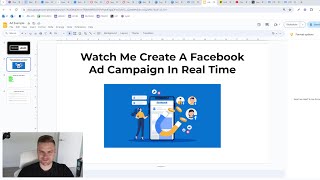
Watch Me Create a Facebook Ad Campaign For My Agency
Matthew Larson builds a B2B lead-gen funnel from scratch: landing page, email automation with ConvertKit, and Facebook ads with broad targeting. He shows how the funnel itself usually matters more than the creative, and walks through simple ad formats like sticky-note graphics and short videos with text.
Chapters
Hello, it is Matthew Larson here and this will be a video about me creating a Facebook ad campaign for Legion for an agency for a B2B business in real time. So you can just see how it actually might work. That would be helpful, wouldn't it? So before we get into it, it's not just about the ads we're gonna need to make in this video or you following along and doing this yourself. There's multiple different things that you're going to have to basically take care of. In addition to just the ad creatives, the campaign setup, like that kind of stuff. We'd also need a landing page, a thank you page, your email flows, and then an offer or a lead magnet to actually put in the ads or to center them around. So it's not just about the ad creative itself, like it is in E commerce in a lot of cases. For example. So here's some important notes before I get started and then I'm just going to jump right in. So we're going to need a full funnel in place if we want this to work. We can't just throw some ads up and think we're going to get any results. This video is going to be for agency lead gen B2B. Some of this stuff is simply not going to apply to ecommerce ads because they're different. So if that's why you're watching this, probably just stop watching. Unless you just really want to know. And this is just a quick example and one that you can copy. And the process is going to be the same for you, but once you get into it, it's going to be way more in depth and way more testing and all that kind of stuff. So the next one is you're going to need some sort of offer or lead magnet to send to the ad campaign around. In this case, I am already made the lead magnet and I'm going out here just because I'm not going to make this on the video itself. So I have this lead magnet. It's a full lead generation training. I'm gonna call it the best lead generation training on the Internet. And that for this video is what the campaign is gonna be centered around. And finally, which is very, very important, people say, like, how do I improve my ads? Or how do I run good ads? The thing to understand is that most of the gains, most of the improvements that you can get with your lead gen ads don't come from the ads or the ad creator themselves. They come from every other part of the funnel, like the landing page or the thank you page or the email flows or your webinar or your VSL or your case study or your group or whatever. And that is something that's super important to understand because if you don't understand that, you treat them more similar to E commerce ads where it's just, you know, you make a good ad, they click, they read the page and they buy or don't buy. If you view this as that, it's going to be very, very poor. So in this case, and in many ways we kind of have to. These are the parts, but we have to like make these in the opposite order, if that makes sense. Because we can't make the ad creative if we don't have the landing page, the, the lead magnet, the flows, all that kind of stuff. So what I've done, I have the lead magnet here, I have my webflow opened here with two basically example pages. Oops, not that page. Where is my other example page? Somewhere. Here it is. So I'm going to kind of build these in real time and then I'm going to go to the forms, the email flows, the automations, the ad creatives and all of that kind of stuff and then do the more. And then I'll set up a campaign here, the more traditional things that you can do. So let's get started. So if we go back to this, we have the offer already, so we're gonna just highlight it green for now. We have that already. So the next thing we need is the landing page. And this is gonna be the first landing page. So it's very important to understand that when you're running ad campaigns, and there's a reason I set up this way, you don't want to have like places like this at the top where they can click off just because then they can click off without doing your stuff. Right. And you don't typically need to have all of this kind of stuff at the bottom. I intentionally put this here just because. To show you like what you probably wouldn't want to do. So let's delete that and let's delete this stuff because you can click off here and let's delete this stuff too. So what you'd want to do is at the very top you can have a section, of course, and have an image. Where is the image? Here? Here it is. Let's put a container here. Let's put the image. Let's choose my logo again. It's a bit big, no? And we'll call this header logo landing page. If you're not using Webflow. Don't worry about that part, but 25%. Let's try to center this maybe if we can. There we go. And we'll make this black here just to kind of match what we're doing here. So that would be what we'd want instead of like the main menu type thing where they can click away and all that kind of crap. So we'll put that there. Main wrapper here. We'll duplicate this and we'll put it at the bottom again. We'll do something of that nature. So let's just delete that for now. At the bottom you'll just put something like your logo and then. And I'm just going to copy and paste it from a different one just for time purposes. Not that one, Not that one. Where are you? Where are you? Anyways, just bear with me here. So we're gonna have something like this. We can either do a couple of things, we can do it like this where, you know, we have some social proof at the top. And again, I'm just copy and pasting this stuff here to save time. So over a hundred thousand views, you could do something over 50,000 downloads, whatever. So when we're making our landing page, the main thing that people are going to read is our headline. So we want to do a couple of things and there's many different angles you can take. Grow double your agency revenue in 2024 with this lead generation masterclass, something like that. So in our headline we're going to want to do. What we're going to want to do is promise a specific result, if that makes sense. Like why would they do this? What is the result they're going to achieve? And then our sub headline, we would basic, which is the smaller one, we basically want to elaborate or explain how they would receive that result. So anybody can make a promise. And this probably sounds like a big promise bordering on impossible, right? So anybody can make a big claim. But if you make a big claim, you got to kind of back it up. And that's what you do in your sub headline. Get the exact strategy templates, frameworks and processes that I used to grow my agency from 0 to 900k per month in under 12 months. This includes payments, paid ads, content, outreach, partnerships, sales, email flows and more. Something like that. Where you know, basically what you need to do is how they're going to receive this result. Like if you can really explain how. What am I saying? If you can really explain how it becomes a lot easier to believe, if that makes sense. So Let me go down here. This free masterclass includes paid ads. And I'm just changing that. Down here just for the purpose of keeping it like easier to read type thing. So I think that this would be quite a bit easier if I had to guess to read then it would have otherwise. So let's go. Let's use a better font too. Don't need to have such a font like that. What we kind of want to do is make sure everything can be easily read. Oops. Like right at the top. Because we got to think that most of this stuff is going to be on mobile, right. So we need it to be very easy to read at the top or without having to scroll because the more they have to scroll down to read it all. Ideally you'd have all of this visible when they're loading. The next thing is the form. And I have a form in there, but I'm gonna make another form just to show you what to do. So let's go. I'm making a form here. We want to make it inline. Let's use Claire here. This is ConvertKit, if that's what you're using. And we're going to go example lead magnet form, which is nothing too crazy. So what should we do? Incentive. We don't need to send an incentive email. Custom domain. We want to have it on our custom domain. What we want to do here is once we've created the thank you page, we want to redirect it to whatever that is. And that's thank you page is going to give us a good chance to promote anything. You know, have a book, a call button, that kind of stuff. But we won't do that yet. So what we need to do essentially is publish the form and get this JavaScript or HTML or WordPress or unbounce if that's what you're using. But for my purposes here, some JavaScript and we'll replace that form with. With the new one. So the new one would show up here. So let's see what it looks like on different views. So we got to get that built with ConvertKit thing out of there. Don't have that. Don't want to have that. And I don't really like how this is darker, which is weird, but this is really all you would need to do. You wouldn't really want to do more than this because a lot of people will have like way more stuff on their page and it's just not super necessary to do in my opinion. And here's we're just getting it perfect we're fine tuning it, so to speak. So like this is all we'd really need to do. And unfortunately looks like, Unfortunately it looks like it's being a little bit buggy for myself right now, which is just lucky for me, seeing how I'm in the middle of a live video here. But this is all you'd really want. So it doesn't look super good right there, but with adjustments you can make it look a lot better. And that's what you'd want to be doing. Probably just make it white like this because anything you do, and it's a good mindset to take that everything you just do that's kind of arbitrary or, you know, whatever doesn't really, it doesn't work, it's not necessary. You just want to make it as simple as possible. So this would be something of a landing page that we're doing just like that. Another example of a landing page that you could do something along the lines of this where you have something different. But for this purpose, this is very specific. For this purpose what we're doing, I'm just going to make it like I have here and I'm also going to put that footer there. There we go. So this would be our landing page. For example, this is where all of our ad traffic would go to. And it's important that we have a persuasive headline backup and you know, proof or at least something believable on how we're going to achieve that headline. And then we have our form. So what we'd want to do next is we want to do two things. We want to create a new email sequence. So we'll have example lead magnet delivery flow here and we'll go your will go reply required. Your legion master class. And what we'd want to do here is create a new automation. And this will be a bit different between like, you know, however you or whatever email software you use. But my form is called example lead magnet form and my flow is called example lead magnet delivery flow. So we'd have to connect them and we'll just go example visual automation. So what we done here is this isn't necessary step and it'll be you have to do something like this in every email platform you use. But that's what's going to connect. Like when they sign up for this form, they're going to be added to this email flow and that's very important. Give me my master class going to change the CTA there. So that's all you need to do. There and now we've synced them together. So what we need to do is have our email flow and I'm not going to create the whole email flow, but you'd have like a bunch of different emails in here. I'm just not going to do that for the sake of time. But for this, like, hey, there it is. Matt, with a thousand X leads, I am emailing you to deliver your first free or your lead generation masterclass. This is the best lead generation training anywhere on the Internet. Here is the link. You here is the link. Please reply yes. To make sure to notify me that you there's two if you received this email. If you don't, I will have to send it again. And the reason we want to do this in our initial flow here we want to set this to immediately. But in our initial email we want to achieve a few different things. We want to get them to click a link which will be the lead magnets. So they're very likely to do that already. But we also want them to reply to the email. And these are good for like micro commitment type things. But they're also really good for our deliverability. If they're clicking on our links and replying, that's gonna keep our domain reputation strong, if that's what you want to call it. And it's gonna make all of our future emails to this person go to their inbox. But it's also gonna be a very good positive marker for other people or for, for our domain as a whole. And our future emails to other people will be less likely to go to spam as well. So basically I publish this and we can edit our preview text, get open this email to get instant access or something like that. So this would be, we'd have probably five, 10 different emails in this flow. But I think you get the picture for this part. So like this is what it would look like, something like that. Very simple. And again, you don't want these heavily designed. You want them to be simple and you want them to be as likely as possible to get to their email, as in not go to spam. The more you design it, the more links you add, the more content you add and that kind of stuff, the less likely it will land in their inbox. So let's going back to this, we kind of have, we're just going to consider the email flow done. You'd probably make a longer one if you're actually doing this right. But what you'd really want to do is, you know, after you delete after you deliver that email, like that was one that would be delivered instantly. The next one you'd be doing be like, what, what problems we solve, Why you need to solve these problems. And you wouldn't title it like this. Probably these are just an example of like what I would do for the content, how we solve these problems. And then you intro, offer something of this nature. So that's like what you would do. Probably do these one. Probably send these ones pretty quick, like in the same day. Just because there's no greater time to send them this kind of stuff than when they've just opted in because that's when they're gonna pay the most attention to you. But anyway, so we've gotten roughly half of it done in terms of at least the to do list. We'll see in terms of total work, maybe not so much. But this is the, this is the basically thing that we need to send is what we need to redirect them to. This is the thank you page. So after they submit that form, they'd be sent here. So we go, we take the link and I made, I copy and pasted the link already or copied the link already where we. And we put it to here. So we're going to save and we're going to publish. So let me just show you how that works. We'll go back to the other one. We'll wait maybe a few seconds to do it. But see, they've submitted it or I submitted it and now I'm automatically sent to the thank you page. So that's how it would work. And it's an important step because the thank you page is the best place to promote whatever it is you are trying to promote. So what should we do here? There's a few different options. And if we go to our 1000x leads funnel, I'll get the drawing up here in a second. There's a few different options, but what we want to do on the thank you page is we always want to promote some sort of conversion mechanism, something that they can like another action they can take that puts like, pushes them forward, pushes them deeper into our funnel as a whole. So to recap like what the hell is going on here, we're running the paid ads to our lead magnet. Once they've submitted the lead magnet, they're going to be redirected to the thank you page and the email flows. So now we have different options because what we're really trying to do is sort out who's qualified and who's unqualified. That's what we're trying to do here. There's a few different ways we can do it. So we're gonna do content, we're gonna do appointment setting, we're gonna do newsletters no matter what. So maybe I will. I'm gonna X them out here. But that's not to say they're not like options. This is just stuff that we would be doing automatically, so to speak, or we're just gonna be doing this anyway so there's no point in talking. So we have, we can either try to sell paid products on the thank you page, we can try to sign them up for a webinar vsl, sign them up for a live workshop, a community or a unique mechanism. So there's a few different options that we can try. So for this one, I'll probably try to get them to do a webinar which is going to be a case study. So free webinar or free case study How I scaled my agency from 0 to 900k per month in under 12 months. Oops. So basically what I would do is be taking it, putting it here. So 120,000 plus views. Watch my 43 minute free case study on how I scaled my agency. You will be shown the exact strategy offers ads content, cold email scripts and more, something like that. So basically what I'm choosing to do here is, is go to a webinar which is, you know, don't get too caught up in the term webinar here. Like a case study video is a webinar. So what I'm hoping is they're going to watch the webinar and they're going to, if they're qualified, basically schedule a call type thing or do something else. So what I'm going to do here is I've already got the webinar software here or the webinar code. So let me show you what it looks like right now. This is all very important background stuff that you actually need to do before you run ads or your ads are not going to work. If no one told you that before, I'm sorry, they're just probably trying to scam you or they don't know that on their own, but it is very true. So this is what it would look like. And we're going to go back to. Remember when I said don't have this? That's advice still rings true. So we're going to go back to that lead magnet page and we're going to copy and paste this section here too. Where are we here? So we're going to go and paste. There it is. So what we're trying to do here is to get them to watch this. So it's basically like a 43 minute video. And then what we're going to try to do here and we're going to make this smaller. We're going to call this the underline text just because. Scale your agency to 1 million per year in take home profit. To join a thousand x leads. So basically our offer for our like the purpose of this would be, you know, this strategy is going to get you to $1 million per year and take home profit for your agency. Like that's what my offer and what I actually sell in life is meant to do. So what I'm going to do is put that there and I'm going to just put this in brackets and it's meant to be like this is way too big like that. It's not meant to really be like a crazy size if that makes sense. We're going to put this way smaller as well to make it light. We're going to put that at like 8 because we don't really want people to read that. That's just like a compliance thing. So that's what it looks like so far. Just might put this to 10 and let this to 10. So we really want to make it look perfect because we're going to be running ads to this. So what we need to do here is we need to essentially have another spot here. Copy and paste it like that. Book. Now we'll have step one, Watch case study and then we'll have like step two book a call. Yeah, I don't really like that actually. So we'd have something like that. We'd want this to be more this one. We're going to duplicate the class. So book a call. And what I'm doing with that is nothing. If you don't use webflow it's not that important. But what I'm doing there basically is making sure it doesn't completely screw up the formatting. That's all. We have helped over 175 agencies grow past 1 million per year in take home profit. We do this with our five part program. We're going to also put this to the left there. Behavior change offers funnels, operations, hiring and employee training, something like that. And then we'd have a button and I'd probably make this way way more in depth and just better if I was doing this not on a call right now or not on a video right now. But it is what it is. Right. And I am on a call right now. So. Webflow has the. We'll just call it worst. The absolute worst. Has the absolute worst formatting, not worse, but it's not user friendly. And then I would use my. Put my calendar link in here, which I know off the top of my head, and then that's that. So we're just gonna leave it at that for this. From 0 to 900k in under 12 months. So we're going to go something like step one, watch the free case study, Something like that. So let's make this a bit smaller to make that 16 and 24ish instead. So we're going to leave it something like that. And what I said before, like this part would probably be a good place to put your testimonials and all that kind of stuff, but you wouldn't really want to put them on the other page first, if that makes sense. So we probably put them like that. These are some of our reviews. We'll just go with that for now. So what do we have here? We have 900, 990. And let's see what the page looks like here. And yes, this is an ad video for sure. But, but like I said, if you don't have all of this stuff, your ads are not going to work. So let's put my name in here again. Okay, perfect. What is the book? A call thing. Perfect. So it works just as intended. Lucky us. And you'd make, you could make this look a lot more consistent, a lot nicer. But this is a live video. So what are you gonna do? So our thank you page. So now we've done this stuff, we can finally get to the reason that you probably clicked on this video, which is to do the ads. So I have three different ad templates here that I'm gonna use. And you could use this. You could buy a note, sticky note, hold it up, you know, take a picture of it, send it to yourself and put it on canva. Easy enough. Don't make excuses. You could create a seven second video of yourself and use that as a background video for your ads. And you can do this on your iPhone and just put it on there and then screenshot the end result. But I have the templates for this because I am a veteran. We'll just call it that. So what should we do here? I'm going to do all of them and I'm going to do one of each. So let's start with the stick or the notepad ad and that's this is a really good one because it's all text based. So you can try different, a lot of different text and messages and angles very quickly without needing a designer. So what should we do here? What makes a great ad? So we want to start with the headline. So we want to always match the headline. We always want to match the headline of the ad with the headline of the landing page. And we want to keep it similar to this. We want to keep it on three lines just because we need to keep it, you know, just for spacing issues. So like I said before, so you know, exact templates and framework. Exact templates. Exact templates, templates and frameworks for you to use. And this is very important that we convey this properly because if we don't have. From seven from eight figure agencies, if we don't have like, if we can't convince them that this desired results or this promise in the headline is believable, then they're not going to do what we want them to do. So we need to get our bullet points right as well. So templates and frameworks for you to use that will save them time and money. So I might put that here, the exact strategy, step by step strategy. The exact step by step strategy templates and frameworks for you to use. We're gonna put that here. Examples, swipe files. What else could we do? Examples of how I grew to 900k per month. Something like this, like this would be a decent enough ad to test. So over here we're going to have to do the same thing except a little bit different because it's just a different format. So let's see if we can see what we could do here. Because the spacing is going to be different and the font is going to be strange as well because we kind of want to make it look like it's written there, but it's going to be difficult to do that. Written as in like handwriting, type stuff. So we might just do something like this. It does not look pretty, but it doesn't have to look pretty. But what you want to do is emphasize that it's free. Trust me, ads do not need to look pretty. If someone tells you the ads need to look pretty, they probably don't know what they're talking about. And a few things in life are as simple as that. They just don't know what they're talking about. And that's fine. They don't have to. There we go. That does not look great. But for the purposes of this video, this will do Just fine. So I have my second ad there and then my last one. I will do something like I'm gonna put a background on it. Not a yellow background though. Struggling I'll make try something different. Struggling to grow your agency. I try something different. Here, Download this. What did I say is this? And we need to be careful here because not everything is as simple as a sticky note ad, right? With the spacing and all that kind of stuff. You really want to keep it on three lines like that. It's like my opinion, it's very important. Like might have something of this nature. And there, there's our final ad. So we have three different types of ads and now we have to make a campaign. So let's see, have we downloaded up all the ads? This one, because it's a video will take a bit longer to download. But what we want to do is want to go to leads, we want to not do the tailored campaign. We want to do a manual campaign. You want to call it anything you want. Legion Campaign number one, May 27, 2024. We can turn on campaign advanced campaign budget if we want to. Not a big deal either way we want to do the for this one we want to do the double your agency revenue angle and we want to make sure it's on a website, not instant form. It's very important we would choose our pixel whichever one we set up. This is not a video on how to do that. Want to choose lead event and make sure that is set up. If you don't need the ads to go on like right now, you would schedule it for midnight just not to waste any budget. Because if I it's. If I set it at $20 a day here for example, or $1,000 a day like I usually would, it's going to try to spend that money no matter what. So if I started at 6pm for example, it's going to spend that money from 6pm to midnight and that's gonna kind of force it if that makes sense and kind of wasteful, non ideal. So if you don't have to have the ads up right now, always schedule them at midnight. For me most of my clients are from the United States, so I would choose United States. If that's not the case for you, then choose wherever. If you can do like United States, Canada, uk, whatever. But I'm just going to choose United States here. The minimum age for my clients is not always 25 plus but it usually is. So if you look at my analytics for my YouTube channel is a good way to kind of think about this. So 18 to 24, 25 to 34. 35 to 44, 45 to 54. So this might be who's watching. But I know like almost all my clients are going to be from 18 to 44. And it's kind of a shame that 18 to 24 is like the grouping or the selection because I highly doubt most of them are 18. But what I would do here is do minimum age is 18. I would not use any targeting and stuff like that. And I'm going to switch to the original audience because I don't want to do advanced audience because I think that's pretty bad. So I'm going to go 18 to 54 here and I'm going to choose male for me or men for me. Just because look at the split, right? And I know that the split inside my program that I sell is going to be somewhere along the lines of this. That's like pretty good, pretty accurate. So what I'm going to do is actually go 18 to 44 here, men only. And I'm going to go to English. I'm not going to do any targeting here. And that's a big mistake that I think a lot of people do. Don't do any targeting there. It's just going to ruin it. And think of it this way, this is based off interests on Facebook. So let's say the interest was Ford trucks, for example. 33% of people in that interest are going to be people who love Ford trucks. 33% of people are going to be people who hate Ford trucks. But they've been tagged as that interest because they're probably talking shit on like Ford memes or something. And 33% of people are just going to be misdiagnosed. So you're just kind of ruining your own stuff. The algorithm is advanced enough, it'll find who it needs to find. There's a reason Facebook's a trillion dollar company. Okay, okay, we can go. We can. That's settled then. That's settled then. Gonna choose my Facebook page and Instagram gonna uncheck multi advertiser. Gonna put none down here. And the let's start out with the gonna put this page right here. Gonna put that right here and right here. Learn more. The call to action does not matter that much. For my headline, I'm going to put free lead generation masterclass. Might even put agency in here. Just because you want to put agency so only agency owners click on it. If that was your target market, whatever your target market is like Add it there. The description doesn't really matter, but you can stuff it with other keywords to help the algorithm learn. I've had pretty decent results with that. Are you struggling to grow your agency? Double your revenue with this free. What did I put here? Double your agency revenue with this free Legion Master class. And we really want to see if you can zoom in here. We really want to. Let's keep going. This is kind of screwing me over here. See where it says see more there. Like, it's not going to say there, but you want to make sure there it is. It shows off and on. You want to make sure you get your whole message across like this without having them having to click see more. They're very important, Very important stuff. Very, very important stuff. So what I'm going to do is kind of copy and paste these bullet points in here. So I might do something like. Something like that. Where is my stuff here? That's kind of like what we'd have here. So now I'm going to do this one. Is going to call this one the notepad add. You can call whatever you want. It's not that important. It's definitely not as important as people would tell you believe. Unless you're running thousands and thousands of ads and need some kind of, like, scheme, like, who cares? And then basically what I'm testing for in this first one is I'm testing for the creative. What style works the best for me. So sticky note ad. And then I'm going to call that other one the video with text overlay ad. So I'm going to put this here. I'm going to put that there. Always make sure you check. Because sometimes Facebook will arbitrarily, like, crop it like that. And, you know, no, we don't want that. And then this one, we'd have to change it to video and we'd have to wait for it to upload here. And then we would basically click publish. We'd have to wait for that to upload, but I have it set for midnight to go. And then we click publish. No, we do not want to use adjustments. Facebook tells you to do something, just say no. That's sad, but true. So let's see. So now we have our campaign and our ad creatives both set up. So we are done for now. But, you know, that is just the very first ad we made. Chances are we're not going to be successful on the first one, and that is just fine. It doesn't really matter if you're successful on the first one. Or not. What matters is you keep trying. So we'll see. Here are the ads. Here is the landing page that the ads go to. I put in my email address. I'm redirected to a thank you page with, you know, some sort of video. In this case, it's a case study book, my strategy call. And if they do this, then I'll get some calls and that's really all there is to it. So hope this was a useful video and I'll see you in the next one.
More from Matthew



Everything I Would Change About This Ecom Email Marketing Agency (3 HOUR LIVE AUDIT)

Everything I Would Change About This Meta Ads Training Business (3 HOUR LIVE AUDIT)