A walkthrough of the webinars.work Slack workspace for new members. Learn how to post messages, use threads to organize discussions, navigate channels like Mural & Tools and Resources, and send direct messages. Admins Shane and the presenter can help you create new channels.
Chapters
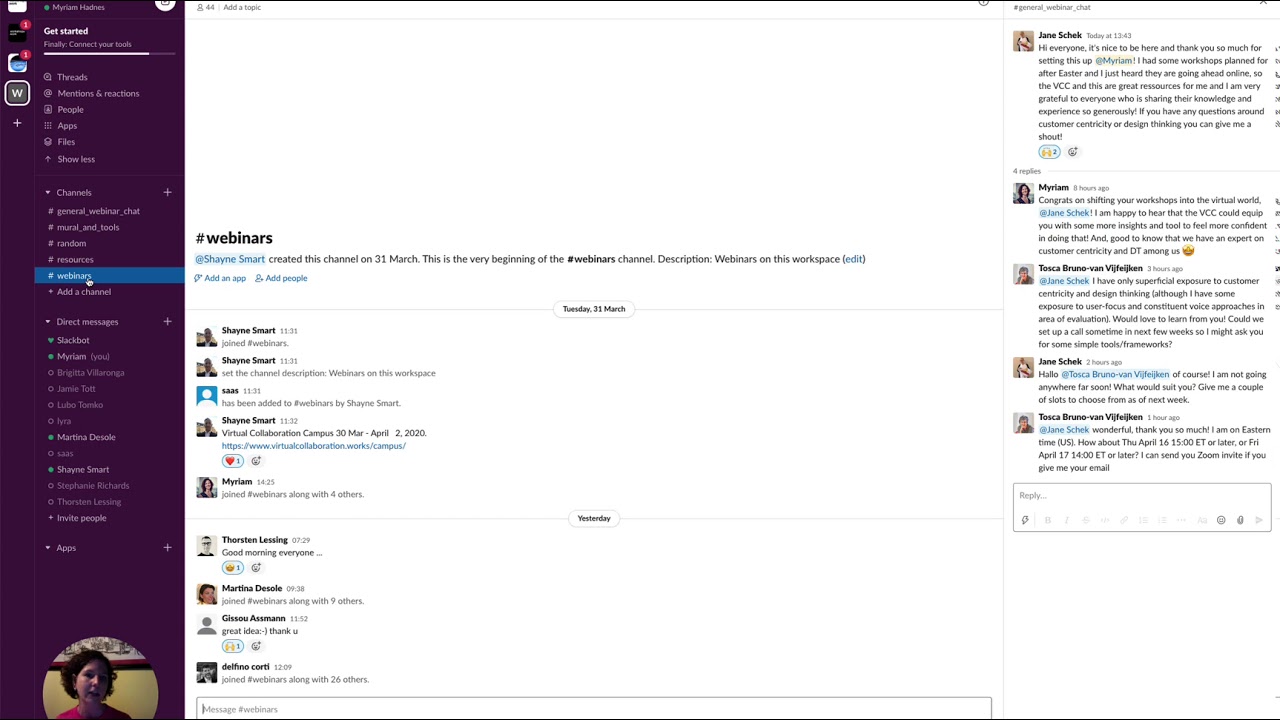
Hello and welcome to the Slack channel. Since some of you are very new to Slack, I thought it might make sense to have a short explanation video. So here we go. We are now in the general webinar chat. So this is where you land once you sign up to this channel. And you can put in anything, say hello, shout out. So everything that is of general interest comes here. So you can put in a message here and say, hello everyone, as I just did. You can add a little icon or smiley, how do you call them, and then just press enter. You can also add links, anything you want. If you want to build onto some— onto what someone has said, then the best thing is to just go here and say start a thread. So then it's clear that everything that belongs to one specific entry stays and doesn't fill in the general chat. So it's easier to find related content. So here I can put in thank you for the information. See you on LinkedIn, and then send. Wonderful. So now you can see here there's one reply. You can click on View Thread and it will open up here. When Jane, for instance, shared something, she got 4 replies, so we can just open it. And then there are specific channels that we opened, and we can open more with just pressing this plus button and create a new channel. Channel. So channels are there to have very specific conversations. So for instance, we have Mural and Tools. Since we discovered the Mural during the Virtual Collaboration Campus, you might have specific questions about the Mural or any other kind of tool that you explored and that you want to share, maybe a question or a best practice or whatsoever. So this goes here. And then we have resources. Maybe you want to share a nice tool that you discovered, maybe an article that you want others to read. This would go here. And webinars, if you can think of another webinar coming up, because this Slack channel is called webinars.work, so if you hear about a webinar that you would like to share with the group because it's relevant to facilitators, changemakers, trainers, or someone in this channel, you just put the link in here and then everyone can see it. If you really like what someone says, then you can just add a reaction by clicking here, and then you can add any reaction like thumbs up, and it will show here. So for now, we don't have a lot of channels yet, but feel free to either create one yourself or reach out to us, to Shane and myself, to ask us what are the channels you need. Maybe you want a channel with dare to ask, a channel where you can ask questions that maybe feel uncomfortable because you think you should know but you don't know. This would be the place to go. Or if you're looking for collaborators, we could open a channel which invites for collaboration. Hey, I need a co-facilitator. Or, I want to co-facilitate, where can I find someone? This would be the place to go. So I hope this helps. I hope that you feel more comfortable now to interact on Slack. If you have any questions, just send me a private message. You can do this by clicking on a name of a person in the Slack channel and then just send a direct message. You can also just press the plus button and then you can scroll through all the members in this channel and say, okay, I want to talk to Ira, and then you send her a direct message. So there you go. I hope that this explains everything.