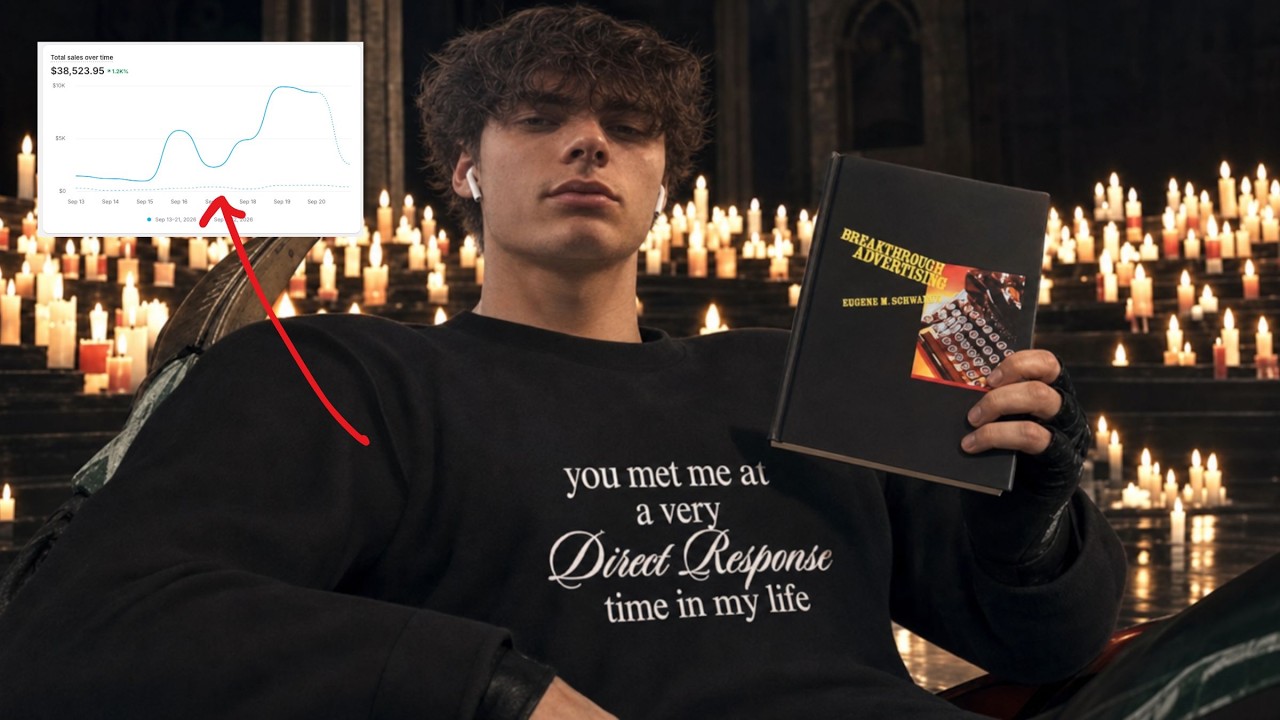
I built the store in 3 hours and made $900 on Day 1 (speedrun)
Nathan Miller builds a Shopify dropshipping store in under three hours and hits $900 in sales on day one. He walks through product research using AI tools, designs the storefront with a wrist blood-pressure monitor, and launches a Facebook ad campaign with a $250 budget using Claude-generated copy.
Chapters
I haven't checked the store yet, so let's just kind of see what we did. I don't really know what to expect here. Hopefully we get a couple of sales. Hopefully we at least have a couple. Whoa, whoa, whoa, whoa, whoa, whoa, Whoa, whoa.
What?
900.
Wait, what?
All right, guys, welcome back. I am back. And we are doing, you guessed it, another Speedrun video. And today, this video will be definitely the most valuable video I've ever dropped on YouTube. And the reason is because if you guys have seen my last one, which you might have, might have not have, I have learned a lot of information over this past eight months. A lot of AI stuff. Like the stuff you do with AI now is, like, insane. A lot of marketing, a lot of, like, how to make even better image ads and stuff like that. You guys are gonna be getting, like, everything in this video, basically everything. And so I'm super, super stoked to make this. And so first thing we're gonna be doing is we need to get a free trial on Shopify. So Shopify is actually kind enough to give you guys a link which is in the description to have a $1 a month trial for three months. So for three months, you only have to pay $3, which is pretty insane. So. And you get the first three days free.
So.
So I'm just going to do that right here. I created my email and everything and basically just start for free. I think I have to press enter.
Yep.
All right, so now it's just loading. All right, password. I just leaked some emails. Great. I'm just going to type in a password here.
I don't know if that's the right one, actually. All right, so, boom.
Create Shopify account.
All right, save.
I gotta put in a credit card here. Gonna be a sick video, guys. So, yeah, right now we're just setting up the store and I'm gonna walk you guys through, like, the entire process. Basically, for this, you guys can just do basic if you want to. You can do grow. That will allow you to add some people. But to be honest, you don't really need this because you can just add them in a different way, which I might show you guys. But we're just gonna try Basic. And then here you just enter in. You know, just your stuff. Don't have to overthink the stuff, too. Like, you can put in your real address. You put in a fake address. I'm gonna put in this address, which is my old one. So you guys cannot dox me.
There we go.
All right. And then we're not gonna say that, but now it's gonna ask us what we want to sell for this. Usually there's a few different things you can do. I think I'm going to just do an online store usually is what I do. And then we're to do a new business. Our idea. And then put. I decided later for this I don't like to like put drop shipping or anything like that because like whatever in store name we're just going to put na for now because we're going to have to create a name, you know, create the branding and everything. But we're going to do that after.
We find a product probably.
All right, so now we're in Shopify. First thing I like to do is set up like some very basic things like shipping. So we're gonna go over to shipping and delivery and then usually what I do here, let's see. Shipping, delivery, I'll just add.
I think.
Or we could do general here. We'll do this. We're just going to delete all these so you can just go into the existing one. Delete all of these. Right. And then we're going to add our own rate. So for this like you guys can do kind of what you want. I'm going to show you guys exactly what I do. And I do do this for like do do. I do do this for pretty much all my stores. So I always do custom and then I'll do a standard shipping and then you. For this you can put like tracking number provided. And as for this, I'll usually charge like 499. Then I'll also do. We'll do another one here and I'll do this one express shipping. And then here I like to put like skip the line. So basically like they get like priority processing which is like honestly like doesn't usually really happen but like it's a quick and easy upsell that you can have in your store. So boom, there we go. So we got our shipping set up. Basically we're gonna have to go back in here to add a products once we actually like have products on our store. But for now I think we're chillin and then we need to basically go through here and then you want to like kind of set up everything. So we set up our shipping, we need to customize our domain and then we need to set up Shopify payments. So we'll do this real quick. And then I think after this I'm actually going to just go ahead and do some product research and then try to find My product and then bring it to the site so it's complete account setup and.
Okay, tell me you want me, you know. All right, so we're going to paste.
This code in, verify it's me. And then, so for here, you guys can just do individual. Like, on my actual stores, I'll do a registered business because I do have an LLC set up. But if you guys are starting out, you don't need to worry about that. Do not stress over that. You don't need it. You can just do an individual right now. And then if you end up making money, you can make it later and still get all the savings and stuff, the tax savings. But so here I'm going to put in my information. Congratulations. You guys know my birthday. I'm not going to put in my actual phone number, anything. You don't have to do that. And then it will ask you to enter in your ssn. So I'm going to go ahead and do that right now. And then it's probably gonna have to edit this out because I don't want you guys stealing my stuff. Oh, wait, no, it's fine. Okay. We can actually do it without.
Is it okay? I think this is my social. Why is this invalid? Let's do, like.
Okay, category. This also doesn't really matter. Like, you could put literally, whatever. So I think usually what I do, I'll just do retail and then do like, clothing or something or beauty products.
That's fine.
And then store name. Like, we're gonna put na for now, I sell. And then I'll just put, like, I sell a variety of products. Like, a lot of the stuff that you set up, like, it doesn't really matter that much. Like, when you're starting out, when you start making money, you want to go back through these settings and make sure they're all, like, actually legit. But for now, like, it's fine. So we're going to submit that and then basically it's going to open your account, verify your Social Security card and everything and just make sure that you're all good. It's not going to, like, affect your credit score or anything, so don't worry about that. It's just checking to make sure you're an actual, like, US Citizen or citizen of wherever you are. And so now, you know, we've activated Shopify payments or that's getting set up. We set up the shipping now we can, like, design or store or, like, customize our domain or add a product. But before we do any of that, I think I would like to go find a product. So finding a product is going to be kind of one of the more tedious like processes I would say that we're going to be doing today. But we are going to be using Kayla Data because it's a speedrun. This makes the most sense to use because you get the videos, you get the, you know, to see like if they're actually selling or not. And I think long term there are other ways you can do it besides killer data. Kayla Data is not the end or be all and especially like just ripping straight from Kayla Data. You don't want to be in the habit of doing that. For this video we're probably going to do that. I don't think I really want to just go through like editing and stuff on this video because we'll probably get some results and then I might make another video after this, like optimizing from Kayla Data ads and like the image ads are making and stuff. So let's just get straight into it. So already like before you even do any product research, like you need to like understand kind of what you're looking for. So we're looking for like a problem, problem solving product. We're looking for something that is trending and right now it's a perfect time to sell like a Christmas gift. It's what, what day is it today? We got like. Seventeen days till Christmas and. Nope, we got 16. Wait, 17 days? Seventeen days till Christmas.
I think I hear a little freak.
Out there and yeah, so it would be a great time to test something for Christmas or something that could potentially sell for that. I think for this video it'd be cool because like it's kind of an easy win. But usually like I'm gonna be looking for like more long term like product that will sell like the entire year. But I think for the sake of the video you guys can just, I can just show you how to make a quick like product that will just like, you know, print for Q4 or whatever. So basically category we're going to be looking at if we're going to look for a Christmas product. Like I do sell supplements right now, but I'm not going to be doing supplements on this. Like you kind of have to know a lot more to do that. So we're going to be doing, you know, anything, beauty, personal care, I guess, baby maternity. There are health products that are out there that we can use but like we're going to try.
I'm not going to sell any supplements on this video.
There's honestly a lot of stuff you can do, like, for Christmas specifically, I might just, like, keep all these off. Honestly, I might just keep these off. And we're just gonna, like, look around. So I don't know why we're on.
When you go to product, all right.
And off the bat, like, just keeping it real with y', all, you're not going to make any money probably selling any of these products. Have, like, a million plus. There are already going to be people running them. There's gonna be a lot of people. And, yeah, you can. Like, if you're better at E Comm and if you know how to, like, make angles and, like, you know, target people and actually know how to market it, like, yeah, you can do it. But for the majority of people watching this, like, if you want to make your quick. Your first buck, like, I would not recommend it. So we're going to actually go into the side here.
We're going to do revenue, so we're.
Going to do minimum of $100k, and then maximum of.
We'll do 500k.
And we're just gonna look around and see there's not necessarily a specific rule of thumb for any of this stuff. Like, you don't have to, like, have to do something like that. Like, you don't have to have a specific revenue you're looking for. Like, there's not, like, a one all fits kind of thing for that. So we're just gonna be looking through here. I need to make this bigger. I can't even see what I'm looking at.
Okay, here we go. Just look through.
And I'm looking for, like, a physical product, so not all this, like, supplement stuff right now. And then we want to look for something that will sell on Christmas. And, like, something like this definitely can sell. Like, I could definitely, probably. You name it. That's actually pretty good, guys. This thing is cool. Is. But people want to buy this, like, before Christmas, like, before December, likely. And you got to remember, like, we're looking for Christmas gifts, not decorations.
So I wouldn't, like, really do something like that. Let's keep looking in here. Let's keep looking. Like that.
That's kind of cool. But we would get. Because it has college teams on there, we're going to get freaking dmca, so don't do that.
All right, let's see.
So something like this. There's so many people who are probably selling this, but this would be a really good. This could be a potentially good product. It just. It's going to have a lot of competition because of how much revenue it's doing. So you got to remember that.
Let's see here.
This is kind of cool. Wave trimmers always do good. But it is a very saturated niche, which is good, actually. But, like, I'm trying to sell something, like, unique, like a nice, like, gadget.
Or something that, like, some Facebook moms.
Would absolutely just love.
So let's continue looking. I wonder if there's a. We're gonna continue looking.
So something like this, like, this is pretty cool.
Like, mornings are busy, right? Who's got time to mess with a juicer? This nut milk maker makes life so much easier. Just toss in your ingredients, pop the lid on, hit one button, and you've got your drink in under 10 minutes. It's easier to clean than a juicer. Blends way smoother and actually keeps the fiber so you're not just drinking sugar water. It's got both cold press and heating mode, so you can make juice or plant milk. And cleaning easiest thing ever. Auto clean takes about 15 minutes. Or just rinse this thing that is.
Like, honestly, this is kind of what we're looking for. Like something exactly like this. But I'll show you guys what I mean. Like, dude, they're even doing like a Christmas sale. That's how, you know, I'll show you guys kind of how to validate this and see how many people are running it. So first thing you can do is go to Amazon and then we're going to go from Amazon or.
What is this thing called?
Nut milk.
Automatic nut milk. A yo automatic nut milk maker.
So, okay, honestly, people aren't really buying.
As much of this as I thought.
Oh, no, they are. This one's getting bought up like 30, not 33k a month. Like.
Yeah, people are buying this.
So this is like, example of like, what someone would buy someone for Christmas. That's like a physical product, right? And they're selling this for like, looks like around 50 bucks on Amazon. So we'd probably sell it for more. We probably sell for like 70 to 100. But this probably means it costs around $30. So you want to, like, keep that in mind if you guys are trying to figure out how much something costs. Like, usually Amazon for like a. The lowest price on Amazon, it'll be like three fifths of that. That's why I say it's like, most likely going to be around 30. And so let's go back to this so we can keep this in mind. But if you want to see if anyone's running it, I like to Use this thing called Get Hooked. This is a super sick platform. There's like a ton of different ways to use this. They have like you can do like respiring brands and actually use Get Hooked on my like day to day basis. Like I use it to like find competitors for my own brands. I like spy on them, see what ads are working for them and so I can either copy them or just a great way to, you know, see what your competitors are doing. And also like just look at the biggest brands there are out there and like kind of see what work, what works well for them. And Githook, just a great platform. Like it has I think 20 million plus examples, huge DTC brands. Use them and actually like it's. It's basically I would put it, it's a Facebook ads library but like on steroids. Like it's just so much better. The thing that I use it probably the most for, it's just simply competitor research. And you know, when I'm finding a product like we are right now just being able to see and actually like tell if someone how many people are running it, how many ads are they running, how many is there? Stores. Good because it'll give you the link to their store. So like it's a much better way to verify like you know, how much these people are doing. Like if you guys want to use it. I do have a link below in the description and the first pin comments. So definitely try it out. You got the seven day free trial right there. So might as well give it a shot.
This thing.
Let's just see if anyone's running the nut milk maker. Nut milk is it maker?
What is it?
Yeah. Okay, so as you can see, you already have a couple of brands here. We already searched it up and then we're going to do. If you go down here and you go to brand active ads, if you put in over like 100 usually that's a good benchmark to see if anyone's scaling it. And then we'll go over to limit ads for brand. I'll just do one apprentice so that like not all these ads pop up and then this will give us like a good amount, basically a good feeling of how many people are going to actually be running this product. So we got this guy. This looks like some Indian shop. So let's check it out. Yeah, that is terrible. And then we have almond cow. Let's see if this person. Okay, this is like not even the same product so we don't have to worry about them really cooking. Nate. So this is. Okay, I've actually seen this store. This store literally ripped. If you guys see this product right here, this is the product I scaled last year and they literally ripped my landing page like one to one. So that's kind of crazy. But they are, they do seem to be running this. They're freaking charging 150 for it, which is pretty insane. But they might be scaling this. It's the first one on here. Let's go to where is it cooking it right here. If we do, you do spy brand, right?
Yeah.
Start spying them. And then what you do is you.
Go over to Dover somewhere. Wait, what brands buy.
Boom. And then we can look at their ads and see what ads are actually running right now. So if we look at this, they are running a bunch of ads for this.
What you are actually walk away when it's juicy.
Stop drinking. What you are actually drinking is just liquid sugar.
It's toxic.
Even if you juice at home, most.
Juicers strip away the fiber and nutrients your body needs, I discovered. Okay, so they're running a decent amount of ads right now. These are the top 10 performing. So I think they are getting, getting sales here. If you guys see that, you see how many ads they launch like per month. So I mean December just started but they launched a lot of ads in November. So that's a good thing to think about. And you can see 52% of their traffic is going to the milk maker. So that means that this product is actually doing probably good and honestly just to spite this person because they ripped my freaking landing page on the gourmet grader. I might actually run this product for you guys. I definitely recommend if you see this, please run it up and try to just break this person. So let's go over to, let's go back.
Just do the back and then go to.
Was that nut milk?
So wrong.
Nut milk. And then we're going to go back.
Creative usage urban act ads 100 and then limits for brand one.
I'm going to check out this other brand and see because I think there's one right here. Yeah, this one right here. Nactive. So let's look at their landing page. Okay. So this person actually seems to know what they're doing. Like you can tell because they're doing a pre lander here, like a listicle, which is pretty cool. They have a lot of good AI stuff on here. So this product is definitely selling and there are a couple of good competitors that are already running it. So that's like kind of the thing but like with products like this. And because of there's so much demand right now, like, people are literally, like, buying Christmas presents, like, all the time. Like, it's just increasing, increasing. Like, the demand is literally just rising and rising and rising for Christmas presents right now. There is a lot of, like, there's not. And there's never going to be enough supply for that demand, like what the people are currently running. So we'll just. Oh, it just adds instantly to there. Okay. And they're both selling that for like 150. So we could probably come up some unique.
This is a weird landing page.
So they start with. This is the weirdest landing page I've ever seen. I've never seen something like this for.
What.
This is actually work. This is so odd. Like, it's a good landing page, but it's not. Like, if we go to this one, right? This is like a typical landing page. You'll see. Yeah, they ripped like basically my entire theme here. But, like, interesting. So another thing we can do another extra step. So we know these people are running like over 100 ads on these. These products, right? So they're probably scaling. We know that they have decent enough sites, so they're not like these Chinese sellers like the other one we saw. So we know that they're somewhat competent. So the other thing we can do to check is go to similar web. And I think I might have to download the extension here, actually.
Let's see if it'll let me. Yeah, let me try this for free, please.
Actually, I have a subscription to this, I think, so I might be chilling. Guys, if you email me, I will not answer. Do not email me verification code. Okay, one sec.
Let me look this up here. I did not get a verification code yet, so it better be. Better lock in.
How much.
How far are we into this video?
Dang, we're already 22 minutes in. Okay, yeah, this is gonna be a long one, boys.
Similar web. Actually, no, I can just go and just.
Okay, here we go. We got it. It's going to be okay. Okay, continue. All right, now we're good. Now how do I get the extension?
Download extension. You already know extension.
And so what this does it like, it is not accurate. I want to like, preface with that. This is not super accurate. But it will show. It will show if, like, someone's actually getting session to their site. Which. If someone's like. Which I'll just show you. So basically you get that you download the extension, right? You bookmark it here. And then you just got to press this Once you're on someone's site. So we could start with this one.
Boom.
Press it.
Okay, it's not working. Why is it not working? Why are you not working?
What?
Hello? Hello?
Okay, I don't know why it's not working, but basically.
Was it not permission or something?
Usually it will.
Maybe I gotta like redo it. Hold up.
Boom.
Oh, my gosh. Like that.
Okay, here we go. As you guys can see, it shows that in November they did 2.2k, which is not a lot. But usually this like, underestimates how much they're actually doing. So if they're launching all these ads and stuff, like, I'm guessing they're doing at least 10k visitors a month, which is probably going to equivalate to like 50k in revenue or something like that. I'm guessing maybe 30k, which is like nothing crazy. But let's look at this one and.
See how much they're doing. So.
Might. Oh, yeah, it's because.
Okay, you're right.
I gotta reload the site and then.
Click on it, I think. Yep.
Okay. And they're doing 4K. Okay. So these people aren't doing that much like that much traffic, so they're not doing that crazy. So honestly, I don't know if I want to run with this product or not. Because they're not doing anything that crazy, which could be good. But, like, they're probably just running Red Kalo, right? So, like, I don't know what to do. I think we're gonna look around a little bit more and then we're gonna see if we find anything else. Like we're only like a page in or so. So we can continue to look, but that is definitely an option.
All right, sir, what is going on here?
And also sometimes what I do is I honestly do this where I go from the bottom up. Because the bottom, like, the less revenue I have, like a product has, it's usually the less saturated it is. So.
That'S kind of sick.
Actually.
Let's continue to look here.
So that is exactly. We're looking for, like looking for something that like some mom or something would buy.
Lunchbox. That's like probably a brand or something.
You don't want to buy things that like, are like huge brands. Something like this would actually be good too. So, like, let's see what the. You've got to watch this video till the end because hypertension has already taken the lives of over 20 million Americans. Sleeves, just slide it on, tighten the strap, and boom. You'll get A quick accurate reading in seconds. And get this, it doesn't just measure your blood pressure. It also shows your blood sugar levels electronically. One single charge lasts up to 200 uses. Super easy. Super. That's kind of an interesting product. So that's a. It's like a blood pressure thing. Reader. It looks like they ran out of stock because literally if you see it drop off like this, this usually means they just ran out of stock. So let's look and see how that's doing in Amazon because that's kind of fits the criteria. I get the problem solver. You know, I'm just looked up Amazon.
And Amazon, let's go to. So it's.
It Wrist, blood pressure.
We're gonna look that up.
Yeah.
Okay.
Okay, so these things are selling. If you look, these things are selling a lot. Like this one selling for 40k. The past month was a lot. And like this is something you can also take into account like the discrepancy. Like remember that, that milk thing? Really, the nut milk thing? Right. It had like the, the biggest listing had like 3k sold in the past month. This one has 40k sold. And it's doing a lot less volume on TikTok, which basically means that like it's kind of like an underrated product. Like this actually has a lot of potential. So let's look and see, you know, get hooked here.
See if we have any, any printers here that are running this product.
Okay, so we got this one. This is a. You just tell it's a Chinese store. If that's like an M in the front, bro, like, watch.
It's gonna be some boof.
Oh, this is not too bad.
Actually.
It's a pre lander.
Oh my God, this is terrible.
I mean that's like an old person classic.
Like some old person is definitely gonna. I don't think this is.
Oh, this is pretty similar. Okay, so we got a couple people who are doing stuff with it, but these are like weird freaking sites.
These are weird looking sites, bro.
Like, bro, this might be a printer product. Actually I haven't seen like an actual like legitimate, like trustworthy looking site. Like these sites are like not bad. And like people will buy from them. And like these are in Euros too. So they're like not even selling in the States. Problem solving. Good Christmas present. This is a terrible site. So like I'm just looking through all these competitors and seeing if they're actually like legit or not. And none of these people are.
So this is so far pretty good.
We already looked at that. 1. Pretty sure these are just the Kayla rep. Yeah, it's like all the same site too. Like, it's like the same person under like different ad accounts, which probably means they're getting banned. So. Very interesting. This could be a very good product to run. We've looked at the competition and all their sites are kind of like mid. Like they do have like a funnel, but like it's like a very sketchy looking funnel. So it would be interesting to see how this would do if we actually just put it on like a, like a solid theme. That is something good. It's selling a lot of Amazon, which is also good. And I could just see people buying this for people for Christmas. It's not like crazy expensive either, but we could probably mark it up a bit. So so far there's a lot of. A lot of cool things here. And I do like this product a lot. One thing we didn't look at is we didn't actually see how much traffic.
These people are doing.
So. Yeah, no data. And then another thing you can do, like for example, this page, right? We click on it, see if they're only running ads for this. No, they're not. They have different products. They have like foot stuff. And so like, it's not even necessarily like for something like this. It's not necessarily like all these ads, 160 ads, are not being ran for the wrist thing. Like some of them are being ran for like something with a foot. So let's look at this one as well.
Let's see.
Yeah, they're running a bunch of random stuff too. Okay, so these are like more like general pages. No one's really running this yet, like successfully. Let's look.
We lower this like 50.
What?
It's like, Doesn't look like there's really any more people.
I'm doing this video fasted, by the way. So like. Okay, what.
What do we got going on here?
Yeah, so I don't think, okay, we got some more people and not even. These are not even the same product, bro.
Okay.
This is like the first legitimate and this is crap.
Like, this is not good.
And they're doing okay. Is this all there's.
They gotta be selling okay? They're selling a bunch of crap.
Yeah. So definitely, definitely think this product has potential. We have some good ads.
We can run for it.
We can make a good landing page. I've not seen one good landing page for it yet. So this could be something good. We could be on to something here. I might, I might be doing that. I'M not gonna lie. But, yo, if you guys want to please run this dude's products. I hate this guy. And he's not. He's mocking me too. Like, he literally put Cooking Nate. Cooking Nate. You're not cooking Nate anymore. Nate just leaked your store. So that was a bar, bro. But basically, I think we're gonna go ahead with this product. Let's. Let's look at the.
We don't need that one anymore.
Let's look here at what the videos are looking like for it.
Oh, no, they're Spanish.
Another thing we could do too is we can just look on Tick Tock and see if Tick Tock has any. In the 1980s, people use bulky machines to measure their blood pressure. There were huge, complicated, good video.
That's like a pretty solid ad, actually.
Spanish ad.
Back in the 80s, this is how people measured their.
So there's some decent, like, videos here. Like, they're actually like, kind of good ads, but they're not great. But that could be good for us because then we'll just have to make more image ads. So some not a necessarily a make or break. Usually you want to find. If you're ripping from Kayla, which, like, you kind of shouldn't, you should want to find videos that are pretty solid off the bat. But we're going to look at Tick.
Tock, Tick Tock here.
I'll have to log in.
Hopefully not.
And then we're going to search wrist blood pressure.
Boom. Videos. Oh, my, oh, my. I guess we're lying on with this email. Let me in. Okay, got it.
This blood pressure monitor is designed to be highly portable so you can isolate, check your blood pressure anytime, anywhere. It weighs less than an iPhone, making it light enough to carry with you wherever you go. To use it, simply pull and press gently and it will.
That's pretty cool.
Should you use a wrist blood pressure cuff? This is an awesome blood pressure wrist monitor.
Just take care.
But yes, this is on sale. Okay. So, yes, there are actually some better UGC like on TikTok we can run with as well. So this does have a decent amount of, like, content around it. It's selling really, really well on Amazon. Selling solves a major problem. Would be a great Christmas gift for, like, your granddad or something like that. Like, I could see a lot of people buying this. And the competition's kind of weak. Like, their landing pages aren't good. They're not looking super legitimate and stuff. I think we might run with this product. So, yeah, so now we have our product, right? It's a blood pressure monitor of some short. So now I think we need to.
Add this to stripifying.
So first things first. We're going to get a domain here. And now we kind of know at least what kind of niche we're selling in. We're selling in kind of like a, you know, medical health kind of niche. So we can kind of come with names of that, but basically gonna go down to domains.
Then you're gonna go buy, dude, buy new domain.
We're obviously not gonna use the NA domain because it's just a bad domain. Also, those people's domains were like, stupid. So. So we can do like, if you something that's easy about like doing.
Like.
In a niche like health or something, you can do like something health, like Nexi Health or something like that, or Nexu Health. I don't know why I thought of that, but like, that's kind of a solid name like Nexu or if you want to do something with wrist. I don't know what the Latin term for wrist is. Okay.
So, yeah, that's not even gonna work. Let's look it up. What's Latin for wrist.
Cap? Carpus Health.
Carpus Health.
Let's see if Carpus Health is available. But basically, guys, like, honestly, what your domain is does not matter that much if you're drop shipping and like just starting a store. Like you shouldn't be. Healthcarpus.com carpus vitality.com carpishealth.net, carpishealth carpus.
These are MD Carpus Health, MD. Make you seem like a doctor.
I don't know if this is legal. 60 bucks you can. You could wank off, mate. All right, so we're going to do something around Carpus. We do try. Carpus Health.
Carpus. Is that like a good brand name?
No, I don't like that name. Honestly. I want to come up with something a little bit more like Brandy. So vital. Carpus try. We gotta think. We gotta think here. Another thing you can do is you can go over to like something like Claude.
Right, Claude.
Which I think I already had tab open for.
So let's go over to Cloud and then we'll do. Hey, I am looking to sell a.
Blood pressure wrist monitor. How can I sell this? Or what's. What's it.
What are some good brand names? What are some unique brand names for this?
And then we're gonna type that in. And then basically we don't really have to use exactly what it says. Like sometimes it gives you some pretty, like Dumb, dumb things. But like heart sync, like you can kind of like at least get some ideas. BP now. Life gauge. Life gauge.
Just gotta sit.
Cardio sense. Pulse wise balance band now that's definitely ready. Pulserite. Wrist Vital. Vitality Pro Precision Pulse out of these ones. Honestly, like heart sync.
Heart sync's kind of cool.
Let's see if heart sync's taken. You can also do try hard thing. And if you guys want to go another step further, you can look and see if these have trademarks. But like, I'm not gonna be doing that. This is a speedrun sync. Heart Pulse. Harmony shop artsync.com okay, so maybe not this.
Think on pressure pulse. So something pulse.
Like pulsi.
Whoa.
Pulsary. Pulsivo.
Pulcevo.
Hardivo.
Harvana. Was kind of cool. Let's try that Hervana, man. Kind of like.
Something like this, like Havana. Like that sounds like a legitimate brand. So you want to be thinking like.
That.
Is not there. Okay. If you do like try her Vana. Boom. All right, so now we're just going to buy this. I'm not going to second guess it. Like it's a speedrun. We're just trying to get this thing going.
Oh, my gosh. Apparently there's not a 999 area code in the USA.
Boom. I'll reno every year. I'll probably turn that off later. But.
Redirecting.
Might have to blur this one out, fellas. These.
Payments processing.
All right, we got it. We landed the domain. Let's go. All right. And our payments get activated. So we now are live on Shopify payments. As you can see here, it's just verifying our information. So sweet. I think one thing we have to do, which I almost forgot to change it to our primary domain. Okay, maybe we have to let it like load first. Oh, no. Okay, so you see how it says redirects to blah, blah, blah. You want to change domain part or domain type and then do primary domain change domain type. So now this will be our main domain. It's still going to be like propagating, whatever that means. It's gonna be like. It has to like set itself up. Basically, that's what that means. And so we got to give some time to do that. But now we have a domain. Now we have a site. Try her Vana. Which is sick. And now we want to add our product. So we're going to be doing.
Right.
We do like try Havana. Now we got a.
We got to come with a good product name.
So let's look At Amazon. Amazon has like the worst product name. So do not copy these. Wrist pressure.
Wrist monitor.
Wrist monitor 2.0. You want to like make it sound like better than it is.
So like wrist monitor 2.0, something like that. Blood pressure.
Or we could do like our brand name too. Like her Vana monitor 2.0. It just makes it sound. Monitor 2.0, something like that just makes it sound branded. And then we can also, if you want to be like a little cheeky.
Boy, you can do TM copy and.
Paste.
And then you can take this.
TM symbol right here, which you definitely aren't supposed to be using because you don't have a trademark. But it looks good. Boom. Now we have a trademarked name which is like not legit, but Havana Monitor 2.0.
And then just don't worry about that.
But for this, our price, we're probably going to do.
This.
We're to try to sell at 29 for one. I don't know what the cars will be.
Okay, let's see.
So if we, if we went on our like, so we have one for 19 here. Three fifths of 19 is going to be like 12 bucks. So 30 bucks we'd have to have. Okay, we want to sell for more than that. I would honestly want us to sell this for like, like 30. We could do 30, 37.99, like for one. Well, like do the bundles and everything a little bit later and you guys will see what I mean by that. But 37.99 for now and then that's gonna be plus shipping. So like the least amount we'll get per order is gonna be 43. So that's not too bad. Too shabby.
Not for shabby.
And then. Yeah, so now we kind of have to start creating some product photos. And this is like the fun part. So I will show you guys how to do that. So we got this beautiful website called Higsfield, which I also do have a link for you guys in the description if you guys want to use this. It does cost money, but with that link you'll save money.
And now, now we can do.
Okay, so we want to go through here and it has like our visual styles, right? So we want something like legit. Like we don't want.
Okay, you know, we're just gonna.
We just not do a visual style.
Let's see. Hicksfield, Hicksville.
Sold. I don't remember which one's the best one.
Might be this one.
Okay. Boom. So now what we can do is we go to Amazon. We can Use one of these images. We want to make sure it looks like the thing in the video. So first off, we're selling a black one, it looks like. So let's try to see if we can find a black one on Amazon. So something like this, right? This looks like it, I think. So now we got this image right here. We're going to save this image as a.
Wrist thing. Wrist thing. I split it wrong wrist thing.
All right. And the reason I save this image is because it's like, it's just an image of like the thing. Like it doesn't have like a backdrop or anything that we have to edit out. So this will make it super easy. And then we have that and then we have our brand names. Now we're going to go into Hicksfield.
Right? Right.
Going to drop this in there. Like create a branded product photo of.
This wrist blood pressure monitor.
Okay. And then we're going to say.
With a visually.
With. Right now we're just going to create like a normal image. I just want to show you guys what it can do and then make it have a brand name and packaging.
For the brand called.
And what are we.
What's our brand called? I already forgot. This is terrible.
Her Vaughn.
Okay, so now we're going to do her Vonna Boom.
Generate. So now it's going to generate and ignore all these photos you guys are seeing. I can't explain. That is for some static ads that we were trying out. So it's going to be in progress. And then basically you can just like cue a bunch of these which is nice. It's not like chat to be like chat GPT where you have to like wait. So we can actually do more. So we can do like with.
With elite packaging for a health brand.
And then what's like a good, like.
I don't even know, dude.
And then we can do create.
On a. Showing it it's on a old person's wrist and them smiling.
So we already got this one which looks really good. Like Hervana. Like that's crazy how nice that looks. And if you look like all the text and everything is pretty good too. With chat GPT you usually have to go in and like fix it. This one's a little. And this is like premium. It does look nice but like that's a bit much. It looks like a Gucci or something. Then we have this one like look how accurate that looks. So like it literally looks like you took a picture of someone's wrist. Like it's crazy. So this is why we're using Hicksfield because it's actually insane. This one's also really good. So, okay, basically we want to figure out. I think this one looks the best for like a health product. Like even has a little heartbeat thing. So we're going to download this picture and then usually you want to choose one of the packagings and so we're choosing this. And so now we can add this to our images here. It did not download. Let's make sure it actually downloads. Boom. And then we can add that there. And then we're going to create. We're going to recreate this image right here or one of these images and it's actually going to have the product. So let's do it again. It's going to have like that pack the same packaging, basically.
That's what I mean.
So let's do that. Not going to lie, guys. Might need a bathroom break real quick. But we're going to continue to push on. We are. Holy cow. We're 47 minutes into this thing already. That is insane. That is actually insane. But I feel like we're getting there. We're getting there, guys. I. Okay, so now we got this one. She seems to be smiling.
That's really nice and cute.
So we're going to download that and we want to like have a few good photos on here. So let's go back to our site.
We're going to put this one in there.
We just want to start populating this, making it look nice. Boom. Boom. So we got the old lady. Probably should have like a benefits thing. Okay, Create a prompt for Higgs Field. And this is another thing you can use. You can. By the way, I am using Claude. I like Claude better than Chat GPT, but you can use Chat GBT too.
It.
It's not as good, like copywriting wise, but it's basically like it can do the same thing. So create a prompt for Higgs Field.
Image generation.
To give me a great product.
Product photo for this.
That has social proof. So we want to have like a social proof image as well for our product. So I'll show you guys kind of what that looks like.
Boom. Perfect.
Okay, so now we're going to just copy that. I didn't read all of it because I trust it that much. We go back into hidden field and we're going to keep these images in there for like, context and then, boom, generate. Let's see what happens. I'm excited to see this. And then I also want to do one.
Do one with a Facebook comment.
Facebook comments are really good to put because we're advertising to Facebook. So if you put Facebook comments on your stuff, like, it's gonna look pretty nice because people are gonna be like.
Oh, people are commenting on it and, like, liking it.
Oh, my gosh. So that's something I definitely recommend. So we'll copy this prompt as well, and then we're gonna copy, paste, generate. Boom. So I hope you guys see like, how crazy these images are. Like, these are so nice. And they get even better when you start, like, actually, like, prompting them and stuff, like, with Claude, because it gets super specific and super nice. And I think another thing we should probably start with Claude right now is our market research thing. And so that we're using this to create, like, our image ads and our copy and stuff on our landing page. So let's do that. We're doing a new chat here.
We're going to do select, I think, research.
Right, select research. And usually this takes kind of a bit. All right, well, we'll probably start setting up the site before this, so hopefully it'll be good. But basically, I'm going to drag this. This prompt in here that I will have for you guys in the description. Basically, it's a comprehensive market research prompt. It has a bunch of goodies in there. Like, it. It's like six pages long or something like 15 pages long. And it will just spit out so much good information you can use for your landing page, for your ads, literally everything. So, hey, chat.
We are selling a wrist blood pressure monitor.
Please use this doc to help us understand.
Our customers. Our customers, and how we should market this. Boom.
It's probably going to ask us another few questions here while it's doing that.
Let's. Okay, these are still loading. Still in progress, which is fine.
Okay, we got this one. So these look cool. So this looks a little different. It's like the color is a bit off, but, like, it still looks pretty nice. I might use that. Might not. Like, little. Little things like that. Like, it's navy compared to black. Like, it's not gonna make a big difference, but you usually do want to have it, like, look the same. And we have a Facebook comment here.
Which is also nice. So maybe I'm gonna create another couple of these and just see what they.
Look like and then we're go back to this. I'd be happy to conduct. Do you have a specific brand, website, product listing I should analyze? We can give it.
We'll give it the listing of the one that's selling a ton, which is this One boom.
Control, C control, V listing. I just farted. And then we have. Do you have primary target? All right, we're gonna give it this. We don't really want it to like, we want it to do the research. We don't want really us to like kind of influence it too much right now. Especially if you guys are just starting out, like, you can let AI do the research for you. Usually you want to get good enough to where you can actually like, you know what, what's good, what's going to work. You can see the angles, you can see like the gaps in the market. But for now we're going to let AI do it just for the sake of the speedrun in the video.
In queue. Why is it in queue? Why is it in queue? All right, these look retarded.
Okay, so we're probably going to move with these. They look a little different, but like it's nothing anyone's going to really notice. Like long term, if this scales. Yeah, we're going to fix it right now. Don't overthink it, guys.
Like really just don't overthink it. We can do this. Might be kind of cool.
I feel like that's a good first one to do. And then.
What else? What else can we do? What else can we do?
What else can we do for something like this? What else I do? We got to think of like, what are some good brands here? So while that's doing that, I don't.
Want to open that because I think it might.
I can't open this because it's going to show my brands that I'm running right now.
But we can do chatgpt. Okay.
What?
Oh my. Stay logged out. What are some good DCC brands that sell health. Wow, nice spelling.
Health items like a blood pressure monitor. We're look at this. Hopefully it spits out some good ones. Cardio.
So let's look that up.
So this is someone that kind of sells something like this. So blood pressure sold out. But like we can kind of get an idea like from. So they have an app and stuff. So it's a different product. But like they have a product picture of someone wearing it. They have one of the app. They have it in the packaging. Kind of honestly, pretty simple. Nothing crazy. But like stuff like this, like wearing it with family is probably a good one. So might do that.
See, I recreate this photo for. What is that Nirvana? Is that. Is that our brand? Nirvana. Havana for Nirvana.
But show a elderly. I guess we're targeting elderly people.
I guess.
But Elderly person wearing it around family happy.
Boom, boom, baby.
We're gonna.
We're gonna generate a couple of these two. We like three.
And then in the background are. It's like researching, like, look, you can see it's literally like going in through these Amazon reviews and stuff. I think it's doing a ton of research for us so that we actually have good data to put into our marketing, like our ads and stuff like that. And we will be making image ads with Hicksfield as well. It's so good for like, even this you can use as an image ad. Like that is honestly a fire image ad. So, like, you guys will see what I mean by that. So what can we do now while that's doing that? Let's check.
These images are still in progress.
Okay, so we're going to save this. We can add this now to our. To this. I mean, it has everything.
Okay, so that's good.
We can add that. And now I guess we can start setting up some, like, bundles and stuff. So, like, there are a few apps we're going to be downloading right now. And I'll show you guys what I mean by that. So first app is going to be gem pages. And I don't use shrine theme. I don't use stuff like that. I use gem pages. It's way better. You can actually like, fully customize the page. You can customize, like the layout. Like everything. Like it's. There's unlimited stuff you can do. You can code on it. So like gem pages, gen pages. Gen pages is way better. But we will have to get the free plan or the plan. I think so. I think I do have, or. The reason why we're getting the plan, by the way, is because to import the custom, like, theme that I'm about to import that I will give to you guys as well. It'll be in the description. You're gonna have to like, pay for it. So I'm going to give you guys a link as well for GenPages that.
You guys can save some money on.
So keep that in mind. But now we have the plan. So we're gonna go to pages here.
And then we're gonna. I'm gonna drag this over or we're gonna import. Sorry, drag this file in there. Boom.
All right, so now we have this page.
Actually, let's go back.
So look, you can already see it's already kind of set up. Like it already has a bunch of stuff on here. The fonts, like, a lot of stuff is gonna have to be looking a Lot better. But we will fix that in a sec. We're gonna apply this product to it. We're gonna have to do like a chain and all that. We're gonna have to do these images and. And obviously all the copy is going to have to be redone. But like so far, like it's a solid theme. You can't really see how like nice it looks because you don't have any like the actual images and stuff in here. But you guys will see very shortly. So let's go back. Let's make sure that we have.
Assigned product. Boom. Okay. I guess it's already assigned. Okay. I think it's a shine.
So. We're gonna rename it.
We're gonna rename it to wrist Blood monitor.
WBM baby. Okay. And then now we got this done and then we want to go to.
Mobile view because that's what we're going to be seeing.
And now let's go through here and let's choose some better fonts. So something like that. That's a little too the kiddish for me. I would want something a little bit more legit. Like we're selling like a health item, so it needs to look good. So something like that is not too bad. And honestly, like this one I would say is kind of big. But if we're selling older people, having bigger fonts on your product page is actually look better. And then we have all this copy we're going to have to do. We're going to have to add some like stuff here. We're going to add.
Right here.
We're going to.
Customize this.
We need to fix this. I want to add a good offer because people are buying this for Christmas. So like guaranteed, get it by Christmas or your money back kind of offer. I think that would be really good for this. And then here I'll kind of through. We got the benefits. You can click this tab. Product details, specification, shipping, returns. And then we'll have to fix that obviously. And then you can like add some images here. You know, you got your other images. These will be like people wearing it and stuff. More images, how to use features, all the stuff you got like a little. You just have a lot of good stuff on this landing page. You got the faq. It's kind of already all built out for you. So we have this done, but we kind of can't do anything. We're going to publish it, but we can't really do anything yet because this is still doing its thing. So let's download a couple more Apps here. We need to download Kaching. I also have an offer for you guys in the description for this if you want to use it. The Kaching is super, super good. It's got. How does it have 5.0? Like that's kind of ridiculous. Install Kaching. I think Kaching has a free trial.
We'll see.
It should have like a 14 day free trial, 7 day free trial. So you can just go with that. I'm just gonna improve it.
Design your store read shipping. Yeah, we already did all that. All right.
And then create your first bundle deal. I want to activate this. So it's going to take us into our theme.
What.
It look like that we're gonna have to do this. Okay. We actually have a good amount of stuff to do. But let's. First thing, we're setting up the Kaching, we're setting up these apps and then we'll get into the whole site thing, which might take us a minute. Honestly, I haven't really made a site like this in a while. So I have a team who does this for me. But we will figure that out. I might just, honestly just copy a theme from one of my other stores.
And just put on here.
So that might be the move.
Honestly. Sure.
Get started with Kachi bundles. We have it downloaded so now we can create our first bundle. And so usually for something like this, we want to make sure we have like the photos of it and everything. So something like this, like a two pack like this, like progressive gifts would be sick too. We can also set that up. So I didn't know the ad.
This. This is actually insane. So we're gonna do.
Was this a wristblood monitor bundle? Boom, boom. Bundle and save. You can just leave as bundle and save. Like honestly, you don't need to freaking over complicate it.
Free shipping. Yeah, free shipping bar two and higher. That would be solid.
And then.
Oh, wait. Okay.
Okay. So right now we just have. We're just gonna do one gift, but we might honestly, I'll show you guys how to add like another product as a gift. So we could find like probably limitless, like health products. We can put like in as a free gift. When you want to pick a free gift to go with your offer though, you want to do something that low cogs. So like low cost of goods only costs like a dollar extra to ship because it'll be bundled together. And then something that's kind of lightweight as well. So keep that in mind. But for now, this looks solid. Checkbox upsells volume discount bundle with other products.
Countdown timer style. I think this looks pretty sick. I think it looks cool.
Yeah, this looks pretty good. Okay, so we're gonna do.
So Interesting.
That kind of looks a little weird, but, like, my.
I don't know if I'm gonna do it or not.
But we can do, like, buy one because we're not. We're not selling packs here, so it makes sense.
Buy one.
Or we do like one unit or something like that. This one be two units.
Oh, my God, dude, I cannot spell. And this will be like three units. Okay.
And then discount per item. So you do save 15 on this? I would do say 15, and then save 30 for the last one. So.
Whoa, whoa, whoa, Whoa, whoa.
Save 30. So that is, like, a pretty solid thing. See, how much will this cost us? This can cost us like 10 bucks. So honestly, you might want to do.
Like, save 25 on this.
So we have a little more margin. But that's going to be like, kind of our offer. Like, I'm not going to go too crazy with it right now.
Honestly, I might just do one, three monitors. One monitor or two monitor? Make it a little more specific monitor.
And then I'm going to make this look a little different. You don't have to do this.
Let me save it first. And then we're going to go to style.
I like the corner radius on these to be like a little sharper. Do that.
We also want to add images. Let's do that.
So.
Okay, we need to create.
Let's look at Higgs Field and actually.
See if it made these yet. Look at her, dude.
She's so happy. Right?
All right.
These are sick. These are great.
Okay, Create a two. A bundle photo for two of these.
And then we're going to do one for three. And so we're going to create these bundle photos. And then we'll just put this on the main one and then create. Or we'll do a. Create a.
No, I'll just use that. That's fine.
Honestly. So we're going to go back to.
Kaching, and then we're going to go down to.
Monitor one, add image. And then we can add. I don't know which one it is.
Of these might be this one.
Yep. All right, cool.
And then we're gonna do size.
You want to have some Cordy radius.
On that one monitor.
I don't know if, like, honestly, if we're doing the images, it might look better if we do this style. Yeah, I like that.
Honestly, I like that a lot better. So we'll do this way we can make the image a little bit bigger. Image, Yeah.
So that's a bit bigger. And then for these, they have the other stuff. I don't really like the gray either. We can also fix that so we have this like low key green color that we're using.
So maybe like just try to emulate that somehow, which is like. It's like a dark green. More like bluish green. I feel like. Okay, we don't want to do it for this one. This one should be like.
How do I go back? Okay, we did it.
All right.
Honestly, I'm not going to mess with the colors too much. Like, it doesn't matter that much if we're speedrunning right now. But I do like to make these a bit smaller. But we got all that done.
Unlock free gifts with your order.
That's fine. And now we just need to wait on these other two images.
But they might be done.
So let's check it.
Yep, yep. Boom, boom, boom. Okay, so now we're gonna go back to here. Go to two monitors, right?
Add image. The two. One was the second one we downloaded. I think so.
So this should be it. That's three. All right. Wrong one. One second.
Apparently they have a generate image thing. I've never used that, but that could be good. Okay. What did we not.
All right. Because we just didn't download the second one.
There we go.
Okay, go back and we're going to do. Boom.
That should be it. Okay, so they got like two in there. And then this one will be.
Obviously the three. So I'll be the second.
Boom.
All right.
Boom. Save. This is starting to look pretty solid. You can mess around the colors and stuff as well if you really want. For me, I think this looks fine. I'm not going to be messing around with it too much. What I might do actually is change.
The color of like the say 15% up there.
So we'll.
Let's see if we can figure out which one that is. It's like a little darker. Label cars. Background. Label background. This. Okay, it is this.
We'll do that and then text.
We're gonna make white.
Boom. And then if we could do.
Yeah, that looks a lot better.
Okay, so now we got the bundle. We got the free shipping on there. We can add a free gift. We'll see if we do that or not. I might do that in the next video.
Unlock store.
I'm going to unlock our store as well. And you see how it's like a basic, like normal Shopify store. I'M going to go into one of my other stores that I have right now and then I'm going to get the theme, download it, and then we.
Can use it for this one. So give me one second.
All right, guys, so we're back. Now we're going to do the theme import. So to do this, I believe you just go up here, import theme upload, zip file, which you would have downloaded, but I will. I'll provide the zip file for you guys so you guys can see it. It's an old story I used to use, so it's not anything crazy. Plop that in there, upload it, and then I think it'll take a little.
Bit of time to upload.
In the meantime, let me check on this. Wow, this is still going. 32 minutes in and it's still doing research. Hold up, guys.
My doorbell just ring.
Well, I just got ding dong ditched by the FedEx guy, so that was totally awesome. Oh, wait, is actually.
It might be done. Ocular risk, blood pressure, market research, positioning analysis.
Okay. No, I think we're good. I think we have everything we need here. Okay, so this is done now, which is sick. So our market research is done. We're gonna use that in a little bit. But first let's go back to get hooked up. This is another thing you can do with githook. That's really sick is like, you know how we did this brand spine stuff? We looked at what was the brand? This one. Cardio. Right. I'm not totally sure if they're running meta ads, but we are about to find out. So let's go into here and we're search up cardio. And that's another thing you can do with this is you can actually like research the top brands and then literally see what ads are running. So I don't really see anything in here. We do. Let's just look up blood pressure.
Oh, that's not how you spot.
Blood pressure. So let's see if we could find like a similar product with. Get hooked on this.
Blood pressure, Blood pressure, Blood pressure, blood pressure. 54, Philippines. Okay, we're looking at the normal H20 and we'll do 100 again. Let's make sure this is at 100.
All right, so we got some weird crap going on here. So this looks like it's actually mostly supplements.
What's this?
Okay, yeah, this is for a supplement. So we want to find like a similar product to what we're using. So this also said with lings, with.
Inks, we can try that One see if it's on, get hooked. Let's see here.
Okay. It actually is perfect. Okay, so now we have, we can see all the ads from this brand, Withings, right. That sell kind of a similar thing.
Is it. I don't know what they be selling. They'd be selling watches and stuff. Let me see what this watch is.
Oh, it's a scan watch. So that's actually pretty cool. It's a watch that has your blood pressure on it, which is kind of similar to what we're actually selling. So now we have all of these static ads that we can literally use. And so what I'm going to do, I'm going to make sure I'm start spying this guy. I'm going to go down to Brand Spy. We're going to go to with links and then it will show you right here, top 10 performing ads, best conversions. And so now we have. This is what, 10 static ad templates that we can literally use right now for our new product. And then we can also go to other ads and I'm sure they have, they got some videos in here and stuff so we can look at that. But we're usually are mostly going to be using this for just the images because I'm not going to be going through how to create AI video ads that will be like a whole nother video in itself. So. Yeah, so let's look through here. We're gonna download a couple templates from this.
Let's see.
We'll. We'll actually, we'll save this for once we actually start creating that. I actually think I kind of want to get back to the product page here. Let's see if it downloaded or not.
It looks like it did. It's this one.
So we're going to publish this one.
You know, publish.
So this is for some like dog store or something I was running at one point.
So we need to go in here and edit it.
So this is where we're gonna have to use like Canva and stuff to like actually create the logo and whatnot. You might be able to get away with using Higgs Field.
We can try that low key. What can we do?
We can do like a 16 by nine nine.
All right.
Create a logo image for this. Boom. Generate.
Brand name.
Do a couple of those. We'll see. I'm just curious if it'll actually work or not. I don't even know if that works.
Screw that guy.
We're not going to look at that site. And then. Okay, so we know, you know, we Want to use a wrist blood pressure thing. So now we're going to get rid of these filters here because there might be other listings for this.
So we're gonna go risk blood pressure.
And see there's anything else. Okay, so there is. So this is even better. Now we have these. All the ads from, like, look how many freaking listings there are. This one's killing it. This one's killing it.
Let's see what these videos look like.
Back in the 80s, this is how people used to. Oh, my gosh, dude, this is going to print, bro. Okay. This is going to be sick. We might launch with, like, literally 50 ads. I was planning on doing, like, 10 images, 10 videos, but we might launch like 50 videos at this point. Okay, so we got that done. We got that done. Is there any other apps I wanted to download?
What do I use? Dude, I'm trying to think.
I think for this video, I think we're chilling. We're just gonna do, like a basic setup. We're not gonna be doing any, like, upsells or anything. So I think we just basically need gem pages and kaching. But let's go to our. Our online store again.
Right? We're gonna edit this theme, which I think I literally had pulled up right here.
Okay.
I did goober.
Okay, so now we want to, like, start editing this. We're gonna do mobile view. And then for this, we should have some images near we can use. So we could use stuff like this and just throw it in there. Honestly, the homepage doesn't really matter that much.
I'm gonna get rid of this section through that. Does this look like. Yeah, it's fine.
And for the copy and stuff, we can.
We're gonna get rid of that as well. Don't either.
Okay, so for this homepage. So we just need to redo some of this text and stuff. First thing, let's make sure our menu is right. So you see how this says catalog and stuff. We need to fix that. So how do you fix that? You. I think you press on this and then I don't know why that's here.
We go over to main menu, and.
Then you can press edit. This will take you to a new tab. And then you want to have the homepage, you want to have the contact. And then this is going to be a shop page, right? So we're gonna do shop all products.
For products, we can do monitor and then save.
So now when we go here, we save this. It should say shop. And they'll click on this. And then look there's our. Our theme. Obviously, we still have to optimize that and everything. We got to get our logo up here and everything. But we are working on that currently. Let's see if it. Okay, these aren't too bad. We can probably take this into.
We could probably take this, honestly, into.
I kind of like this, actually. Yeah. All right, we're going to take this into Canva and just remove the background.
And it should look pretty good. So we'll do Canva to Canva account. I don't know if this is the right account or not. Let's see.
Password for this.
I think it's this. Boom.
Hello, forbidden.
Bro. Continue.
All right, now we're in. Okay, okay, okay, okay, okay. Okay. So now we're go home. I might have some stuff on here.
Okay, now this is all fine.
So this is literally the freaking overlay you guys are seeing right now.
I just created in Canada earlier.
So we're going to resize this. You want to make it a little.
Bit longer, so I'll do like 2500 or something. Okay. And then we're going to resize this.
Design and I'm just going to delete all this crap. Background is going to be. How do I just make it? Actually, background doesn't really matter because we're going to be making this.
So make this pretty zoom in here. So like that, make sure it's lined up.
Boom. And then we do background remover. Perfect.
Okay, that looks pretty good. I might make it a bit bigger. Let's see if we can stretch this out. Zoom this down a little bit.
Want it to fill up as much.
Space here as we can.
Boom. Okay, and then what we'll do from.
Here is when you go download, and.
Then we're going to do a PNG transparent background download, and it's gonna download as pppp, because that's what I have it as for some reason. And then we'll go into our theme here.
And then you go up here.
Click on this. Or I think now on Shopify, they change it. So we go over to logo select, and then we can just drag this into here.
And it's processing. It's processing.
Boom. Okay, look, now we got a sick logo on our thing.
How big do we want that? Actually? A little smaller. Yeah, I like that better.
And then also we got to make sure that we change it for the checkout. I forget to do this a lot, and it actually does hurt conversions quite a bit. So to do that, I think you.
Have to go into settings now to go to settings. And then it might be down here somewhere.
Yep. Check out. We can turn on tipping. Loki turning on tipping. Like you might be like, okay, why are you doing this? But it actually kind of works. Like people actually use it, which is funny.
Customize.
All right, here we go. And then you're going to add this into here. We already did that.
So it's already there actually. No, it's not. Okay, add file. Why is it not working.
Bro?
Hello? Oh, it's here.
Okay, so we add this. Okay. That's the thing though.
Why is it so big?
We need to have this in a black font for this. Unless we do, can we make this top section like a different color accent? I'll just change the black and buttons. I'll change the black as well. I don't know if we can make this.
No, make sure it's mobile as well.
We can do like a gray. I'll do a gray. Okay.
A little less gray than that maybe. Like.
Yeah, that looks fine. So now like we don't have to like make a whole new logo or like make the black version. So that's great. Okay. And then we have this.
This is just whatever.
I'm going to fill in some copy here.
Like give me some homepage copy I can quickly, quickly use. All right.
So now it's gonna give me some call before the hanging page. Alright, bro, you don't have to do.
All this thinking.
Here. You're reading.
See, clearly check your professor without the hassle.
Okay, so we're just gonna copy this like this stuff. I'm not gonna really look through too much. Doesn't matter. So that, and then we'll go to like the homepage is really not something you need to focus on. Like nobody's gonna click on your homepage. Everyone's gonna go be sent to your product page and like maybe 1% will go to your homepage. But things you do want to just have make sure you do is go to products. Make sure you have these links going to the right product. So you just click on the button, click on the link like I just did products.
Boom.
And then you'll save and the colors and stuff.
How do I change the color on this? Go back down, please. I don't even know.
Oh, it's probably in the theme.
Huh? Okay, so we got to go to colors here.
Okay, we're going to make this black.
And then same with this one.
Okay. So now it's going to be just pretty much black and stuff. And then you'll have this down here. You can literally go to this and then put a parentheses remake for.
Carvana. Wellness Avenue is crazy.
You don't really need to include an address right now.
So I'm going to delete what? Oh, yeah, I do it over here.
So address. I'm going to, like, just delete that.
Section because, like, I'm not even going to tell them. And then we'll just do Havana in general.
We don't need all that.
Okay. And then it has support hours, whatever.
That's fine. And support Havana. I can show you guys how you can set up that it'll be. Actually try Havana, because that's our domain. So let's fix that. And now we have our kind of. Our heading down there. Get on the list. That's fine. Honestly, we don't even need this section. This is a speedrun. I'm going to show you guys. I'm going to prove to you guys, you don't really need a homepage. And this image is blurry, but that's because it's an image with text. So if you want to make a good image, you got to do the other thing. But like I said, we're not focusing on that. We're focusing on this page right here. And we're going to be editing this pretty much whole page.
All right, Ginger? Or at least we're going to be.
Editing this whole page via gem pages. So let's hop in here.
Okay.
So we can really just go through this, honestly and. Because gem or not gem pages, but Claude has all that data, did all that research. Now we can just enter this in.
And be like, remake for our product. And the brand name is Harvana.
I probably should have put wrist blood pressure.
Let's see if it does it. Okay.
Yeah.
This Havana product is the wrist blood pressure monitor.
Okay. So you see it kind of caught that. Okay.
Boom.
And then you just want to make sure, like, all this stuff, like, actually lines up with what you're selling.
So we're going to do. Honestly, I don't even think we really need this right here.
So we got that. We got that. Now we want to have, like three little points here.
So give me three bullet points for benefits of the Havana monitor to play around.
Also.
I don't need to have this pulled up here and see your results. Is this one. Do you hear, hold up. Voice broadcast. Okay.
I don't know if they all have that.
Does this one have voice? Broadcast does have voice.
Okay, we're chilling. All right, good. You do want to make sure, like, it actually makes sense. Like, it actually sound the same thing.
So. So we can put that here, your results here, and see your results. The other one was never changed. Buyers again. Boom. And then this one's going to be track your progress effortlessly. We can make this a little bit smaller so I can fit.
And also I kind of want to do a different font here.
I do like a Demian.
Kaching. We got the Kaching Limited stock.
How can I fix this?
So I want to make this.
Ships by format. Custom.
Ships by Christmas, not ships by Christmas order today.
How do I change the freaking verbiage on this? Oh, here we go. Right? Get by christmas. Okay. Boom.
That is bang on.
That is what we want.
We're gonna make this bold as well.
Maybe we can't. Can I make it smaller? Nope. Okay. Bold.
Limit stock order today. Get my Christmas or your money back. That's exactly I want. And this we can just make black.
We don't need that.
It says out of stock. So to fix that, if it says that on your site, let's just save that, make sure it's all good, get to products, monitor, and then you can.
Change it so it doesn't actually be tracked. I don't know if I can do that anymore.
Okay, well, what we can do is.
We can just supply like this.
Just put a bunch in. You don't have to actually do this. Like, it doesn't actually have to say what, how much numbers or anything. Like, Shopify isn't like that. That's really people who have inventory. But with drop shipping, you don't have.
To worry about that.
So hopefully that makes sense. And then we might add some more.
Product photos as well. I forgot about doing that. But let's get back into here. And then we're going to save, publish.
It should reload, hopefully.
And then we should be chilling. Just gotta let it load for a little bit. Look at some of these.
Those are gonna be fire. I'm glad that we looked it up. And like, there's a ton of listings on here, guys. So, like, we're gonna have so many videos we can run on this. It's gonna be ridiculous. And then.
We'Re gonna reload here.
It shouldn't be saying out of stock anymore. If it says it now. I think we just have to sync the product. Yeah, it does. Okay, so literally what we got to do is click on this, click on.
This, click on this, and then sync.
Product GenPages syncs like every 10 minutes. So, like, if you change something like in here, it'll take 10 minutes to update. But basically, as you can see now we have an add to cart button. Perfect. This add a cart button. I want to make different color. So we'd have like that kind of green color. So let's see if we can emulate that here.
That's obviously too green. But like.
Or honestly a blue would be good. Like we're in a like the health niche.
So like blue would be perfect. Boom.
Okay, and then we need to have some images for this.
All right, so we're gonna do create a image for the benefit here or results.
Create an image for the benefit.
Track your progress. Boom.
And what was the other one? We also have never change batteries. Okay, that's a good one.
Yep. Or batteries benefit. Okay.
Running out of Red Bull, guys. We are pretty far into this video. I think, I think we're like over.
We're over an hour 30 now. So.
So those are going to be loading. But let's continue to go down this and just fill out the copy. So. So for these like I have people in here. You want to add the images in there. So we need to get some testimonial stuff. But we. I could try to do that, but we need to update these quotes. So what I'm doing is like give.
Me, give me four quotes, testimony, short testimonials. All right, now Claude's gonna spit these out for us.
Finally. I'm under my long reason around.
That's honestly freaking. Okay. And then we do the next.
And like I said, I trust the copy because Claude's really good. And we gave it that whole market research thing. It like literally did research for like 30 minutes, which if you think about it for AI, like how fast I moves, like that's a long time. So get all that updated. We're going to update a crap ton.
Of copy in here. Honestly guys, this is a lot.
I might simplify this just for the sake of the video. Like this one.
Like we don't really need this one.
We have the faq.
This is going to be an image. So we can, we can, we can work with this.
But we might simplify this.
We might end up simplifying it a bit.
And then let's go to Hicksfield and.
See how these are doing. Oh, we still have any other freaking. Okay, so we want to.
That's my bad. I did it on 16 by 9.
So we're going to change to 1.1.
Get rid of this.
All right, so we're going to have to kind of work on these benefits here. Here.
Okay. So yeah, this is going to be like, kind of like, the more grunty part of this video is just fixing all this copy, which kind of is annoying, but, like, you just kind of.
Got to get through it.
So we got that. So now let's do.
Give me, you know, like, six FAQ questions, and then we'll start fixing those.
FAQ questions and answers.
How accurate? That's a good question.
Okay, so you want to, like, handle your most common rejections for your product.
So we're going to go quickly. Put all these in here. I think this is going to freaking print, guys.
Watch us do, like, a crazy day. I think for the budget for the day one, I might do, like, honestly might do a bit. I can see myself.
We could do, like, 250. I think that'd be sick.
Get some sales. Usually I would test products at 100, but for the sake of the video.
That might be cool.
Okay. And then this last one we don't.
Need, so I think I can kind of get rid of it.
Okay.
I don't know why this is brown. Make it black. All right.
Boom. Now we just need to get the answers for this. So let's go back through here.
Boom.
And we're just copying, pasting. Like, we already did all this work. So. This is the benefit of using AI it just.
You don't have to do all this crap by yourself. So let's get through this.
And then for the return policy.
Oh, how do I go back? Christmas or your money back?
That's just going to be the basic policy we're using. We don't need that last template. Actually, that was for, I think, judge.
At me, which we will be using. So let's go to Shopify ads.
Add that. So that will be a reviews. I'll show you guys how to add those in a sec. But we're saved. So we got our FAQ done. And if you go through here, you know how accurate is there Havana monitor, and it will tell you how accurate it is. These are, like, basically the most common, common.
Wait, no app required. Okay. That's sick.
Yeah. Those are the most common rejections we're going to face, and so that will hopefully handle those.
Now we got to finish this, so see how these images are doing. That kind of looks dumb. Make it a. Maybe we'll get rid of this section. Honestly, we don't really need these images here. Also, the copy matters a lot more than the images. So.
We'Ll just do that. We'll see how that looks. I do want these to be bold, though.
I think those look better if they're bold. Okay, perfect.
And then we got the Kaching bundle. So this first section is looking pretty good. We got the, you know, reviews and stuff here, but we need to upload some customer images.
All right. Middle aged woman. We gotta do a old woman, bro. Come on.
All right, well that's freaking tweaking.
So we're gonna reload.
Yeah, we're creating images for these like people. Right. So for Jessica, for Natalie, for all these people who are leaving these reviews. It's very important to have these reviews on your landing page because it's just more social proof which basically if someone sees someone that looks like them and they're like, oh, okay, this person likes it, then they're more likely to buy. So that is kind of basically what.
We'Re trying to do here. So old, old man of a 30 year old woman and we'll do a 40 year old woman. Boom.
So these are going to be creating.
What else do we need to do right now?
Well, first I kind of want to look and just check the site. I'm actually going to change the store.
Name now because might as well. Store name is going to be Hervana.
Change that.
We can do anyone to switch this. No, that's fine.
And then let's go over and check out and see how our online store is looking.
We'll publish this right now and then we're going to go to edit them name.
Shop. And then this should be updating soon. So we'll have to wait for this to publish. Just published. So let's go and refresh.
All right, sweet.
So we got this. Doesn't look like the Kaching bundle is really working. So we need to figure out why that's not working.
So let's. Let's go back here. No, we can just go back touching. It should be working.
It's got the product. It's everything. It's live, right?
Active edit. So why is it not working? Oh, I didn't do this.
Okay, now.
Now we're good.
Now it's popping up so.
And you can even see it here.
So this is what the bundle look like. I kind of don't like. You have to scroll over. But I've done this before and it's honestly not the worst thing. And we. Nice.
We got them selected on the second one.
So so far this is looking pretty solid. We got the unlocks free gift limited sock. I want to change this gradient. I don't think black really makes sense for this product. We might do like a blue or something. We want to make it look a little bit more branded. So let's go back to here.
And then I think I actually don't know how you do this or how we did this. You might have to leave it. Color. Doesn't even have any colors or anything.
So I guess we're just gonna leave that. But we should have these photos downloaded now.
All right, cool.
So we'll download these people. Look at this old guy. Old jelly guy.
Download, download. Perfect. Okay, so we're gonna go back here, and then. We can start plopping these.
So this one, I think it makes more sense to use her second one.
We'll do Natalie. I think this looks like Natalie. This one is Vex. Who the freak is Vex? And finally, we got Tommy, bro.
All right, so now we got three.
Views there, which look pretty clean. What else do we got to do here, boys? What else we got to do? So we can do all this right here. So we'll do specifications.
We're going to plug this into Claude.
Remake for.
And see what it comes up with. I'm getting hot. I'm about to have to take off my shirt, boys.
Technical specifications. Boom.
Okay, so now we can put that in. We got all the specifications in there.
Shipping returns.
We want to update this.
Okay, so we want to do like seven to ten day business days. Expiry will be like five to ten or something. Five to eight.
All right.
I don't need this.
And then product details will also have this.
I don't know what's included, really. You can just copy this stuff and.
Put it into our nice gem pages thing.
So let's do that. Boom. Nice.
So we got that.
And then benefits.
Preferably.
We want make a benefits benefits section. All right, so just for the sake of time, I'm going to delete some.
Of this stuff in here.
So I.
Can just kind of simplify this.
Don't need that. And then I'll just put it all into this box. That's fire.
All right, so now you got. Why choose this? Blah, blah, blah. Looks solid.
Okay, now, I don't know why this is so big, but we need to fix that, don't we? I just like the formatting of. This is weird, isn't it?
Okay, so now one thing we could.
Say is.
Whatever you want to put one of your big benefits here and.
See your results, I think that would be a good one to put here, bro. Why did I get rid of that. Here we'll put an and symbol and see your results. And for this, we can make this. Put this in here so it updates it for ours, The benefit here and see your results. Boom, boom, boom. Solid. And then we have a lot of crap to fill out still. Let's see what else we got here. So we got this.
We got this, we got the kaching, we got that.
I want to make this. These images smaller. It's probably fine, honestly. Trying to see what else I want to do here. Okay, so we need to do this so fast. Migraine.
So we need another four benefits, so.
All right, give me another for benefits. Never buy batteries again. All right, perfect. Yeah, this is good. So.
This will be the never buy bodies again.
This one will be. This. A bit smaller. Smaller, so it fits better. Okay.
And then we got get results in just 35 seconds. And then we got monitor anywhere from.
Portable web design, wrist design. Okay, cool.
And so now we're going to add these images, and honestly, we don't need all the descriptions here. So I'm going to get rid of that for now. Right. But we do need the images. So the images are important.
So for that, let's think what we got to do here. Where am I going generate. We're just generating images for these benefits now.
And sorry if this is getting kind.
Of boring, guys, but this is kind of the part you just have to go through, and it's pretty, pretty important as well. Let's see here. And then. All right, get out of here. I already did that one. Okay. Really? All right, and then for Never buy batteries again.
And then that should.
Be all the images we got to generate. So this is 35 seconds. We can do that one.
Slap that in there. We also need to, like, make these.
Fonts look better too. These fonts are kind of bent. Like, why is it like that? Like.
I don't know.
I'm supposed to format it. So it's like.
I'm gonna leave that for now, but.
We might fix that later. And then for this, we can do, like. Looks like too kitty. Like a nice kind of cool font here. Archivo Black's not bad. Here we go. See how we're doing. Archiva Black for these ones. An image on this one. Okay, let's go back.
So track the readings.
That's gonna be the first one, I think. Oh, I'm stupid.
Upload, bruh.
Here we. Go. Probably.
I don't like this section either, bro. Honestly, we might not need this freaking.
These freaking sections, bro. I just don't understand why it's not formatted correctly.
Okay, yeah, we're gonna go without these.
This little Section right here.
Like, these boxes.
Honestly, these are just kind of dumb. So let's just simplify this for you guys.
We don't need to have, like, this super intricate page at, like, we're just testing the product. So we're gonna get rid of these.
Okay. Then everything comes out. Okay, that's fine. Perfect. Made for migraine sufferers. So what I'm going to do here, I'm going to just copy and paste this right into here. We make this section. Boom. Sweet.
So now it's going to give us.
This where we can literally just make this in like, two seconds. Okay. I actually don't like that. Let's do. Yeah, it looks better. Okay. I don't know why I did that because now I cannot, like, copy and paste a lot. Here we go. Perfect. Let's go. And then clearings. I trust every time. Copy and paste this in.
We got to make sure these aren't bold as well.
All right.
And then we got all these images we got to add here.
I don't know what this little thing is, but.
Low key.
I'll go back. Go back to the other.
Honestly, I kind of want to get rid of this section too, guys. Yeah, we're going to simplify this a.
Lot because we don't need all that, to be honest.
Honestly, that looks better. Okay. So now we're going to have to put in these images. And for these images, we're going to do, like, just normal people who are using this.
So maybe like create. Go back into this one here. Create a hinge of someone using this.
We're going to generate, like, six of these. Boom.
All right.
And then that's gonna do those.
And then for this results timeline.
So results timeline is a little different. This product doesn't have any results, like kind of the other one in here.
So you might honestly get rid of.
This section as well. So we're clear that out. How to use is very important.
We will be doing a how to use. So let's do.
So we can do the same thing, though, which is really nice.
We put this into Claude so we can go here. Remake this.
Spelled remake completely wrong.
Let's do that. Position adjust. Sweet. So let's just start putting this in here. Actually, we already have that. What? Are you kidding? Boom. Push start. Next one. So we got to push that in. Boom. Let it work.
You can keep that the same.
Honestly, I don't even really care to change that too much.
Okay, then these should be close to being done.
Nice. So you got some.
A lot of good Images here, people wearing this.
This is perfect. Okay, so let's go to our thing and then we're going to start adding these images in. So browse gallery. Add the first one.
For gem pages. You do have to let it load.
So we're going to let it load before we switch browse gallery. Okay, now this landing page is starting to come together. Starting to look better. Sweet.
And this is important because they're seeing all these people wear it. And so like this is just another factor that's going to help them purchase because they're seeing literally all these people.
Like just wearing the device, which is super sick. This is the last one. Honestly, we can reuse the images for this if we really wanted. These look solid, so I might just reuse these. I don't know why this one decided not to be a circle. How do I change that? What is this? Okay, so you see, I do corner. Perfect. Okay.
And this is features.
I don't know why this is so big. Oh, we probably gotta get rid of. It. That's kind of interesting. It's just.
All.
Just looks odd to me. I don't know why it looks odd.
We got the faq.
We got that, we got that, we got that. How to use now we got this section. Got this section. What else are we going to do here?
I guess for features.
I mean, if we need to include the features, we have that up here, don't we? Product specifications.
Yeah, we don't really need to get into the features. So I'm going to actually take this.
Part out as well. Everything should pop up perfect. I don't know why we have that heading there. See what this can do. And then we'll go into here. Make this. So far. Dang.
We're getting far into this video, boys.
And I'm going to make this a bit bigger. That looks solid. We'll do 90 and change the image here. Do her. And then we'll fix this remake. Gosh, my typing's getting worse and worse. All right.
Boom. So now we have all that. We have our faq. I do want to add a video slider. I think I might actually delete that to the H. So we probably will be doing that. And then for these, let's make sure.
That we actually add the corners in. That looks so much better. If we do that. This is the wrong person. So for her we'll do 90.
Granny, we're doing 90. Cranking 90s.
For this cow. We're gonna do 90.
Boom. Alright, so now we got our full page. Here.
You have some good photos here. All right.
And then I'm going to actually do a couple more. Create.
A product image of this. Pointing to the different.
No, we're not going to do that.
I think we're actually solid. Okay. See what else we should do here to clear up some tabs real quick. Okay, let's. What just happened? Here it is. So we got that. We got.
This is honestly looking. Starting to look pretty good. I got a how to use and stuff. I think, honestly, we just need to add, like, a little video slider in here somewhere. So maybe like, literally right here. And what we can do is go.
To Shopify or go to Elements and there will be a video slider thing here somewhere. I know there is. We can do choose template.
And then if you go to, I believe, sections.
And then it should be under social proof. Right.
Will there be video sliders?
Boom.
So we're gonna add this to the page.
Don't need any of this, honestly.
You already have a bunch of social proof, so I'm gonna leave a lot of that out. This. I don't really want a gradient.
Use solid and we can leave it gray. That looks fine. We can do shop now as well. But we need to fix, like, where is this going? We're gonna get rid of the button, actually. All right.
And then for the video. So this is a little tricky. So we're gonna have to add some actual product videos from, like, whatever it's called, from Kalo. So let's go to Kalo. And then I want to download some.
Of these ones because these ones look really good. So we're gonna go to the top back.
Back in the 80s, this is how people used to check their blood pressure. Then the manual meters showed up.
Download that one.
Back in the 80s, Spanish, the 1980s, people measured blood pressure like this in the 2000s.
Download that one.
You want to get, like, a decent, like, variety.
In the 80s, this is how people used to check their blood pressure.
God. Everyone freaking using that same hook.
That is honestly. So as you saw, like, everyone's using, like, in the 80s hook. We could honestly use that for some of, like, our copy as well, if you really wanted to. Right now, I don't think I need to, but, like, we can make our whole. We can make, like, a listicle on, like, that basically that exact angle.
This blood pressure monitor is designed to be highly portable.
Okay, cool.
So now we got all those videos downloaded. So what you have to do now is ingen pages. You can't, like, import it directly into the theme we're gonna have to go over to.
Let's see here. I believe it's content.
And then you're gonna go to files.
And we're upload some files here.
So I believe we can just drag.
And drop, but we'll see. Yep, we can. Nice. Okay, Perfect.
Just like that. These are going to be uploading and then once these are uploaded, I'll show you guys how we can put these into here.
It's going to want to put video hosting and then I'll show you guys exactly what I mean. Still uploading. Okay.
While those are uploading though, we.
Can there anything else we need to do?
I know we can do the judge me stuff.
Yeah, let's, let's, let's just get this done. So let's go.
Okay, now they're done. So now you want to go over here and copy the link. And then you'll enter this link right here. And then also you need to make.
Sure you change the freaking thumbnail.
So just X out of thumbnail. And then now have the video.
So that's perfect.
And then for this one do the same thing. So video hosting, get rid of that.
And then we're gonna go in here, copy the next link and paste it in just like that.
And then you can scroll.
I can't really scroll right now, so.
I'm gonna go to desktop and fix it.
So we're gonna have to do. Video hosting. And then you will also go back here. Copy. Boom, boom. Okay, last one, exit video hosting. And then where are we going again? Right here. And then slap it in there.
And then now it should be good.
This product section should be ready to go.
Alright, that one's not working.
I'm just going to delete it. I am messing with all that right now. Solid.
And you also want to make sure that this looks good like so for if you're doing this on.
What's it called? Why is it like that.
On mobile? Like 99% of your traffic is gonna go to mobile. So this is kind of all you really need to worry about. But it's always good to go into desktop and kind of just make sure it looks fine. So usually what you have to do.
Is just kind of like import the images. Like some of them just won't import.
So.
So let's go in here, do that. All right.
And then same for these.
So how to use like that one I think is what we used.
Boom.
Where is it? Nice.
And then the faq. So this looks pretty solid actually. So we're gonna press Save, publish, and then we'll go back to mobile view here. And then let's. How much more do we have to do on this? So we have our videos are here.
Perfect. I think they should be on autoplay. Yeah, that looks like they're good. All right, cool.
So we have the videos. Got this section, how to use. Got that faq. And so really all we need to do now is just add the judge me reviews, which you already have this here.
I forgot how to do this.
We're all to download the app for that. So let's go over to apps, our.
Committed apps, Judge Me.
Install. And also while that's happening, I'm gonna.
Go see how actually looks on our online store. So let's go online store with the theme. We'll go in here and then.
Yeah, this looks pretty freaking solid. There are some things that I kind of want to fix. Like this all looks pretty. Pretty good, I think some fonts maybe. And then also like this section is kind of weird. Like, I don't know if I really want that there. So I might switch that out as well.
Install this real quick. I wouldn't already press on it, didn't I?
It'll be a long video, bro. English, English, English.
Yes. Enable app embed pretty standard stuff here. Save. Okay, Next, install. Review Ridget. Yeah, it's already installed, bro.
Okay, cool. So now.
Just do that next. Let's do a free trial real quick.
Quick, free trial. All right, so now we got to get reviews in here and to do that.
How do I do this again?
It's been a while, guys. It's been a while. So I think what I honestly just.
Used to do, I would go. Go to our product view.
Okay.
So this is our thing and we should. Oh, it's not showing up. Okay. Solid, bro.
Solid ass page, though.
Looks pretty good. This image is not uploaded for some reason.
Oh, it's because.
Yeah, we're in mobile view. Look better though.
Yeah. Okay, so we need to go figure.
Out why it's not uploaded or it's not working. So I think I'd be in here. Publish maybe. Okay, let's see.
All right, so I did want to change some things about this. So I'm going to make that like 10.
Make this one a little bit less as well. 10.
So I'm going to move some of this stuff closer together.
Same with like this, like all this stuff could be a little closer, to be honest.
10. 10.
That's fine. That's fine. This whole thing could be closer as well. Okay.
And then I want to separate some of these sections better with like colors. So like, for this I'll put.
Color. Here we go.
Okay. So for this I could do like a gray or something. We might do like a light blue here.
A little bit lighter than this. So something like.
We'Ll stick with like the monochromatic stuff. So do a little different. And then we'll do that same thing.
For this whole section. So the color, the one I literally just did.
Perfect. And then this needs.
This needs to be.
Have a little bit more gap here.
That looks good. And then FAQ might change this color too. Boom.
And then I think we should be good. The jet stuff might not work.
Let's see if we can get that to work though.
Okay. It does. Now it is working.
Text. Maybe it's the review widget. Let's try that.
Because this is the wrong thing. So we might have to fix that. You want it to like show all the reviews and have the option for them to review there.
So we just gotta wait for that and then we're almost done.
Guys. I mean this is starting to look really good. If we refresh here as well, like.
It'Ll have all the updates from, you know, just do it one more time to make sure.
So as you can see, like, yeah.
It looks a lot better.
This could, we could see how it's like very like close to that, that top line there.
It's such a simple fix. You just go.
Okay, I should have.
Seen that advanced and I'm going to do 20 publish.
Let's see.
Okay.
Yeah. So here it has like the real stuff. You can write a review. So what I'll do, usually you want to like have some reviews here and so you honestly kind of just have to fake them, which is like, you might be like, what the heck? But I'll show you guys kind of how I do this. You can ask Claude make 5 or.
Like 10 in depth reviews. I can hear them talking about my breakfast.
Oh, this is a. These are gonna be freaking. That's chill. Honestly, the longer sometimes the better for reviews.
So we're just gonna put that all.
In there and then email put like N Co. If you do something like that, it's fine.
And then keep it like Barbara. Boom. Next five. Did I not just.
So let's see if that worked or not. It did. Okay. So yeah, I usually guys want to do like a few more of these. So I'll do like four star and.
Then do like the next thing. And we'll go back, put that in.
Next and you can use the same email, just some random thing like that.
And then this is like for Kevin or something.
And then I'm actually going to get out of this. We'll go into.
Back into to here.
And then you guys kind of get the gist. I think for now I'll just do like three.
Honestly, you don't need to put like a ton. You just need some stuff there so it looks legit. And then what was the name on this one? I just said Jennifer. Okay.
All right, so now we have at least a few reviews there, but we all have a bunch of them on our thing already.
And so let's go back into inspect and just kind of make sure this looks good.
Reload.
Okay. Yeah, this is really starting to look solid guys.
Solid landing page here. So now what I want to the final thing for us to do is just to add a couple more products product photos. So.
Say create more high quality product images with social proof.
Actually we're going to do prompts with this.
Create three prompts for different product photo goes. Okay.
And then we're gonna have Claude just, you know, get the prompts for us.
And then finish this up.
Man, I'm freaking tired.
Okay. All right, so that's generating and then we'll do the next one. It was such a long prompt. All right, and then one more. Where's it at?
So now these should be generating and.
Then we should almost be done, guys.
And the one thing, the final thing you should always do is like go through on your phone and check the site. I'm not going to do that right.
Now because I pretty positive it's going to be fine.
But that is something that you guys.
Want to remember to do. So just keep that in mind. We got some good reviews there. So let's go over here and then.
Drop that in.
Actually might put that second. And then let's go and get the other two. This one's in progress. And then we'll just slap these in there.
Okay, so nice. So if we go to our site now and granted this should be good publish. We just want to go through and make sure everything's working correctly. So. So you got this different stuff and.
You can see it is locking the.
Free shipping and stuff.
And then we'll go add to cart. Nice. Yeah.
Okay, so you can see it's working. Just sick. So that's all working. We can reload and then check new new product photos and stuff.
Make sure it's chilling.
Yeah, this is like. All right, so now we pretty much have this site we have the product post everything. So now it's really time to just create the ads, basically. And for this, like, we're going to be creating some with image ads, are going to be creating some with, like, Halo stuff. So that's going to be the next part of the video. So I'm going to take another quick bathroom break and then we'll be back. All right, guys. So I just took my break, got some food in me, and went to the bathroom. And so right now we are going to be generating. We're going to be generating some image ads for our product. So basically what I did is I downloaded, first off, I just downloaded a bunch of videos from Kayla Data for this product. I just went through them, saw which ones were English, saw which ones, like, you know, weren't dumb, and which ones were just doing the best on Kalo and just simply downloaded like the top, like 15 or something like that. So I have those, like, on here. And we're going to be using those ads, but we got to make some image ads as well. And so to make image ads, we can go on to get hooked. And then this is like that brand we saw earlier that runs a similar product. And so I downloaded these images. And what we're going to do is we're going to throw these images.
Into Claude, right? So we're going to drop like, I.
Think I did like, five, I'll drop these five into Claude, and then we're going to tell it to, like, analyze these and then give us some, like, custom prompts. So, like analyze these winning image ads.
Image ads and use these to come up with 10 different prompts for our product.
And we can put our product name, which is the.
Monitor.
2.0, and then make them high.
Quality and do two per angle.
Okay, so now it's going to analyze those image ads that we're working for like a competitor of ours. And then we got this from Get Hooked. They're going to put them into, you know, obviously prompts that we can just straight up use for our product and then put them into Nana Banana and.
Then have them make them. So we do this, we can go.
Okay, this is prompt 1A.
So we're gonna do.
Generate that. I want to see how this one turns out first. So we're gonna go ahead and go through Shopify and just double check everything real quick, make sure everything's working, make sure everything. We can go actually to our site.
You know, one monitor. And then, oh, we need to add discounts as well. We haven't done that yet. Okay. Why is it doing this thing?
Move it. Okay.
Why is this here?
This is here. I mean it's because it's my site, but whatever. It should be working.
I don't think it's not gonna be working. But let's see if this generated. Hasn't generated yet. I just want to make sure it looks good before we move on.
But I guess we could start setting up this Facebook campaign. So for this simply we have to create a pixel. We're not the download like the Facebook and Instagram app as well, which I totally forgot to do earlier. So let's do that right now.
Basically you go to Facebook Instagram because.
We'Re going to be running Facebook ads on a Z product. Right. Install. Perfect.
Okay.
Then I got to connect my account. So.
Connecting my Facebook account real quick.
It started.
Okay, next.
Now it's going to ask you for a Facebook account. That one's fine. And then business assets. So business portfolio. We're going to have to create a.
New Facebook page here.
So we're creating our Facebook page for this brand. So it's going to be obviously category. Health and wellness bio.
Establish freaking 20, 22, 23.
Create the page. You can add like a photo and stuff, which I probably will do. We have some photos that we already.
Created that we can just use for this.
Just pretty simple. But you don't really have to worry too much about this. For this I'm actually going to use.
Our product page which. Can go here. Boom.
Phone number. We're not putting all that in.
And then always open. Next we can add a profile picture here.
We'll drag in one of these photos we created earlier.
And then add a cover photo as well.
We'll also drag in a photo.
Boom.
Alright, so now I got two photos. It's not going to look pretty right now, but we don't need to make it look really pretty. We're just trying to test this product really quick. So.
We'Re gonna skip that. And next.
And then now we got a page. Perfect. So we'll go back and then I.
Think it should be somewhere in here. Oh my gosh. I want to blur this out anyway.
Blur this out, Nathan.
Blur this out, remember? All right.
And then it's going to show this where you like have to share your data. You want to have this enabled and then you want to have it on maximum. This enables your pixel to work the best, which the pixel is basically an API that Facebook uses to track your data and basically see who's like adding the car, who's purchasing, who's going to check out on your site. So it's very important you have the setup and you want to do maximum. And then for the pixel we're actually going to use, I'm honestly just going.
To use what I already have.
So for this pixel, you can honestly just come in here and create a new one for me. I think I have an existing one, so I'm going to just put that on here.
Let me see where it's at.
All right. Well, I just created it anyway. So she's ad accounts.
I need the other ad account.
And then you should go through here and then just fill out all these things. You want to choose the ad account you actually need. So I'm using a different ad account. So I'm going to have to figure out how to set this up because it says these are not the ad.
Accounts I'm trying to use. So. But we're going to submit that.
And then a lot of people think that, like, you need to have like this Facebook and Instagram, like the shop part set up. You don't. That doesn't matter. All that matters is that your pixels connected. And then I'll show you guys how to set all this up through Facebook in a second. Okay, so we're going to be using on this ad account. And so I'm going to show you guys how to how to set all this stuff up. So we're going to go and do sales. So we're just going to do one CBO for this whole thing, make it super simple for you guys. So we're going to label this as the Havana CBO campaign budget. I'm going to do 250 just to see how it goes.
And then next we can see this.
Will be our picture ads ad set, maximize and then data set. We're going to choose. Let's see if we can find it. We have to go actually back into.
Here and actually see what. What it says. Okay, so it's 837-35-and then go into 37-35. All right, so it's this one version type.
We're going to do purchase. Always do purchase. And then it's going to say set up conversion event. You don't need to. This is perfectly fine. Like, it's just because the pixel doesn't have any data, but it will automatically do that for you. Also.
I totally forgot I was about to say never mind.
All right, so let's go back into.
These picture ad stuff and see how this turned out. That looks pretty solid. Actually so that's one picture I've done.
So I'm just going to go ahead and put in these other prompts in that I was doing.
So I think this is one. This one.
Boom.
Okay. And then we'll do the next. Generate that. Next one, generate that. And this one right here. Oh, these are my mind guys. I've been staring at this dang computer for way too long. Okay, just a few more to go. Just a few more to go. It.
Alright so now we are got all those going. Let's go back into here. Got it. Set up for purchase and then we've.
Got a new ads here and then we'll just do pick one. All right.
Hervana got the Facebook page. You see.
Good page.
It's fine. Single image of videos. What you want to do. I usually uncheck multi advertiser and then website. You simply put in our website which.
Is going to be this.
That makes you want to have the product page, landing page.
You'll come back, put that in and then it'll like kind of show it right here real quick which is perfect.
And then you simply go up to set up creative. And then this is where you want to like download or import our ad. So we're gonna have to go through.
And make sure all these are good. So let's see what we got here.
So this is the first one.
That one looks solid. This one does not look like anything.
Oh I know this is the first one. So that was the first one. That's the second one. That looks pretty good.
Farm honor independent delivery reading. Solid. That's solid. Hearing numbers.
See numbers.
Trusted numbers. That's also sick.
This one is like does not. That's like not the product. So we got to fix that.
That one looks good. So doctor Real data. Not just an office reading. Then we have health routine. Travels with you. And then we got this one. Sweet.
So we got a few good ones. And then we're going to do one.
More because that's not quite 10. So create a.
We're going to do this one again. We're going to do it in a before and after before and after thing.
Instead of the other way. So let's see how that works out. Why did it only download a few of these? We'll have to figure that out. So we're going to start uploading some stuff here. Drag and drop all these. 1, 2, 3, 4, 5, 6. 1, 2, 3, 4th, 5, 6, 7.
Okay, so we got seven. I don't know where the other three went to be honest. But we're gonna figure that out in a second.
This one should be done soon. Let's look through and see which ones we don't got with that one. Yeah, we have that one. We got those ones. Do you see the here into your numbers one? Yeah. Maybe we just didn't generate that as.
Much as I thought.
Probably not.
I might have skipped some on accident.
Okay. Yeah, that one's retarded.
So we're going to ask it to create just three more.
Please, please.
And we're going to do some before and after. Before and afters are just. They always work. So they work usually pretty well.
So we'll do this. All right, we got this.
Boom Generates.
So there's one prompt two. Boom. Prompt three.
Still freaking going, dude.
This thing's going in hand right now. Oh my gosh. Why is it giving all this information? All right, there we go.
I don't need a Y. They work.
I just need the prom. Okay.
And then these three should be the last ones. And then we'll have our images set up and then we'll just do some quick copy for them.
And then we'll be chilling. Bro. Gotta wait a quick second.
We might be able to.
Add our Caleb. So. So we're gonna. These are going to be our vid killer rips.
All this is going to be saved are the same.
Oh yeah.
We need to make sure the times.
On these are right.
So for start date, guys, you want to put.
Going to put tomorrow and we're going to start it at 12am and then same for this one. Make sure it's the same. Okay. For kayla ribs. Upload.
So now I'm just going to upload these ads real quick.
So I'm just going to start dragging and dropping these in there. It.
Okay, so now we got all these. These videos put in here. And you guys are wondering how I'm like dragging and dropping these. I look at the megabytes and that's kind of how I like remember where I'm at. Because since I'm not saving these with names or anything. So if you're wondering, that's how I do it. So now we got all these videos. Now we just need to.
Skip and continue next.
You don't have to worry about any of that stuff. Just want the video in there. And then all we got to do is get add primary text description and then make sure our call to action is shop.
Now as you can see right here. Let's see there's anything else.
No, that's going to be it. So we're going to ask Claude for primary text, headline, inscription.
So, hey, please make five primary texts.
Three.
One description, and for Facebook ads.
And then, as you guys can see, I'm asking Claude to do five primary text, one description. I'm not asking it to do any of the headlines, because the headlines are just our offers.
So we're gonna do, like, 50% off today. You do stuff like get by Christmas, or we can get it by. Or your money back. You can do, like, buy two, get 1, 15% off. Then we can put out another offer, which is buy three, buy three, get off. It's actually boom.
And then for the description stuff, collage.
Should have clutched up.
So we have that. It's a first primary text.
Going to put this over here. So it's just easier.
In primary text. You actually can go kind of long with these.
That's kind of fine. You want people to read your stuff, so keep that in mind. I think we got one last one here. Yep. All right. Boom.
Perfect.
We're not going to include these. What is going on here? Hello. Okay, well, that's just not gonna work. Whatever.
You can leave those. It's honestly not bad. I don't know why all these are doing that.
And then description. Description here.
So now we have everything ready. This ad is, like, basically ready to run. Now all we have to do is duplicate this. I think we have, like, 10 or something.
So we're gonna duplicate, do nine. Boom. Okay, and then this one will do vid one.
Gonna rename these.
One vid two. Just didn't want to work two guys.
I've been staring at this freaking screen for so long.
Oh, my gosh. This is, like, killing me right now.
All right, and then we're gonna go through these next ones. And, like, I duplicated this one 10 or, like, nine times. So it's gonna have the same video, but all we got to do is just change the video now. So we're gonna go change video media.
And then do the second one here. Same for here. Change video media, third one.
So I think we actually do have 11, so I'll have to do an extra one.
That's okay. We're going to do quick duplicate, and this one will be 11. All right. And then we're go down change video media. Boom. And then you could just do that.
And so now our cable rips are all done. Now we try to do our picture ads, and honestly, I'm going to delete this and what you guys can do, that makes it go by a lot faster. Is you can just duplicate this whole ad set. And so it keeps the copy. It keeps, you know, the shop now and all that stuff. You just need to go in and change, like, change it to pictures, basically. But that's so easy. So now let's see if these are any good.
These are pretty fire.
I mean, they have a lot of text here, but might as well give.
Them a shot, right?
So usually I like my ad to be a little more simpler like this, but. But I don't know. We're going to give these a shot.
And see how they go.
So now we got to go back.
Into our ad account and we just got to change all of these two images.
So how we do that, we go, where is it?
Edit media. And then we're going to delete and then add image.
And then we got to also add the rest of these images in.
So we have, I think the last three we gotta add in.
Yeah.
So that should be like 10 images. So we'll do the first image right here. Okay. Boom. And image. Second image. An image. Third image. That image. Okay. Our fifth. Now we're under sixth image. Oh, no, we're not doing another video Add Image. Media. Seventh image. Image. This one. Yep. And then we got land last one here. All right.
And then I'm going to delete this one because we only had 10 images and they do say Vid7 and all that stuff, guys. But, like, I could not be bothered to change that right now. I literally been staring at the screen for so long. So now I'm just gonna go through.
And make sure that all this is good.
We have the 12-9-12am targeting. We're just doing broad USA, so we don't even have to mess with it.
Let me just make sure that it's right. Yeah.
United States. This broad advertising, we're not changing any of that stuff. We're just doing a broad cbo. Two ad sets. One with the image ads, one with the Kayla rips and a $250 budget. That's all we're doing. And so now I'm going to publish this. See if these actually publish.
We'll see. They are publishing. They're publishing. They're publishing. Oh, God, dude.
Freaking tired, mate. All right, so now this is up there. Dang it.
Okay, they didn't publish. Oh, my God, you guys are so gay, dude. Oh, I have to do the stupid Instagram thing, bro. I don't have a freaking Instagram account, all right?
I'm just using some random Instagram account, bro. I don't have an Instagram account, bro.
Oh my God. Bruh.
Screw it for using the old letter.
Fairs freaking Instagram account. Enough of this. This was my old keeper pa.
So I have to do it for everything, bro.
Oh my God.
Okay, well basically. Okay, so basically Don, I'm gonna have my guy do this for me because like I could not be bothered to do this right now. So these will be all active and uploaded very shortly. You just have to go in and create an Instagram account and account and like basically just connected. So I'm pretty sure that's it. Like let me just go through my site here and make sure we got everything pretty much set up. Like we got the product, the product looks good, we got product in stock. Oh, I did want to add some compare at prices.
So compare price will be twice this. So 74, 99.
All right, so we have a compare price now. That's the only other thing I changed. But yeah, this is basically it. So we got to use. We used AI to set up the landing page, create image ads. We used AI AI you know, Nana Banana for the image ads. You know we created the product photos, did the reviews, did the research, found a product on Kayla, validated it, did everything in this freaking video guys. So just want to reiterate like if you guys want to use get hooked link is going to be in description. It's going to be the first pin comment. I highly recommend you use that. I have links as well for Shopify. I have links for similar web Kaching and Hicksfield as well. So if you guys want to use those, I have them all in description. You will be saving money if you use those links I do believe. And yeah, thank you guys for watching this video. I mean I think the only other thing I really have to talk about is like I guess fulfilling the product which I'll probably talk about after we see the results. So the video is not over yet but we're gonna be skip forward a little bit. Alright guys, it's currently Wednesday. I filmed the Speedrun on Monday and so it ran for the first time yesterday. But it is Wednesday so I haven't checked the store yet. So let's just kind of see what we did. I don't really know what to expect here. Hopefully we get a couple sales. Hopefully we at least have a couple. Yo, wait, whoa, whoa, whoa whoa whoa Whoa whoa. What? 924 orders. Wait, what? Okay, I did bump it to 400 because I was like I want to just send this but like 900. So that's over two grow ads. Right. How much did we spend on ads? Okay, that was. It's on the ninth still. So we spent 414 on ads. 900 in sales. Then it's like $10 roughly to, like, fulfill this. So, like, I guess we'll do the like 905 minus 414 minus 190. Did we did a $300 profit day yesterday? That's insane. Like, day one. This is like, wow, I can't believe that happened. Well, you guys just got to see us build out a really profitable store. Dang. And I'm gonna have to leak this to everybody, so I'm not gonna be able to run this up. Wow, that's pretty freaking awesome. Okay, what are we doing today so far? 236, five orders, 5% conversion rate. And then how much spent today? 114. So we're at like a two rows again. That's super profitable. Wow, that's sick. 44 14. Add to cart rate. 38 or 12% checkout. Yeah. Okay, so definitely going to be filming a video about how to, like, optimize this next, like, kind of like I just freaking hit my elbow. Kind of like the Speedrun video, but, like, showing like, exactly all. Everything I'm going to do try to optimize it. Like, the offer, like, free gifts and stuff and even potentially, like, little landing page will do that too. So this is like, actually, like, went a lot better than I ever thought it would. You're very profitable. So you guys just got to see us build a profitable store. That's insane. Wow. Dude, I'm. I'm stoked. This video's gonna be insane, bro. This is definitely the most valuable video I've ever posted. And, like, the fact that we got the results to obviously shows that, you know, we're doing. We're doing good. So keep in mind that this is probably going to be more like 250 profit just because of, like, Shopify takes out a percentage for order, which is pretty gay, but, you know, it is what it is. But y' all bingers just got to see us build out a profitable store. Yo. So that's sick. All right, so I'm definitely gonna have to make a, like a part two for this or something. But thank you guys for watching the video. I really hope you guys got something good out of this, and I had a good time making it, and I'm super glad that it turned out the way it did. So. This is freaking sweet. This is crazy, guys. We just. What's looks like what's 300? Or let's do two months, sometimes like 31. It's almost 10 grand a month in profit right there. So that's like. Obviously, we're probably gonna be able to scale this even further. So, like, if we get this, like, 5k days or something, that would be amazing. So we're gonna see what we can do with this, but so far, it's a great start, guys. So thank you guys for watching, and I will see you in part two.