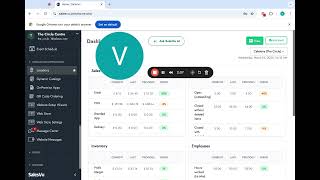
A walkthrough of SalesVu's backend portal showing where to find orders, reports, inventory, employees, accounting integrations, scheduling, device management, webstore ordering, customer messaging, loyalty programs, and marketing automation tools.
Questions this video answers
Soho Books and QuickBooks.
Amazon Cloud Services (AWS).
Hello. In this video I want to quickly show you the main screen of the backend of sales view. How you can access through this, how you can go through everything. So basically here you can simply log in with your details from any computer, phone, laptop. I'm with my computer, so that's this today setup. The first thing you'll see is the dashboard. You can see the different information for different locations. On this drop down menu you can see information such as sales transactions, inventory, employees, gift card and so on. On the left side menu we have different things here. If we go into manage, you'll see first the dashboard where we are at orders or full orders. History from past transactions, current transactions and you can use different filters to find all your orders. Then we have reports. A very robust section for different kind of reports you can access with one click. Or you can create your own reports. Discounts, you can create all sorts of discounts here. Discussions is basically having an internal chat with your team about something and highlighting things that you see through your reports, your orders or anything else in the portal and you want to start a conversation with someone about that topic. Inventory management, same as report, very robust. There's a lot of different sections in there to manage your purchase orders, vendors and so on. Employees. Here is where you can add your employees, have your permissions set up, have their information, documents, schedule and more things like that. Accounting. Here is where you can have Soho Books, QuickBooks integrated with us. There is also sales, your accounting, customers, all your customer information, customer groups and so on. Quote of invoicing. If you do any recurring billing, any sort of subscription, here's where it would live. Then we can move on to catalogs where you can have all your master catalog, all your products, services. If you do classes, activities, events, subscriptions, group experiences and gift cards, that's where you set up everything that you sell. Schedule. It's basically where you manage table reservations service, appointments, classes booked, activities booked and the events schedule streamline operations. This is where the information of your locations live. Each one of them have different, let's say address, phone number, different devices and things like that. Right? So here is where you add each one of those locations. Dynamic catalogs. If you do something similar to a branch menu and and it's only time based, right? That's where you create that on premise apps where you have a list of all of your devices throughout all your locations on all sales view. And here is where you can manage them and quickly see if they're updated and other things. And then we have all the website set up the web store, the QR code ordering that is connected to it. Then we have Message center, a way to communicate with customers. Any feedback or reviews, things like that, that's where you can see it in there. Then we have Grow which is basically other features of SalesView to help you grow like loyalty, marketing automation, customer satisfaction and worth of mouth marketing. Last but not least we have support section in which you can see your subscription to sales, view and and manage your own subscription to add new devices or more locations Knowledge base articles There is a training portal, there is videos if you're more visual support access support tickets or chat with support. It's basically asking for help. Here you can have someone chatting with you in less than five minutes. You can submit an email through support ticket and they will respond in less than 24 hours. Or if you want to ask support to ask us to access your account, you can always schedule a demo to anyone in our team to find out about new features or any updates on SalesView. Also, this SalesVue Cloud Portal is hosted by Amazon Cloud Services.
 eCommerce, point-of-sale (POS), ERP and Data Analytics platform for retail and restaurant businesses