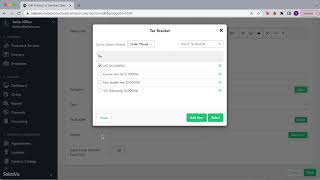
SalesVu technical support walks through the Orders Report, showing how to filter by location, date range, and products, view deleted orders with deletion comments, and check who deleted what. The Activity Log traces POS and backend actions by employee, location, time, device, and order number.
Questions this video answers
March 2025.
Anthony Taylor (cashier).
Sales view Order management section. In this section you can filter down not only by the location or a date range, by products, but you could also find the products that were deleted or the orders actually were deleted in this case. So you can easily open up here and view the information of the order, the customer and you can also see what was, you know, any comments here or why this order was deleted. And of course you can see who was the employee that deleted this order. Now there's other things that you can do which is finding closed orders that have items deleted. So this would all help you to keep track of any changes or any adjustments and just to keep a close eye on the movements that are happening in your account. Right. So for example, here we can open up the order, we can see the product that was deleted, we can see who was the employee as well that was making this transaction. So we see Anthony Taylor, who's a cashier. And then we can also see, according to the permissions, who was the manager that approved that. There's other ways to monitor everything that is happening on your account, either on the backend level or on the POS level. You, you can use this right here, the activity log report. This will basically allow you to see all the POS activity by any specific employee, by any specific location, and the activity time with the actual activity. So for example, the product inventory was updated, a non time based discount was applied. Here we see the supervisor, the time, the device. Right. And the order number. So if we want to go back and see what's that product, what kind of discount was applied, what's the percentage, we can go back into the order section and monitor that closely.
 eCommerce, point-of-sale (POS), ERP and Data Analytics platform for retail and restaurant businesses