Walk through creating and editing products in SalesVu's admin interface. Set up required fields like name and price, choose product types, configure inventory tracking by weight or unit, and build recipes that automatically deduct ingredients, using a margarita cocktail as an example.
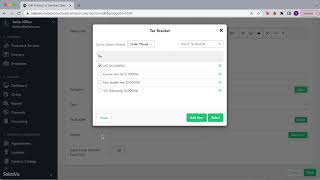
So in products and services we have multiple drop down menus. The first one is the one that lets you access to your different locations in case you do have them. And this way you can see the menu that corresponds to that location. So whenever you're gonna make a change, make sure that you are on the correct location. And now in here we have product listing, manage categories, modifiers, tax management, unit conversion, color management and tax rules. So let's go ahead and I'm going to walk you through how to create a product. So I'm going to go with a Margarita just as an example for this. I'm just going to come here and edit this product. But if you would like to add a product, you can simply click on add product or simply click on the plus icon. So let's go ahead and I'm going to walk you through how to create a product. So I'm going to use the margarita as an example in here. I'm just gonna go and edit this product. But if you want to add the product, you can simply tap on the add product icon or you can simply click on the plus icon. Now anything that has a red star at the top means that it's mandatory. So it means that you have to put something in the system, for example, the name, the selling price, the price type as well. The description is optional, but we recommend to have something because it helps a lot with online ordering. You can also do color coding for the category or subcategory, or you can actually utilize any pictures that you want and you can simply add them right here. Perfect. Then you can select the category which is why we recommend to have it created before having products. And now we're going to go through type, which is going to be sellable, non sellable and service perfect. So one thing to take into account in here is the difference between them. So everything that is in your menu that appears on the iPad, it's sellable. This means that the product has a price and maybe for example it could be a water bottle for $2. Right. And I can sell that item and deduct it from the inventory. Now a non sellable item are usually ingredients or modifiers. So an example could be a T shirt. The modifiers can be the size, the color and then you don't want to sell a small or red. Right. So what you're going to do is whenever you create those specifics in a product, those are going to be non sellable and then the service is going to be for different industry. For example beauty and wellness fitness Studios and that they sell yoga classes, packages, or for example, barbershops. So that's another part of the industry that we have in sales view. So it's really just to know what is sellable, non sellable and the service. Perfect. Now in here we have the tax bracket that belongs to this item. In here you can actually create your own or you can actually select multiple ones. Perfect. The next part is inventory setting. So in here you can choose whether you want to not track this item on inventory, track this item in inventory by weight, or track this item in inventory in another unit. Perfect. So in this case for margarita, we do not want to track this item in inventory because our margarita consists of different components of different ingredients and that's what's going to be deducted from the inventory. So for example, if this was a water bottle, I would definitely move the inventory tracking to buy the item because it means that I sell one water bottle and it will deduct this way from the inventory. But since this is a cocktail, right, this is a margarita, it comes with a recipe. So that's exactly what I'm going to keep track on the components, which is another section that we'll walk you through in a little bit. Perfect. Now let's continue with UPC code and skus. So if at any time you have any specific prepackaged snacks, maybe some nuts or something that has a bark on it, you have the ability to add UPC codes for products and, and maybe to speed up the transaction at the concession stand, you can also scan those products automatically. So this is where you have the ability to do this. Also for retail purposes, it's optional to add the UPC code or SKU number, but it's going to be available right here. Then if one of our Items have modifiers, e.g. t shirts, by the color, by the size, all of that can be added by groups. In here you can add the group of sizes, half S, M, L and so on, and create another group for colors, white, blue, yellow. And all of that will be shown right here on the modifier groups. Now, components, here we have a good example for our margarita components. As I was explaining before, these are the ingredients that will be deducted from the inventory. So in this case we have Don Julio, the quantity triple sec, the specific unit and the quantity Ice, the unit which is going to be a scoop, and the quantity one. So all of this can be edited as according to your own recipes and your inventory.
 eCommerce, point-of-sale (POS), ERP and Data Analytics platform for retail and restaurant businesses