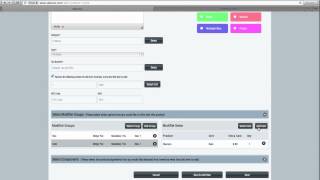
Walk through adding a product to SalesVu with a $30 price, uploading an image, and setting up Size options (small, medium, large) and Color options (maroon, gray). Learn how to merge options so each combination tracks as a separate inventory unit across POS and eCommerce.
Questions this video answers
$30
Small; Medium; Large
Maroon; Gray
us@supportalesview.com
888-1900
Hi. In this video I'm going to show you how to set up sizes for products such as apparel in salesvu. The first thing we're going to do is sign into salesvu.com and click on the products tab. You're then going to click the add product button. In this example we'll do a long sleeve T shirt. Put in the selling price $30 and we're going to upload our image. See the image there? We're going to set up a category. This one will just create one called T shirts tax bracket and we'll set it up to be removed from inventory. Now we're going to set up the different options for this T shirt and the first thing we're going to put in its size and we'll click on more and merge it. And basically what that does is creates additional inventory units for each different option. And we'll put in small, medium and large. And if you wanted to add another option for a different color, you could also do that. You're going to want to merge this one and we'll put in our colors, say maroon and gray and we'll save our product. As you can see here, we have one product in the product list. But if we go to inventory and first time setup, we have all our different options there. And if we come to the point of sale, you can see the long sleeve T shirt. Choose your size, choose your color and it gets added to the point of sale. And when you make that sale, it will only deduct the inventory from that one unit. Now also if you're using our ecommerce solution, you can see this product here. Got the image and your customers will be able to select right from this drop down instead of having multiple product pages. I hope this video helped. If you have further questions you can email us@supportalesview.com or give us a call at 888-1900 from 8aM to 10pM Central, seven days a week. Thanks and have a great day.
 eCommerce, point-of-sale (POS), ERP and Data Analytics platform for retail and restaurant businesses