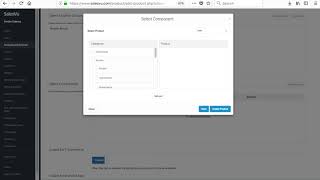
SalesVu support shows how to track inventory by component using a keg example. Set a keg as 15 gallons, then create serving sizes like tasters (4 oz), pints (16 oz), and growlers (64 oz) that automatically deduct from keg stock when sold.
Today we're going to show you how to configure units using a keg as an example. First, we're going to be adding a product used for inventory tracking. Click on add product. We'll go ahead and add the cake product here with the price, assign it to a category. We'll change the inventory tracking. We'll select the units as gallon. We'll change the unit here as 15 gallons, and then we're going to save. Now we're going to be adding a taster. Put in the name, put in the price, assign it to our category. Now, you don't want to track this in inventory because we're going to be pulling it from the keg, which is what we do when we set up a component to locate the keg product. Next, change it into fluid altitude, which will do the conversion for you. Put in 4 ounces, then save. We're going to locate the product and then clone it, and then we're going to change it to a pint. As for the component, we're going to change the Quantity here to 16. Go ahead and save it. Now we're going to repeat the same step again, but we're going to do a growler. All we're going to do here is change the quantity of the component to 64 ounces. Next we're going to go into inventory, locate the keg product. So here we'll put the quantity. So let's say, for example, we have four kegs at 15 gallons each, so 60 total. Go ahead and save it. Now, each time you sell a taster, pint or growler, it will deduct from this inventory here. Thanks for watching. Let us know if you have any questions.
 eCommerce, point-of-sale (POS), ERP and Data Analytics platform for retail and restaurant businesses