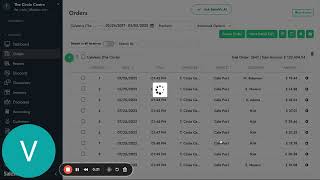
SalesVu Technical Support walks through the orders section of the SalesVu web portal. Learn how to filter orders by location, date range, and payment method, and export reports as CSV files.
In this video. I want to walk you through a little bit of the orders section here on the web portal Sales View. Here you can store all of your customers information. You can filter by the location. You can also select any date, range. Let's say we want to go back into all our records from 2018 until the present day and you can also filter it down by the payment method. So so it could be credit card, check, cash, whatever it is. Now all this information will be stored in Sales View as long as you keep using SalesView and have your subscription active. This is a report that you can export as well into a CSV file and just have it on your files and share it with any other members of your team.
 eCommerce, point-of-sale (POS), ERP and Data Analytics platform for retail and restaurant businesses