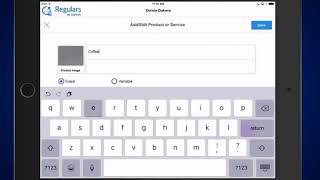
A short explanatory video (single speaker) describing the Regulars loyalty reward program for businesses (restaurants, retail, salons, spas). It explains how businesses configure percentage-based Loyalty Cash rewards (based on purchase amount), minimum redeemable thresholds, punch-card style product settings, and how to add/redeem Loyalty Cash using a customer phone number; customers receive SMS updates and can view balances on townview.com.
Regulars is a completely free, one of a kind loyalty reward program for restaurants, retail stores, salons and spas. Regulars will reward your customers based on their actual real purchase amount and not just based on the number of their visits. You can configure the exact percentage that will be calculated from your customer's purchase amount and awarded to the customer as Loyalty Cash. You can also configure the minimum amount of Loyalty Cash that should be accumulated per customer before they can unlock their rewards and use the Loyalty Cash towards their next purchase. In addition to that, you can even have specific products configured in the app in order to simulate your old punch cards. To add Loyalty Cash to a customer's account when they're making a purchase at your business, simply enter the customer's phone number at checkout and then enter their purchase amount. Loyalty Cash will be awarded to the customer automatically based on the loyalty settings you entered previously. Once the customer accumulates enough Loyalty Cash, they can use it towards their purchases at your business. You simply need to enter their phone number again. You can see the available Loyalty balance here, select Redeem and enter the amount to be redeemed from their Loyalty balance. The app sends an SMS text message to your customers as soon as they are added to the loyalty program or earn and redeem Loyalty Cash. Customers can also view their Loyalty balance at any time from our sister website, townview.com.
 eCommerce, point-of-sale (POS), ERP and Data Analytics platform for retail and restaurant businesses