
Riverside Hot Pot - Video Testimonial
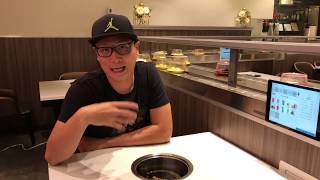
Qiao, owner of Riverside Hotpot Bar in Arlington, VA, shows how their Order app and SalesVu POS system handles table ordering, kitchen routing, payments, and reservations. The system separates orders by printer type (soup, meat, drinks) and lets customers adjust tips at checkout. A web portal manages the menu, sales data, and bookings.
Hi everyone, this is Qiao. I'm the owner of Riverside Hotpot bar in Arlington, Virginia and here to set up a restaurant. We're a traditional Chinese hot pot restaurant and we do half hour also we have a bounty system. It's very similar to sushi restaurant and we also have a car delivering system to actually deliver the food to the people. This is our restaurant. We're actually right now we have 11 tables. So we are using 11 app hacks for ordering. All of them are installed with the order ops app. We actually have one POS system at the cashier which sells blue and we also have three printers and one at the cashier for the receipt of the customers. We also have two in the kitchen, one for the soup base and the other one for the meat and vegetable they order from the application here. I'm going to show you guys how to use this very user friendly online ordering app by order app. And here we go. We're hop restaurants so we want to be ordering everything from the app and they can also pick up on the belt as well. So here just create a name for your table. I just use my initials as an example and this is very, very helpful. Telling people the categories. Please select the categories from the top and also has the steps over here. Step one and where all you can eat restaurant as well. So select how many people. For example we just do one myself and I very self explained go to step two and they're all the soup base for a hot pot restaurant. And I'll just choose as a mushroom for example and then it will show you because all you can eat. So we have all the items marked 0 means that's included in all you can eat. And then people go to the meat section. That's all the meat we have. For example, if I order this prime rib sliced it'll show here and also very helpful for me and for the customers as well. They can order their meat, their food and also see what they've been ordered and the total of their check. This is a very, very good part. Very useful for me. And then we create all different categories. ODA app has been very helpful helping us to create all the menu and also all the categories. Categories. Very people know if I want to have a protein I'll go either meat or seafood. What if I want some vegetables right over here. Noodles also drinks. And the other thing is very helpful. They can also call services. They created this for us. People can ask for the check. Want more spicy one napkins where they're gonna check on their Order where they want to talk to a service where they want to change the pot and everything. It works perfect for us. And they can always see their orders right here and they can place their order right away if they want and they can start over again. It's very helpful. We hit pretty. So the soup base goes to my kitchen at the soup portion and the meat goes to my kitchen at the meat portion. And also the drinks. We have another iPad set up the cashier and it's going to give them a warning. Hey customer order a drink. And also it's going to print out in the kitchen as well for the drinks. So everything print out separately simultaneously work out perfectly for us. And this is much much easier. The traditional ordering system for example you have to have your especially for all you can eat. Restaurant people gonna add up their orders. So when my waiter probably gonna take their first order and the waiter is probably gonna come back several times to add on more add ons because this is gonna sell that problem. They order whatever they want they can add on later. And to be honest with you guys, we've been using an online ordering system in the past and it was not very user friendly for us. And people cannot see their order while they're ordering. This solve our problem. People cannot call service and also for this after our customer check it out and this is going to fresh by itself and going up to the welcome page and the next time we come in they can order right away. And my service people don't do any work at all. So the printing, ordering, the sending and also the checking everything works out perfectly for us Here I'm going to talk about the POS system. So here what self boot did for us is very neat here it has all our the map of our power, all the tables. It's from table 12 all the way up to 11 and you see everything that two tables in the right means they haven't checked out yet. I'm going to show you guys how to check out one table with the with the POS system. Also the payment processing provider they're using squad here pay I do credit card just insert the chip right here. Here we go. Remove Processing approved remove and it shows received with everything also including the tip number with the customer wants to pay and usually gives us three options. 15, 20 and 25%. Very standard and very user friendly feature here. After we charge the cards and we can adjust the tip later and then that's how do it to adjust the tip manage credit card bench. And this is a real transaction One of our customers just finished and the tip was $10. I'm going to adjust right here. It's very user friendly. $10 capture I'm going to show you guys is the salesvu web portal which shows manage all the sales report your manual and everything. And it's a website based so you can access anywhere. And I'm going to show you from the pos right here you can access lancelot food.com so you don't have to physically put the website and everything. So we're going here. It's very self explained. Here is everything you can do right here. For example if we see the products. Oops sorry guys. For example if we see the products and services right here that's the dashboard. You see all the menus. You can make editing right here. You can change the price, you can change the name. You also have a timely menu. You can manage that here as well. And you can see your sales report. Sales report here that's the sales report they give you what been charged today. What's your total number. And this is totally accessible at home with your home computer as well. As long as you log in there. Sales do also offer a very very special feature which is online applications special designed for our business Riverside. How far you see the logo? This is our logo and we click in there and it shows our photo. And this is really really customer mice for us. It has all our items on the menu right here. People can order online and also about our business right here. Address, phone number and the other good thing is people actually make reservation. Just throw the reservation tab here. For example if we choose the 29th which is tomorrow and we see find a table it will show the valuable time people can make reservations right here. It will kick back to us and we'll know it. And once that process simple and easy. So this is really helpful for our lunch business. We're doing rice and noodles for lunch. People order and come over pick up.










