 eCommerce, point-of-sale (POS), ERP and Data Analytics platform for retail and restaurant businesses
SalesVu - At Cost POS Feature
8 Nov 2023
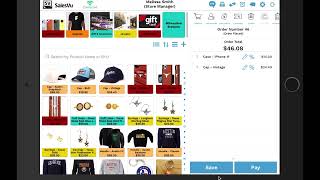
SalesVu Technical Support demonstrates how to sell items at cost using the SalesVu POS. The speaker shows logging into the POS with a PIN, adding products to an order, tapping the percentage/discount icon, selecting the "Add cost" runtime option to apply to a single product, and applying the same option to the full order via the Discounts menu.
Questions this video answers
SalesVu Technical Support
November 8, 2023










