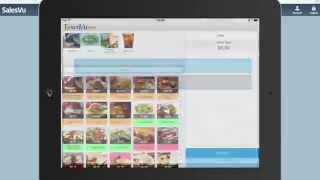
SalesVu's Townview kiosk lets customers order on iPad with two modes: quick-serve for fast food and restaurant for table service. It handles payment via credit card or Zapper QR codes, which offer a $7 incentive for first-time users, and feeds all sales data into SalesVu's cloud portal for menu management and reporting.
Hi. In this video we're going to show you the Townview ordering kiosk from SalesVu. The Townview kiosk allows your business to install an iPad, iPhone or ipod touch that your customers can order from directly. This allows you to generate more sales with less staff. There is a mode for installing in a quick serve environment such as a coffee or sandwich shop or a sit down restaurant mode. Here we have a burger shop in quick serve mode. We'll touch start over to show you exactly the process of ordering. So so here your customer would see that they should enter their name. They're going to put in a name and touch begin order. Next they would choose for here or to go. You can add more of these statuses or remove them completely. You can also have different tax rates associated with these statuses where sales tax varies. Based on this. We'll touch dine in and then now the products show up and the customer can start adding products to their order. You can touch directly on the buttons or they can touch a category such as beverages and it'll drill down. So we want to add a Coke and then we want to add a burger and we'll go with the barbecue and we can choose the burger temp Touch. Next choose if we want it spicy or regular and the type of bun. Now they can add special instructions. They can go back or touch done and it gets added. Now you can see these burgers. There's a special on them and they're automatically a dollar off and the discount applies. Your customer can also touch here to apply a discount code. Now once they're ready to pay, they would simply touch pay and they'd be able to confirm everything on their order. Touch confirm. Now the customer can pay with credit card and or Zapper. For those of you unfamiliar with Zapper, it's a QR code payment that we now offer. If your customers have never used Zapper before, they would get $7 off their first transactions. You'd see. So in this case it would be free. Paid for by Zapper. Your business still gets paid for the transaction. Once the order is paid, it would get sent to the kitchen, the bar or any other expo printer. So your staff can make it and the name as put on the beginning of the order would show up. So here we are in a little bit different mode. This is the restaurant mode and we're in a sushi ramen place. The main differences are that you can have it assigned to a table. As you can see, this is table 3 and you can order without having to Pay so you pay at the end once you've ordered everything you want so you can touch spring rolls. So we want to order that. So we want to order some ramen chicken, choose our broth, other options and we can place the order by touching here and it's going to send it to the kitchen. We order drinks, it's going to go to the bar, any other expo printer display that you have set up. So hopefully this setup will help you make additional sales more easily. Next we're going to jump to salesvue.com and we'll show you the different reports. So from salesvue.com this is our cloud based portal and you can edit the menu from here you can set up those discounts, do a variety of managerial tasks. Here we're going to show you the sales report so you can check on the sales that occurred from these kiosks or just overall in your restaurant. So here we are, you can select the report type, we'll do a little bar graph, can choose the date, specific date range here. And we're going to break this down by products. And so here we are, we're back in that first burger place. So you can see easily see how all your products are doing. You can break it down further. So if you wanted to say, hey, how did our Kiosk 2 do today? And Kiosk 1 and you can see, oh wow, here's our sales for just those two devices. You can do it in a table map so you can break it down and you can sort it. You can say, hey, what was our highest selling? Saying what was our highest revenue generator? Here you can graph this out over time. So if you wanted to see hourly, daily, weekly or monthly sales for a given period, you can do that as well. Hope this video has shown you what a powerful solution the townview kiosk from SalesVu is. If you're interested or have any questions, please feel free to give us a call or send us an email to supportalesview.com visit our website at salesvue.com.
 eCommerce, point-of-sale (POS), ERP and Data Analytics platform for retail and restaurant businesses