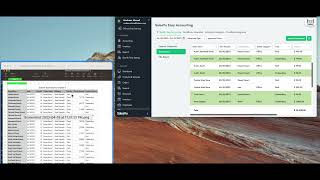
SalesVu's Easy Accounting got a redesign. Expense categories are now global across locations and must be tagged as variable, labor, or fixed. The P&L report now shows totals, EBITD, and previously missing receiptless refunds.
Welcome. In this video, I will be walking you through the new updates of our salesvue Easy Accounting. Now, in this first main screen, we'll see the expense category section in which the first change that you will be able to notice is that there is no section to select a location first. Every single expense category that you create will be available for all locations. Now in here we see some examples. We're going to go through labor cost. And from here you see that there is an expense type. Here you can select if it's variable cost, labor cost, or fixed cost. Now this is important because it will show up on the P and L report, which I will be showing in a moment. Now, if we go to transactions, we're going to be able to see that again. The main change is that there will not be an option to select a store. Everything will be available for all stores and all the information. So I'm just going to simply select an example so we can see this in a better way. Now, from here, if you have multiple stores, this is how it would look like. We see all of the information for all of them. Of course, you can select any specific store from here or also from Advanced Options. We have the store option at the very end to simply narrow down the information this way. As I was saying before, the expense categories will be available for all locations. So all you need to do is simply select the ones you have created from here or you can also add a new one. Another thing is from import transactions, if you want to import information quicker and make the whole process easier and faster, you can come to this specific section, import it, and you will get something like this. Now the change from here is that you can also see all the different stores. It won't be just specific for one location, so it will make the whole process also quicker for you. And last but not least, we have the option to export this report right here with this button. Also you notice that at the very end we have the total for all of the transactions. Now we see it in a total amount. You don't need to do it manually. And now for the P and L report. For the last section, we'll see that if we simply scroll down, we see all of the information, the total amount collected, and we have here the overinsured. At the very end we have the fixed cost, which is what I was explaining before. That is the expense category section in which you have to select each one of the expense categories, the type. So we can see here this, at the very end. For this example, we have fixed cost, but there will be one section for each one of them and we see here also the earnings before taxes and depreciation totals too. Also on this report, you will be able to see now the receiptless refunds and returns of in this specific section. This wasn't available before, but now you can see it. This is a report that can be exported or also printed. Thank you so much for watching and let us know if you have any questions.
 eCommerce, point-of-sale (POS), ERP and Data Analytics platform for retail and restaurant businesses