
SalesVu Event Management
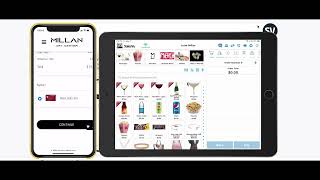
SalesVu's event management module handles shows, conferences, and hosted events with customer pre-ordering, AI recommendations, and flexible payment options. The system tracks inventory by event, sends orders to kitchen displays and printers, and generates filterable sales reports that export to CSV for quick financial summaries.
Welcome. In this video I will be walking you through the event management module of SalesVU. This event management has the following capabilities for the different type of events. First, shows in which it could be symphony orchestras, ballet theaters or concerts. In here, customers can pre order from the website before attending the show or the event. Customers could even pre order during the event for the time of intermission. Second is conferences. It could be networking events or industry trade shows. In here the POS will display the products that are relevant to the event so attendees can purchase them and you can also manage your sales and inventory afterwards. Finally, hosted events such as corporate parties and weddings in which you can manage easily the consumption of your guests and view your sales and profitability reports. You can send a link to your guest with your website in which they can pre order some drinks for intermission from their smartphone. Right after they purchase their tickets they can go through your website and select some drinks and add them to the cart. After this they will only need to go to a shopping cart icon and proceed with the checkout. Also we have the AI recommendations that can show what is trending now or best sellers. Now since this customer already has information saved before to make it quicker, they only need to check that the information is correct and then scroll down to select the pickup area. Now according to the ticket this customer knows that they are closer to the upstairs bar and now they only need to select the show that they will be attending and the time slot which they would like to prefer to pick up their drinks. Now at the very end you can add also discount codes or a gift card which is what we will do in this example. Next this screen will bring us to the tip screen in which we can select the tip percentage amount. What will happen in the back of the house is that the printer in the designated area will receive the order and the POSF station will show up pop up message with the online order received. I can also see this order from a kds. This app is going to show me the exact information of each one of them. I can also filter by pre order events the time slots and you can also search the customer by their information. Also we have the ability to enter pre orders from the pos. The only thing you need to do is go to the event mode and select the event that is happening right now to take the orders. Customers who don't have a chance to pre order from their phones or their link can show up at the bar before the show and tell the bartender what they would like to place in order for the intermission this could be any type of snacks or drinks and simply come here and pay. They can select for what time slot they would like to pick up their orders and simply proceed to payment. The highest benefit of this is having a more efficient way to be ready to serve hundreds of guests during a short period of time. As a manager, something you can do days in advance of the event is check the sales that are happening. I can filter the orders by date, event, and to make it even more specific by timeslots. All I need to do is go to advanced options, scroll down to pre order events, and then to event time slots. These reports can be exported in a CSV file or you can print it. The second event management capability is for conferences or what we also call cash events. Here you can see the iPad and you can simply switch to the event that you will be selling. Some products. You can totally have different events going on at the same time and each one of them can have its own unique inventory for the products that you will be selling for each one of these events. Once you change to the event mode on the specific event, you can see the products that are only available on that one and you can just proceed to take any sales in the iPad from the back end. You can also view all the sales for all the different events from the same report. You can access this report that shows you the location, the event, the product information, the date, and then you can see the details for the profitability. If you keep scrolling to also, you can also see the sales performance of each one of these events in one same report. Now this report can be printed, you can also export it, and you can also customize the columns according to what you would like to see in this report. Here you can view what inventory was used for each event. This is one example that we did today. So you can see the available quantity, the start quantity, the used quantity after the event, and the remaining quantity. Now if you go back to all of your events under the event inventory, you can easily access to each one of them and see how much inventory was used on each one of them. You have the availability to host tens of events per day without having to switch your IT infrastructure or to make it hard for your finance team to monitor the sales, inventory cost and and also the profitability for each event individually. In hosted events where you pay for all the consumption of your guest, you can easily access to the inventory management and manually count what is the remaining quantity of the products that were offered during the event. Once this is done, all you need to do is simply close the event and we have the facility to send the invoice to the person who is going to pay for all the consumption of the items that were used during the event. And you can also pay the order in cash. So all you need to do is simply send the invoice to the person that's in charge and add the email address. We compute both sales and profitability automatically, which saves manual finance and account work. And we also automatically create the invoice which saves time of the event management and billing team. As you can see in here, we have the invoice that was sent to the email with all the description of the products, the proof of purchase, the unit, and the final price. You can also complete the payment by clicking on Pay Now. Thank you and let us know if you have any questions.










