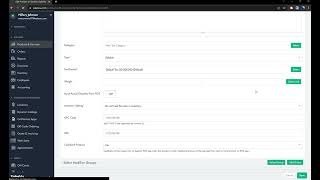
How to export SalesVu data to Excel without losing leading zeros in UPC and SKU fields. Open Excel first, use Data → From Text or CSV, turn off data type detection, then save. Opening the CSV directly in Excel will strip the zeros and break your barcodes.
Questions this video answers
November 8, 2023.
Data → From Text or CSV.
Do not detect data types.
Do not open the exported CSV file directly; import it via Excel's From Text/CSV dialog.
Hi. Today I'm going to show you how to export labels without losing leading zeros on the UPC and SKU columns. So by default, let's check test product number one. As you can see, it has a leading zero on the UPC and SKU columns and I click on export label sheet. So by default, system exports the file on the Excel CSV format and if I open it directly without any reformatting, let's open the file. So as you can see, the CSV format automatically removes leading zeros. And if you print this barcode and SKU on the on a label, on a label and you scan it, it will give you incorrect result because in the system the barcode has a leading zero. So how can we avoid this situation? So let's close this and we export it again. So do not open the exported file, just leave it as it is. So we don't want the file to be automatically reformatted when you open it. So without opening, go to the homepage of your computer and create a new Microsoft Excel worksheet. So open it. So after opening it, click on the data field and then click on from text or CSV. So basically we are importing data from a text or CSV format and we're changing it to Excel worksheet format. That will keep leading zeros. So I go to downloads and I check the last file that I downloaded and I click on import. And here I there are three options. File origin, delimiter and data type detection. So change data type detection to do not detect data types. So, and then as you can see, it keeps deleting zeros. It doesn't automatically reformat. So, and then I click on load. So I make sure that SKU and barcodes, they have this. They show leading zeros. They do. So I click on load. So now I have my document, the barCode, it contains leading 0 and SK also contains leading 0. So I can save this and I can use this worksheet to print labels. Thank you.
 eCommerce, point-of-sale (POS), ERP and Data Analytics platform for retail and restaurant businesses