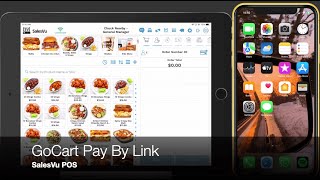
A SalesVu Technical Support YouTube tutorial ("SalesVu POS - GoCart Pay By Link", uploaded Oct 21, 2022) that demonstrates how to use the Go Cart "Pay by Link" feature in the SalesVu POS. The speaker walks through: creating an order and sending a payment link via text (customer opens link, enters/uses saved billing info, supplies a security code sent by email or SMS, adds tip, and taps Pay Now); using Verify Payment if the POS misses the instant notification; cancelling the link to choose another payment method (e.g., cash); and sending the link with Pay Later so staff can continue taking orders while tracking pending Go Cart orders (marked in yellow) until payment completes.
Questions this video answers
October 21, 2022.
Yellow.
Welcome. In today's video, I'm going to walk you through how to utilize the Go Cart, Pay by Link in our pos. The first thing you need to do is add products to your order and then tap on Pay. The next thing is selecting the option Go Cart Pay by Link and adding your customer's phone number. Once this is done, your customer will receive a text message immediately with the link for them to proceed with the payment on their phones. All they need to do is open the message and tap on the link in here. Customers that have already saved their information in gokart only need to add their contact information and the security code to access their payment and billing information securely. This security code can be sent via email or sms. Here, your customer will be able to find their billing and payment information and add the tip. Finally, all they need to do is tap on Pay Now. Once they tap on Pay now, the screen will automatically be closed on the POS showing you that the transaction has been completed. You will also get a notification saying the Go card payment has been received. Now, I'm going to show you a second example that shows another option that you can do with Go Cart Pay by Link, which is utilizing the option for Verify Payment. Now, all I'm going to do is follow the same steps. So you need to add a product to the order, tap on Pay, select Go Cart, Pay by Link, and again add your customer's phone number in which they will receive the link immediately. Now your customer will follow the same steps. They will simply go to their text message, go to a link, and continue to do the same process on Go card payment by adding their information and the security code. Once this is done, they will also be able to see their payment information, billing information, change the payment method as well, add the tip, and whenever they're ready, they can simply tap on Pay Now. Now, in the rare event that your iPad doesn't receive the Go Cart payment notification for reasons related to your Internet connectivity, for example, you. You can always utilize the option of Verify Payment. Now, this will allow you to simply check if the transaction was completed and approved and proceed to taking orders. Now, another case that could happen is when your customers would want to change their payment method and not utilize the Go Cart Pay by Link anymore. For that example, we're going to do the same steps, adding a product to the order and selecting Go Cart Pay by Link. After that, you'll add your customer's phone number and then your customer will receive the text message on their phones. Now, let's suppose your customer would like to utilize cash instead of their credit card. So in this case what you can do is tap on Cancel and this will redirect you to the payment method screen where you can select another option such as cash. Once you select the option, the transaction will be completed and and you can send the receipt via email or sms. Now I'm going to walk you through the final option with Go Cart Pay by Link. This option is specifically for the cases whenever you don't want to wait for your customers to finalize their transactions on their phones because you have a long queue line for example, and you would like to take more orders while your customer finish up with the payment transaction. So in this case you will have to do the exact same process. Add products to the order, add your customer's phone number, send the link and simply tap on Pay Later. This will allow you to come back to this screen and take more orders. If you would like to keep track of the orders and know whenever your customer has finalized their payments, all you need to do is tap on the shopping cart icon and check for the orders that have the Go Cart pending in yellow. This will let you know that this order is pending and your customer hasn't finalized the order. Now what your customer will need to do is simply go to a link, add their contact information and add the security code once they receive it, either on their phones or emails. After that they will be able to check their billing information, their credit card information, add a different payment method, add a tip and tap on Pay. Now once this is done, you will receive a notification automatically on your iPad saying the Go Cart payment has been received. Thank you and let us know if you have questions.
 eCommerce, point-of-sale (POS), ERP and Data Analytics platform for retail and restaurant businesses