 eCommerce, point-of-sale (POS), ERP and Data Analytics platform for retail and restaurant businesses
SalesVu POS System & EVO Payments EMV device + tip adjustment
19 Apr 2017
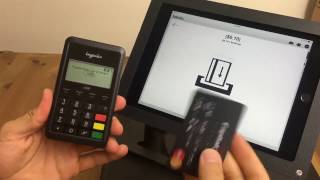
How to process credit card payments on a SalesVu POS system using an EVO Payments EMV device. Ring an item, tap Pay, choose Credit Card, optionally add a tip, then swipe or insert the chip. The device prompts for payment method and the customer signs on the iPad to complete the transaction.










