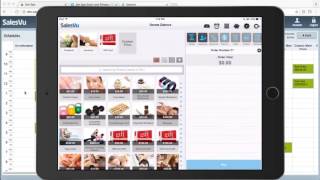
Short product demo/presentation (YouTube video) describing SalesVu, a cloud + iPad solution for beauty, wellness and fitness businesses. Covers website & online reservations, iPad point-of-sale (including EMV reader and gift cards), appointment and staff scheduling, loyalty and CRM/email automation, inventory/vendor management, and payroll/labor reporting. Demonstration-style walkthrough of booking, redemption, in-app scheduling, resource management, and automated marketing workflows.
SalesVu is a complete all in one cloud and iPad solution for beauty, wellness and fitness businesses with appointment management and online reservation platform. IPad point of sale with free EMV chip card reader, physical and digital gift cards loyalty program CRM with email marketing automation, fully hosted e commerce website, inventory and vendor management, staff scheduling and labor reports let's first start with your website. It can either be fully hosted by SalesView or we can provide you with a widget for your existing website. From here your customers can purchase physical products, digital gift cards, book appointments or buy session packages. The customer can purchase a package of services that they can redeem with you later. Since I have an existing account with this merchant, my information pre populates and it also allows me to redeem any loyalty points that I have accumulated before the rest will be paid with my credit card. As you can see, I earned some loyalty points on this order too. The amount that the customers can earn is preset by the merchant beforehand. Your customers can reserve appointments from this website or also from their smartphone which is more convenient. The customer has to select which appointment they want to schedule. So in this case I'm going to select the massage, then the staff member, the date, time. My information pre populates because I already have an account here and then it's booked. I can also see how many more massages I have in my account, so this session was deducted automatically from my account. If the customer didn't purchase a full package, they can schedule single appointments. You can set up a minimum payment for scheduling these appointments as a non refundable deposit. After the reservation is made, an email is sent both to the customer and the business. In addition to receiving these email notifications, all the appointments will also appear automatically on the SalesVU cloud based web management portal. Each employee can sync the schedule with their calendar. This works with Google Calendar as well as other calendar software. They can log into the SalesVU management portal on their phone, locate the schedule and sync it with their phone's calendar. SalesVu also comes with an iPad app that can be used as a point of sale system for in store sales, a scheduler and a tool to receive incoming appointments when the customer arrives. This section of the app shows all the different physical resources or spaces that you have in your salon. In this case we have massage tables, hair salon chairs, nail services and more. Red resources are currently occupied while the green ones are open. You can view the reservations for the entire day here. When the customer that has an appointment scheduled arrives, you can receive them from this section of the iPad app. Now you can see that the physical resource needed for this service gets occupied. Once the customer is done with their massage or other wellness or beauty service, you can sell them the products that you have in store by adding them to the same order. You can collect the payment by cash, credit card, gift card, or even loyalty cash if available. The receipt can be printed or sent to the customer by email that is pre populated here. Our system allows you to schedule appointments directly from the app. If a customer calls in or wants to schedule an appointment while at the salon, you can simply touch on add reservation, select the service, the staff member or any staff the date and the time. Then you have to select the customer. If you already have this customer in your database, you will find them here. Otherwise, you can add them on the fly by filling out as much or as little information as you need. Once the appointment is booked, the customer and the business receive a confirmation email and this reservation will also appear in the app. You can put your customers to groups based on the patterns in their purchases or other factors. Here I have a group of all the fitness customers that I can send a specific targeted email to promoting a product or a service they might be interested in. I can track these emails and monitor how many customers received, opened, deleted or marked this email as spam. In addition to one off emails, you can send automated emails. You can create several different configurations for automated marketing. For example, an email with a discount can be sent to a customer on their birthday automatically. You can keep track of your inventory levels here. Our inventory is starting with the point of sale and the ecommerce shopping website. It decreases automatically as you sell products. If there's a product that you don't have in stock anymore, it will be removed from your ecommerce website so there is no risk for you to sell something you don't have. When you're running low on a product, you will receive a reorder email based on this threshold setting. When it's time to do payroll, it's very easy to see how much your employees have earned per pay period. That's including their sales, commission, hourly rate or salary. Your staff schedule communicates with the reservation page on your website so your customers can book an appointment with a specific employee. Thank you for watching this video. About SalesView A complete solution for beauty, wellness and fitness businesses.
 eCommerce, point-of-sale (POS), ERP and Data Analytics platform for retail and restaurant businesses