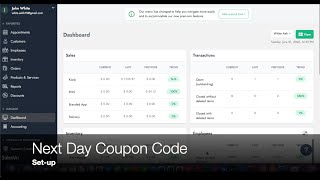
SalesVu's technical support walks through setting up a next-day coupon code that customers receive on their receipt or email after buying. You'll configure the discount details, set validity dates, choose how many days the code works, and customize the message customers see.
Welcome. In this video, we're going to walk you through how to set up the next day coupon code. For this you only need to follow two simple steps. Step one, go to discounts, select the location and then click on add discount. In here we're going to create the discount details. The first name the discount name. For this example we're going to leave as howdy. Second, the discount type we're going to select coupon code. Third, the operator, you can do percentage or flat rate. Four, the discount value we're going to have 20% and 5 discount level which is going to be product level. Now we're going to select the products or categories that apply to this coupon code. In this example we're going to select four categories. Once we're ready, we can click on Continue.
Now we're going to select the coupon code details. The first thing is selecting what this will be applied to. So we select all product in order. Next we type the maximum usage. Then we select the start date and then we're going to select the expiration date. Finally, we can create the coupon code or leave it as blank so it will create automatically the code for each one of the receipts. Then we click on save and click on ok. Step number two, set up receipt discount. Click on the right side arrow on the top and go to receipt discount settings. In here you are going to select the coupon code that we just created and then we're going to select the validity in days. After that you can customize the received message and finally select the discount code length. And finally the discount code format. This will generate new unique codes automatically. After this is done, your customers will receive this coupon code after their purchase on their receipt.
Here are two examples of the next day coupon code. Customers will be able to view this either on their emails or in a printed receipt. In both cases, the coupon code would be located at the very end. Thanks for watching and let us know if you have any questions.
 eCommerce, point-of-sale (POS), ERP and Data Analytics platform for retail and restaurant businesses