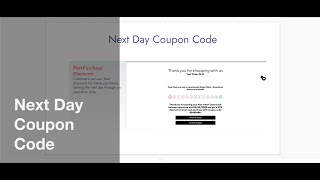
SalesVu Technical Support produced a YouTube tutorial (Mar 18, 2022) explaining how to create and activate a "next day" coupon code in the SalesVu web management portal. The walkthrough covers logging into the portal, navigating to Discounts, selecting location and Receive Discount Settings via the six-dot menu, activating the model, entering coupon fields (discount name, validity in days, message/description, code length and format), saving, and where the coupon displays (printed, email, SMS receipts). The purpose is to encourage repeat visits and higher spend by offering discounts or store credits for the next visit.
In this video, we're going to walk you through how to incentivize promoters with smart Discounts get to know one of our most popular premium next day coupon codes Promoters can be encouraged to come back even more frequently and spend more by offering them discounts and store credits towards future purchases. For example, businesses can decide to offer a next day discount to incentivize customers to come back the very next day. The discount code can be configured to be applicable to all products, services or only to certain categories. The first thing you have to do is log into the web management portal and click on Discounts. From here you have to select the location, then click on the six dot drop down menu and select Receive Discount Settings. One of the most important steps is activating this model by clicking on Activate. Now we'll start filling out the information that is needed for the coupon code such as discount name which will be the discount that we previously created, the validity in days, the message with the description of the coupon, the discount code length and the format. Then we have to click on Save and then we will have our next day coupon code that we just created. This will be displayed on our phones in which we will get a link to go to the site. The customized message with a unique coupon code will be displayed at the bottom of every receipt via email, SMS or printed receipts. In here there is all the information for the coupon code for customers to use it on their next visit. To conclude, promoters can be encouraged to come back even more frequently. Customers can spend more by offering them discounts and store credits towards future purchases and these discounts will appear on both printed receipts and email or SMS receipts.
 eCommerce, point-of-sale (POS), ERP and Data Analytics platform for retail and restaurant businesses