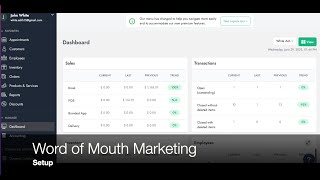
A SalesVu Technical Support tutorial explaining how to set up the Word of Mouth marketing feature in the backend. The speaker demonstrates creating a gift-card product (example price $50), activating the Word of Mouth module for a location, and creating a deal by naming it, selecting the featured product, choosing discount type/amount (example 20% off), setting minimum required sales per group (example 3), optional maximum participants, and start/end dates. The video also shows where to view all offers and their statuses.
Welcome. In today's video, I'm gonna walk you through how to set up the Word of Mouth marketing in your backend. The first thing you need to do is creating a gift card. The reason of this is because you will be offering gift cards at a discounted price that can only be unlocked when a set number of participants buy in. First thing you need to do is go to products and services, click the correct location and click on Add Product. In here we're going to fill out the information. We're going to create the name. Then we're going to select a picture if we want to. Then we're going to select. The selling price in this example is going to be 50. After that we're going to select the category. In this example we have a specific category for gift cards. Once this is done, we clicked on select and now we're good to go. We can save this and now go to Word of Mouth Marketing. Once you are in Word of Mouth Marketing, the next thing you need to do is select the correct location. One of the most important steps is activating this module by clicking on Active. Now we're going to create our deal. After we click Add Deal, we're going to name and describe our offer. After this we can select the featured product. Since we created the gift certificate before, we can select this one in here. Now you can choose the deal attributes. The first thing is entering the discount. You can select flat or percentage. For this example we're going to leave it as percentage and the number 20. Now we have to enter the minimum required sales per group in this example is going to be three. And if you don't want to over sale you can select a maximum number of people. Finally you can select the start date and end date which determines how long your deal will be available. And that's it. You have created your Worth of mouth marketing program. If you'd like to see all the different offers you have on your account, you can go to the second drop down menu and select the option that says all in. Here you're going to be able to see all the different offers you have created and their status pending active or inactive. Thank you.
 eCommerce, point-of-sale (POS), ERP and Data Analytics platform for retail and restaurant businesses