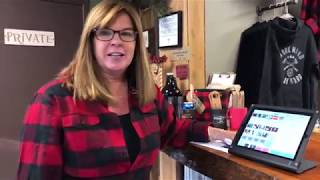
A short promotional/demo video in which Kelly Josberger, co-owner of Stumpy's Hatchet House (the first U.S. hatchet-throwing venue), explains how the venue uses SalesVu for reservations, customer management, and point-of-sale transactions. Kelly gives a venue tour (check-in area, training room, merch counter, five front and three back throwing pits with ~10 guests each), demonstrates booking a multi-pit reservation via the SalesVu-linked website and the Here POS app, and shows the check-in and payment flow (including Square card processing).
Hello. Welcome to Stumpy's Hatchet House. This is the original hatchet house in the United States, our first hatchet throwing venue. My name is Kelly Josberger. I'm one of the co owners of Stumpy's, and I'd like to tell you about how we use SalesVu in our business. We opened our business in April of 2016 with SalesVu. We selected it because it was a great tool for running our business with a single, single pane of glass. We do employee management, we do customer management, and we do all of our transactions through the point of sale, which I'll talk about later. So first I want to show you around the hatchet house. This is where our customers come to check in. We use the iPad to pull up their reservation, and we ring up our customers and then we send them through to the training room. So follow me to the training room. At this point in the visit, all of our guests come and they sign a waiver. We go over the rules and expectations of the business and tell everyone what to expect and, you know, just kind of go over some safety guidelines here and we answer any questions about the experience. Before we take people into the throwing pits to throw hatchets, we remind everyone they're in the original hatchet house of the United States. So most of our guests love to take pictures of themselves and post it on their social media. And this is our merch counter, what we call Stumpy's bar, where we sell sips, swag and snacks. We are byob. We're not. We're not a bar, actually, but we do sell soft drinks and water at this counter, as well as the T shirts and other merchandise. Back this way is the throwing area. In the front of stumpy's, we have five throwing pits. Each pit holds up to 10 people. That's where they have their social throwdown. And in the back, we have three more pits that also hold 10, 10 guests each. So a large part of our business is when customers make their reservation. And they can do that in one of two ways. They can go on our website, which is linked to the reservation tool on SalesVU. They make the reservation, they process the deposit, and then it comes up. We can pull it up on the back end on the portal. The table reservations are available for us. The other way is oftentimes we have customers call and they have questions, and then they want to book their reservations. So we do it right here on the pos, on the here app, actually. And the way we do it is we go to the calendar and the customer tells us that the date they want to come in. So let's say they want to come in tomorrow, August 8th. These are the available times. We can add a booking and the customer says that they want to come in from 5:30 to 7:30. So we simply can hit book and then on the left side here we have all of our customers. We can pull up a customer that's already been here or we can add a new one. I'm going to pull one that's already been here. And we would just find their name or we could even search their name and hit select when we find the customer we want. And then just double check to see. This is a 2 hour reservation for 5 to 10 guests. They may even have more than 10 guests and they would need to book another pit time. So we could do add more services and go ahead and find another pit from 5:30 to 7:30. And this way now, now they have two pits for their large group. We like to put special notes in the reservations. So we want to put the party size. This Party size is 18 and special requests. This may be for birthday party birthday for Tom and that way our employees know that this guest is coming in for Tom's birthday. Okay, and then we hit continue and now it's time to process the payment. We use square. It's really simple. We can go ahead and hit credit card to process this payment, insert the customer signs and the transaction is finished. We recently have implemented the check in system with our Here app. So when a customer comes in, we ask them their name, we go to the calendar. So in this case we have Erin Kenney checking in. So I'm going to type in her name and I see that her reservation is right here. So I'm going to hit check in. And she's under advanced booking because she had reserved her time online. So I'll check her in here. And at this point now Erin's checked in. I can go back to the calendar and at this time now she is. Her spot is red which shows us that she's checked in.
 eCommerce, point-of-sale (POS), ERP and Data Analytics platform for retail and restaurant businesses