 eCommerce, point-of-sale (POS), ERP and Data Analytics platform for retail and restaurant businesses
Trending Now - AI Product Recommendation on OrderUp by SalesVu
9 Apr 2020
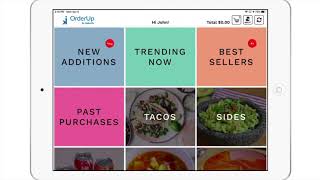
A brief SalesVu Technical Support tutorial (YouTube, April 2020) describing how the "Trending Now" product-recommendation category in the OrderUp app is populated from live sales data and how to enable/configure it. The speaker explains that the system updates trending products every 30 minutes, and walks through the settings flow on salesvu.com to enable the feature and choose how many products to display, then save and sync the app.
Questions this video answers
Every 30 minutes.
On salesvu.com: Settings → (three dots at top right) → Recommendation Settings → enable "Recommendation for Trending now".
Yes — you can select the number of products to be displayed and then Save and sync the app.










