building ai agents w/ grok bot while i walk

George Foley builds an AI agent on his iPhone that scrapes competitor YouTube thumbnails, generates custom ones using Higgsfield, and composites his face onto them. He refines prompts iteratively, enforces a three-word copy rule, and A/B tests the results against a screenshot-based design.
Chapters
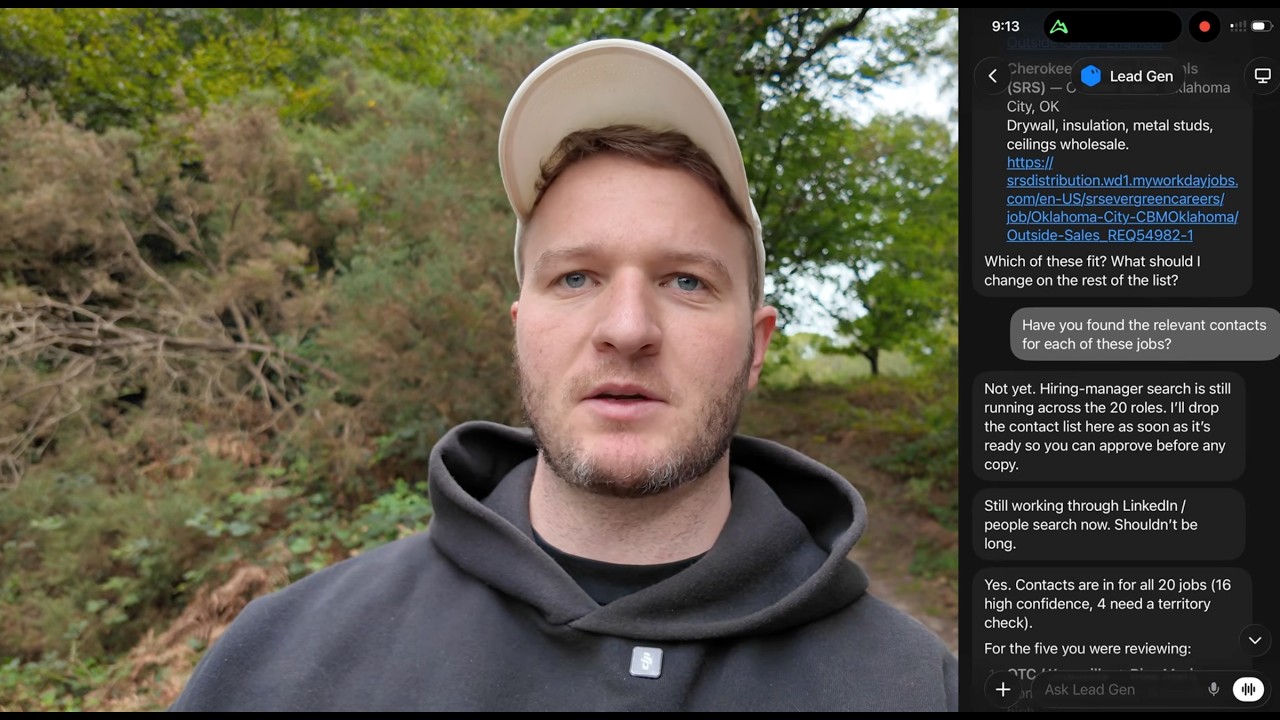
All right, morning everyone, George here. I've helped over 500 6 and 7-figure agencies scale using AI. Today I'm taking a walk and I'm going to be building an agent using GrokBot that's going to set up YouTube thumbnails for each video, including this video here. So I've not built this before. I'm going to be doing it entirely on my iPhone while we take a nice walk in the UK. So let's see what we can get done. So first thing I'm going to do is just jump into GrokBot. If you haven't got GrokBot already, download it off the App Store, sign up. GrokBot's amazing. It's a bit like Claude or ChatGPT, but you can use it on your phone and it actually has access to a computer behind the scenes. So it can connect with all your apps, it's always online, it has memory so it remembers your old conversations because you can connect it to databases, but then also it can, um, You know, you can schedule things in the future and it works. Basically it fills in a lot of the gaps from Claude and limitations from Claude and ChatGPT. So that's what we're gonna be using here. I'm first gonna create the app, a new bot, and we'll just call this YouTube Thumbnail. Boom, and hit create. Cool, I'm gonna get it kicked off by giving it the scope and the first prompt. Now I know from building these prompts before, sorry, building these agents before, We're going to use a couple different tools, so I'll walk you through the tools. So yes, GroqBot to build the agent, and then it will live on my phone and I'll approve it on my phone. But we're also going to use a, a tool called Higgsfield, which Higgsfield is probably my favorite image generation tool. It basically takes ChatGPT's image model, Google, all the different models, combines it into one place So we're going to grab that. So I'll plug in the first prompt here. So you're going to be creating a YouTube thumbnail agent. So I need you to build the foundation of this in Supabase. We're going to be— We're going to be creating a table in Supabase for thumbnails so you can save the thumbnails that get created. But we also wanna analyze and do some research as well of a couple other YouTubers that are in the AI automation space. So you could take a look at Nick Saurav, Liam Otley, I think Nathan Herk, Nate Herk. Have a look at these guys and save a couple of their thumbnails into Superbase. And then we can see how they compare. So first thing I want you to do is create the Supabase table, one that has the competitors, one that has our thumbnails and where they'll go. And then from there, I want you to get 3 competitors' thumbnails saved for reference so I can take a look at them. Also put my thumbnails in there from the George Foley YouTube channel as well. So that, I mean, that was a bit of a ramble, a bit of a yap, but, um, I try not to think too much. I just like to get my thoughts out into it. Um, sometimes I'll completely change my mind mid-prompt, um, but it always works. It, like, the, the biggest flaw people make is giving it not enough information rather than giving it too much information. So I said, got it, super best tables for competitors, thumbnails first. It's got some of those names, Nate Hook and Liam Motley. Sup boys. Um, plus your George Foley YouTube channel. Cool, let's see how it gets on with that. Cool, so one thing that I want to lay out here is the, the best thing that you can do when you're building an agent like this is give it an idea of the end result. So we really want to give it what good looks like, and that usually means stealing from competitors or people that you like. In marketing, they call this swiping, which is just a pretty way of saying stealing. So go find some things that you like that already exist. It's a lot harder to build from scratch. Um, find, find people that you like that are doing things and then, and then feed that into AI and then you'll create your own, your own version of it. Okay, it says channel pull finished, 33 competitor thumbs and 15 from your channel. I don't even— okay, cool. It's actually nailed it. It's found all those YouTube channels despite the crazy spelling. So it's figured that out. I'll say drop one thumbnail from each just so I can see that you've got the right ones. And we'll be able to see that it's got those thumbnails saved in Supabase. Just to explain a little bit more about what Supabase is. So Supabase is a database, which sounds really techy. It's basically just like a Google Sheet. sits in the cloud, you can save stuff to it. The biggest flaw of ChatGPT and Claude is that they don't have good memory, you know, they forget conversations. ChatGPT does an okay job of, you know, referring back to itself, but it's nothing like having a database or almost like a Wikipedia for all your information. So connecting Supabase to any LLM is probably one of the most powerful things you can do. Okay, cool. So it's brought back the thumbnails. Nick Sarif, that is fucking crazy. Um, dude, are these real or is that one— and sorry guys, I shouldn't say that. That's mental though, that's pretty funny. Uh, I've got to up my game. All right, and then there's my one there. Um, cool, so it's got those, those thumbnails. Next, I want you to connect to Higgsfield. Higgsfield is an AI image tool. And then you're going to start generating thumbnails for my videos based on the titles and topics that I give you. So we could start with a— with the video that I'm doing here, which is, um, the title, we'll call it How I Replaced My YouTube Thumbnail Editor with GrokBot While on a Walk. So that's the video concept, and The way that you're going to create and save the SOP for creating thumbnails— save this in Superbase so you've got an SOP there as well as your own instructions— is you need to create the core visual concept first. Sometimes I'll give you the image and you can work with that, but you need to get the, the core creative concept. It should never have more than 3 words on it, and you need to create the background with Higgsfield first. And then superimpose my face over the top of it. Um, you always need to make sure it looks like me. It shouldn't be MrBeast style. It should be closer to the examples that we've given you. So Nick, Liam, Nate, and, uh, yeah, you'll send it here for my approval. So get started on that. Let's see how it does. Cool, so let's see what it's done so far. It says core concept locked, text walk edit done, so we'll want to fix that copywriting. Your cutout on the left, real likeness, walking outdoors with a phone, messy thumbnail, UI. Okay, cool. Generating Higgs field background is done, so we'll take a look to see what that looks like. All right, cool, so it said it's got them. I can't see the thumbnails, so let's Share the thumbnails so I can see them here. It says background's done, compositing your face. Oh cool, so these are, these are loading in now. All right, let's see what we've got. Walk edit done. That's, that's shocking. I suspect the second one's not going to be any better. You should always expect the first rendition of anything with AI is just going to be terrible, and it will make your life so much better. The majority of time I see people getting frustrated with AI, it's just expectations on the first one. Okay, cool. So, um, I'm just going to roast this basically and say what I don't like about it. And what I'll actually do is let's give it a selfie. Because I want these thumbnails to be a lot more organic. I could even probably end up taking a screenshot just from the video and using that, but let's take a selfie here and see if that helps. Giving it some reference material will help a lot. Cool, so we'll plug that into Claude— Claude into GrokBot. Here's a photo from me on the walk. I want these to be more like natural, so try use this if you can, or something similar to this, and maybe just put a simple overlay, have the Grok logo in the top right, And we want to fix the copywriting. So the 3 words, before we generate anything, just give me lots of combinations of 3 words. Built on iPhone, 100% on iPhone, created on a walk. That's too many. Give me copywriting for those examples and we'll pick one. Sweet. So let's see what it comes back with. Cool, so it's come back with some copywriting options. Built on iPhone, made on iPhone, fully iPhone built, Fiverr editor. That's the stuff I don't want. It attracts the wrong people. Phone walk thumb, brother. I think built on iPhone. Let's go with built on iPhone and keep this, the text, like large and visible and readable, but maybe like a little bit understated like I do in my other thumbnails. And, uh, yeah, definitely add the GrokBot logo and generate the background, 4 different versions of the background, and then share here for my approval before you create the final one. which has my face on it. Again, just getting it to generate— I find AI struggles, AI struggles a lot with generating images with faces and backgrounds. You can one-shot it and you might get lucky, but what I typically find is that it will either make the face bad or the background bad. So I like to chunk that down just into 2 simple steps where you create the background first, stitch the person's face over the top, or even regenerate it with that person's likeness over the top. But Yeah, much better doing it one by one rather than all together. Okay, now it's asking me something interesting here. Upload walk selfie on GroqBot's computer. I don't think it should need that. Let me ask and find out. Can you not just do it through the classic? So yeah, yes, doing it through the Higgs field connection now. If it suggests something stupid, just question, like, do you need to do that? Apparently it doesn't. Okay, so it seems to not share the images for some reason, so I'm just going to try correct it on that. So you must always share the images when you're asking for my approval. Save this to your instructions and SOP so you don't keep making this mistake. Share the actual images so I can choose. Cool, so we've got the image backgrounds here. The Grok logo is way too small. Kind of like that one, to be honest. Where's the other? Built on iPhone. That one looks generic. So maybe number 3? Let's try that. So number 3 looks good, but the problem with number 3 is the, the Grok logo is way too small. It needs to take up probably 30 to 40% of the frame. Or it could be also me holding up my phone. Yeah, so have me holding up my phone with Grok on the phone as well. Use the background from number 3, generate this all in one shot, and give it more photos of me from, you know, other examples if it needs to know what I look like better. Cool, so let's take a look and see what it's got. It's definitely done some like Korean beauty filters on that there, but that's actually pretty good. The— I mean, the thing I want to test is, does a thumbnail like this attract the right people? But also, I feel like people are moving away from this AI stuff. I mean, I could be wrong. We'll see what the numbers do, right? But, um, damn, I think I could— like, I could definitely upload that. Built on iPhone. I just wonder whether using a still from the video is going to be more accurate. But I mean, for the task that we gave it, it did a great job. Is there any way we can make it a little bit more natural and real and true? So like more of an image of me, less polished. Maybe the actual screenshot that I gave you. The hand and the phone look great. Built on iPhone, looks perfect. Um, so yeah, just more variations. Just generate another 4, uh, with different, you know, creative style. The main thing I want is it's for it to look real and believable, high trust. But I mean, as you can see there, like, what, on a 20-30 minute walk so far, we've built a thumbnail agent that would absolutely replace, you know, someone that you're paying on Fiverr or I mean, even some of the more professional ones, it's a pretty, pretty good thumbnail. So let's see what it comes back with. Otherwise, I'll just use that one. Obviously, you'll see when the video goes up, but I think I'll A/B test between a natural one and the, the one that we've created here as well. Okay, cool. So we've got a few more generated. It's still, still sticking to the like AI beautify sort of style, but I think this last one, uh, I mean, it's pretty brutal. Yeah, let's see which one's better. Probably, I actually, I still think maybe these ones are better. So I think this one we'll go with. I'm happy with that for now. We'll A/B test it and we're going to see how it goes against a natural thumbnail. But yeah, hopefully that's useful and you can see how you can just, how easily you can just do this on your phone. Out on my morning walk. And, uh, if you liked this style of me doing this out on the go, let me know. And also let me know what you need built. So tell me in the comments what you're trying to build, what you're struggling with, and I'll build it on my iPhone and walk you through it. All right, catch you in the next one. Peace. Peace.