"second brain" but this one you'll actually use - claude + airtable
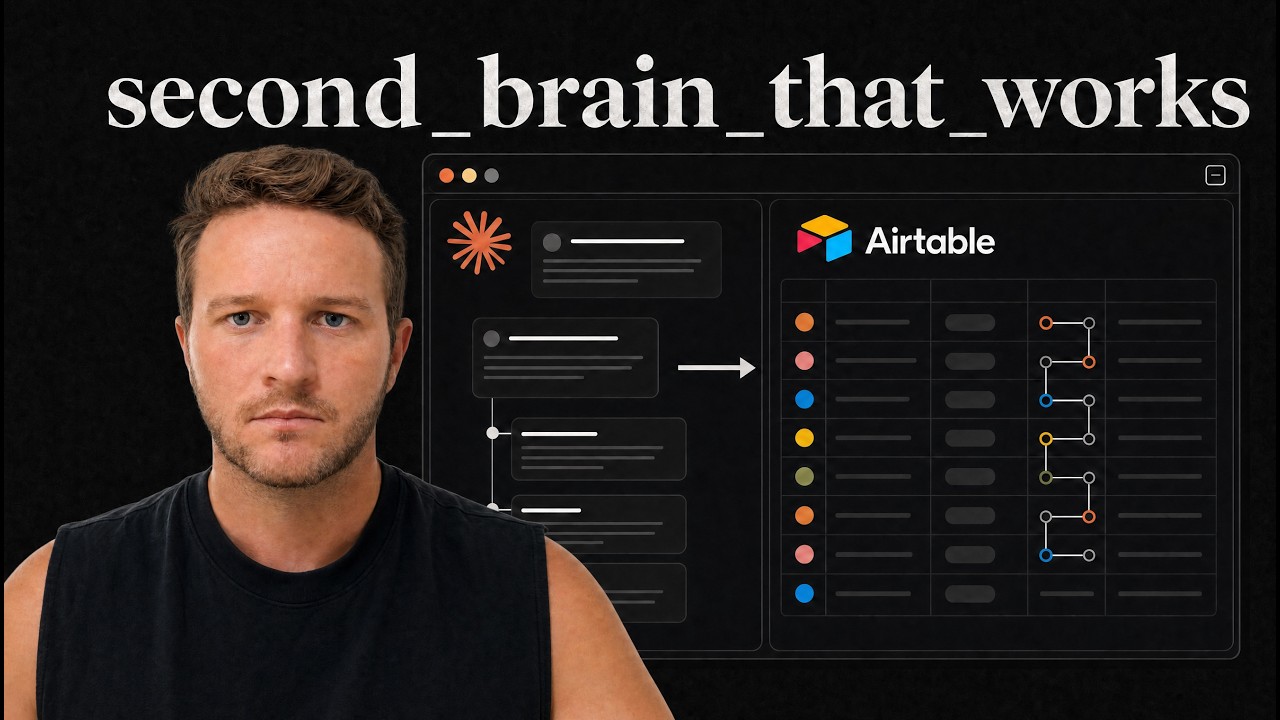
George Foley shows how to build a working second brain by pairing Claude with Airtable. He creates a dashboard that tracks health, finance, productivity, and entertainment, then uses Claude to ingest messy data from health devices and financial records, automatically populating the tables so you can log workouts and expenses by just talking to the AI.
Chapters
What is up everyone, George here. Today we're going to be looking at a second brain. Now, second brain has been a buzzword for a while, so if I was you, I would be extremely skeptical. The difference is this one actually works. It'll help you get your life organized. The key thing is it's going to give you, uh, like a dashboard. So if you, if you play video games, um, and you're used to going to the stat menu and seeing all your stats, you know, your progression, your skills, all of that stuff, that's what we're building, right? If you're anything like me, I mean, I used to play video video games back in the day. Not so much anymore, but if I've got a game with a leaderboard, I am fixated on increasing that number. So having the visibility of everything in your life, so whether it's the gym, uh, so you put that as health, uh, your finances, business, pretty much think of the wheel of life. Each one of these areas can be organized, categorized, and put into your second brain. So we're going to do this in Claude and Airtable. Now transparently, I've tried to build these for years. Like I've spent 5 years trying to put these together. They never quite worked out. The difference now is we've got Claude as the front end. So Airtable is the database. It keeps everything structured. The reason I like Airtable is because you can see it on your phone as well. They've got a really good app and you can still use it like a human where you log into the user interface, you plug in your numbers. But at the same time, if you're out and about, you can connect Claude directly to Airtable. So you can just ping it. Dump all the information like I just did a workout or I need to remember to grab these groceries and all of that goes into Airtable. Cool, enough said. Let's start building it. So I'm going to walk you through this. I'm literally going to do this live here on my screen. I should probably figure out how to sell this. I'm not going to do that. I'm just going to show you all how to do it. All you need to do to keep getting stuff like this is like the video, give us a comment, let us know you're enjoying it. Right, let's get into it. So this is a Claude conversation in what's known as an IDE. If you don't know what an IDE is, go look it up. There's more tutorials out there. It sounds complex. It's not that complex. It's more just like a wrapper or a user interface or some way to communicate with Claude. It can do a bunch of different things. Anyway, we're not going to dive into that today. Jump into your Claude IDE once you've got this set up. I've got Airtable here. I've named it Second Brain. This is a base table, so all of this is from scratch. Nothing, nothing like crazy going on here. Now in Claude, I'm going to say, do you have access to Second Brain in Airtable? Claude.ai. You can go to customize, connectors, and then I have my Airtable connected here. I like this because then I can access it on the, on the web, but you've got two options. For most people, just use that. Again, this isn't a tutorial on how to connect these things together. Uh, you can find that elsewhere. So right, I can see the base. We've got this table here. Okay, now I'm going to just start instructing it on what I want to put together. Now I recommend using a voice dictation tool for this. I've got one assigned to my mouse here. I think it's called MacWhisperer. Um, so this will, this will save you a ton of time. So I'm just going to talk to this thing and tell it exactly what we want. So Second Brain is a new Airtable base. As you can see, there's Table 1. Now what I want this to do is track all of the key areas of my life. So we're going to have, what we're going going to do first is set up the foundation of the base, then you're going to create the dashboards, and then I'm going to give you lots of different data. So what I want to see first of all is finance, health, productivity, um, entertainment. Let's start with those four. And so for productivity, I need goals, projects, tasks. For health, I need, uh, body cardio fitness. Uh, sorry, not cardio fitness. Body cardio, uh, weightlifting and then diet. And then for, um, productivity finance, I need a net worth, uh, budget. And revenue. For entertainment, books, movies, TV shows, video games, and restaurants. Cool. So this is a high level, like this is, we're taking that wheel of life, each of these different categories of your life, and we're putting it into here. Okay. So I like to break it down. Like I said, you can add more of the wheel of life, but finance, health, productivity, entertainment is a good one. Within productivity, you have the big goal, which is the thing you want to achieve. Um, you have the projects, uh, that basically get you towards your goal systems as well. We should add systems and then the small tasks that are part of the projects. Health, uh, again, the core mechanisms are going to be, uh, your body, which is like where you'll put your weight every day. So I recommend getting a Withings scale. A lot of this, by the way, you need like things to track this data. So I use a Whoop 5.0. I use a Withings body weight scale, which is Wi-Fi. So I just stand on it and it logs and tracks into the system. I use a, um, what else have I got? I did have an Apple Watch, but I'm retiring that. I'm not a huge fan of it because it needs to be charged all the time. Um, oh, like your, your weightlifting app as well. So if you've been using like Strong, Strong Lifts, any of these apps, you can probably export your data from all the years and then just load it into Airtable once this is built out and, uh, it'll bring it in as well. Cool. So we can see Airtable's getting to work here. I'm going to, you can see on this side what it's building. I'm going to show you actually in Airtable what it's starting to look like. So it's creating goals. Body, cardio, weightlifting, all of this stuff, right? Net worth, budget. Cool. So this is building a foundation. We can delete Table 1. By the way, in this video, I'm going to put all of the prompts. I'm going to put the, um, I think I can share the template for the Airtable so you can duplicate that. I'll put that all behind an email link. Yeah, so you give us your email and then you can access all of these things. Cool, it'll be in the description. Alrighty, so then let's put all of these together. Now I want you to create an interface for each of these. So 4 interfaces, productivity, health, finance, entertainment. And then within that, goals should be, uh, like a, a line view. Projects should be a Kanban. Tasks should be a list. Sorry, goals is a list. Projects, Kanban, tasks are list. Body should be a mostly like, um, bar chart. Cardio should be, uh, bar chart again. Weightlifting should be bar chart. I want to try for health. I really want to track the progression. So basically each day I'll just jump into Claude, tell you my workout, tell you my run, or I might export lots of data from one of my health apps. And then you need to categorize all of this finance. Um, same thing here. So I want to see it progress, but on revenue, I want to see how much I got paid last month, this month, and then what my PB month as well. And then entertainment again, these should just all be lists. Okay. Okay, cool. So we're starting to get somewhere now where we're creating the interface. And so if you're not familiar with Airtable, you've got the data here at the top, which is where all the data comes in. And this is what happens behind the scenes of a, like a CRM or an ATS, or even like a Notion or a productivity tool. It's just rows of data. And then you've got interfaces where you can actually build an application that looks like this on the front end, right? And it gives you a visual way to see all the data. So this is like your user interface. You can build your app and then this is the data on the backend. I should add like. Airtable does have Omni, which does a decent job. It just, uh, Claude's better, Claude's faster. And, um, obviously once you've set it up in Claude, then you can save it to memory so it knows what this is. And then for uploading the information into Claude, that's where the real advantage comes in. Okay, cool. So what's it doing now? Uh, Airtable API supports visualization dashboard. Yeah, cool. So it's figuring that all out. Now the element, let me pull the shapes. I'll use this. Cool. Now while that's all loading in, I want you to see where the data is. So I'm going to feed it in here to create example data for you. So actually, let me jump back here. I'm going to highlight all of these to create a file. Copy. I actually know Claude. Claude will be able to do that. Claude will be able to do that. Cool. So the video might jump ahead. I don't want to do too many edits because I want to— want you to see it all the way through, but, um, there'll be a cut and then you'll be able to see when it comes back. Okay, cool. It says I have everything need. So it's using Airtable's API. So if you're just using MCP, you might need to add that as well. One honest limit I hit on the revenue. Okay, just keep an eye on it. Let's have a look over here so we can see live what it's doing. So I can see the page is refreshing. So it's created the 4 interfaces. It's creating goals, projects, which is the Kanban. Health, it hasn't done yet. Tasks. So this is your task manager. Now let me break down why this was not good in the past and why it's better now. So previously, uh, if I wanted to log a task in Airtable, I'd have to open it up on my phone. The problem is Airtable's not as fast as something like Todoist or just a notes app or writing a message to yourself and like Slack or iMessage or something like that. So Claude is obviously very quick to just type in and send. So now the, uh, there's a few productivity people that talk about this. You want something that captures because you, you brains are good for creating ideas, not, not capturing them. I'm sorry, brains are great for creating ideas, not storing them. And so we need something that captures whatever we need to do. Uh, even logging workouts, you know, like logging them into those apps like Stronglist or something like that is so much better. So now what we can do is we can basically load everything just into a Claude chat, whether it's voice notes, pinging a message, or you log it into something like Strong, uh, or Stronglifts, and then on a frequent basis you export that and upload that into here. That's, that's the way to capture now. Use Claude to capture. Tasks, projects. Health. So body, look at this. So I'll be able to see my weight, body fat over time, diet calories per day. So I can use an app like MyFitnessPal or Cronometer and set it up to connect into this. So it all comes into the one place. Weightlifting, um, you know, your PBs, everything like this. And then cardio, which again, I recommend using like a Whoop or a fitness band to do the tracking that feeds back in. Finance, net worth. Now, like little things like this is, it's like if you're not tracking net worth over time, how can you expect to improve that? You know, there's that famous quote, what gets measured gets managed, right? Or yeah, there's a few quotes around tracking and I know Hormozy talks about this too. Like when a venture capitalist firm or private equity or, um, someone comes in and buys a company and they're wanting to improve it and then sell it like a business flipper, let's say, uh, they get 3 key KPIs and then they get it tracked as close and accurately as possible. That's all they're doing. So, um, you know, there's very easy ways to improve numbers when you have total clarity around what's influencing the numbers and that's what they're going for. So, um, I don't know, a good example might be like a plumber. Maybe their service is perfect. They've got a ton of 5-star reviews. They're the best. They show up on time. They've just got a really good workforce. But their one KPI that they're really bad at is like paid ads or getting leads. So then they would figure out a way to track that. How many ads are we getting at the moment? And if we can triple the number of ads, it triples revenue, triples the business, right? So, um, Clarity on numbers and tracking these things, world of difference. Again, like if anyone here has like played a video game or had a leaderboard or a score, or even if you're training like a sport where there's like a time or a number you need to beat, weightlifting, you know, you get addicted to wanting to increase that number. So half the time I think people aren't making progress in life, it's just because they haven't got a scoreboard. To, to know what's going to help. So this is your scoreboard now. This is, this is your scoreboard. Okay, cool. So then we've got budget and I'm going to tracking for all the books, restaurants, blah, blah, blah, blah, blah. So if someone recommends a restaurant, it goes in here. Cool. Or just even having a list of restaurants on a Friday night, you're like, okay, where are we going? We don't need to, you've got a pre, like done list. Saying yes to all of this. Half the time I don't even know what this is doing. I'm just going to click these. Okay, cool. So that's all done. So now the final piece is like, we've got the setup done, right? So you build the foundation, then you get the interface done, which is how you, you see it, like actually see the data. So that's this interface here for, you know, tracking these numbers. Now, finally, it's a logging piece and the capture piece. So now I'm going to give it an example of a real-world prompt. But, um, let's, let's see how it goes because for this transparently, you need to go get the data from somewhere, right? So like if you want to track your net worth, uh, just feed in messy data, export your banking statements, for instance. I mean, you could say, oh, privacy, blah, blah, blah. I think that's pretty much a losing battle at this point, unfortunately, as much as I hate to say that. Um, If you're privacy minded, don't do this, but export whatever you need. You know, your, um, for instance, I can export from my weightlifting apps the last 5 years of every workout that I've, I've done and chuck it in here. Uh, blood tests, I can chuck it in here. Uh, I've got my Withings scale. So Apple Health, all of this stuff, you just want to chuck it in for now. I'm like, this is where you would just paste all these random things in here, but for now I'm just going to get it to do it for me. Okay. So now I want you to pretend I have given you CSVs of data from Apple Health. Um, my banking statements, my property worth, my car worth. Just imagine my entire life worth of documents. Now Apple Health might have like 4 years worth of, um, body weight, body fat from my Withings scale. It's gonna have my cardio from my, um, Whoop band. Uh, I'll also be giving you Cronometer access so you can see all the calories that I've been eating over the years and how that correlates to my weight. Um, I'll also be giving you new banking statements so you can see like what my budget should be each month. You should be able to see, yeah, what I got paid last month, what I'm getting paid this month, and then forecast next month as well. So just fill in all of these tables with data from an average 30-year-old guy living in the UK earning 6-figure salary. And average body weight, average gym progress, average, like, cardio. So we'll just get it to do averages for everything so we can see what it looks like here. So now again, just to make this really clear, this is where you, like, the, the advantage here is you don't need to be organized. I think the key thing is people get frantic and they, like, I felt this, or I'm like, oh, now I have to fill in this information. Where do I get it from? That's Claude's job. So Claude isn't a thinker, Claude is a doer. So, you know, heavy admin, think of it like a PA or an EA, right? You don't need to tidy up the data. You just need to go into the app and export it. It's literally that easy. And then dump it into this, you know? So, um, cool. What I'm going to do, like this one will take a time. So I'm just going to pause and again, we'll come back once it's doing what it needs to. Cool, so it's come back. Love it. I'll build one coherent life. Londoner, blah blah blah blah blah. Calories, etc. So it's going to put that in. Okay, cool. So it's done its job. It's plugging in the data. It's doing it in batches, which is fine. Um, let's have a look at what it's got. So productivity, I don't think it'll have anything here because we've not given it tasks yet. Actually, I should show you what it looks like. So you want to hit publish in the top right. And then you want to go to launch. So this is what it looks like. This is what you'll bookmark on your browser. Um, and then similar, it's got like the app on your phone as well. Health. So you can see your body composition over time, see how that's moving in a dashboard. Okay. I like to have numbers. So these, these graphs are fine, but I want to see the number. Um, I want to see the number moving. Diet. Calories per day, protein per day, food log, pulling in from Cronometer, that's where it'll come from. Um, back squat barbell, so the exercises where they are. Distance, cardio, finances, so like tracking net worth over time, so you can see it increasing. See all your different like assets, liabilities here as well. Revenue, how much you made this month, your best month. Right. So then you can very quickly come in here and just be like, right, how much have I been paid this year? And all you need to do for this is upload your, um, your bank statement or just tell it each month how much you're getting paid. Uh, budget. So again, this can break down this. We can do more with this here. Entertainment. So, you know, books, restaurants, all of this stuff, right? Keeps it nice and tidy. Cool. So the one. I think we can do better, Ron, is I work a high-commission sales job, and so I really want to compete with myself. So on the dashboard, I need to see my best month and last year's earnings and this year's earnings. So that would be an example of like, now we've got some of the data and we've got it. Now you need to personalize it. Based on what you want to see. So if you're particularly keen on your bench press, then you would say in weightlifting, you would say here, I want to see my bench press last year and this year, or my, my PB bench press and what I'm at at the moment. All of this here can be customized, and you just need to speak to Claude. So you'll be getting the point. I'll wait for this to fill in, and then I'll show you just so you can see the final part. But the next part is obviously you doing this yourself. Like I said, you can get all the resources in the description, and then just being creative with what you put into it. Um, but this is by far, trust me on this, I've tried every single second brain, blah, blah, blah, blah, blah. This is by far the most simple way to set one of these up. Simple interface, you speak to Claude, it logs, view it in the dashboard, and then over time, if you want to personalize and get more data, you just tell Claude exactly what you want to see, and it's going to create this interface. Okay, cool. So it's, it's finished and it's plugged some of these numbers in. Let's refresh this. Okay, occasionally, this is worth mentioning, you'll have to come up to Edit Pages. We've got earnings, earnings here. Okay, and then you might have to republish, but let's have a look. So now I can see Best Month Ever. I'm going to put this in green. Okay, publish. And now at a glance, if I want to come in and compete with myself, I can see my best month ever. This isn't a real number, obviously higher than this, hopefully, uh, best month ever this year, last year, this month, and at any moment compete with myself to see this here. Okay, cool. Alrighty. So you get the point. Uh, I will catch you in the next one.