How To Generate High-Intent Life Insurance Leads On Facebook (UPDATED For 2025)
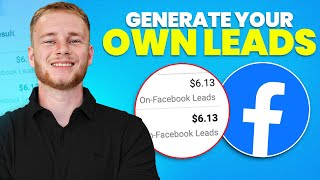
Step-by-step guide to running Facebook lead ads for life insurance targeting specific professions like nurses. Set up a Leads campaign with $50-$200 daily budget, build creatives in Canva, use Instant Forms with custom questions, and automate Messenger follow-ups through your CRM.
Chapters
What is going on? Ladies and gents, in this video, I'm going to be showing you guys step by step how to generate your very own high intent life insurance leads. And real quick, as you can see, we're inside of the Facebook account here. This is $103,000 spent, as you can see right here, across multiple campaigns. 12,000 leads generated for an average cost of 8 bucks. Right? This is just one ad account. We've done multiple. But just want to show you this to show you, like, hey, look, I'm actually qualified to teach you this stuff so that you can focus as I'm going through all of the material. So without any further ado, let's dive in. What am I going to talk about here? Well, first thing, I'm going to show you how to set up the Facebook page. That'll be quick, painless, and pretty easy. I'm going to talk about business manager ad account. We're going to talk about how to create an ad, what the best types of ads are, how that all works, photo ads, video ads, how to make each. And then I'm going to just show you guys step by step how to set up the campaign. So let's go ahead and get right into it. So starting off with the Facebook page, you need to go to Facebook calm. That's it. So just go to Facebook calm. Make sure you're logged in. And then you want to go up here in the top, right? You guys are gonna see this little, like all these little squares. So you're gonna click on that and then you're gonna find where it says create right here and just click where it says page. So here is where you actually name your page, right? So you're going to name your Facebook page. This video in particular, it says how to generate high intent life insurance leads. What I'm seeing currently is working really, really well is something we call the niche method. So I'll explain that kind of briefly and then that'll kind of make sense as far as what direction I'm going for the rest of the video. So the niche method is essentially where you target a specific niche market, right? So for example, nurses, truckers, parents, teachers, something like that. And you basically advertise to those people with. You're basically just advertising life insurance to those people. So it's not like specifically whole life or specifically term life or specifically an iul. You're kind of just advertising life insurance. You're attracting people based off of like what niche they're in. And then you as the agent just Sell them whatever product is best for them. And that's essentially the niche method. So the reason that it works so great is, you know, you're attracting people that, you know, have an income, right. Whereas, you know, final expense can be a great way for agents to start off with. But, you know, anyone that sold final expense will tell you the problem that you run into is you're dealing with a lot of broke, sick people, which again, you can still make a lot of money doing that. But I found that the niche method is a little bit easier and kind of gives you an overall, like higher quality person. So with that being said, in this example, we're just going to call this life insurance for nurses, right? Or, you know, nurse life insurance or whatever. And you can just do whatever niche you're doing or if you think that you may want to do multiple niches, which a lot of, a lot of our clients will do, they just name it something generic, you know, like, you know, I don't know, shocker, life insurance. You can just use your last name, life insurance or whatever agency. You know, it's. Don't overthink this. It's not rocket science category. I'm just going to put insurance agent or agency again. This stuff, people get caught up on it, don't really need to worry about it. We just need to create a page and make it look, you know, semi legit, not like a complete and utter scam. So while this page is creating. Here we go. Contact. You just put in your contact. I'm gonna skip this because it's just for the sake of the example. Next we're gonna do profile photo, right? So how do you make a profile photo? Pretty simple. I can just go here and I can just type in. This is canva. So, so canva.com this is what we're going to use to create our ads, create our profile photo, all that stuff. So I could just say nurse.
Template. Logo. Nurse logo.
So we'll go logo. Okay.
Logo. Medical.
Okay, here we go. Cool. So now we got this little template logo. I could just delete this and I could say.
Nurse life insurance.
And you know, this isn't anything amazing or something to write home about. By no means am I some graphic designer, but like, this looks good enough to where again, it doesn't look like a scam, it looks legit. Oh, this is nurse life insurance. They work with nurses. And I can just download this logo and upload it into Facebook. And guys, like, the cool thing about Canva is again, you can just go, here you can type in logo.
Where did I go? It was design. Yeah. Design templates. And then you can just type in logo. Life insurance.
Logo.
They have all these different variations. Life insurance logo.
I think it's probably because I picked the wrong thing. But if I go back here, I do create a design, and then I do logo. You'll be able to find, like, you can create a specific one. So I could do, like, you know, life insurance logo. There we go. Beautiful. And now we have all these different templates that I could take and, you know, play around with, like, here's one. You know, you guys can go crazy, right? Do whatever you need with the. With the logos. And it, again, it's just design templates. Logo. Cool. So not to spend too much time on that.
Let'S grab our nurse life insurance logo. We're going to screenshot it, upload it here into Facebook.
Boom. If I was more worried about it, I'd probably center the logo. But again, not too big of a deal. You can add a cover photo, too, in Canva.
If you need to do that. You just go into Canva again here. Create a design.
Facebook cover photo.
Cool. And you can just create that there. They have a million templates. Don't let this take forever. Just get something up. Because the most important part, guys, is the ad, right? It may seem like I'm kind of rushing through this, but trust me, there's a reason. It's because this doesn't really matter.
We're going to skip connecting it to WhatsApp. I don't care about my friends liking my page. Done. Boom. So just make a Facebook page. Make it as quick as possible. Don't spend all day on it. If you want to go back and make it pretty, you're welcome to do it, but, like, nobody cares. Cool. So once we've done our Facebook page, this part is done. This is checked off. Now we need to go and create a business manager. Right? So business manager. I already have one, so it's not going to let me create another business manager. So I'll just show you guys what this will kind of look like when you go to do it. You're gonna go to business.facebook.com.
It'S gonna come in here. You know, you'll log in with Facebook, and then it'll just have, like, a couple steps for you to go through. Like, you pick your time zone, you add in a payment method, and then you have a business manager. Right. It's, you know, if you guys get caught up on that, there's other YouTube videos out there. They're gonna show you this video in particular. I really want it to be more about the ad and the campaign setup, because that's the most important part of this whole deal. So that's what I'm going to primarily focus on. Business manager and ad account and Facebook page. These are, like, pretty simple things that you guys can. Like there's a million people that show you how to do that video or show you how to do those in videos. This is going to be the more important part. Right? So an ad account. Again, once you have your business. Business manager, you're going to go and create an ad account.
If you guys need help doing that, just go to YouTube.
How to create an ad account.
And then again, a million videos. This guy's great. You can just watch him real quick and then come right back to this video. Cool. So assuming you already have an ad account, you have a business manager showed you guys how to make the page. Now we're gonna go into the ads manager.
And we're gonna go up here where it says create. Okay, so we're gonna do create. We're gonna do for leads, click continue.
And then make sure you click manual leads. Campaign don't do tailored leads. Facebook's gonna give you a bunch of random recommendations as we're going through this, but just stick with, like, the manual stuff. I'll show you guys what to click. So click manual leads campaign, hit continue. Continue.
And then we can just name this whatever we want. I'll just call this nurses life insurance. Amazing. Cool. So nurses life insurance.
Don't touch any of this. Turn on advantage Campaign budget right here. Right. So if you guys are following along step by step, turn this on budget. So in terms of budget, I recommend don't start with anything lower than 50. The higher, the better. Right? So the more you're able and willing to spend, the faster you're gonna have a high lead volume. This is the problem that a lot of people run into is like, with life insurance, a lot of it is, like, outbound dial. And, you know, it's a numbers game. It's a. It's a prospecting game. It's a volume game. So people, if you start with like, $40 a day or $50 a day, and then you don't scale up quick enough, then you're just. You're gonna have a longer period of time where you don't have enough leads. So you want to ramp from like, 50 bucks a day up to like, 100 as fast as possible in an ideal World because then you're going to start to have more volume of leads and you're going to be able to do like a lot more. A lot more reps. Right. So I'll just say for this sake of example, 80 bucks a day is kind of like a good middle ground. And then you can scale up from there. 50, lowest, higher the better. Right, right. But don't start with like 400 or 300 bucks a day. The highest I would start is like 200. The lowest I would start is like 50. So yeah, daily budget 80 a day is where we're going to start for here. And then you can leave all this the same and hit next. Cool. So now we have our ad set. I'll just call this main ad set.
It's going to auto.
Check this.
We're gonna do instant forms and then scroll down. So now we need to select our page. Alright, so real quickly, let me show you guys how to add the page because you might run into the same thing I just did as you set this up. So in the bottom left, right here, you're gonna click where it says business settings and then you're going to go down to accounts where it says pages. And then you're going to need to add the page you just created. So click add.
Add an existing Facebook page.
And then if you just type in the Facebook page name, so we said life insurance for nurses, boom. It immediately pops up. I just hit next I agree claim page.
And then it'll pop up. So page addict successfully. Now I can go back to the ads manager and then boom. So I'm gonna go back here to the ad set.
Oops.
One sec. Alright, cool, here we go. So we go back to our ad set. We had main ad set, instant forms. Now we want to select the Facebook page and we're just gonna change it to this page we just created. So I have like a million pages. But if I just do life insurance for nurses, it's going to make me accept the terms. View terms. I agree. Amazing. So we're going to performance goal, maximize number of leads. We're going to scroll down, skip over dynamic creative and then we're going to schedule this. We always schedule it for the following day. So today's November 7th. I'll schedule it for November 8th at 12am.
Eastern. So meaning it'll start at midnight. Now the reason we do that is if you start the campaign now, like right now, I'm filming this at 7:43pm If I start the campaign now, it's gonna try to spend all 80 bucks in the next like two hours, which, you know, wouldn't be good. So we always start it at noon the next day, then scroll down, skip all this. Don't set an end date, don't set spending limits. But it's scheduling. Nope, nope, nope. Go to audience controls. And then here's where we get to select our location. Right? So for location, this is just where you'll put in like the states. So for example, include North Carolina.
Texas.
Arizona.
California.
And you would just do it like that. Right? Very simple. If you're doing like a local campaign, which, if you are doing local, switch to tell sales. It's way better.
You can just do. You can do this feature called drop a pin. So for example, I'm in Austin right now. I can drop a pin.
And then do a radius around Austin. So I could do like 50 miles outside of Austin.
Or I could do.
30 miles. Right? You guys get the picture. And you can set the pin wherever you want. So that's how you do location. Let's just do Texas, for example. So cool. Just advertising in Texas. Amazing.
Do not check this box because it's going to advertise to people outside of where we want. Right. So don't do that. Don't do Advantage plus. Just leave it exactly as is. Only thing you need to edit is this location here. And then.
Sorry, there is one more thing. So you want to switch where it says Advantage plus audience. It's going to say switch to original audience options. You're going to check that. It's going to try to like, stop you from doing it. Like, oh, you know, this is going to improve the performance. Click Use original audience. Because we have to set our ages. That's the important thing. So if we're going to do like, you know, in general, if we're, if we wanted to target term or target younger people, we're going to do like 18 to like 55. Right. Versus if we're selling, you know, final expense. For example, we're going to do 50 to 65 plus. So it would just differ based off of which market you're targeting. So let's say, for example, we are doing the niche method. We're doing, you know, term working people. 18 to 55 is good. And you can leave all this other stuff on.
Yep, you can leave all this other stuff on. Leave the placements and then hit next. So now we're getting to the part which is the most fun, which is setting up your actual ad creative. Right. So I'm going to show you Guys, how to do this? And this is ultimately like everything we've done up until this point doesn't really matter unless you get this part right. This, the ad itself is the most important part of your Facebook ad by far, right? So we already talked about the niche method. I kind of explained what that is like. Instead of just selling to anybody, we're selling to a specific niche, right? Gets better quality, leads, people that have more income overall better. Right now, we also have two different types of ads within that. We have photo ads, we have video ads. So let me show you guys an example of a video ad. This right here.
Grab one of these. This is a video we made targeting nurses.
If you're a nurse or healthcare worker, this could be the most important video you ever watch. You see, I've been a nurse for 22 years.
Years.
And here's the thing. Most nurses get life and health insurance through their hospital. But there's something that you probably don't know that could cost you and your family tens of thousands or hundreds of thousands of dollars, right?
So we basically have this whole video that we put together, you know, super nice, edited, whatever.
Of like an actor telling a story to nurses. She's dressed like a nurse, she looks like a nurse. And, you know, obviously nurses respond to this ad and we get leads from it, and then they want to buy insurance from us. So this is a video ad we test. God. I mean, this is our 561st video ad that we've tested just in the last, like, little over a year. So we do tons and tons and tons of variations and iterations of tests. Same thing with photo ads. This is way more than 481. We don't actually add all of them here, but photo ads is like another thing that we do as well. So we do a combo of videos and photos. So let me show you guys an example of like a nurse photo ad.
These are some of the ones that we had made in the past.
Here you go. No medical exam insurance for nurses and healthcare workers. No medical exam, no waiting period. And then you have, like, different quotes, right? So the way that we do this now is honestly a little bit different than when we made this ad. But, like, this is an example of an ad, right? So I'm going to show you guys how you could make your own photo ads in Canva in like, five minutes.
We're just going to hit create a design. We'll go to Instagram, post square, and then.
We'Re going to go text heading. We're just going to do an entirely text based ad, which is pretty cool because, you know, these actually work pretty often. And I could just do this, could say attention nurses. Because obviously that's how I'm calling out attention nurses.
And then I can add some copy here. Like.
If something happened to you.
Give me like one sec while I come up with something to say. All right, cool. So here's what I came up with. It says like attention nurses. Every 20 minutes a child loses a parent they rely on. You can protect your family by getting a life insurance policy. Click Learn more to get a quote in just five minutes. Now is this like the best ad that's ever been written in the history of time? By no means. No, it's definitely not. However, I have seen ads like this really perform very well. And you know, then I can just go and change the background. I like this little teal color because it looks like scrubs. It just makes me think of nurses. Right? And this could be an ad that I could run and this could legitimately generate me quality leads that could net me tens of thousands of dollars in commissions. Like literally you get a bunch of nurses that are making 50k, 60k, 70k, 80k, 100k plus and they put money into an IUL or they buy a big term policy from you. Like, I mean you, that's, you could make thousands of dollars from one policy just from this little like simple ad, right? So this would be an example of like a photo ad that we would do. So I'll just do like nurse ad number one and then I go ahead and download this.
I'll just download it as a png just like. So then I'm going to go back into.
Facebook and then going to name this, you know, nurse photo ad number one. Okay, then I can scroll down. I'm going to turn off multi advertiser ads. Do setup creative. This first one is going to be a photo ad, obviously.
Set up creative image ad. Okay, cool. So here we're going to add our ad copy. So the really cool thing guys is you can actually use chat GPT to help you write ad copy. So let me just pull chatgpt up.
And I could go in and say write me a Facebook ad copy for nurses to get life insurance.
Boom.
I can copy this, Come in here, paste that. And then Facebook will actually do some of these like little headlines for me.
I'll just use these for time's sake. Usually we'll go and write our own headlines, but I'll just use one of these. Nurses get up to 1 mil and life insurance.
Boom. And then for call to action, I always do learn more. I've found that that works the best. So I'll hit next and now we can go and actually upload our ad. So nurse AD1 open.
And then I'm just gonna do this. Hit next, hit next again. And then I'll just skip, skip that part.
Here. What's like creative optimizations? Don't even worry about that. Just hit done. Cool. So we got our first very basic, very simple little photo ad here. And I mean, honestly, guys, like, this probably isn't gonna be the best performing ad in the history of time, but this could definitely get us leads. And like I said, Netta's tens of thousands of dollars. So now we're going to scroll down.
And we're going to where it says destination instant form. Now we have to create our form that people are actually going to fill out to become a lead. Right? So what you want to do is click create form. You can just name this something like, you know, nurse lead form number one more volume.
For intro. We can just remove the intro. And then here was what we're going to do for questions. So I always ask two. Two questions balloons. So I'll do two questions, one multiple choice, one fill in the blank. Right? So what I always balloons again. What I always like to do is a short answer question.
Who will be your beneficiary?
Right. And then they're going to type in the name of their beneficiary. So when I get the lead, I can see like some people actually put in the name of the person that they're going to be, you know, calling or that they would be leaving the policy to. Not that you would be calling. And then multiple choice. So I got one. And then the other one is I'll usually say, like, you can kind of get creative with this. So if I'm targeting nurses in specific, I could say, what.
Where did you go to nursing school? Right? Or no, that would be a. Obviously that wouldn't be a multiple choice. So I could just say like, do you currently have life insurance?
Yes, I have coverage.
But need to get some outside of work. Right?
No, I don't have any coverage and need some. And then I could do another one. Like, yes, I have coverage but need to add more.
But don't have enough. Right.
So these would just be like some different examples that I could do. These are all, you know, pretty simple. Who being beneficiary. So yeah, they're going to come in when I get these leads. Guys this is what's crazy. I'm going to know, do they already have life insurance? And then if they qualify, who are they going to leave it behind to? Which makes selling so much easier. Then description. Let people know how the information that they give will be used or shared. You can just say we will use your info to contact you regarding. Contact you and give you a free quote. Boom. So here, choose the info you need. We're going to go.
First name, last name, right? Boom. First name. Whoops. First name, last name, email.
Phone.
State, first name, last name, email, phone, state.
Date of birth.
And I believe that's it. Let me check if I'm missing something. Don't care about gender. Yeah, that's all good. So first name, last name, email, phone number, state, date of birth. Boom. That's all we need. And this is gonna, this information will come into us. So then privacy policy.
This, you do have to have a privacy policy.
For our clients. We just like create this for them. Whenever we set up their ads for them and do everything, we just do a privacy policy for them as well. It's, it's pretty simple. If you don't have a privacy policy, there's like free privacy policy generators online. So you could just use one of those, make some. Takes like five minutes. For this example, I'm just going to do like google.com just so it'll let us go forward with creating the form.
But you'll just put in your actual privacy policy and then say privacy policy. I'm saying privacy policy so many times for nurse life insurance or whatever your page name is. Then custom disclaimer. I recommend adding in a disclaimer. You can have ChatGPT write this for you. Write me a quick.
Disclaimer.
That if they opt in, they agree to be texted, emailed and called, even if they are on the DNC list.
Boom. Copy and paste.
Oh whoops, I did that totally wrong. Copy.
Copy and paste.
Terms and conditions.
And then message for leads. This, we're almost done with this guys, is we're going to say, wait, there's one more step.
Dot, dot, dot, dot. Right click.
Let me see exactly what we say on ours. One second, guys. Okay, so there's a couple different ways you can take this. What we do personally is we have a form that people go out, it's called a pre qualification survey, where basically they'll go through, answer more questions and give us more information about themselves. Basically like pre qualifying themselves for a life insurance policy. Which is really cool because whenever those people fill it out like Obviously they're very interested in getting life insurance. So that's one option that you can do is just have it do that, right? So you do go to website, you send them to an extra form, they go and fill out and it goes through and basically sets everything up, right?
To do that you have to have that whole funnel set up. So if you don't have that, what you can also just do is have people call you, right? Call now you put in your number. You can have people chat with you on Facebook messenger, which is really cool. You can have this automatically, which is something I'm going to show you guys in just a second as well.
So then I could just say, wait, there's one more step. Send us a message.
On messenger to get a free quote, right? And then they just click chat on Messenger. I'll get a chat through Facebook and then I can message back and forth with them to basically like set up a time to either speak with them on the phone or just give them like a quote over messenger. Which is really cool because now I'm engaging with them in multiple places. I have their info on Facebook Messenger, I have their phone number and I can call them and I have their email. So there's like tons of ways to contact this person which if you're struggling with answer rate, like guys, we tested this a little bit and this is something we'll be doing for all of our clients because it's just amazing. So connect with Leads and Messenger. You're going to want to check this box where it says start conversations and what this basically does. This is a brand new thing, right? So like this is literally just came out. Nobody else is doing this. After Lead submits the form and agrees to receive messages, a conversation will be started in messenger that included includes your lead's contact info. So it sends them a chat in Facebook messenger and then we can have AI text them back and forth forth to basically help us set up appointments. It's absolutely insane. So make sure to utilize this. If you guys want us to kind of like do that whole process for you and really like dial in the, the automations on the back end so that you know you're getting those pre book deployments, people are booking on your calendar, you're getting all those, all those appointments and whatnot. I'm going to include a link down below where you guys can apply to work with us. We take on a limited amount of clients because we do, you know, go very in depth with all of our clients and we run literally, we do literally all of their ads for them. So we run everything. Like this whole process I just showed you, we set everything up and then we also run and cycle in different ad creatives to keep the lead cost down. Right? So our average client pays $8.36 per lead. It's pretty cool. So yeah, if you guys want to learn more about that, link below in the description. But we've created our Facebook form, so all we need to do now is click create form. Now that is good. Ready to roll. And now we can publish our very first ad.
So I can publish that there. Now what I normally recommend, guys, is to do a couple different ad creatives, right? So I'll normally do three. For the sake of this example, I'll just show you how to like duplicate the ad real quickly to make more. So I have nurse ad, nurse photo ad1. I would just duplicate this in the existing campaign, leave all the same duplicate. And then I can also do like a video ad as well, which work amazing. So nurse video ad number one. And then I can come out here, delete this photo and then I can come and download this video.
And then upload my video ad. So then I would now have a photo ad and a video ad. I got multiple, multiple ways to kind of like hit these people, which looks like we already have. Whoops, wrong one.
Add video media.
Upload.
And then I could just add, add it right here, let the video upload, click on it, hit next, next, next, done. And then my ads would start tomorrow. I would have leads coming in as soon as possible. Normally what you want to do is set it up where it goes into like a go high level CRM that's going to trigger a bunch of automations. You'll be able to call, text, message all of your leads through that. And that's pretty much how the process works end to end, ladies and gents. So if you guys have questions, leave them in the comments down below. If you want to work with us one on one, have us do all of this stuff for you. You don't have to do anything with Facebook. All you have to do is close. We set up all the automations and the messenger, all the AI, the chat bots, all that stuff is already done for you. So if you want to work with us, link down below in the description and subscribe for more content like this. See you guys soon. Take care.