How To Generate Mortgage Protection Life Insurance Leads On Facebook
A step-by-step tutorial (YouTube transcript) showing how to create and run Facebook ads to generate high-intent mortgage protection leads. The speaker emphasizes creative (ad image/video and copy) over audience targeting due to Facebook's AI, demonstrates building ad creatives in Canva, explains ad structure (headlines, hooks, benefits), shows Ads Manager setup (lead objective, instant forms, budget, scheduling, location and age targeting), and outlines instant form fields and follow-up funnel strategy to secure pre-booked appointments.
Chapters
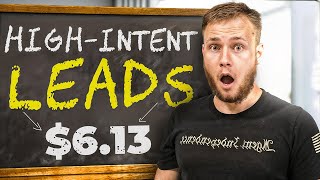
What's going on? Ladies and gents, in this video I'm going to show you step by step how to generate your own high intent mortgage protection leads on Facebook. For example, here's a campaign we're running right now. It's currently 9:21am on a Monday. And this agent that we're running ads for has already gotten three leads for an average cost of $3.75. Which if you paid for mortgage protection leads ever, I mean a Facebook lead is going to cost you at least $50 and a mailer is going to cost you 80, 90 bucks or sometimes even more. So this is by far the most profitable way to sell mortgage protection in 2024 and beyond. Here's just today. I'll show you guys the last seven days as well. So you know this is not just a one off situation. The last week he's got 54 leads, average cost of $6.13 spent $331. And last I checked, this agent has submitted $11,000 in annual premium. Right. Obviously with mortgage protection, the approval cycle is a little longer, so we'll see how much of that get approved. But he for $331 and spend submitting 11,000. There's clearly something working here. So I want to share this with you guys so that you can do the same for yourself. So with this tutorial, I'm going to walk you guys through how to launch the ads and how to make the creatives. I'm assuming you already have a Facebook page and an ad account. If you don't go watch a tutorial on YouTube that'll show you how to do that. Or I can link you guys to one in the description down below. But the first thing I want to do is really break down the fundamentals of Facebook and kind of show you guys like the creative and how this works. Right? So when it comes to Facebook ads, the most important part of all. Right, I'm gonna kind of explain this from like a higher level overview and then I'll show you guys step by step how to do it. Most important thing is your creative or the actual ad that people are seeing. Right? A lot of people think it's all about the targeting and the audience. You pick. And it used to be right. You're not wrong, you're just wrong now. Right. Hopefully that makes sense. And what happened is Facebook's AI has gotten so good that you can target someone simply with your ad. Right? And you guys will see that when I actually create the ad and how I target people Specifically with the ad, right? And again, people used to, you'd have to do all this, like, fancy stuff with the audiences. Now the only thing that matters is your ad, your ad itself, because Facebook is so good at targeting. So that's where we're going to spend 95% of our time. The only time we're going to spend in the ads manager is just when we're loading the ad to start running on Facebook. And there's a few things that you want to do there, which I'll show you guys how to do as well. So whenever you're running an ad, you want your ad to call out the audience. So, for example, let's think about who's buying mortgage protection. Well, the obvious first answer would be homeowners, right? Obviously, homeowners are buying mortgage protection. So let's take this. I'm going to grab a heading. And, guys, you can make these ads in Canva. This is what I'm using. It's just called Canva. It's super easy to use. So the first thing I'm gonna do is I'm just gonna type out homeowners.
Right? Now, obviously, I'm gonna change this font and make it look a little bit, you know, prettier because this just looks like a newspaper from the 1800s.
But, you know, I'm just using this, like, lotto font. There you go. That's super easy to read. If I'm a homeowner and I'm scrolling through Facebook, that's gonna catch my attention, right? Maybe I'll make it, like, yellow. I really like this, like, contrast of the yellow against the black. Feel like it stands out a lot. So here we go. Now, what's going to happen when I run this ad is Facebook is going to go out and find homeowners, because homeowners are obviously going to respond to this ad because, well, surprise, surprise, it says homeowners in big, bold yellow text up here. So I have my heading, right? And this is, like, kind of how I build out image ads that get these type of results. So I have homeowners now. I need to kind of have, like, a hook to catch their attention. So I'm going to say something like.
Bad news, right? Bad news is. I mean, look at. Look at the news headlines now. You guys will see bad news is better than good news, right? In terms of getting attention. Bad news. If your home doesn't have mortgage.
Protection.
You'Re taking a big risk.
Right? So this is just kind of like, obviously, the. The call out here is homeowners and now I have something that's going to kind of like hook them in, right? They're like, okay, what the hell is mortgage protection? And you know, if you wanted to, you can maybe even say, like, life insurance here instead of mortgage protection. Because most people, excuse me, most people don't know what mortgage protection is, but everyone knows what life insurance is, right? So we got homeowners, bad news. And then I'll maybe make this part.
Red, for example, here, right? Bad news if your home doesn't have mortgage protection. Or maybe I'll just make bad news red, bad news if your home doesn't have mortgage protection. You're taking a big risk. And now I can provide a little bit more context.
See, what do I want to say? I'm going to say something like, what would happen to your family if. Or we'll just say, how would you. How would your family pay the mortgage if you.
Passed away.
Or couldn't work, right? Pretty simple stuff here. And we're just gonna make this white and bold and make sure this font. I like to use, like the boldest fonts just because they really can catch attention, right? So how would your family pay the mortgage if you passed away or couldn't work? And I can obviously make this a little bit better as we go along. But, like, just so you guys know, like, you may be saying, like, hey, this ad has a ton of text on it. With mortgage protection, you usually need a little more context than final expense ads, just because not as many people understand how it works. So you want to build the need a little more. Whereas with final expense, a lot of times you just throw up like a photo. Like, people will just run a photo of a casket. You try to do the same thing for mortgage protection. Just rent a photo of a house. It wouldn't work. So usually with these type of campaigns, what you're going to see works better is like videos or ads with more text on them, right? Particularly with mortgage protection. Same thing with, like an IUL ad, for example, if you guys want me to do a video on Iuls, let me know as well. So how would your family pay the mortgage if you pass away or couldn't work? Now we're going to want to kind of like call out some of these benefits, right? With a mortgage, you know, I'm just free balling this here, right? With a mortgage protection. A mortgage protection policy will.
Will.
I'm going to do this lowercase mortgage protection policy will.
And then I could list out some benefits, right?
Boom, boom.
Pay off the mortgage in the event that you pass away. Right. Pay off the mortgage if you pass away. Right. And then I could just list out a bunch of benefits. Right. I'm not going to go through and like edit this whole ad, but I'll just show you guys kind of what the finished product look likes. Looks like. So here's an example of like an ad that we've run that has worked really well. You guys feel free to copy this. Homeowners, serious question. How would your family pay your mortgage if you died or couldn't work? There's a life insurance program that will pay off your mortgage if you pass away or get in a critical illness. Get a critical illness like cancer. Click Learn more to see if you qualify. Super simple text that explains exactly how it works. And this would be an example of an ad that we could run on Facebook to get high quality mortgage leads for a low cost. And basically I would just come in here and make different ads kind of like this to run on my campaign, right? So usually I'll have like three different variations that I'll launch with. There's another variation right here, right? You may be like, okay, this doesn't really call out homeowners. Why would this work? Well, the reason why this is like a, this is an example of like, this is an ad that I've seen work for other industries. And so basically like, you guys have all seen this like sensitive content thing. Thing. Or it pops up and it's like, oh, you know, sensitive contents, you can't see what it is. And then you, you click on it, right? Which is what we're trying to do with this ad. So we're trying to get them to click. So it just is, it's eye catching. That's basically the extent of this. And then it provides context and then has something for them to tap. So these would be like two examples of good ads for mortgage protection. You know, you could make different variations of this. You could try this with, you know, blue background or a white background or whatever. There's a million things you can do, right? This is another example. You can just tweak this. But again, you want to spend most of your time doing the creative. And the psychology behind this is again calling out your avatar, building the need, catching attention. You don't have to explain mortgage protection in depth. You don't want to speak like a insurance person. Like, everyone knows what a critical illness, like cancer is. I'm not saying critical product, critical illness, writer, blah, blah, blah, blah. Like you don't need to go super Insurancey, you just want to explain it on a third grade level and that's essentially how you create the ads. So that's it for creating the ads. Let me show you guys how to upload this to Facebook and how to select the ages and do all the targeting and that stuff. Okay, so now that you're in your ad account, you're going to go over here to this left hand side under campaign and we're going to click create, we're going to select leads, we're going to hit continue and we're going to do a manual leads campaign. I'm going to hit continue again. Don't do tailored leads. Just takes away a lot of your control. So I'll just name this something like mortgage protection campaign. Right? You don't ever think that by any means. No special ad categories. Going to leave this. I'm going to turn campaign budget on and I'm going to set my daily budget and this is totally up to you. I'm going to do like 50, for example, just to start off with. I recommend starting either like 40, 50 or 80. Those are pretty good places to start and you can always increase as you want. I'll leave all this on. Make sure you have your ads running all the time. Don't tweak any of this, don't change it, don't mess with it, just leave it as is. Then we're going to hit continue. I like using instant forms because they are much easier to configure and you get a lot more data, a lot more cheaply than trying to do like a landing page where oftentimes you can get wrong phone numbers and you got to set up the pixel and then you have to basically have accurate tracking from Facebook. If you're watching, if you're watching this and you're like, what the hell are you talking about? Trust me, just stick with instant forms, right? So we're just going to call this something like main ad set.
I selected instant forms obviously. Select your Facebook page, whatever page you're using, whichever one you created. I mean you can just call it something like mortgage protection program or American Mortgage Protection or you know, life insurance for homeowners. There's any number of things. I mean, just ask ChatGPT. Help me create a Facebook page for a life insurance company advertising to homeowners. I guarantee you have more ideas than you could possibly need. Facebook page is super simple to do. It's just clicking buttons. I'm not going to go into that in this video performance goal, we always going to Maximize number of leads and scroll down. Leave Dynamic creative off budget and schedule. I'm always going to schedule this for the following day, right? So today's the 2nd. I'm scheduling this for tomorrow at 12am don't set an end date. Leave this as is. The way you select your states is we're going to go into locations. Click Edit here. If I'm going too fast, pause the video and you can obviously go back and rewatch different parts. I'm going too slow. You can watch the video faster. You're just going to select your state. So for example, let's say I'm running ads in Texas.
California.
Right? You're just typing in the states and including them. And that's. It's that simple. Right? Or if I'm doing like a local campaign, which, I mean, tell sales is the way to go. So if you're still doing face to face, switch to telescopes. But if you are doing face to face, this is how you would do it. Let's say I'm in Phoenix, for example, so I could type in Phoenix.
Arizona.
Phoenix, Arizona.
And then it's going to basically drop this pin here. It's going to do a radius around whatever city you select. If you do state, it just does the whole state. If you do a city, it's a radius. So it's going to be 25 miles. I can go all the way up to 50 miles. I mean, if you know how big Phoenix is, like, you would not want to do that. Or I could go as low as, you know, 10 miles, for example, and just be in like a, a small location. Or what you can also do is you can drop a pen. So like let's say I was selling in Buckeye, for example. Now I'm only going to be running in this area, right? And you want to make sure that your audience is large enough. So be careful with like doing this and going too small. But that's basically how you would select for a local campaign. So we're just going to say North Carolina. It's the state that I'm in currently. Right. Pretty simple. We would just be running in this whole state. And that's essentially location targeting is super simple. You just type in the location you're going to target. We're going to leave this? Actually, no, we're going to click switch to original audience options, click use original audience. And then this is where we're actually going to be able to select our ages. So a little bit of, a little bit of nuance when it comes to ages. Here is, with ages, it really depends on what you want to do. So what I've found is a lot of mortgage protection policies are equity protection policies, which actually tend to be like really, really good clients. Because overall, as a role in general, people that are older care more about life insurance because they're closer to death and they like, know it mentally, so they're, they're going to value it more. The downside is you can't pay off the whole mortgage with equity protection. I'm assuming if you're watching this, you know something about mortgage protection. But if not, here's a brief explainer. Normal mortgage protection policies is going to be like, sometimes you could do an iul, but it's usually going to be like a term policy, 30 year, whatever the term of their mortgage is, or like a equity protection policy, which is basically, it's literally just a final expense, whole life policy, but the amount is to pay off the mortgage instead of to pay for a funeral. And so usually when it doesn't pay off the mortgage, equity protection pays the mortgage for a period of time. So let's say their mortgage is like $2,000 a month. If you get them a $10,000 policy, you're getting them five months of mortgage payments so that whoever is the surviving spouse has time to sell the house, move out, rent it, whatever, so you're buying them time. It's a very valuable product, right, for the people that need it. You just have to have a little more nuance to be able to sell it. So I say all that to say if you only want to do like the term mortgage protection policies, you're probably going to want to cap out at like 50 or like 55, to be honest with you. But if you're comfortable doing equity protection, which again, that is a very profitable endeavor. And those people tend to keep their policies honestly more than younger people oftentimes. So if you're comfortable doing the equity protection game, you can do 64 or 65 plus.
Totally up to you, test it, see what works better for you. If you can't figure out how to sell equity protection, just do like 18 to 50 or even like 20 to 50. It's a good range. Right? Totally up to you, though. So we'll just leave it as 20 to 50 just for this example. But again, oftentimes I'll do like 20 to 65 plus and just let it ride. Because a lot of these people, the older people usually have more money and so they'll throw 3, 400 bucks at an equity protection Plan to buy time on the mortgage payments. Happens all the time. So yeah, that's age placements. Just leave this as is. Don't mess with it. And then we're gonna hit next. Now this is where we actually create our ad itself. So we'll just name this, you know, ad number one. For example.
Just select your Facebook page here. Instagram account. Instagram is gonna be big if you're doing mortgage protection as well because not everyone's gonna be on Facebook. We're gonna have create ad, turn off multi advertiser ads, single image or video. Then we're gonna scroll down here, click remove all and then we're gonna upload our image that we just created in Canva. So I have mine downloaded here. I'll just click add media, add image. And then I should go to just drag and drop this actually. Yep, perfect. So I got that. I'm hit next. Leave it on as original. Original. Just leave this all normal. Hit next. Don't worry about any of this. Just leave it on Next. Done. Beautiful. So now we got our ad here. Looks very eye catching and attractive. Now we're going to go down here to the primary text. So this is, this is basically your ad copy. It's definitely important but like your image or your video. Again, videos work really, really well for mortgage protection. This is something we do for our clients is like we spend, you know, a few thousand dollars a month just creating different creatives and assets and videos and different things and then we run them on our clients accounts, the best performing ones. So if you guys want to learn more about like just having us do all of this for you so you don't have to go through and make creatives all the time and you can just focus on sales. You can learn more about that in the link down below. In the description there's a link to, you know, basically schedule a demo and see how that program works. We basically just run all of the ads for you so you just focus on selling. That's essentially how it works. But yeah, video also works really well. That's something we do specifically for our clients. Anyway, I sell that to say the text, like primary text which is just your ad copy is important, but video and image way more important. So primary text, I'll just say, you know, attention homeowners.
There. I'll kind of just use the same thing that we're saying in the, in the image. If your home doesn't have a mortgage protection policy.
You'Re taking a big risk.
If you pass away or get sick and can't work. How would your family pay for your mortgage?
I'll just say, luckily there's a new.
Mortgage protection. I'm just writing this really quick mortgage protection program.
That will pay your mortgage.
If you pass away.
Or get a critical illness like cancer.
Click Learn more.
To see if you qualify.
And I mean, that's an ad copy. I could take this copy it come in here into chat GPT and then like go here, say, bake this ad copy. More engaging and persuasive.
Right. And then I could use this for example. Generally what we do whenever we write ad copy is we'll do like market research on the specific like avatar we're targeting and really get like deeper into the pain points when we do it for like our clients and stuff. But for this example, I'm just doing something really quick and simple just to kind of show you guys overall how this works. So ad copy, you can use ChatGPT, different variations, whatever. Then we're going to scroll down. I don't usually do any of this. I like to know which ad copy and which headline is working best. And then I could say headline here.
Protect your home with mortgage protection. Right? This is a pretty shitty headline to be honest with you. But you're gonna put in whatever your headline is here. Generally the formula for writing good headlines is you want it to be like anywhere from five to seven words and you want it to be get something they want without something they don't want or just get something they want. Right. So I could say.
Don'T lose your home. Get.
Mortgage.
Protection, for example.
Right. And that could be a headline description. I usually leave this blank. Call to action. I always do. Learn more. And then we're going to scroll down and we're basically going to create an instant form. So I'm going to show you guys really quickly how this works. So we're going to click create a form, come in here. You just name this, you know, mortgage protection form. I always do more volume intro. I leave this blank. I don't do any intro and then questions. Right? I'm going to do one multiple choice and one fill in the blank. So multiple choice could be like, you know, how much do you owe on your mortgage? Or do you already have life insurance? Or what is this policy meant to cover? There's a million directions you could go with the multiple choice question. What we typically do is we'll typically do something like, you know, why are you looking for mortgage protection? Or why are you looking for life insurance? You could also do again like A good example would be.
How much. Well, that might get flagged by Facebook. But you, I mean you could say how much is your home worth? Right. And then you could give different ranges.
$0 to. All right, we can even just say like, are you a homeowner?
Obviously this is going to be a pretty, pretty big thing for us. So we can say, yes, I am a homeowner. Homeowner. Yes, I am a homeowner. No.
I do not own a home.
Boom.
So now we got a multiple choice question. I mean the idea with this is we're really just looking for like extra info or disqualifying someone. And then we're going to add another question. Short answer. I always like to do beneficiary because I'll use it in the script. Right.
If you qualify, who would be your beneficiary?
Question. Right. So now I have one.
One short answer and then one fill in the blank. So if I'm going through this, I'm going to answer first.
A multiple choice question, which is super easy. And then I also have to type something in. So it's going to give us higher intent leads description. You just leave this as is. Please answer the below questions. I'll usually do email, first name, last name.
Phone number. Obviously we need state.
And then date of birth. So first name, last name, email, phone number, first name, last name, email, phone number, state, date of birth and I believe that should be it. Marital status would be a good one to ask too, just because if they're married, you want to make sure you have both people on. But I usually don't ask this one because you can just ask that on a separate form. Privacy policy. You're just going to post your privacy policy here and then message for leads. I will always say something because we want them to do a next step. Our goal here is to get pre booked appointments. Right? That's the ultimate goal. So I'm going to say wait, there's one more step.
Click.
Qualify now to see which mortgage protection.
Program.
You qualify for.
And then basically what I'm going to do is I'll have a website down here. This is something we do for all of our clients is we basically have a funnel which is a survey that asks them more qualifying questions so we can get more information on the person. And then once they complete that survey, then we send them to be able to book an appointment directly on your calendar. So you're going to get pre booked appointments when you set it up this way, if you don't have like a survey to Ask more questions. You can just send them to your calendar. That's totally fine. What I've usually found though is the downside with that is usually get more like non qualified people booking and you have a higher no show rate. But if you send them through a survey first, which we can obviously help you with, if you want link below in the description, then you ask them more questions and then they go to the calendar. So that's how I usually structure it. But you're just going to include a link. Can be your calendar. Calendar we usually use go high level. Um, but yeah, that's essentially how that works. And then for the button we're just going to say qualify now because that's what we said in our description here. Qualify now. And then I would just click Create form and it would create my form. Obviously I would post the link here and everything like that. I'm not actually going to create this because I'm not launching this ad. This is just for demonstration purposes. Feel free to rewatch or go through anything here.
To if you like miss anything. As I was going through this. Right.
Okay, perfect. So this is all good here. We would basically click Publish. And then what I usually do is I'm going to create three different versions of my ad, right? So as you guys saw here, we had like this version, then I was creating a first version. We always want to launch three ads. So I'm going to create three variations of my ad. This is one variation. Here's another variation. I could just change this text here and that could be a third variation. So you're gonna launch three variations of your ad on the campaign and then you would just duplicate this ad. So I'm just gonna go here and click duplicate. And then I would just create two copies duplicate because I don't, I don't have to do all of the work that I just did over again. So first ad, you, you know, I could come in here and then I'll rename this ad number two. And then I would just delete this and then upload my second image. Right. And then same thing down here, I would call this ad number three. And then I would delete this and upload my third image and then I could click Publish. And ladies and gentlemen, that is essentially it. That is how you run ads for mortgage protection and generate really, really high intent and low cost leads. If you guys want more help with this, you can click the link down below. Apply to work with us and we can do all this for you. Run the ads, generate the leads and provide you with forms so that you can get pre booked appointments on your calendar. If you want to learn more about more about that, link below in the description. If you found this video helpful, hit the like button, hit the subscribe and I'll see you guys soon. Take care.