How To Generate Qualified Annuity Leads Step By Step
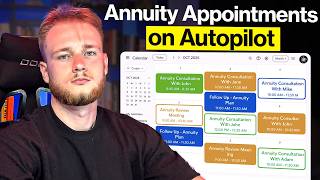
A step-by-step tutorial (YouTube transcript) showing how to create Facebook lead ads to generate qualified annuity leads. The presenter explains shifts in social-platform targeting, demonstrates ad creative examples (video scripts aimed at older audiences), and provides a walkthrough of Facebook Ads Manager settings including campaign type, special ad category (financial products), conversion locations (instant form vs website), budget, SMS verification, form questions, and calendar linking.
Chapters
Ladies and gentlemen, in this video I'm going to show you step by step how you can generate your own highly qualified annuity leads all over Facebook. So in this video we're going to be breaking down how to create the ad, how to launch it on Facebook and then ultimately how to get qualified leads booking on your calendar consistently. So let's dive in. Alright, so let's just start this off and I'm going to kind of explain something to you guys and that's that the way that Facebook and these other social medias work, their algorithms have fundamentally changed in the last few years, which is, you know, ultimately one of the reasons I'm making this updated video made many of these in the past. But what's really changed is that in the past you used to go out and you could do targeting.
And you could select like, hey, I only want to target people within this age range way, way back. You could even target based off of income and I believe even assets as well.
And then there was a lot of stuff as well where you're doing what's called interest based targeting. But really what's changed now is now all of the targeting is actually done in the ad itself, right? So for example, if I launch an ad and the ad is, you know, let's say the ad says.
Seniors.
Looking to protect.
Retirement savings, right?
What's going to happen is they're going to show this ad to people and you know, you're probably, let's say they show the ad to three different people. Let's say the first person, Person A, if you will, is a 25 year old.
Who doesn't have retirement savings, then they're gonna show it to, let's say they show it to like a.
60 year old who has retirement savings. And then lastly let's say they show it to a 60 year old.
No savings. All right.
Well obviously this person here is going to have the most positive reaction to it, right? So the 60 year old that has retirement savings, well they might stop in, look at the ad for a longer time. So they look at the ad longer.
Then they might also click on the ad.
And you know, basically like interact with it in different ways. So then what's going to happen is the next time that ad goes out, it's going to show it to more people like the ones who reacted. So you're going to get 60 year old.
With retirement savings.
60 year old.
With retirement savings.
And same thing here, right? So it's essentially like it's gonna, it's starting to learn and Realize who is most likely to respond, and then it's gonna start to go after those people more and more, which is why the ad itself is actually the most important part of this whole process. So I wanted to explain that, lay that foundation for you guys before I kind of dive in and show you guys how we actually create the ads. I'll show you some examples of the ads that we've actually used, break down why those work, and kind of explain that whole process now. All right, so let's just look at a couple of examples of ads here, and I'll kind of break down and explain why these. Why these work, and then I can walk you through how you could create your own.
If your 401k is dropping in value, you need to hear this. The famous hedge fund manager that earned over 4,000%.
Okay, so you see here, like, in the first few seconds, we're saying if your 401k is dropping in value, well, that assumes two things. One, you have a 401k and you're near enough to retirement to really care about that. Right.
Famous hedge fund manager that earned over 4,000% in the last market crash is predicting the market will drop 80% very soon, meaning you could lose 30, 40, even 50% of your savings. This will leave you with two choices. One, sell at the worst possible time for pennies on the dollar, or two, delay your retirement by 10 to 15 years. That's why families are moving money out of 401ks and into a safer retirement account called an annuity. Annuities guarantee a steady paycheck for life, no matter what happens in the market. If you have $150,000 or more saved for retirement and want to protect it.
See, and then we're also saying if you have over $150,000. So we're kind of like setting a floor, so to speak. Okay, so that's an example of one. If you've been told by your advisor to stay away from duties, they probably.
Didn'T give you the whole truth.
If so, here we're speaking to people that have already heard about annuities. They've just been told to stay away from them, right? I'm not going to go through and play the whole ad because I also want to make sure that we can get to the actual setup, what it looks like in Facebook. I'll show you one more. Terrified of running out of money before you die, avoiding annuities might be your biggest mistake. If you've been told to stay away from annuities, you probably didn't hear the full story. Right. So we're kind of going after that like, hey, if you're scared of running out of money when you retire, you should definitely consider and take a second look at at annuities. So essentially what we do is we have a whole team within our company that goes and does research on these different things. They look at what are people saying online, what are the questions they're asking about annuities. And then we have professional copywriters that go and actually turn these into scripts which we then send to actors. So what I found is videos perform the best, like video ads. And so this is essentially kind of what we use is like these video ads here. And.
That'S essentially kind of the whole process. So we take one sec, let me actually map this out for you guys so you can see it. So we go online, we do research.
We then turn those into scripts within, send those to actors.
And then we send those to our editing team.
And then we get the final product which is the ad. Okay, so this is not going to be a full tutorial on how to create these video ads. If you want to learn more about actually using and licensing our video ads to help you get qualified annuity leads, there's going to be a link down below in the description. But what I'm really going to show you guys is how to actually set this up in the campaign inside of Facebook so that you can launch and generate these leads. So let's dive into that. Alright, so the first thing you're gonna do is come into your Facebook ads manager. You're gonna click on this button that says create right here. We're gonna select leads as the event click continue. You're gonna select manual leads, campaign hit continue. And then realistically we can name this whatever we want. I'm just gonna call it Annuity lead generation. All right, now it's going to give us a couple different things we can do. We can do campaign budget or we can do ad set budget. I'm just going to leave it as ad set budget. And I'm going to turn off this thing that says budget sharing. All right, so one thing that Facebook changed is in the last year they added this thing called special ad categories. So if something is around a financial product, you have to declare it that it's about financial products. So I'm going to click Financial products and services countries is going to be United States. And then I will hit next under the ad set. I'm just going to call this we'll give it A second to load. We're going to call it Annuity Legion.
Broad.
Under conversion locations, you have a few different options. You can do instant forms or you can do it through a website. All right, what I've found is that the website is actually going to get you higher quality leads because they have to go through an entire process. They got to go off of Facebook, fill out a whole form, do a whole thing to become a lead. So website is going to get you higher quality leads for sure, bar none. But instant forms can also get you really good leads. As long as your ads are good, it's just typically a little bit less. Instant forms can also get you high quality leads. It's just typically this is where, like there's instances where when people run instant forms the wrong way, they do get very low quality leads. Your costs are going to be lower with instant form, but if you want quality and more appointments, I would. I would do the website for sure. All right, so we're going to select website here. Performance goal, we're gonna do maximize number of conversions. And then.
Okay, actually, tell you what, so for this video, I'm gonna do an instant form because if you do the website, you got to set up a whole pixel. And it's honestly just going to make this more complicated than I think it needs to be. For the majority of the people that are watching this. If you want to set up a conversion, like a landing page with a conversion, just click the link down below and speak with someone from our team and we can kind of help you do this. But to be honest.
Doing the pixel and everything else, I think that's just going to make this more complicated than it needs to be. So for the sake of this video, I'm going to do an instant form. And if you use the right type of ad, you'll still get quality leads. So instant forms, we'll just leave that Facebook page. We're going to set up, maximize number of leads. And then for the daily budget, I'm just going to start this one at a hundred dollars a day. I wouldn't recommend going lower than that. Especially for annuity leads, that's going to be a good place to start. So we're going to schedule it to start tomorrow at 12am.
So we always want to start the ads at midnight the following day because otherwise it's going to try to spend all of your budget very, very quickly. Okay, so then on the audiences, unfortunately, we cannot adjust the audience.
We can leave. We're going to leave all that the same. All right. We're going to go next and now this is where we're actually going to go and create the ad itself. So I'm just going to call this ad number one. I'm going to go ahead and upload the ad here and then I'll show you guys all the settings that you want to do.
All right, perfect. So as you can see, I went ahead and uploaded the ad. We don't need to worry about that because we're not actually going to launch it. In general, you would want to have a Facebook page and an Instagram account connected. I'm not going to do that in this particular video, but we've uploaded the ad. We're going to leave all of this here. You can also see I added the ad copy and a couple different headlines as well. So there's a couple settings that are very important. All right, we want to turn on require SMS verification to submit the form. This is going to completely and entirely eliminate fake numbers from coming in. If you require them to do an SMS verification, there's. It's literally impossible for them to put in a fake number. So we're going to select that and I'm going to show you how to. We're going to create the instant form. So we're going to go instant form, create form.
Make sure your questions are information are inclusive. So we're going to hit. Continue.
We're going to do annuity form.
We're going to do higher intent require leads to verify their number with a one time passcode.
Then we're going to go into.
Intro here. We're going to say.
See if an annuity is right.
For you.
And.
I'm just going to say see if an annuity is a good fit for your retirement plan. Then I'm going to add here because I want to.
I want to make it clear that we want to speak specifically to people over the age of 55. And then I'm just going to say note, annuities are best for people over the age of 55. So I'm not discriminating against people under the age of 55. I'm just saying it's best for people over the age of 55. What you also realize for annuities generally you're going to get people that are in retirement or older. Anyway, so for the questions.
We want to have email, name, phone number and then we can also ask for their state here. So I'm going to add state.
In addition to. And then under the optional questions, what I'm going to ask them to say is I'm going to have a multiple choice. I'm going to say, please estimate.
Please estimate the value of your retirement portfolio. All right, then here I'm going to say less.
Than 250k.
Here I'm going to say 250k to 500k.
And then I'm going to do $500,000, 500K to 1 million.
1 million.
To 2 million.
And then I'll do.
2 million plus. Usually I'll do 2 to 5 and then 5 plus, but I just want it to be a little bit shorter here. So then I got the contact, email, full name, phone number, state. I could also say, are you currently retired?
No, I'm still working.
There.
Yes, I'm retired. There we go.
So you can kind of see what it would look like as you're filling this out. Please estimate the value of your retirement plan. Are you currently retired?
Yes.
Boom. Contact info.
Patient. Below we can connect you with an.
Annuity specialist. All right, so as you can see, we filled out everything there.
We're going to go to privacy policy here. You'll, you'll paste in your privacy policy. You can have Chat GBT write you a privacy policy. I'm just going to put in a URL here to fill in the space. Then the review screen. Oh, yeah, also for the custom disclaimer, make sure that you add in.
Yeah, you're, here's where you're, you're gonna add in like the agreement where they agreed to be contacted by you. So again, you can just have chat GPT create this for you in like 2 seconds. Write me a quick custom disclaimer to add on to my Facebook submission form to make sure that when people fill out my form that they are opting in to be texted, called emailed etc, by me.
All right, perfect. We got our custom disclaimer right there. And then on the ending screen. This is where you got to do a little bit of ninja stuff. All right, so here you want to go. Wait.
There'S one more step.
Click.
Schedule Consultation.
Below to claim a free annuity.
Annuity consultation.
On the call.
We will review.
Your situation and.
Let you know if an annuity is right for you. Right now you can frame this a couple different ways. One that I've seen work really well is like we'll, we'll illustrate how much guaranteed retirement income you could potentially qualify for. So there's different ways you can do it. This is just what I'm doing on this one. And then here you would link your calendar right here, right and then we would just change this to say schedule consultation.
And boom, that's pretty much it. If you link your calendar right there, we'd hit create form again. I'm just going to put in a random link here so it'll allow us to submit it. We're going to do create form.
And then you would essentially publish this form.
And then we would just, we would just upload the other ads, all three of the ads and launch, launch it tomorrow. So ladies and gentlemen, that is step by step how to generate annuity leads on Facebook and quality qualified annuity leads. We can do a lot more ninja stuff when we send them to the website like disqualifying people based off of age, income, assets, different things like that. So if you guys want a more in depth video of the more advanced stuff, let me know. Or if you just want to hire our team to do all this for you, click the link down below and hopefully you enjoyed this video. I will see you guys all soon. Take care.