How To Generate Term Leads For As Little As $1.68
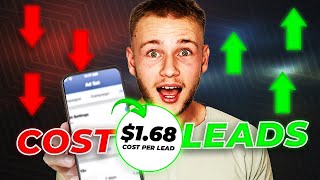
A walkthrough of building a Facebook lead campaign for term life insurance, from Canva creatives to ChatGPT copy to instant forms. The presenter targets entrepreneurs to hit $1.68 cost-per-lead and shows how to integrate the leads into a CRM.
Chapters
I'm about to show you how to generate your very own term life insurance leads on Facebook so that you can kick your lead vendors to the curb and start increasing your profit margins in your business. If you watch this video and implement what I teach you, you could be running your very own ads and generate leads as soon as tomorrow. So without any further ado, let's go ahead and get started. So if you guys have ever watched any of our other trainings on term leads, basically what we like to do is instead of trying to sell term insurance to everybody, because the age range is so broad, we pick a specific niche. Right? So instead of trying to sell insur insurance to everyone, we sell insurance to nurses or truck drivers. Right. Those are the two most common examples that I use. So what I have here is a wheel of niches. This is the wheel of niches right here. We are going to spin it to find out which example we are going to do. So any further ado, let's see what other ads we're going to be creating. Is it dentist, Nurses? All right. Yes, sir. My favorite one, Entrepreneurs. So let's go ahead and we're gonna create an ad for entrepreneurs. So the first thing that I'm going to do is I'm gonna go into an app called Canva and I'm gonna create my ad. Now in this tutorial, I'm gonna be showing you guys how to create photo ads. These were great on Facebook, but my personal recommendation is doing video ads, which we have a ton of training in. In our free course, Insurance Agent Freedom. We also offer a setup program where we create term ads with you in them. So that when people hop on the phone, they automatically are ready to talk to you and ready to buy. Let's make this ad. First thing I'm going to do is grab this a square over here. So I'm going to go to elements, lines and shapes and grab a square. I'm going to outline my photo. Okay. And so what this is doing is I'm basically creating the space where I'm going to put my text and then in the middle is going to be a photo. Alright. And then what I'll do is I'm going to find a picture of an entrepreneur. So I could look up entrepreneur, look up business owner. I'm basically trying to find like a relatable image. It's also very eye catching. I'm not a huge fan of these either. I mean, these just kind of look pretty lame. These are really lame. We'll keep looking because I want to find something that's eye catching. Right? Like, for example, this photo right here. Like, sure, he's an entrepreneur, but, like, that photo sucks, so I'm not doing that. And basically, I mean, you can kind of just scroll through here and look for something that's solid. And once you find something that's solid, something that catches your eye, then that's what you want to go with. And, like, if we can make it, like, kind of funny or engaging, even the better. There we go. Because every entrepreneur wants to be rich and be on a private jet, right? They want to be their own boss. I'm going to make this. Actually, I'm going to leave that as is for now, and I'm going to grab. I'm going to go to text, add a heading. I'm going to make this bold. I'm going to change the font to Montserrat extra bold. Are you a entrepreneur? Because let's be real, guys, no entrepreneur calls himself a business owner. They call themselves an entrepreneur. Like, no one says, like, oh, yeah, I'm a business owner. No, you own a business and you're an entrepreneur. No matter what niche you use, you want to speak their language. So make sure you actually know what they call themselves. So what I'm going to do is I'm going to go to spacing right here. Trying to do here is just kind of make this look a little bit more attractive, look more appealing, and so I can drag this, like, so I might actually make this a little bigger and then I'll drag this shape down so that it fits in. So I want to make sure that this text is, like, bold and, like, that's the first thing their eyes are drawn to. So are you an entrepreneur? And again, guys, like, I mean, I'm just making this on the fly here, about a question mark there. This definitely would catch your attention, but this is some little, you know, secret sauce. This is my secret sauce right here. I'll go to effects, go to lift, and then I'll add a little bit in the background. Do you guys see the difference between this and this? How much more it pops? So are you an entrepreneur? And then what I can do is I'm going to drag this dude a little bit further over. I could do something like that. Yeah. Are you an entrepreneur? Actually, tell you what, here's what I'm going to do. Instead of saying, are you an entrepreneur? I'll say life insurance for entrepreneurs. Perfect. Now, with term life insurance, what I always like to do is I'll talk about the prices Right. Because the cool thing about term is you can get a lot of coverage for a small amount of money. So I always like to add, like, almost like a little teaser trailer of what it's going to cost where I'll do that. I'm just going to add this.
Click. Learn more. Okay. And so you guys are probably seeing this, thinking, like, hey, you know, this is a super simple ad. This looks like it's really easy to make. And like, yeah, that's the point. It doesn't have to be crazy complicated because as you guys can see, this is super easy to read. Like, my eyes are immediately drawn to all life insurance for entrepreneurs. And I can even, like, I could even underline entrepreneurs. If I wanted to make it pop a little bit more, I could make it a different color. Right. You can play around with these different things just to make it pop more. So, for example, I can make it red. Grandma looks absolutely terrible. So I'm just going to kind of leave it as is, but play around with it. See what looks good. Make sure that whatever you're using is eye catching. Now I'm going to go to my quote. So I'm going to go back to elements. I'm going to go all. And I'm going to grab this circle with rounded corners, and I'm basically going to just have the prices here. So I'm going to go and make this the same gold color that I have up top. And then I'm going to go where you see these, like, squares that are kind of like fading off. This is your transparency. I'm going to make it less transparent so you can still see the image. And this is where all of my quotes are going to go. So now I'm going to copy this text just because I want to keep the same font. And I'll go. Let's say I'm going 250,000. And again, like, make sure whatever numbers you're putting here are actually based on something. So I'm just going to put random numbers, kind of just like ballpark, but run some quotes. Like, pull up one of your lower carriers and run some quotes. So, for example, you get 250,000. 3112. 250 for 3112. I can copy that, paste it here, and I can say 500,000. And this would probably be a little bit under 60. So we'll say like 56, 87. Right? Copy this again, paste it. And now we're going to go for a milli million coverage. Right? And then this would probably Be closer to like 190. We'll say like 95, 43. Right. And obviously like guys, I'm just making up these numbers. Make sure you don't make up the numbers. Like that's stupid. I'm not actually going to run this, but run some quotes on your carriers. You want to make sure this is something you could actually offer because like if they call up, obviously like not everyone's going to qualify for this. But if like, if they're healthy, they're young, like, hey, they're kind of expecting this rate. So make sure that this is something that somebody could actually get. Don't just like make the numbers up. I've seen people do that and like I wouldn't do that. Definitely don't recommend it. So we have all these numbers here and then we can add a button or qualify now, something like that. Right. We'll just kind of play around with it. Coverage now can be a little small. Let's see how that looks. If we make it bigger, that doesn't look bad. Drag it out, make it a little bigger and I can just kind of, I can either make this smaller or what I'm going to do in this case is I'm actually just going to add in a little bit of text here. Copy this again. I want to keep the font consistent just so it looks like clean. And then I might change the color of this just so it kind of stands out a little bit more yellow. Yeah, that looks decent. So there we go. This is kind of a first draft of our ad. You guys can play around with this. You can use like the basic framework that I just made and I'm going to copy a template link and paste it to this document right here and you guys can go in and edit it. You know, make it your own actual rates for your carriers that you're doing. Don't just use the made up numbers that I gave you. But yeah, you guys have a base to go off of here. And I'm also going to download this so that I can upload, upload it. When we go into uploading it into Facebook, first thing we did is we made our ad creative. Next thing we're going to do is go and get our ad copy and our headline. Then we're going to talk about actually uploading it into Facebook. Go through the targeting and then all of that mess over there. So just downloading this photo, let's go in to chat GPT and start writing our ad copy. So if you guys haven't heard of chat GPT this is a free, at least for right now, AI language app that basically will write anything for you. All you have to do is type it in. What I can do is I can say write me a short but sweet Facebook ad copy to sell life insurance to entrepreneurs. ChatGPT is great, but you have to ask the right questions. When I'm doing this, I'm thinking about, hey, like as a business owner, what is attractive about life insurance, right? Well, for one, living benefits. So if something happens to me, I can still pay my bills. If I can't run my business business. Two, something happens to me and my family is going to inherit my business while it's in probate and while it's going through all the bullshit with the government, they have money to fund everything and live off of. And three, business owners are very like, they want to get ahead financially. They're not really going to be your type of people that need like the final expense or like, hey, make sure your family's not in debt. Usually that's not going to be a problem. It is sometimes, but not usually. And so I want to focus on like advantages and like life insurance is like a secret of the rich. So I'm going to say focus on how it can help them if they get injured and can't run their business. I'll actually want to focus, I'll say include how it can help them. Include how it's a secret that the rich use to pass on generational wealth and how it can help their family while their assets are in probate. Make it fun to read and interesting. So now let's see what it comes up with with. This is solid, guys. So it says, attention entrepreneurs, protect your legacy with life insurance. It's a secret weapon the rich use to pass on generational wealth. But did you know life insurance can save your business if you're unable to run it due to injury, Imagine peace of mind knowing your family will be taken care of even if your assets are tied up in probate. It's exactly what I just asked it to do. It's pretty wild. So this is solid. I also actually tell you what, I'll just, I'll run with what it gave me and then I'll kind of add my own spice to it. At least right now I never really like just take directly from what Chad GPT gives me. Always kind of like run with it and then do my own thing. As you can see, this is not like a super strong call to action. So I'll say click, learn more. You get up to 1 million coverage for as little as the price of a coffee per day. And there's our ad copy. Now I'm going to go for my headline. Write me five. You can ask for as many, like, different variations as you want and then kind of just pick and choose what you like. So I'll say write me 10 variations of headlines for the same Facebook ad. And these are solid right here. So I'm gonna steal this one right here. I'm not even gonna look at what else they got. This one's really solid. The secret wealth building tool of successful entrepreneurs. I love that. So I'm gonna go headline. And again, if you guys are confused as to why I'm like pasting this into this doc. Well, the answer is so that you can use this stuff. Test these ads on your own account and let me know how it does. Comment down below once you guys use them, the cost per lead that you're getting. So now that we ad creative our ad copy in our headline, let's go ahead and upload this into Facebook. And this video that I'm showing you guys, I'm not going to cover how to create a Facebook page, create a business manager, all of that. I'm assuming that you've already done that. Okay, now if you haven't, there's a video. I'm going to include the card up right somewhere there and basically just watch that. Watch the first bit of the video where I show you how to set up the page and then come back to this one and watch what we're doing here. So let's go ahead and upload this and create this. Create this campaign. So we'll go to campaigns. We'll go to create under campaigns. Make sure that you're already on campaigns. We're going to click leads. Continue. All right, now for the campaign name, I'm just going to call it term Leads Entrepreneurs. So we'll hit next. Here's the strategy. And there'll be a little graphic here kind of explaining it so you guys can get a visual. You want two ad sets under your campaign to start off with $20 per ad set. Each ad set is testing a different audience and you'll that'll make a little bit more sen in just a second year ad set number one, we're going to do something I call no targeting. Okay? Now no targeting means that there is no interest that I'm targeting. Now interests are, you know, something you can target on Facebook. That'll make a lot more sense when I set up the second ad set. So for the first ad set I'm doing no targeting. Whenever I start off, I always want to test no targeting versus one interest. And as I'm scaling I can test more and more audiences. The first one is going to be no targeting. 18 to 50. Obviously do whatever age ranges your product runs and then I'll just do the entire US obviously do whatever states you're actually going to target and select instant forms. Pick your page, leave all this blank and then for daily budget, start with 20. The start date is going to be the next day. Whatever tomorrow is for you. I don't know when you're watching this in the future, but whatever tomorrow is, always set it at tomorrow at 12am Reason why if I set it for today or if it set it for now, let's say it takes them an hour to approve it. By the time they approve it, they're going to start spending my entire budget and I don't want that. I'll leave all this blank for the targeting. You can just select your state. So let's say you're doing North Carolina, air Arizona, whatever. You're doing a local area, you can just type that in New York City. I could do 25 mile radius, I could do 10 mile radius, I could do 50 mile radius, which is a lot of people. I can do whatever I want here you can adjust that. I could do 50 mile radius but excluding New Jersey. If I'm was only in New York I can kind of play around with this and do whatever I want here. 50 mile radius but no New Jersey. That's kind of how the location targeting works. But in this example I'm not going to do any of that. I'm just going to do the entire United States. And then for the age you can just adjust that. We go 18 to 50 in this example. Whatever your term product goes up to, that's what you want to set it. I always turn advantage detailed targeting off and then I leave genders blank. Always have advantage placements, never do manual placements. Then hit next we're going to go to our ad. Let's upload our ad. So we'll click delete here. Add media, add image. All right, so here we are, we got our thing uploaded, our ad. I'm going to upload it here, wait for it to process. I'm going to select my ad. I'm going to hit next. Next. Done. I don't usually mess with any of this, the placements or enhancements, none of that. So I'm going to call this ad One copy, one headline, one. Then we'll go down here. I'm going to go back to my document where I got all my ad copy. I'm going to copy my copy and paste it right here into primary text. We'll go to headline. I'm gonna copy my headline. Secret wealth building tools of successful entrepreneurs. Paste it. Call to action. Always do. Learn more description Leave a blank. And for the destination we are going to create a form. I'm gonna call this entrepreneur form type do more volume. For the headline I'm gonna say pre qualify for up to 1:1 coverage. Fill out this 22nd survey to see if you qualify. Now for the questions, I always ask two custom questions. I'll do one that's multiple choice and I'll do one that's short answer. For the short answer one. It's going to depend on your niche. What type of business are you in? Also a great conversation starter. For example, if someone said they were in insurance and I called them, obviously I can talk to them about insurance. Now this is a gross question. How soon are you looking to buy? I hope nobody is asking that on their instant form. Geez. We're going to ask if you qualify, who will be your beneficiary? This is my favorite question to ask. Now we'll go children, spouse, sibling and then we'll go friend, other family member. So I have four different options for them. Now for here with the pre filled questions you need to enter this right here. We're gonna say we will use your information.
To contact you regarding your results. Now for the type of information I'm always gonna go for first name, last name, email, phone number, street address. I'm trying to get as much information as possible. Possible city, state and zip code. All right, that's all that we need. Then we'll go to privacy policy. If you don't have a privacy policy, go to privacy policygenerator.info entirely free privacy policy. All you do is put in some basic information like your company name, your website name and your website URL and they generates your privacy policy. You copy the link and paste it into Facebook. For this example I'm just going to do google.com don't do google.com make sure that you actually you put your privacy policy and then for the link text you will just say privacy policy. That's it. Then you're also going to want to add in a custom disclaimer. The reason why is because this protects you from TCPA lawsuits and fines. You're basically going to Say something to the effect of by submitting this form you are agreeing to be contacted by telephone, text, whatever, by your company. And that's basically, that's the gist of the disclaimer. Have a disclaimer in our, in our paid course the secrets to 77 cent Facebook leads link down below this video. It's on www.advancedagentmarketing.com so if you want to get the disclaimer, we do have it in there. I don't have a disclaimer for this video but make sure that you add one. When you actually do this. If you don't know where to find it, you can just find like a disclaimer on Google. Basically just look up TCPA compliant disclaimer and you'll find one. Then for the message for leads this is super important. I'm going to say wait, there's one more step. I don't know why I did that. Gross capitalization. I'm going to fix that. One more step that and I'll say click and then whatever I call the button. Basically what I can do is I can optimize for calls so incoming calls, I can do preset appointments which is what we typically do. And for this you would just paste your calendar link right there. So I'm going to assume that you're doing preset appointments again for this example I'm just going to use google.com but make sure you use your actual calendar. You also going to want to have them go into a CRM if you don't already have a CRM. We have advanced agent CRM 14 day free trial link down below this video and you can get a calendar and a bunch of automations and stuff for your leads. So for the call to action text we'll just put see if I qualify. I'll say click see if I qualify. Check your.
Ability. And so what I'll say is we just need to ask to ask a few questions to match you with the right plan. I'm going to change the button to make sense with that. So I'll say click find my plan to it covered. Find my plan. Something like that. You can play around with the button, test different things but this is basically what you do on the instant form. So now there's one last step on the instant form I'll go to settings and I'll change this from restricted to open. Now the reason that I do that is because especially if you have a good ad like the video ads that we teach people to make or this photo ad that we Just made. People are going to share your ad. Now if it's unrestricted when they share it, the people that see the ad cannot fill it out. So make sure you change it to open. Then I'm going to hit publish. Has one error here, add a disclaimer, remove disclaimer, but make sure you actually add it when you set this up and then hit publish. Now. We got our form, we got our ad. I'm going to publish it now. What I generally recommend you to do, make sure that you do this if you're watching this video. Because I talk to people after they watch one of these free trainings and they don't have this done, make sure make two other variations of this ad. So go in here, find a different photo, maybe change the colors around, do some different stuff in here and get two other variations of the ad. You should have three ads total under each ad set. Now remember how I talked about the audience before? That's the next step. So I'm going to duplicate this ad set and I'm going to go in and this time I'm going to find an interest based audience. So where it says detailed targeting and hit edit. And I'm going to find an interest that would be related to an entrepreneur. So I could literally just look up entrepreneurship. That would be a great interest to test. I can hit suggestions and see a bunch of other ones. Small business owners, business, business owner, these are all great interests to test. I can also think outside the box a little bit. So what's something that a lot of business owners would be using? Probably QuickBooks. I could look up QuickBooks software and I can target all these different things and you want to brainstorm different interests, test them out as you're scaling up your ads. So this one I'm just targeting entrepreneurship and that is the interest. So I'll publish this ad. I have both of my ads scheduled. I have entrepreneurship and I have no targeting. And at this point my campaign is entirely set up. Alright, so now that we have our two ad sets set up, that is all that we need to do on Facebook. The next step is integrating our CRM so that we can have our leads sent to us. Right, so there's two different ways to do this. There's the easy way and there's a hard way to take out the easy way first. And then I'm going to tell you about the hard way. So the easy way is, like I mentioned, just integrating it straight into your CRM. Whenever a lead comes in, it's automatically sent over to your CRM platform and you can work them there. Now, if you already have a CRM, you should be able to integrate your CRM into Facebook. If you don't have a CRM, or if you do have a CRM and just want to better one link down below advanced agent CRM, you get a 14 day free trial and we will show you exactly how to set it up and integrate it into Facebook. Now if you don't want to use a CRM and you just want to use spreadsheets, that's totally fine. There's something called Zapier which you can use. Now in this video I'm not going to cover how to integrate Facebook with Zapier. I've done that in a few other videos. So what I'm going to do is I'm going to have a card right above this video that you can click on that will take you to the specific part in that video that shows you how to set up Zap Zapier, the one that I did on final expense leads like a couple weeks ago. So just click that card right there and it'll take you to show you how to set up everything with Zapier. Or if you have a CRM, they should tell you how to do it. Or if you want us to provide the CRM for you, we have videos within the CRM that show you how to connect that. So without any further ado, that is going to wrap up the video. If you got value from this, be sure to drop a like subscribe and leave a comment down below letting me know what you want to see from us next, what type of lead you want to look learn to generate. Next. Is it mortgage protection, aca, maybe an update on Medicare? I don't know but you do. So let me know in the comments down below. I'll see you guys in the next one. Peace.