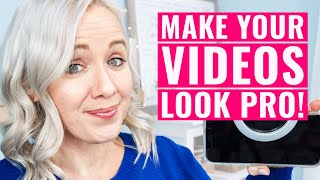
Trena Little shows five simple changes to make phone videos look professional: better lighting, audio, background framing, planning, and setting a clear goal for each video. These tweaks help you get better ROI from the videos you're already making.
I'm going to show you in this video how you can create professional looking videos with equipment you already have and you don't need to go buy anything fancy. And to prove that to you, I'm shooting this entire video on my cell phone. That's right. As you can see, I have my cell phone set up right here. And I'm going to tell you exactly what I do to make cell phone videos as professional as possible so you can start creating video content. Hey guys, welcome back. My name is Trena. If you are new here and if you want to learn all about planning and organiz so that makes you more money in your business, make sure you subscribe to this channel because that's what I'm dedicated here to do for you. Now, getting started with video can be a little bit overwhelming. There's a lot of tech, but if we've learned anything over the past 11 months in quarantine is that you can make some pretty professional videos from home. So I want to show you what I would do if I were creating content with whatever equipment I already had. The first thing that's going to really make or break your video quality and whether or not your videos look professional is going to be lighting. Now this can be tricky. If you stand in front of a window and it's a cloudy day where the sun's coming in and out of the clouds, you're gonna get a bright then dark look to your video. So that can be really hard to tweak in your editing. So one thing that I would recommend instead of buying the expensive ring light is something we bought for my daughter for virtual kindergarten. She was sitting in this office and she has the window behind her. When you have the lighting behind you and it is going to darken your face. So we spent about $12 I think on this clip on ring light. We clip this on her iPad. It has a couple different settings for you to use and you have a nice little ring light for your face. Now for it to look really good, you do need to be pretty close to the camera though. So keep that in mind. You will need to be close to the camera to get that light. This guy was definitely under $20 and my phone I already have. Next up is audio. Now the iPhones do have good audio if you're close to the microphone. I have my phone right now set up on a tripod so I'm not as close to the mic as I want to be. So I'm using an external mic. As you can see, the external mic that I have right here is my blue Yeti and I have it plugged into my computer and I'm filming it right there on QuickTime. QuickTime is free on my Mac, but I have this as close to me as possible to pick up my audio. And then we will sync the external audio to my video. Reason being lighting and audio are going to be really important to make your videos look more professional. You can get more professional videos, but you do need to think about those two things first. And there are really DIY options that I've mentioned that you could do. Next is your background or what us in the biz call framing. And that's basically looking at everything around here that is in your frame. You've seen from the other shots of my camera that I don't have a clean room right here. There's a lot going on in my desk. I have a kindergarten desk over there. There's a lot of stuff on the floor. You only have to worry about what's in this frame right here. So the best way to make it look professional is think about things that are not too busy, but just enough to add a little spark to your background. I have a snake plant. I have a quick little letter board. But I need this area to be functionable as well because I sit in this office every day. You could really get started on just a plain white wall anywhere in your house. In fact, when we were building our house, we were in this tiny little apartment. All I had was a plain wall with this ugly Y and people were still getting value out of my content. My channel was still growing even in front of a plain blank wall. So really all you have to think about is what's in this little rectangle right here. The next thing you'll want to do to make your videos look more professional is plan that video. It's going to be super important for you to hook your audience in the first three to five seconds or otherwise they're not going to end up watching. Thanks to reels and TikToks, viewers have a pretty short attention span. So if you're not grabbing it instantly, it's gonna be hard for them to watch later. So how I suggest setting up your video game plan. And yes, I call it a video game plan because I don't require you to write a word for word script and script it all out. But having a video game plan will make your videos look more professional. So how I do that is I open my video with a hook. Something that's going to grab their attention or telling them exactly what value they're gonna get out of this video. If they keep watching, then I transition into quickly introducing myself, who I am, and what value I provide to you here on my ch and get to the point instantly. Right. Within 30 seconds, I'm getting you to the good stuff you came for. Remember, most people are selfish. They don't care about your life story or everything that you know. They're in it for themselves and you've got to give them what they came to your video for. The fifth thing you need to do to tweak your videos to make them more professional is focusing on one goal for that video. What tends to happen with a lot of people that I've worked with is we want people to do everything from our video. So we're asking them to like, subscribe, subscribe, comment, follow me on Pinterest, follow me on Instagram, get my freebie. And what happens is the viewer doesn't know what to do because there's too many options, and then they don't do anything. And the whole reason for you creating content is to drive leads to your business, right? So when you are doing your video game plan from tactic number four we talked about, you want to instill one core goal for each video. So the core goal I have for this particular video is to get you to sign up to my video reframed. This summit is happening all online and it's totally free February 23rd through 25th. And we're going to be covering all aspects of video content creation. We have 12amazing speakers that are going to teach you how to be more confident on camera, how to edit your videos better, how to get more engagement on live streams, how to do Pinterest videos, how to do LinkedIn videos, how to come up with more video ideas, and how to tell better stories in your videos. So if you want to get your free ticket, make sure you click on the link on your screen right now or down in the description box and I will send that free ticket over to you once you have that ticket. I've got a little bonus step for you here. I want you to watch this video on your screen right now because it's going to give you 25 video ideas now that you know you can create professional videos at home, but 25 video ideas to get you started with your video content plan. These videos are definitely going to help you drive more leads and more money to your business. So click on that video and watch that next.