Best YouTube Equipment For Starters - What to buy THIS Black Friday!
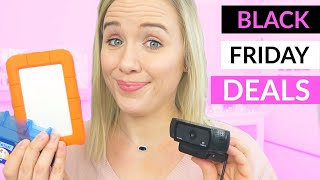
This is a YouTube video titled "Best YouTube Equipment For Starters - What to buy THIS Black Friday!" created in November 2019. The content features Trena Little providing a detailed guide on essential equipment for starting a YouTube channel, including cameras, microphones, lighting, tripods, SD cards, and external hard drives. She shares personal recommendations and budget options, focusing on Black Friday deals to help beginners invest wisely in their video production setup.
If you want a rundown on what equipment you should invest in during this Black Friday to get started here on YouTube, I'm going to walk you through all the key pieces of equipment I think you should invest in, especially during Black Friday, and also share with you some of the pieces that I'm buying. Welcome back. My name is Trena. If you are new here and this channel is all about giving you the confidence to show up on YouTube, whether that's the confidence to get on camera or the confidence in your equipment. So we all know Black Friday is right around the corner and it's the best time to buy a lot of electronics and tech gadgets. Let's walk through all the different pieces of equipment that you might need to get started here on YouTube and look at all the different budget ranges. All of these pieces of equipment that I'm going to share with you come highly recommended and they come at all different budget levels. So I'm not saying you have to go buy the most expensive one. I'm suggesting ones that are lower budget as well. Just get started with where you can. For me, I started with a borrowed camera and so I was able to upgrade to the Canon G7X. I also have client who have started with their webcam so you can get started somewhere and you don't have to worry about investing thousands into your equipment. But pick some of the pieces that you want to invest in, maybe lighting, maybe audio, and then go budget on the other pieces. So I'm going to walk you through each section here. We're going to go cameras, we're going to go lighting, audio, and then some extra pieces that you might not realize you'll need. All right, so you may have heard that I shoot on the Canon G7X. I this is the first version Canon G7X I'm shooting on and I bought this in 2016. This is one investment I am probably making. This Black Friday I'm going to upgrade to the Canon G7X version 3. So the Mark 3 reason being is because that has a microphone plugin which will allow me to plug in my external mic into my camera. What I do now is I have this video file from my camera and while my camera does pick up audio, it's not super great quality. So I also use my blue Yeti microphone that is right here. Then what I do when I'm editing as I sync those two together. But with the Mark 3, the version 3 of the Canon G7X, I can plug this guy right into my camera so that everything is One file. Now like I said, you can find a great deal on the Canon G7X first version like mine and get started with high quality video content. Like I said, I'm still getting great quality out of this camera. I just want to start streamline my process a little bit so I don't have two files. And especially during Black Friday, these cameras come in some really great bundles on Amazon. So you'll see there are some bundles where you can get the camera plus a tripod, plus extra batteries, plus even SD cards. So this is a really great time to invest in a camera. Now this will set you back a couple hundred dollars. The Mark 3 is around five to six hundred dollars. The Mark 1, which is the first version I'm shooting on, should be much lower than that. But if you're not there yet and you don't want to spend your money on that just yet. I get it. I totally get it. Another great option is this webcam. And I know a lot of people that use this particular webcam to shoot their video content, even on YouTube. Now this runs about 77ish dollars on Amazon and it's the Logitech C922. I'm going to have all the links to these down below so you can go grab them if you want. But this is an absolute camera for you to get started with, for you to shoot your video content on. And you don't have to get super fancy. Now that particular webcam does not shoot in 4K. And listen, I am not a tech person, I'm not a tech guru. I know enough to get by. But if you're looking to shoot in some higher quality video and have the opportunity or the chance to shoot in 4K, there is another Logitech webcam that I would suggest that runs about $150. That's the Logitech webcam Brio. And like I said, that's $150. But it is going to get you that 4k option if you do decide to shoot in 4k. I have never shot in 4k in my life yet. But if you're somebody that is thinking ahead, if somebody want. If you're thinking about streaming in 4K, that's the option that I would go. Now let's move on to audio. Because audio and lighting are really what's going to make or break your video. The camera isn't really what gets you the quality of the video. You can really use any camera, even your cell phone camera. What makes or break that quality is the lighting that you have. And then what makes or break the actual experience listening to your video is the audio. So for me, you heard me talk about wanting to upgrade my camera so I can plug in a microphone and I'm wanting to plug in the rodeo shotgun mic. This is actually something I'm going to be investing in this Friday. This Black Friday. I want to just plug this that guy into my camera. I'm going to also be using a boom stand, so that's something you could also look into buying as well to put your mic on so that you could have it like right above so it would catch really good audio. And that rode mic is going to run you around 70 bucks. And then that boom stand is going to run you around $25. No worries. I got some other priced mics as well. Like I said, I'm working on my blue yeti right now and that one's going to run you around $180. I've been using this guy for as long as I've had this camera. So you just need to make sure you understand your settings on this particular mic to get the quality out of the microphone. But it's been great. I also use it to shoot voiceovers for my courses. I also use it to shoot podcast interviews when I'm asked to be on other podcast interviews. This microphone has been really versatile and worth the investment of over $100. Now again, if you want something a little bit cheaper than this one, which is still a great quality, there is a blue snow snowball microphone and I've heard great things about this one as well. It is just $50 and you're still going to get that quality audio. You're still going to get that upper level audio than just using the audio from your microphone. So that's one to look at as well. As far as lavalier mics, which are the ones you pin onto your shirt like I have right here, I've got a couple different of these to recommend. The one thing that I will suggest that I have a hard time with lavalier mics is the rubbing. So what happens is you put this on your shirt and my hair might hit it. If you have a necklace, it might hit it if it's rubbing your shirt. I get a lot of feedback even on these mics just because I like to talk a lot with my hands and I'm not sitting here very still. So every time I move and this brushes on my shirt, it picks that up. So I would be cautious if you are wanting to get a lapel mic if you are a person that talks with your hands and stuff, that's an issue that you could have with these. So what I would recommend if you want a lapel mic is the Rode Smart Lav Lavalier mic, which is what I have right here. What's great about this one is you can use it for your live videos on your phone. So this is a smartphone mic. It plugs right into your smartphone and it's going to cost you around $60. And you're also going to need to download the Rode app to actually record your audio on your phone. Then you're going to need to save that to Dropbox or email it to you to get that audio file as well. Another great option that's around $20 is the Boya by M1 3.5 millimeter lavalier mic. It's around $20. I've heard great things. And that one recommended as well. If you want to just get something started really quickly for a lower price, that's a great one to start with. All right. Lighting and this one is so important now. I always recommend using daylight. You know, the sun. Now if you don't have a house that gets great sunlight, you're going to need to get some artificial lighting. Now, with it being Black Friday, I would definitely look to see if you could find any deals on the diva ring light. It's going to cost you about $250. But what I love about this light, side note, I did get this as a Christmas gift is that all I have to do is turn it on and I get decent light. That's what I use for all of my videos, all of my YouTube videos, all my course videos, all of my live videos. And I could just get by using ring light and this would look good, but again that is a higher price option. The next option I would look at is getting an umbrella lighting kit or a softbox lighting kit. The softbox lighting kit that I'm using right now, I have two of them shooting at me kind of at an angle with my ring light in the middle. Those costed about $60 and there are umbrella kits. The Cowboy Studio, which will run you around 60 to you can sometimes find them around $50 as well. But it's going to really take your video quality up a notch with this lighting. Again, all of these, all of my recommendations are linked down in the description box. So if you want to get that list, look down there. Everything that I mentioned is down there. So we talked cameras, which I'm hoping to buy a new one. The Mark 3, we talked microphone, which I'm hoping to buy a new one. The Rode Shotgun mic, which we talked lighting, which I think I'm pretty good here. Now, here's something that you don't always think about, that you should definitely look investing on Black Friday. Now, if you are going to be doing video, your computer is going to fill up super fast. So you need to invest in an external hard drive. And I'm going to tell you, I've made my mistakes with external hard drives until I found this. This is the Lacie external hard drive. I've tried two other hard drives and they've both crashed before because, listen, I'm a mom, I'm taking my laptop around different places and this guy has got to travel with me. While this is a pricier version, it is worth every single penny and I'm probably gonna buy two or three of these on Black Friday. Reason being, I'm going to back everything up on this particular Lacie hard drive. I'm talking all of my videos, all of my computers, all of my family photos. Because this has been the most durable, the most reliable hard drive that I have ever experienced. And it's meant to be rugged, it's meant to get wet. Will not get wet, but it can get wet. You can drop it and it will still work. So if you want to invest in an external hard drive, and I highly, highly recommend you do, especially if you're doing videos, I would definitely take some time, check out the Lacie hard drives and that's where I would invest my money. You also want to think about tripods. So whether it's going to be the short mobile ones, which I have one right here, or a taller one that you're gonna sit in front of you to keep your camera on. Now, the Amazon Basic tripod is what I have used for years and that was about $24. And while it works and it's great for most people, I have my ring light on there and that ring light is too heavy for that particular tripod to handle. So I'm going to be upgrading my tripod to a K and F concept 62 inch DSLR tripod because I need my tripod to be able to handle the weight of, of that ring light and also be able to stabilize itself. So that's what I'm going to be investing in. If you don't have something heavy like a ring light, absolutely. Go for the Amazon Basics tripod is going to get you everything that you need and it's going to work just fine. All right, you're also going to need these little guys, South Dakota cards, especially if you're shooting on a camera. Now, I recommend at this point in time to not really buy anything under 128 gigabytes. Trust me, I use 128 gigabyte camera cards. And when I'm shooting my videos, I'm shooting more than one. And I don't want this to stop in the middle of my video and think, oh, crap, I gotta put in a new SD card. So definitely recommend 128 gigabyte SD cards. I prefer the PNY brand. It's what I've used that I haven't had any issues with. But Black Friday is definitely a great time to really see snag up a couple of these. I would have probably two on hand. Even if they are 128 gigabytes per card, I would still have at least two on hand just for you to work with. I got two other things you might want to think about buying on Black Friday that aren't the typical camera equipment stuff, and that is extra batteries. So I learned this the hard way. This is my Canon G7X camera battery. And not having an extra means when this battery dies, I am dead in the water. And when I shoot my videos, you know, I batch multiple videos at a time, so my battery lasts about an hour tops. And then it's going to die on me. And if I got this second one, that means I can just plug this guy in and keep going with my batch day. Because look, if I got my hair and makeup done, I want to get all of those videos done and not have to worry about waiting for another battery to charge. So I would definitely consider buying extra batteries on Black Friday as well to just to make sure you're prepared when you do start filming that you can shoot all the videos that you want to shoot with the batteries. Now there is one fun little Black Friday deal that I stumbled upon a couple of years ago and it has been my absolute favorite deal ever. And it is the treasure chest of post its. Yes, I'm talking about an entire box full of post itself. And if you're anything like me, and you like to get organized with post its, you like to plan out your month, you like to set up your calendar like this, you like to use it as an outline for course building out, I would definitely recommend buying this. It's around $50 on Amazon. I bought it from Staples like three or four years ago and I have yet to run out of post its. I love Post its. I use Post its for a lot of brainstorming and organizing. So this is definitely something that you may want to look at as a Black Friday deal that you may have never thought about. Now, if you are planning to start a YouTube channel in 2019 with all equipment you buy on Black Friday, make sure you watch the video that's on your screen right now, because I'm going to walk you through everything you need to do to get prepared to start your YouTube channel so that you can crush it come January 1st. Don't forget to hit subscribe to this channel because I'm helping you build that confidence to crush it here on YouTube and I'll see you in that next video.
More from Trena







Why Every "Business Guru" Suddenly Went All-In on YouTube (And What NOT to Copy)

