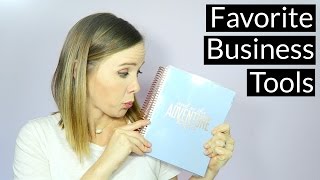
This is a YouTube video titled "Business Tools | Budget Friendly and Free" created in July 2016. The content features a solo entrepreneur sharing practical business organization tips and tools, including Tailwind, Erin Condren Planner, and Google Apps for Business, aimed at helping other solo entrepreneurs manage their business efficiently on a budget. The speaker provides personal insights and encourages viewer interaction through comments and sharing. The video is a monologue without multiple speakers and does not include Trena Little.
As a solo entrepreneur, do you ever wonder what are other solo entrepreneurs using to keep their life and business so organized? What are they doing that I'm missing out on? Hey guys, welcome to another episode of Just the Tips with Trina where I provide you my business tips that you can take action on today while I sip on some coffee or wine. And a little spoiler here for you. I've been drinking mostly water and decaffeinated tea in here because I am pregnant so so that's why you haven't seen the wine glass recently. When I first started my business, I saw all these amazing entrepreneurs posting to social media every day, consistently vlogging and just looking downright organized while I sat behind my computer, not showered in days and I haven't even brushed my teeth yet and it was well past lunchtime and I wondered what am I doing wrong? So I wanted to share with you today what I'm using to keep my business organized that isn't breaking the bank. And because as a new business owner, you know we don't have a lot of money to spend on virtual assistants or automation systems. So these are the things that I'm using right now that's budget friendly and keeping me organized. I also want to hear from you, so let me know what are your favorite tools that you're using to keep you organized down in the comment section below. I love hearing about new tools and new ways to keep everything organized, so let me know what you're loving. My first must have tool is Tailwind. I do actually pay for Tailwind. It was one of the first services I decided to pay for because I started to see a lot of my blog traffic was coming from Pinterest and I knew if I could get consistent on Pinterest, I could get more traffic back to my website. So what Tailwind does is basically you can schedule out all your pins for Pinterest at once. This is great because I hate getting on Pinterest every day just to pin 1020 pins. So with tailwind, I will go in one or two hours a week and schedule all my pins for the week. I'll schedule about 40 pins every day for the entire week and it's just really been helping me boost my blog traffic and Pinterest has now become my number one traffic source to my YouTube channel. So so I felt that Tailwind was going to be worth it and it totally was. So my Erin Condren Planner is my lifeline. I use the monthly spread to plan out all my launch sequences, all my YouTube videos all my blog posts so I know what needs to be done when it basically lists all of my big project deadlines so I can flip to the month and see what is going on that month that has to get done. Then I use the weekly spread to plan out all the little tasks I need to do to accomplish those big goals. I basically have this weekly spread laid out on my desk every day so I can just check tasks off as I complete them and I know how far I'm getting in completing that big goal. I also use the weekly spread to plan all my meals for each day and what workout I'm going to be doing that day. So as you can see, my Erin Condren Planner contains my entire life. And finally, Google Apps for Business I honestly can't believe these apps are free. I am in there every single day. I have a laptop and a desktop, so I am constantly working on documents in Google Sheets or in Google Docs or in Google Slides. And what's great is I can access them from my laptop or my computer. It's also great to share projects that you're working on with clients. In Google Drive, you just upload the project and share it with your client. They feel like they're getting a part of the process and they can see what you're actually working on and where you're at in the process. This way you don't have to worry about your attachment on your email getting lost in their inbox or them not receiving it. It's just all there in Google Drive for them to access anytime they want. And this is all these are just three of my current favorite tools and I actually have six more of my favorite tools that I'm using to keep me organized listed over on my blog post. So I will link that right up here. You can click that and head over to my blog post to read the rest of my favorite tools. Don't forget to let me know what are your favorite tools. I love finding out about new things, so leave that down in the comment section below. If you love hearing about other people's business tools, make sure you share this video on Facebook or Twitter and that you hit the like button. Remember, I have new videos here every Monday and Friday, so if you don't want to miss out when I upload, make sure you hit subscribe so you be notified every time I post a new video. As always guys, thanks for watching. Bye. The first thing I want you to think about before creating your YouTube channel is your strategy. So think about what types of videos you're going to create. What types of videos does your target audience want to see from you? What types of content does your target audience respond well to? You should know your audience and what they want from you, so you should really focus your content around them and what they need and want.