5:54
Trena, a YouTube strategist, recommends affordable gear under $100 for starting a channel. She covers cameras, lighting, tripods, and microphones with practical tips for beginners who want professional-looking videos on a tight budget.
Trena, a YouTube strategist, recommends affordable gear under $100 for starting a channel. She covers cameras, lighting, tripods, and microphones with practical tips for beginners who want professional-looking videos on a tight budget.
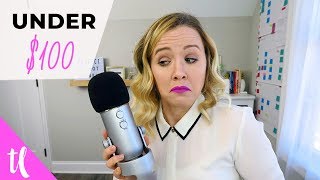
There is absolutely no need for you to go out and buy a bunch of fancy equipment just to make your YouTube channel look more professional. I'm going to show you some of the best equipment for under $100 that you can use to still look as professional as other people who have all the fancy stuff. Hi, and welcome back. My name is Trena. If you are new here, and I'm a YouTube strategist committed to helping you do YouTube better. Now, one of the things a lot of people come to me about is all the equipment pieces that they need so that their YouTube channel looks super professional. But what we don't realize is there's a lot of great equipment out there that you can use and still look professional. So I'm going to walk through some of my favorite recommended pieces of YouTube equipment that you can get for all under $100. The first thing is the camera. And I'm going to tell you right now, the camera isn't as big of a deal as you think, because the lighting and the audio is actually going to be more important and the lighting is going to make or break your camera. It doesn't matter if you have the best camera in the world. If your lighting isn't on point, that camera quality, that video quality is going to look terrible. So I first suggest starting $0 with your phone, your iPhone, your Android, whatever you're using. This is a perfectly great camera to start with. There are so many YouTubers out there, and even myself who started shooting with their iPhone. I even did a video last year where I used my phone throughout and I switched back from my phone to my Canon G7X so you could see that there was no real noticeable difference. So I would start here with your phone with what you could do is just prop it on a windowsill that's getting a lot of light or get a tripod for it and just sit in front of a window. Natural light for one is free and it's the best lighting that you can get. There is no other better lighting option than natural light. If you're ready for like a next level camera. This does go over $100, but the best one that I suggest is the Canon G7X, because you don't have to worry about the DSLR type things like buying lenses and making sure you're in focus. With the Canon G7X, I'm easy to flip up my screen right now and see myself on the viewfinder to make sure I'm not blurry and to make sure everything is okay. There's not like a weird sock in my shot. That's why I suggest this. But this camera is around $600 staying on that $100 budget. Let's talk about lighting because that's what's going to make or break your quality of your video. So first I said natural light. The second thing would be some umbrella lights. Those are a great place to start. Or some softbox lights. What I'm using right now, I have softbox lights over to the side of me that are really diminishing the shadow that I would get over there on my shelf and behind me. You can buy a set of two softbox lights on Amazon. You can also buy a four socket softbox which gives you a brighter light for under $100 as well. You basically would only need one softbox if you can sit near a window but you can't get in front of it. So. So that that soft box could balance the lighting on the other side of your face. Right now I have a big window right here to the side of me. But if I were to turn my camera that way, the shot would be into the hallway and into the post its that I have over there. So I have the window to the side of me and that's why the soft boxes are over on this side to balance the light coming in from the window. This is probably one of the first places that I would spend my money is lighting because again it's going to make or break the quality of your video. I also have a list of my favorite equipment, both bud and higher end. If you would like to grab that, I'll put a link right here for you to go get it. The next thing is a tripod. Now this isn't something that you need to get immediately. If you can set your camera or your phone up on like boxes or chairs. I've totally done that. But one of the tripods I really like is the gorilla tripod or the tripod that you can bend around on things. It really gives you a lot of flexibility on where you can put that tripod. Otherwise I would buy a more stiff steadier tripod. The next piece of equipment I want to talk about is a microphone. So I right now am using a blue yeti. I'll lift it up here. So sorry if the audio gets a little funky. So I have it right here and it sits right in front of me. So the closer that I can have the blue yeti to me speaking, the better quality it's going to get. A lot of the times this microphone gets a bad rap, but it's really important to understand the settings and make sure your settings are right to get the best quality. There are some other cheaper versions of microphones that are great as well. There's a blue Yeti cheaper version called the Snowball which I've heard great things about and a lot of people recommend it, and also the art 2100 which I have linked down below as well. Those are all great microphones and if you aren't able to invest in one, you could totally get started with your earbuds because that has a mic as well. Now if you don't want the look of having like these earphones in while you speak, that could be an issue. And you also have the option of buying a lavalier mic that clips onto your shirt. I like the Rhode Smart Lap because what's great about this, especially if you're using your phone for your video filming, is that it plugs right into your phone. And now if you decide to do lives on Instagram Live or Facebook Live, you're going to up your audio quality there as well. I would love your help on knowing some more budget equipment that you've tried out, so let me know in the comments. Is there a camera or a microphone or some lighting that you absolutely love that's under a hundred dollars? Let's help each other out down below. And if you want to learn how to continue to use YouTube to grow your business, make sure you click that video that's on your screen right now. Subscribe to this channel for new videos every Monday and Wednesday to help you do that, and I'll see you over on that next video. Bye.

Why Every "Business Guru" Suddenly Went All-In on YouTube (And What NOT to Copy)






