Create a Content Calendar that's SIMPLE and EASY to Implement
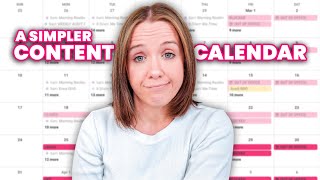
Trena Little walks through building a content calendar that won't burn you out. She covers picking your main platforms, setting realistic goals, and using Asana and AI to repurpose content across channels without drowning in tasks.
To keep your lights on in business, you've got to create content. There is no way around it. This is how you attract your audience, this is how you grow trust with your audience. And unfortunately, it's a part of your business that you can't stop doing. But I believe so many business owners that I've worked with and talk to way over complicate their content calendar, which is why so many entrepreneurs are being burnt out and leaving the industry. In this video, I want to share with you how I've simplified my content calendar and give you some ideas on how you can get a better content calendar in place so that you can still stay consistent, see results and not feel burnt out by content. So I think the first thing that you need to do to get consistent is obviously have a content calendar. It is honestly going to be darn near impossible if you're basically shooting from the hip with what you're going to post and when you're going to post it. Now, I will say there is no right or wrong tool software system for your content calendar. You need to find what works best for you, what you can be in. And so when I started I used Trello and I realized I needed something a little bit different. And so I'm currently creating my content calendar in Asana. I've showed people how to create content calendars in Google. I know people who create content calendars and ClickUp and Airtable. Pick one and move on. Don't overthink it. But you got to have this content calendar system in place so that you know exactly when you're publishing your content and what content you're actually publishing. Okay, so the first thing right, get our content calendar in place. The second thing that you need to do to simplify the amount of content you're creating is set realistic goals. You are not, and I repeat, you are not going to come out of the gate posting five reels a week unless it's the only content that you're creating every single week. Trust me, reels seem like they are the easy answer because it's short form content. You can do it right on your phone. But the problem that I have found with reels, well, let's not talk about the editing within Instagram app in the text not showing after you publish it that we won't talk about that. But reels content expires so quickly. The average post or the average video on Instagram can live about 24 hours. And that's giving it like a, a good estimate. And so the reason why we feel burnt out on Instagram is because Instagram content expires so fast. And so for you to stay relevant and continue growing and attracting your audience, you have to create content every single day. And that's why you feel like you have to create reels every single day. Because when you don't, you see your Instagram engagement die off. So when I started working with my copywriting agency, Uncanny Content, and we started setting our realistic goals, she said, let's start with a schedule that we can manage first and then we can always add on. What you don't want to do is shoot for the moon and not be able to keep up with it and then burn yourself out. So instead of me saying, I'm going to post every single day on reels, we started with, let's try to get two reels a week out and then add on once. I've consistently been posting two reels a week, so that is my goal currently. And then I also have a goal of showing up on stories four times a week as well. And I'm going to be completely transparent with you because if you've not been watching my transparency series on behind the Scenes in Business, which I will link right here, I do have a team helping me do this. I have a video editing agency, I have a marketing director, I have a client support coordinator, which allows me to really focus about 60% of my time on creating content. And, and that's still realistically what I can manage about two reels a week and four stories a week. So once you have your content calendar or the tool you're going to use for your content calendar, then set realistic goals because you can always go up from there. The worst thing that you can do is go back and burn out. Next, you want to pick a hub or your primary content platform and Instagram is not it. Sorry, but you need to pick something that is more evergreen, where your content will live for longer. Because first of all, Instagram content expires fast. We already talked about that. And people can't search you quite yet on Instagram. Right. So you want to focus on either podcasting, blogging, or YouTube. YouTube is my number one priority. Because of the longevity of these videos and because of the long form content, I have a higher chance of warming somebody up and showing them that I'm the right person to work for them in a 10 to 15 minute video. Video than a 60 second reel. Right. Are they getting a sense of my teaching style or am I the right person for them in a 60 second reel? No. But if they can sit here and watch multiple 10, 15 minute videos. For me, I have a better chance of converting that person than somebody who binges my reels. So my content goal every week is to get a YouTube video out. No matter what happens, get a video out. Why? Today is a Saturday and I'm shooting videos because we've had spring break and we have Easter break coming up and I have to get my weekly videos out because my weekly videos then stem out any other content that I'm going to create. This is priority because this gets the best results for me and lives the longest. My YouTube video is published every single Wednesday from this video. I then send a newsletter to stay front of mind to my email list, giving them some value and telling them why they should come watch this video. We then turn this video into a carousel over on Instagram, basically pulling the main takeaways or the best tips from this video so that people save them. And then we can create reels around the topic that I'm sharing in this video. This way my content stays congruent across any single platform. So if people are following me on different platforms, they're not confused about what am I actually talking about this week. Why is she talking about thumbnails here and sales funnels there and content calendars here?
Right.
It stays congruent. When you're trying to create a simplified content calendar, pick what is going to be your primary hub and make sure it's some type of long form, evergreen searchable content and then spoke out from there. I know creating content is a lot of work. I've been doing it for eight years. So let's dive into some of the things that you can do or some of the tools you can use to speed up content so you can actually implement your content calendar. I mentioned Asana. It is my go to project management tool. I use it for everything in my business and it is how we, my team and I are able to create a color coded marketing calendar or content calendar if you want to call it it. And what I'm able to do is align my content calendar with my promotions so that I am ensuring whatever I'm talking about on YouTube or on Instagram is aligning with what I'm promoting to help me sell that thing. I just love the color coding of this. And if you're interested in swiping this exact marketing calendar or what we call our marketing calendar standard operating procedures, we've actually decided to let you grab it for free for a limited time@trina little.com forward slash marketing. We would normally charge $97 for this because I put a lot of time and effort into creating the calendar that.
Works best for me.
But you're going to get not only this template but also a video walkthrough in how I set this up. So even if you're not in Asana, you can, you can set it up on Google ClickUp Airtable notion because you can see the process that I set up and then work it into the tool that you have. Because I never think that you should start a new tool and try to learn it. I think you should just adapt somebody's system, if you like it, into the tool you're currently using. So I'm going to allow you to grab it for $3. So grab it while it is free at shrinalittle.com forward/marketing. Now as far as ways to speed up your content process, I do like chatgpt with an asterisk. In fact, I just filmed before this video an entire video about AI and building a YouTube strategy and it's going to be published next week. So do make sure that you are subscribed so you don't miss if I think you can AI your YouTube strategy. But ChatGPT and AI is not going to replace critical thinking that you need to do to build a content calendar because it will never think exactly like your ready to buy audience or you're ready to buy viewer and you are the one that truly understands who they are. So no matter what you use it for, you still need to put your sprinkle or your glitter on top to make it hit the right people. Your ready to buy viewer. The one tool that I use that's really helpful is Vidiq. Let me show you how I use this AI to speed up my YouTube process.
One of the newer tools in Vidiq is this AI coach and I actually use it to help me script this particular video.
So if you go in here, here.
Are some of the prompts that I provided it. I'm creating the following video Create a content calendar that's simple and easy and I asked what to address that y' all would want to hear, gave me the eight tips on what I should.
Address in this video.
What tools should I suggest?
Because it talked about talking about the tools and then I asked what strategies can I use to repurpose content effectively?
Just seeing what it would generate based on my channel. Now again this is going to give me specific data based on my channel.
So if we go in here and.
We start a new chat, I can say it already has suggested topics in here based on my channel. That's not what ChatGPT is doing right. It's taking everything out on the Internet, but based on my channel. What video ideas do you have for me?
And then the AI prompt goes in.
Does things, looks at your YouTube channel.
And figures out what's going to be.
The best for you. And you can see we have the ultimate guide to YouTube SEO. It also gives you a description of.
What this video should be about. Thumbnail ideas, the length, the target audience.
And then it goes into multiple video ideas as well. I've also used this to come up with thumbnails. I can go in here and have it help me come up with thumbnail ideas. So can you provide thumbnail ideas ideas for content calendar video that would increase the chances my ideal viewer would click on it. Now I gave it just a really generic idea because I couldn't think off.
The top of my head here what I wanted to put in here.
Even so I know I want to talk about content calendar and it's giving me four, five ideas for thumbnails.
So colorful calendar grid which I do.
Know does really well for me. Hands Holding Calendar Show a pair of hands holding a physical or digital calendar symbolizing organization and planning. Includes visual elements like check marks, pens, and it does tend to time out quite often.
So it is a little glitch you have to do with but the reason.
Why I use this to help me in my YouTube content is because it is taking specific data from my YouTube channel. My data to help me craft a better content plan for what's working on my channel.
Now there are other tools out there like Get Munch that will allow you to cut up your videos and use it for vertical short form type videos. But the more content you create for multiple platforms, the more work you're going to put on yourself and thus burnout. Because if you're going to chop up a YouTube video and put it on TikTok, put it on reels, you then have to be on those platforms to engage. You can't just post and go. These are social platforms and if you want to see the results from these platforms, you still need to be active on those platforms. And I will say just repurposing a piece of content and throwing it on any platform doesn't necessarily work. We've tried this multiple times, but you need to think about the styles of content people on that platform. Enjoy. So we have cut our YouTube videos up multiple times and put them on TikTok and put them on reels. I'm going to tell you they've not really done a lot, but where I have seen results in repurposing is taking the basic script of my YouTube video, plugging it in to ChatGPT, and then having it spit out captions about this video and then me creating native reels like filming separate vertical videos, talking about the content in this particular video so that the video is creative specifically for TikTok or Reels. And yes, it's an extra filming step, but the results are much better than just clipping videos and posting them anywhere. So if you want to be on multiple platforms and you want to put Instagram Stories and TikToks on your content calendar, I would also make sure you're blocking time too create native content for this platforms to actually see it pay off. The next thing I want to talk about is how to come up with consistent or always have content ideas for your content calendar. Because like I mentioned, AI is not going to cut it when it comes to building your YouTube strategy and coming up with your YouTube video ideas. Last week I did publish a video about trends that you need to be following to see results on YouTube in 2024. So I will link to that video which I highly encourage. If you're using YouTube right now or you're planning to use YouTube, you've got to watch that video because you have to be building your YouTube strategy. I've said this so many times around your ready to buy viewer and not trying to go for the masses, create beginner content or focus on how to tutorials. I have an entire process of creating a year's worth of strategic YouTube videos. It is what we did with our agency clients. They were six and seven figure business owners. We ran this process for four years in our agency and this process pulls specific data from your ready to buy viewer and how they are acting and searching on YouTube. And I literally show you this entire process in my live workshop Profit purview over a 90 minute workshop of literally giving you the process like it's not some vague webinar. That is lame. I give you the entire process to build your YouTube strategy based on what I've done for my clients for the last four years. Plus I host a Q and A at the end of the workshop so you can ask me your specific questions about your ready to buy audience in your YouTube strategy. So at the end of that workshop you can basically have the process to build out your entire year's worth of video ideas for YouTube. You can grab a seat at the next Live Profit preview at treanalittle.com forward/ppv. I do want you to think about different categories of content to add to your content calendar as well. The main content for me, probably around 70% of the content that I create and plan on my content calendar is authority building or information based content like you're watching right now. But you also have to think about content that's going to connect with your viewer. And so this is called community content. This is what I started doing on my Sunday videos here on my YouTube channel. I wanted to find a way to allow you to get to know me a little bit more, allow you to see like everything's not perfect over here and what I've struggled with and give you basically a behind the curtain scenes of what it's really like to build a business and not the Instagram version. I actually want to dive into a topic on Sunday about a personal brand versus a company brand because I think as we move into 2024, things are really shifting and if you'd like me to share my thoughts on what what we should be doing, a company brand versus a personal brand, let me know down in the comments saying branding video please. And then I will get that as a Sunday video because like I said, I've got lots of opinions about that and kind of where I'm going with my brand. So I just want to know you're interested. There are quite a few more mistakes that I see when I'm working with my one on one clients in my coaching program and helping them build out their content calendar. In this next video I'm going to share with you this those major mistakes that I'm helping them fix and how you can make sure you avoid them as well as you're building your content calendar. So watch that now.
More from Trena







Why Every "Business Guru" Suddenly Went All-In on YouTube (And What NOT to Copy)

