Create a STRATEGIC Content Calendar From Scratch! [Step By Step Set Up]
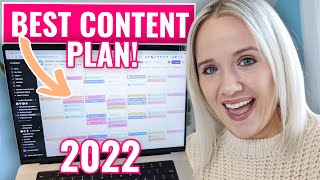
A solo-presenter YouTube tutorial showing how to build a strategic content calendar from scratch using Asana (project-management) and reusable templates. The speaker explains choosing a long-form searchable content anchor (YouTube or blog), layering micro-content across platforms (Instagram, Pinterest, podcast, newsletter), organizing content into pillars, creating templated checklists/workflows for each platform, and aligning content to promo periods/launches. The video also promotes the speaker’s paid 'Prep System' product that includes checklists, templates, and platform-specific assets.
When I publish a video here on YouTube, there is a much bigger picture for why I chose this topic and when I chose to publish this video. Because creating strategic content really ensures that these videos, the content I'm putting my time into, is actually helping me get to the goals that I've set for my business, which ultimately is to help increase revenue. Right. In this video, I want to walk you through how to create a strategic content calendar from scratch and you'll see exactly how I've set my up inside of a project management tool called Asana. Literally comes, sit behind me and see how you can do it for yourself. Let me do a quick rundown of all the content that I'm creating every single week and give you some advice on picking and choosing platforms you're going to show up on. Right now, I create content every single week for my YouTube channel, my podcast, the Video refrain podcast, Instagram stories, Instagram feed posts, Instagram reels, and Pinterest. Now here's my biggest advice. Don't feel the need to jump on all of these, especially on all the things over on Instagram. There are so many things. If you can just focus on reels or if you can just show up on stories on Instagram, that is good enough for Instagram. You really want to make sure that the content you're creating does not burn you out and you actually enjoy what you are doing. Here's what I would do. I would 100% recommend you pick some type of long form searchable content. Look, I don't have every single day to stay caught up on the Instagram algorithm. So I'm going to create content here on YouTube that lasts longer. I literally have a video from 2019 which is going to be three years old this year that still drives me leads and views every single day. There is no Instagram post that I have from 2019 that does that for me. Also with YouTube, I can easily turn that into a blog post. I can use that as my value piece of content to my email list because I want to continue to send valuable content to my email list to let them know, hey, I'm still thinking about you. Hey, here's this piece of content that I think you'll really enjoy. Because when I'm creating content here on my YouTube channel, so not only am I thinking about my subscribers here, but I'm thinking about my email list as well and what they really need. So you could do a YouTube video as your long form content, you could do a blog post as your long form content. Because again Both of these options are going to show up in Google and last a lot longer for you. So once you've determined kind of your long form piece of content, then I would pick a smaller micro piece like Facebook, Instagram feed, LinkedIn, Pinterest just to have a secondary platform as you start to build your content strategy. Once you start doing this, and we're going to talk more of this this month about creating processes and systems, then you could start to bring on an assistant. And trust me, it does not cost as much as you think it would to bring on an assistant. And if you have every single step that you do to get a Pinterest image up or to post a blog, it's much easier to get somebody to help you and have it done exactly how you like it. And going back to you don't have to do it all at once. I just started my podcast last summer so I haven't been doing all of these either. So start with one long form content that's searchable on Google. I would recommend then start adding the layers. I'm still adding the layers. Then once you know what platforms you're going to create your strategic content for, then you'll want to go digital. And I know I love a paper planner like the rest of you, I work inside of my full focus planner every single day, even have large post it notes where I brainstorm and think through my ideas. But going digital just keeps everything a lot more better organized. And like I said earlier, if you are trying to add a team member, going digital is going to help you do it quicker and a lot easier. I'm going to show you how I use Asana, which a project management tool. It's totally free to use. You don't have to pay a single penny to use it. And it may have a little bit of a learning curve when you're first getting on it, but I'm telling you this project management tool was game changer for my productivity and actually getting more consistent on social media. There are other options that you can do this for so you can follow my same process and set it up in Trello, but Monday ClickUp, Airtable even. But I'm going to show you Asana. That's what I'm in, that's what my team is in and that's what I know best. The first thing you're going to do is go to Asana Asana and get an account like I said, 100% free. I'm going to walk you through kind of what we've done in Our Asana to make our life easier to create content. But then I'm going to show you how to set this up on your own. So over here on the side, you can see different things that we've created. And when I say we as a team, this is also helpful if you're just a team of one. Because in business you're still managing a lot of things. We have right here our sales and marketing. So promo content, what will be launching course maintenance. We also have our content plan here in marketing as well. I also have an executive section here too where I keep kind of some overhead things. I write my big goals. We have all of our workflows and processes saved in Asana too. And agency projects that we're working on. We've also broken down all of our client projects here, all of our operations. If you see an operations, we have a business hub. She has all of our brand files, all of our courses that we're taking, all of that. So Asana can really help do a lot of things. What you're seeing right here is a working marketing calendar. So a content calendar, a strategic social media content calendar. I am building this out as we are speaking and building a new one for the new year. So the way this ultimately looks is we go to a calendar. You can see here in January what my pillar pieces of content are going to be that long form content then. What's really important with a strategic content plan is knowing what this is all leading to. Like I said, there's a bigger piece to all of this. It's going to lead into a challenge. So a promo period where I'm hosting a challenge, then I have the challenge, then I open the doors to my signature program, Video Strategy Academy. So when you have this picture in mind and you know all this content needs to lead up to these promo periods and these launches. That's when a strategic content plan, a strategic social media plan really amplifies your launch. So what you want to do is you can come up to this little plus, you can create a project. You're going to come in here and just do a blank project. Then you're going to name it content, calendar, marketing plan, whatever you want to name it, you can add it to whatever team you're in. I like to keep it in my sales and marketing team because this is how I'm getting sales and this is how I'm marketing. And you can do it in a default view as a list, a board, which you saw me do. I'm not going to talk about timeline Here today and a calendar. I personally like it. Default it into a board and then I can flip to the calendar when I need to. So I'm going to default it here as a board. We're going to continue and and go to project. You see it's created. You have these lists like I mentioned and these cards. Now if we go back to mine that I had, this first one was promo. So what you would do would come back to click here, add promo. Let's say you're leading up to a challenge. So challenge, you want it during a chunk of time, right? You want to promote your challenge so that when you have your challenge, there's people there. So let's say your challenge is happening on January 3rd and you want to promote your challenge from today. You're going to click on start date today, end date to Monday and you're going to hit enter. And the way you make this color coded is you come up here to these three little dots. You click add tags and you can create a tag and make it whatever you want. So promo. I had challenge promo, early bird promo. But you'll say promo, create tag for promo. And then you can pick whatever color that you want here and that's how you're going to get that color coded look on your calendar. So then you're going to do that for all your promo things that you have going on. The next thing that we did over here is I have a column for YouTube, the content that I'm creating, I have a column for my podcast, I have a column for Instagram posts, Instagram stories, Instagram reels, my blog and also my newsletter. I could add on to here LinkedIn if I wanted to, Facebook if I wanted to. You can literally come in here and customize it to whatever platforms that you're planning to be on. Alright, so once you have your project set up on Asana and you're starting to build out what your promo periods are going to look like, what's your long form content going to look like and what other platforms you're going to focus on, then you need to start to figure out what content are you posting. Right? It has really helped me to think about my content in pillars. Maybe you've heard the concept content pillars. The one way you can figure out kind of what content pillars you want to double down on is if you have a YouTube channel. What are the topics in your search analytics that shows people are coming to your channel for. So for example, people come to my channel for first YouTube video for content planning, even for animated subscribe buttons and animations in Canva. So those could technically be three pillars for myself. If you don't have a YouTube channel, that's totally fine. Just think about what are people coming to you for? Like if you had to say, this is what I talk about, what are three or four things that you are always talking about? Now? One of the other pillars that I also incorporate throughout my content that doesn't necessarily show my YouTube analytics is balancing your life, right? As a mom of two kids, I want to share in my Instagram stories or on my feed posts about how I make this happen, how I'm able to work and have kids because they're still young, they're five and six. So that's another pillar for me as well. Another way to come up with what your content pillar should be is what are you selling, what are your offers, what kind of content is going to help you lead people into those offers and what do you want to be known for? What do you want people to say, ah, Trina, she's this person, right? For a long time I was, oh, trina, she's the YouTube girl, right? So I knew one of my content pillars always needed to be YouTube. But it doesn't just be YouTube that gets me on YouTube, right? I talked about equipment a little bit and I talked about strategy and I talked about my business. So you can start to see how you have this well rounded content plan. So you're not just talking about the same thing over and over and over, but you're talking about things strategically that is helping you build this well rounded brand. Let's look at some examples. To look at my channel, you can see pretty easily what my content buckets are or my content pillars are growing. A YouTube channel for beginners, getting started on YouTube. And if you go on down here, there are some how to manage social media, right? So that's not YouTube specific, but it still overlaps. And people who are watching the YouTube content, you also are interested in social media content, so you can see how those start to overlap. Video content creation, so how I'm creating videos, that's another overlap. So you can see how those content pillars go into play. Here's a client of mine, Ashlyn Wright, you can go in here and see one of her pillars is SEO content writing. Another pillar is website copy. Another pillar is email marketing and writing emails. So she's talking about copywriting, but she has all these different pillars of content that she's also talking about to make her brand well rounded. And then the Last one that I will show here is another client, Virginia Kerr. If we check out her playlist, you see she has how to and stand out on Instagram reels, how to get more watch time on Instagram reels, how to make your first Instagram reels, Instagram reel ideas to see where their pillars are standing, what kind of content, how they're creating episodic content. Because you can see right here is how to improve and stand out seven videos, another seven videos for tricks to make engaging content. If you look at Ashlynn, we have I think about seven videos here, episodic content. What I mean by episodic content is content that people will want to watch the next week and the next week and the next week or if they happen to find you, they're going to watch multiple videos in a row. And that's what's really going to help you reach more people here on YouTube. And as you reach more people here on YouTube, you're going to be sending more people to your offers, to your business, booking those one on one clients. Right now. Since YouTube is my primary piece of content that I create every single week, let me show you over in Asana exactly what my YouTube process looks like from video ideation to the whole way to promoting it. I highly recommend having a templated card for every piece of content. What I mean by templated is making sure that you have a checklist of everything that you've got to do to get this piece of content published. This is something that's available in my prep system. So in my prep system, I literally give you my checklist for YouTube videos. I'm working on all of my other checklist processes and we will be adding that to the Prep system in Q1 of 2022. But right now in the prep system, you're going to get everything for YouTube since that's kind of my specialty. And you'll see it is a 45 point checklist. So the reason why it's called prep is prerecord, record editing and then promotion. So the four main chunks that it takes to get a video live on YouTube. So for example, this is for the particular video I'm doing today. I have already done SEO research. That's the can of worms we're just not going to open up today. I've already created the Google Drive folder. I've decided on the opt in, I've decided on the title. I did the thumbnail text idea which is right here. That's what the text is going to say. There's my Google Drive folder. This is my call to action here at the end of the video. And I've already written the script. So now I'm down here shooting the A roll, the screen recording. I've already shot the A roll. So the intro and the outro. I'm doing the screen recording. And then these are ways that you can amplify your content here too. You could shoot an alternate ending for Facebook. So it was very Facebook specific. Call to action like, like my page or message me here in Facebook Messenger. Same with Instagram tv. You could say, you know, DM me here on Instagram. Make sure you're following me on Instagram. I also make sure that I have a point here to always get my thumbnail photos. And so that's why it's important to have this. It's also important to be here electronic because what I also do is keep any notes that I want here for this particular video. So what I've already done is gone through past videos that I've created about content calendar and social media strategy and pulled out specific questions that you all had. If you don't have videos yet, you can go into other videos that have done similar pieces of content, like Beam Bliss. I think that's who is here. Go into her video if you know her audience is watching her content, look at her comments and then create content, answering those questions. Right? Structure your content, answering those questions. So like I said, what do you do with completed items? Do you keep all the assets? I'm going to answer that here in a minute. How do you give something multiple due dates? Trying to understand the why and only see the how. So this was the really big question that I had. I wanted to answer here and why we're doing all of this. I'm showing you the how, but the real reason why is creating content, strategic content that leads to your promo so you can get more people in your challenges and get more people in your program doors. I also, like I said, collect questions here. I collect screenshots of thumbnails that I have inspiration for. So what kind of thumbnail do I want to get? I'm not just, you know, whipping it up when I sit here to create these videos. I want to make sure I have a game plan today when I have my hair and makeup done, of what thumbnail that I want to recreate. And you can see I've done this for every single one of these. Now I do want to pop over, since this was a big question as well, and how I keep everything organized. So if we Go over to my Google Drive folder. I'm going to show you what this literally looks like. So right now I just have the script, and then what I will do is I'll create a new folder and I'll put raw footage so that I can then upload all this raw footage to my video editor. The other thing that I'm going to add here is social promo, so that I can go in and create my Instagram templates and add them here. So we have them all collected in one particular folder, which is all linked to this asana file. I did want to break down a couple of the questions that you had here too. How do you give things due dates? So you can give the entire project a due date right here, or you can come into each of these and give a due date date right here. So let's say I'm assigning it to me. It has to be assigned to a person, and then you can give it a particular due date now that it has a due date. This goes into my task calendar for all of my tasks. But when we are just looking at specifically your content calendar, it won't show up here, but the overall video will show up here. And like I said, what you really want to focus on is creating templates for each of the social platforms you want to be on. So it's going to be easier for you to outsource. So right now, this is just kind of rough copy of what we do every week to get a podcast episode out. I got to come up with the idea. I got to title it, I got to script it, I probably got to have a cta. So what's my call to action? I got to record it. I then send it to my podcast editor. At this point in time, she creates graphics. I got to download them, schedule time to promote, and then add it to my newsletter. Same thing with Instagram posts and Instagram stories. But again, this is your business, your business processes. So I highly recommend taking the time to think about the next time you publish something on your podcast or you publish something on Instagram. Instagram. What is every single little step that you do to get that post up in line? I haven't focused that much on these templates yet. You can see, since I publish over 50 YouTube videos every single month, we really have this process nailed down, and it's over 45 points. But that means when I bring somebody on my team, an assistant or a strategist, they literally know every single step that needs to be completed to ensure this video is published. And will be successful. So you can see how easy it gets or how much more simplified it is. Once you have these larger pieces of content, like my YouTube and my podcast, I can start pulling portions of the video or the topics, or just highlighting the main points or pulling quotes so that I can spread it across other platforms. In an ideal world, this is what my promo schedule looks like. And trust me, I say ideal world because there are weeks where I do not promote like this. There are weeks where I forget. There are weeks that I just don't have the time to create content. So keep that caveat in mind. If you commit to this, it's okay if you don't do it every single week. And it's okay if you miss a day. It's okay if you miss a week. You have a plan to help you implement this. You don't have to implement it perfectly. So now at the new year, every YouTube video for me goes live on Mondays and Thursdays. This gets a little bit trickier. It was super easy when I just had one video a week. So let me walk you through what I did with one video a week. My YouTube videos last year went live every single Wednesday. That video went live at about 8.30am we would then publish the blog post around 10am we would send the newsletter around 11am the carousel post on Instagram would go live later that afternoon. The Instagram stories that I prerecorded would go live that afternoon as well. This is everything that's going live on Wednesday. And then our Pinterest images would start to get pinned over on Pinterest on Wednesday. On Thursday, that next day, we would post the full video over on Facebook. And the reason being is I just want to grow my audience over on Facebook. It's really hard to get people from Facebook over to YouTube, so I just post the full video over on Facebook. We then posted an Instagram TV episode and then we did a quote card on the Instagram feed. There was also repurposed Instagram stories from the video that we posted on Thursday as well. On Friday, we posted a repurposed reel. I will tell you from my experience, those don't work as well as if you just shoot them individually. So literally, take the content you're talking about in that video and just refilm it for reels in 15 seconds. Whether that's just talking about the main points or you take one particular point and dive into it and create a a series over unreals, that's going to work a lot better than what we've Noticed with repurposing our YouTube video into reels. So you can get a little bit flexible here, right? It's your business, your rules. This is kind of what we did. Now since we are talking about creating a strategic content plan, I want to talk to you a little bit about Instagram. Kind of what's going on over there, what you should focus on. If your audience is hanging out on Instagram, it is a great place to find them. You just need to kind of a plan to dig into Instagram because it's a lot. So what I would recommend posting over on Instagram is some type of carousel post. And the reason why you want these swipe carousel posts is because people save them if you're giving them great information. So every video that we create I pull out my main points and put it on carousel posts. If people start saving that carousel post, that sends to the Instagram algorithm that that post should be shown to more people. So like if you're looking at the Discover page, that's why you're going to see a lot of carousel posts on the discover page. They are valuable posts for Instagram because people save them, people engage in them. I would like I said recommend reels. I played around with them last year and I'll tell you, they're not as hard as you think they are. For me it was a perfection mindset and I didn't want to do it till I was perfect with it and just start simple. What I did is I started watching reels and then I saved some that I really liked that I thought, oh, I could do my own version of that. I found like an Instagram expert or a Facebook ads and expert did something that I thought I could do something similar around YouTube. That's the best way to get started is to start using kind of a template or an outline. Don't copy what they are doing, but make it easier in the beginning. Okay. Another post that really does well that I would recommend on Instagram feed is selfies and then sharing more about yourself, giving a little bit of a story. This really helps you go from just a information hub where people are going to get the information and piece out and you start to again round out your brand, become a well rounded brand. People start to know who you are, people start to connect with your story. People start to see how they can relate to you. And that's what's going to get people to come back and that's what's going to get people to buy from you is if they feel like they know You. So those posts always did well for me over on Instagram. If you want to use igtv, I always refer to Virginia Kerr, who's a client of mine. She knows exactly what's going on over on Instagram and she always says to keep your Instagram TV's about two to four minutes. That's about the time span people will watch on Instagram tv. So what we've done is taken like the first four minutes of our videos and then we put like a title screen at the end that says continue watching this over on YouTube. It's a much better viewing experience or something like that. That gives them a call to action to really go watch the full video on YouTube. People are more likely to watch longer form content on YouTube than Instagram. So that's what we did as our Instagram strategy. There is a way to make this process a lot easier. Let me show you the Instagram templates that we've created to easily pump out this content quicker and simpler. So we've had these created. These are going to be available in prep system, but the reason we've created these is so it's easier to publish content on Instagram a lot faster, even on Pinterest. So you can see we have four different template styles. We have neutral, we have bright, we have dark, and we have edgy. And what this actually looks like is if you come into here and we have a video that we just published, this is the Pinterest image that's going to go out with it. All we do is we create a copy. We change this text text, we change this photo. This allows you to easily create Pinterest graphics. This is also could be Instagram stories. Instead of showing up on Instagram stories, you can have slides on Instagram stories as well. We've also created the square carousel post super easy. Just come in here, change the colors to whatever your brand colors are, add, you know, the catchy title, then add all your different takeaways here. And another one that we did as well was video pins. Because video is is so big on Pinterest right now and you can see this particular pin. Even while so simple with video, it stands out on Pinterest. And so once you can create these templates, what we will do as well is take this link, add it to our asana where it says create Pinterest graphics. So right here, create one video pin. What we will do is just stick the link here. So anybody who's doing this knows all they need to do is click on that link and they'll be taken directly to the pin template. Change out the title to fit what the video title is. Pull out the main takeaway. Done in less than five minutes. Now what I want to show you here is how all of this content is strategic. So you can see I have this video that I'm doing right now. This video, this video and this template. Change out the title to fit what the video title is. Pull out the main takeaway. Done in less than five minutes. Now what I want to show you here is how all of this content is strategic. So you can see I have this video that I'm doing right now. This video, this video. In this video we look at the calendar. My challenge promo doesn't start to the 24th. So what is these videos doing strategically for my business? Well, this video specifically I'm promoting my prep system. I've talked a lot about it, how it helps me create content, how you're getting all these templates, how you are getting the processes, how you're going to learn how to create content pillars. Right? It is an in depth look at how you purchasing my prep system is going to make your life so much easier to create strategic content. All of these videos that I publish here, probably the 17th and the 18th, is going to push people the call to action to back to this video. This is what we call the firework approach here at Treana Little. So this is our core video and these are our spark videos. Our spark videos primary goal is to get you to watch the core video. So what it's doing is I am promoting something of mine to help me make leads and sales in my business. And these spark videos, what they are doing is getting people to watch to the end and then watch a second video creating that binge session. Right? So I am getting YouTube to like my content. Hopefully YouTube will then push these videos out to more people because YouTube knows if people watch these videos, they're then going to watch my core video as well. Because that is my primary call to action. What that does is continue to get more people to this particular video to learn more about my prep system, which then hopefully in return creates more sales for my prep system. The next set of firework videos that I will do will start here. And the primary call to action I'm going to walk through exactly why you need to join this particular challenge. So then the video that I post here and here and here and here is all going to push to this video where it pushes, why you need to join my challenge so you can start to see how every piece of content fits into a puzzle to help you reach the goals in your business. Whether that's more email signups because you can totally send people to a free VR opt in or to make more sales. I'm sending people to my prep system into my challenge or to get more discovery calls. So doing an in depth video on what people need to work with you and then tell them how they can sign up to work with you or sign up for a discovery call. So this is how all of this content becomes strategic. When I publish my podcast, which is on Tuesdays again, it's going to have a very specific call to action. Since we're doing this approach, the call to action is going to be the prep system. Again, any kind of Instagram content that I post, not every single post, but a majority of it's going to talk about prep. So not necessarily buying it, but why strategic content is important, why you need to have a strategic content plan. So every piece of content for these next three weeks really has a theme and is very clear on what that idea is or what that goal is. Then as we roll into the challenge, every single piece of content that I create is then going to be strategically pushing people to the challenge. If you want a really simple way to get started with this entire process, I've got it for you to literally swipe, copy, download and start implementing it. It's my, my prep system for video success. You can check it out@trina little.com prep. It literally walks you through how to take everything that I showed you here in this video, upload it into your asana. We also have a Trello version as well. There is training videos on how to use Asana. So if you want some more detailed training on how to use Asana, I also walk through really how to find your content pillars and what's the best way to go about finding your content pillars. So I'm going to tell you if you're really ready to get strategic about your your content calendar, get strategic about your social media plan, definitely go buy my prep system for video success. It's less than $50 and you're going to get all the templates that I talked about. You're going to get the workflow that I talked about, plus you're going to learn really how to create this strategic social media plan for your business so it doesn't overwhelm you. It actually makes you money in your business. If you got any questions about it, please let me know down in the comments. And if you want to see a video in more detail about how I create my social media calendar. Watch the video that's on your screen right now.
More from Trena







Why Every "Business Guru" Suddenly Went All-In on YouTube (And What NOT to Copy)

