EASY Ways To Repurpose Content for Social Media (THE Video Multiplier Formula)
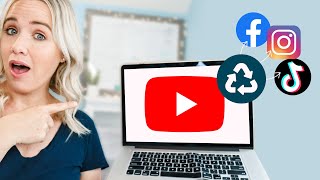
Trena Little shows how to take one video and turn it into content for multiple platforms. She walks through her tools, templates, and workflow for repurposing YouTube videos into social posts, live streams, and more to reach more people without starting from scratch.
If you're stressing trying to keep up with all things social media, I think I'm about to blow your mind in this video and maybe even lighten your workload a little. I mean, wouldn't that be nice? And what I'm going to share with you here will work with you whether you're a team of zero, a team of one, or a team of 10. In fact, what I'm about to show you may actually help you get more traffic to your business, resulting in more sales or more revenue that you may find finally have enough money to hire your first virtual assistant or team member. Hit that like button right now if you wish you could hire an assistant right now. Hey everyone, welcome back. If you are brand new to this channel, my name is Trena and I create content every single week to help you plan, organize and create video content. Specifically YouTube content that helps you drive more traffic to your offers. If that sounds exactly like what you need right now, make sure you go ahead, click subscribe and turn on that bell because that notifies you Every single time I post a new video. The first thing I like to do in every single video is do a personal shout out to one of you. Because if it weren't for you watching my videos every single week, it would make it really hard for me to show up create new content for you each week. So Lady Petra, I am so glad I've been able to help lessen your overwhelm. I really appreciate you watching my videos and commenting. If you want a personal shout out in my next video, go ahead, take a selfie of yourself watching my video and tag me over on Instagram or leave me a comment below letting me know something that I share that has really helped you out and make sure you're subscribed. And lastly, as always, if you look in the description box of this YouTube video, there are timestamps that allow you to jump directly to the part of the video that you really want to know. I want to save you time. I know you're busy so we got this timestamps for you. So just a quick disclaimer I will tell you that I do now have a team to help me repurpose my video content, but this has been five to six years in the making. When I got started I was starting with nobody helping me either. In fact, I had a one year old and a newborn in my first year business so I know what it's like to be trying to juggle all of these things and trying to keep up with social media and Getting content out. And that's exactly where this process that I'm about to share with you came into play. It was because I was running out of hours in the day. I was trying to stay up late to do things while my newborn was in and out of sleeping, needing fed. I had the toddler. It was impossible. So I took a step back to figure out how can I put a system in place so that I'm not constantly recreating the wheel and I'm still getting good content out to you each week. In fact, at that time, I was trying to keep up with Instagram, Facebook, Snapchat, YouTube and even Twitter. And I know new things are popping up all the time too. We now have TikTok and Clubhouse from when I first got started. So this is my super secret, super effective way that I multiply my content. And I like to call it my video multiplier formula. The place where this formula starts. And it's very important that it starts here with video, specifically YouTube video. Now I do want to talk a second about Facebook lives or Instagram lives because a lot of people want to take that content and repurpose it. It's not going to perform on YouTube. You're going to be really wasting your time taking a live trying to edit it and get it on YouTube because people's viewer behavior is different on YouTube than it is with a live video. In fact, that's even true when I do live videos here on YouTube. Y' all don't watch as long with a live video than you do with a pre recorded video. And it's important that you're creating that content that people are watching and watching to the end. Talk about it here all the time. Audience retention is a key metric for YouTube to push you out to more people. That's why we want to focus with creating one good YouTube video every single week. Without this, the formula basically falls apart and it just doesn't work. Another benefit of starting here with a YouTube video is that it's a piece of video content. And if you watch last week's video where I talked about how to grow your social media followers, I will link it right up here for you to watch next. But in that video I talk about the only way you're going to grow your social media followers now is by using video content. So when you start with a YouTube video, you already have this video content that you can start speaking, splicing and dicing and repurposing and pleasing the social platforms. And I mean, I probably don't have to hash on this again. But YouTube is owned by Google. Therefore your YouTube videos can show at the top of Google search. If you embed those YouTube videos into your blog post, you could have your blog Post and your YouTube video on Google, which is the most visited website in the world. And so it's really important to make sure you're focusing. I think I've hammered this long enough on YouTube video as your one primary weekly piece of content. If possible, just do it every other week, okay? Find some type of routine, make it consistent and stick to that once a week. Once every other week. Just be consistent. And I'm going to show you once you get consistent with YouTube videos, how to then have consistent content on all social platforms. Okay, Trina, I'm sold. But how do I get started? Maybe you have a dusty YouTube channel. Maybe you haven't even started it yet. Maybe it's not performing like you want. Well, I would highly recommend you go grab my YouTube roadmap. It's going to tell you everything that you need to do to make sure your channel is up, set, set up and optimized properly. So it's really 15 pages of different steps to take. There's links to video training as well to ensure that your YouTube channel optimized and set up right so that YouTube starts recommending your content to more people. And go to trina little.com forward/roadmap to get that for absolutely free. You create that YouTube video. This is where things start to get fun. So when I'm creating my YouTube video like I am right now, when I finish shooting this video, I'm going to pause and shoot an ending for Instagram tv. Now, what I've learned from a client of mine, Virginia Kerr, who is a literal wizard or magician over on Instagram. And to have watched her Instagram account grow, the amount that it has grown since she's worked with us, is insane. But what she has realized is if you can just share about two to three minutes of your video here on YouTube over on IGTV and have a call to action for them to watch the full video over on YouTube, it does a couple things for you. First, Instagram is going to push videos to more people just like YouTube does, based on audience retention. So if you're putting entire YouTube video up on Instagram, where people aren't used to watching longer videos, Instagram viewer behavior is more like a two to three minute time period, then that's going to hurt you in the algorithm. People aren't going to watch that. But if you put two to three minutes of this video up on IGTV and have an ending that says something like, now if you want to see behind the scenes of my repurposing strategy and how I create the templates, go watch my entire video over on YouTube. I will link to that video in the comments below because I can go into more detail over. Over there, you hooked the people that are going to want to watch. You got some people to the end and the people that are really interested are going to go to YouTube and help you out on YouTube. So you're getting the audience retention in IGTV and the audience retention on YouTube as well. Then I will also shoot an ending for Facebook. I don't necessarily get too strategic on Facebook. I just put videos up there for people to watch. Video views that we can then use as part of our ad strategy. Our Facebook ad strategy. So the ending that I will put on Facebook may say something like, now that you know how to repurpose your content, let me know below. What is the next platform you're going to repurpose your content for? And make sure you're following my page here on Facebook for new videos like this every single week to help you get started with video content. It's getting people to comment, to engage, and it's getting them to like your page. And so that's how I will create two separate endings that I just edit onto the back end of this YouTube video. Then I do have a video editor now. But what we do is we take about 5 seconds second pieces of this video, pretty much like the three best highlights that are 5 seconds, and Splice it together in a reel. We will put it in a 15 second reel. We will create a real cover photo, publish that on Instagram. We're going to start using it on TikTok as well. And then I can use it on YouTube shorts too. So that's three pieces of content for three different platforms from one video. Oh yeah. And we also are putting those on Pinterest stories as well. Let me know in the comments. Did you know Pinterest had stories? That's the first piece of this equation. The next piece is getting transcripts. Now we get transcripts for multiple different reasons. And I use a company called Rev.com. they charge a dollar a minute. But there is a cheaper company called Temi.com. now Temi is all robotic, like machine captioning, whereas Rev is actual human. So you don't have to do much editing with Rev because you're usually getting the right words in there. But with Temmie, you may need to do more review and editing of that caption file because it's not actual humans, it's the robot putting in what you're saying. But once you have those captions, there are so many things you can do with it. First of all, turn it into a blog post. Then you can embed the YouTube video. We've talked about this. You can have two hits on Google for your video in your blog post. You can use pieces of it to put in your weekly newsletter so you're continuing to inform and provide value to your newsletter. You can pull pieces and use for Instagram captions or Facebook posts. You can actually use the entire transcript to create a LinkedIn article or LinkedIn captions. You can pull quotes to make quote cards on Instagram or Facebook. You can use it to make Instagram carousel posts that can also be used on Facebook. The opportunities of repurposing just one piece of content when you focus on it in this formula is insane. And make sure you keep watching, because I'm going to show you how to set up a system to just literally copy and paste and make this super easy for you to systemize as well. Okay. All right, so this first two pieces, we talked about taking that one weekly YouTube video and. And what we can do with it. Now I want to talk about live streaming and how we can repurpose live streaming. Because live streaming is an important part of your content strategy. Because while live streaming isn't necessarily meant to be your evergreen content that can live for a while, it does do amazing things to help you connect with your audience and build a loyal following, because you're going live with them and you're having that conversation. So let's talk about how we can really maximize when you go live. Well, first of all, go live on multiple platforms at once. I've been doing a live streaming show over on my YouTube channel for the past couple of months, and we've been using a software called restream. It is amazing. You can livestream on up to like 20 different platforms at once. And so the two that I was doing at the same time was YouTube and Facebook. And I could just not download anything onto my computer, not have any tech issues. I went into the Restream website, I scheduled out my lives so people knew in advance when it was happening. They knew the topic. And I just logged into my restream account. When it was time to go live, I hit go live. So much easier. It's been the easiest way to Live stream that I've ever experienced. And if you want to try doing Restream like this, I do have a $10 coupon code. If you go to treanalittle.com restream, you can sign up for a month and get $10 off because, wow, this thing was literally the easiest thing. And I'm not a tech person. I would also consider tacking on live streaming on Instagram at the same time. So the way that you would is you would set your YouTube, your Facebook, and yes, you can live stream on LinkedIn. If you get approved, you would set that all up on Restream and that would stream through your webcam, Right, Your webcam and your, like, external mic. Then on your phone, you would be streaming simultaneously on Instagram. And so you would just want to have the camera to your computer and then the camera to your phone, like, close together. So you're not looking in two different directions. You're kind of looking in the same way. And so then you have like, multiple live streams on multiple platforms, and then you can download those lives and start pulling clips out to use on different platforms. Again, I haven't been doing this as well as I could, but when you really start to think about how not to just leave your content set, we're creating so much content all the time, and we're just leaving it there on the floor, so to speak. Let's pick it up, reuse it again, let's keep fleshing it out to as many places as possible. The fourth part of this equation is stories. And why this is so important is because, one, you need to be doing Instagram stories. You're just not going to see any kind of growth or reach on Instagram if you aren't doing stories. In fact, studies are showing that people are logging in Instagram and scrolling through the stories as opposed to scrolling through the feed now. So if you aren't posting stories, you aren't being seen. So what I like to do is when I do my stories at the end of every day, I will download them. I will then take those stories and use them on YouTube Reels. I think that's what YouTube's calling it. You can also link your Facebook to your Instagram and use it as Facebook stories and even Pinterest stories. If you want to start creating a community over on Pinterest, you can start putting them over there as well. And so things that I do on my Instagram stories, if you're following me over there, is I'm sharing more behind the scenes of things That I do to manage growing and scaling a multi six figure business while having a four and a six year old at home dealing with childcare issues, dealing with the workload, productivity. And so you get to know me and why just waste it on Instagram? Other people are following me on other platforms that aren't on Instagram. And so it's really important to make sure you're saving your Instagram stories and using them other places as well. All right, here's the big one that you all came for. And this is the one that's going to change your life and make this formula super easy so that you can just copy, paste, copy paste from here on out. And that is creating video social templates. So when creating video content, we still need it to look like it fits for that platform. So what I'm doing, these YouTube videos, you can see it's horizontal video, but things like TikTok stories, IGTV is all vertical video. And so you want to be creating vertical social templates that can then put your YouTube video over top of it. Then you can add a title at the top and have captions or subtitles at the bottom. With Facebook and the Instagram feed, it's square format. So again you'll want to make a square format template. And so they can then put your YouTube video on. And I'm actually going to show you how to create those here on Canva. Let me just show you some examples first and then show you how you can start to get started inside of Canva. So this is one of four templates we're creating for students inside of our video multiplier formula program. And so what these look like is you can see these scroll through the side or you can pull one of these up. How that fits for Instagram cover photos like tv, Instagram TV and reels. You can also see how the carousel ones look like, like, so that if you're doing these on Pinterest, these can carousel as well. And you're just going to add in key takeaways for each of your videos for these carousels. That is templates that we've created. These are the templates that we have in my business for my channel. Here are the carousel templates that we have. And this is the thumbnail. This is the IGTV cover photo. This is the real cover photo. So if you're wanting to start creating your own templates, go ahead and make a list of all the different things we talked about here. These are the ones that I would create. I would create five IG story carousels. So it would be one carousel post with five images. I would do just a tour, like a two swiper for Facebook. I do a two quote cards for Facebook and Instagram. I do four Pinterest pins that aren't video. I would do two Pinterest pins that are video, a reels cover photo, an IG cover photo, and a Facebook post. Two Facebook posts. What you would do is you go ahead and you come into Canva and you can literally get templates that are already here. So you'll come come to Instagram Stories. You can go here to Templates and start to figure out what works best for you so that you can see they're going to recommend some for you. But one thing that you need to remember, if you're doing it for reels or you're doing it for igtv, the COVID photos, you need to remember like we have in these templates, that there is space for them. So if I pull up the reels cover photo, remember the square portion of your image is going to show up as a square on your feet. So you need to think about that. What I would suggest is again, going into Canva, this untitled one, I would go into elements. I would go to frames, Grab this square and stick it right in the middle. Then you could take a thumbnail and you could just reposition it to fit right in here. And then you could start going back to the elements. And one thing that I like to grab is blobs. Hear me out. Just wait one second. You can grab these blobs and you can pull them out, turn them how you want them to, position them to the back. You may also want to change the background. And then whatever colors you're using, you want to replicate that over and over again for your Pinterest videos, your Pinterest pins. So if we go to my homepage, you can see that I have different folders for different things, all my folders, and you can start creating these templates. This is another template set of templates we have for Video Strategy Academy students. These are video multiplier students. And you could do the same thing. You could create these templates in a folder for you to use every time you pump out a YouTube video that you can multiply into 10 plus pieces of content. If you want a quick reference guide for what all of those dimensions should be for each template, for each social platform, make sure you grab my video multiplier roadmap. I'm gonna link to it up here and down in the description box as well. If you go over there, put your email in, I will send you a PDF that you can print and have it saved right near your desk with all the dimensions that you need for a quick reference guide. Plus, it also walks you through how I create that YouTube video and what other pieces of content I create at what time. Now if you're left thinking, okay, I see how to create the Canva piece and I see how to create the YouTube piece. But like how does it go together and how do I get that YouTube video up on Instagram? Make sure you hit that subscribe button because next week I am going to show you exactly how to do that. I'm going to walk you through a full encompassing tech tutorial. I'm going to show you how to take your YouTube video, take your Canva graphic, put them together and get it up on igtv. Make sure you're subscribed. Make sure you hit that bell notification so you get instant notification when that video is live. While you're waiting for me to post that video, I've got a library of content here on my channel. So make sure you check out one of these videos, two videos while you wait for next week's videos. I promise these videos on your screen are really good. Thanks so much for watching and I'll see you in the next video.
More from Trena







Why Every "Business Guru" Suddenly Went All-In on YouTube (And What NOT to Copy)

