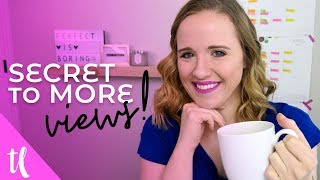
This is a YouTube video titled "Get more views with YouTube Cards" created on April 30, 2018. The content features Trena Little, a YouTube strategist, providing a detailed tutorial on how to effectively use YouTube cards to increase video views and audience retention. She explains strategies for placing cards based on analytics, crafting enticing text for cards, and monitoring their performance to grow a YouTube channel.
Did you know that that little card that I have popping up right above me, you can add to your videos as well. No fancy editing. Just when you upload your video to YouTube. YouTube allows you to put these cards in your video. And even better, by adding these, you could double the amount of views you get on your channel. But how do you use them the right way? In this video, I'm going to share with you the strategy to YouTube cards. Hi, I'm Trina and I am a YouTube strategist. Started this channel to help creative entrepreneurs like you get on YouTube to grow your business. Now, if you're brand new here or you haven't done so yet, make sure you click that subscribe button down below and hit the little bell guy, because then you will be notified every single time I upload a new video to help you. Here's the thing behind YouTube cards. It's a way to suggest another video or a playlist to somebody who's watching your video. Now, you know you have this cards option, but where do you put these cards? The first place I'm going to suggest for you to put a card in every single video is your average retention rate. So you're going to go into your analytics and you're going to go to your overview of your analytics and you're going to see your average audience retention. I want you to always put a card in about 10 to 15 seconds prior to that timestamp. So say it's 2 minutes, 15 seconds, say it's 1 minute, 50 seconds and you want to put it in 10 minutes, 10 seconds prior to that. This way, as people generally start to leave your video, you want to keep them in your zone, right? You just want to suggest another playlist to them of yours or another video of yours. This will help you accumulate more views, help you accumulate more watch time, and just look better in YouTube's eyes. Now, when you add this card, you're able to put in some text. Now, that text has got to be enticing. But explain what the video is about. If you just have on that card business tips. That's really not that exciting. What if you added business tips to save you time? A little bit more enticing, right? Or my best business tips to get more done in a day, little more enticing, right? So when you're adding these cards, you can definitely change up the text on there to make sure it sounds much more enticing. Then what you can do is after you've had your video up for about a week, you can Go back into your audience retention graph and see where people are dropping off in that specific video. Then you can go in and add cards to try to keep people who are watching your video and who are still finding it on YouTube to go to another video of yours if they're tending to leave at a certain part. Now, when I first upload a video, I just kind of space out my cards or I think about what, what cards I want to have in my videos before I even film. So say for this video, I want to tell you I have a whole playlist on how you can make your YouTube channel better. All you have to do is click the card that's on your screen right now. So then when you upload your video, you just add a card to that spot where you talked about an additional playlist for people to check out. So how do we check if these cards are working? You can go back into your analytics and you can go down to the cards feature and you can sort these by types of suggestions. So playlists, subscribe, opt ins. Now, you cannot add a link to an external website, so say you're opt in until you're approved for monetization. So that may not be for you yet, but you could definitely incorporate those playlists and those videos and you can see which ones are performing better in your analytics. Question, are you using cards in your videos or did you not even know these exist? Let me know your thoughts on cards down in the comments below. Now, if you have not done so, make sure you click that little circle picture of me on your screen right now to subscribe and check out a playlist I have suggested just for you that's on the screen right now. Thank you so much for watching and I'll see you in the next video. Bye.