Get your first 1,000 subscribers BEFORE 2020
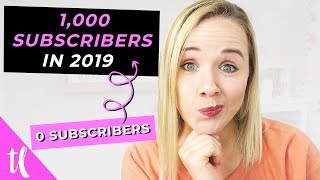
Trena Little walks through starting a YouTube channel from scratch and hitting 1,000 subscribers. She covers picking a niche, filming, editing, thumbnails, uploading, and promotion. The focus is on consistency and building momentum before the new year.
You want a no fluff, step by step tutorial on how you can start a YouTube channel right now and get 1,000 subscribers fast. So let's get started. Welcome back. My name is Trena. If you are new here and on this channel, I help you find the confidence to get on video. And one way for you to build that confidence is knowing when you start your YouTube channel, you know you're starting it right and you know you're going to get subscribers. So. So the very first thing that you need to do before you even turn a camera on is know who you're going to be talking to. This is critical for you to know what kind of content that you're going to create. Look, I know you probably have lots of passions. I do too. I like talking about business. I like talking about YouTube. I like talking about productivity and mom things. But if I were to throw all of that content here on this channel, you'd be like, what is this channel about? Why should I subscribe to her? Like, what's her deal? Right? Sean Cannell of Think Media TV says this all the time. He says the riches are in the niches. If you look at cable TV right now, you see there's hdtv, so home and garden tv, there is Bravo tv, there is even the Golf Channel. And all of these channels are targeting a specific person and they're creating content for that person. YouTube is the same way. And you're going to grow a lot faster and you're going to be able to get a lot more subscribers if you can really clarify who, who your content is for, because you don't want to be creating content for everybody because the richest are in the niches. And that's how you're going to get that first 1,000 subscribers. So what could that look like? So maybe you want to teach cooking. Well, what is one niche that you could do in cooking? Maybe you really want to show people how to create amazing desserts. Or maybe you want to talk about making keto. Simple, simple. So maybe you're in the health and fitness arena, but you really want to stand out in keto recipes. Or maybe you just want to talk about barbecue and how to create good barbecue and the different types of barbecues and barbecue on chicken, barbecuing on ribs, barbecuing on brisket. And that can make you stand out as well. Or if you are a planner, maybe you just focus on Erin Condren, planners or simplified planner planners. I want you to think about that first before we move on to the next thing. That you need to do now it's time to actually get to work. And I want you to set up your YouTube channel. So the three things I want you to set up in this step is your channel banner, your channel icon, and also your about section. So your channel banner is basically that first impression people are going to have of you when they come to your channel. You want to keep it super simple. You want to have you on that banner somewhere and you really got to have that value proposition on that banner. So what is it that you propose? Value. To what value are you going to bring that potential subscriber on your channel? Also, also with your channel icon, it would be very great if you want to get more subscribers, if you have a photo of yourself. Now, I know sometimes we don't want to be the face of our channel, but I'm going to tell you, people are going to connect with you and more people are going to subscribe to you if they feel like they're connecting with a human. So they want to see you, they want to see the whites of your eyes. And it's going to be important for you to create those connections if you want to get to that 1,000 subscribers fast. And then in your about section, you're going to want to use some keywords that really describe what your channel is about. So if you are doing planners, maybe your simplified planner, you want to use in there in that about section that you're going to show them how you plan your week, every week in your simplified planner, what your weekly spread looks like, what favorite stickers you use, and how you find time to do it. Remember, you want to think about search engine optimization here. You want to give YouTube as much information about what you're going to be talking about so they can recommend your change to more people. So let me show you real quick how you can upload a channel banner, upload your channel icon and edit your about section. So to update your channel banner, I have a video on how to make a channel banner. I will link that in the description box below. But make sure you're logged into your channel. And if you just hover over here on your channel banner, come up here to this camera and you can select from your computer. And once you do upload it, it's going to give you a preview of how it's going to look so you can change the crop. And if you need to get template for how to create channel art, you're just going to come down to this link right here and it's going to Walk you through what to do. And you can also get the template right down here. So that's going to help you get started. Now, to update your channel icon again, we're just going to hover over that right here. This is just to notify you that this is going to happen on your Google profile. So it's going to change across anything that you have on Google. So then you're going to click edit and you want to pick whatever photo you want. Once you pick it or upload it, then it will change. Like I said, it may take a few minutes for it to update, but it is updated. And then to update your about section, make sure you come over here to about. You're going to need to do customize channel. And this is going to take you to the edit option for your about section. So just make sure you click on that little blue button that says customize channel in the about section. You're going to hit this pencil right here and you can update that to say whatever you need it to say. Right now that you have your channel set up, the next critical step is researching your content. Before you jump into filming, you have got to validate your ideas and you have got to make sure your audience is searching for it so you aren't wasting your time. Look, I know that you don't have a lot of time probably to create YouTube videos, so I want to make sure when you turn on your camera and you make your videos, that those videos are going to drive you as many subscribers as possible. So you need to do this research phase first. So let me show you how I research video ideas to determine whether or not I should create them and if they're going to drive me more subscribers. So one of the first things that I do when I'm deciding what to create next or do some research, I want to come up here to Google Chrome and I want to go to file incognito window, because YouTube is normally going to recommend videos it thinks you're going to watch. So when you come into an incognito window, it doesn't have your previous search history already recorded. So, so let's say how to start Keto. So what I'm doing right here is I'm looking for obviously what titles and thumbnails are standing out and also what videos have some views. Higher counts of views. I'm looking, okay, this one has 183,000 views. Keto for beginners. And I'm just kind of scrolling through here to see what's showing up. Then I'M also going to take the same exact phrase. I'm going to go back to my YouTube channel because I can see how many views the channel has per subscribers. So you can see the difference based on incognito window to logged in. This one is showing up as number three because YouTube thinks I'm going to like that better. Whereas incognito window, it's further down search. Okay, so that same video is further down. So that's why it's important to not really focus on so search and ranking in search because it's going to be different for everybody. So with that knowing both of those are showing up, since I have Vid IQ plugged in, I can also see how many subscribers this particular channel has per views. What I'm looking for specifically is does this particular video have more views than the channel has subscribers? Because that means this topic is being recommended. People want to see it. And so you can see this particular channel has only 28,000 subscribers, but this video has over 183,000 views. Same for this one. This seems like she may be targeting a similar audience to me as a female. She has over 182,000 subscribers, but this has 2.3 million views. So then what I will do is I will watch this video. I will see how she opens it, how she delivers her content. Also come down here as well and look at some other ones. So again, here's another one to watch. How did she open it? Maybe what videos did she recommend at the end? And so I'm just going to go through here and look at not only the thumbnails and the titles, but I'm also watching a couple videos too to see again how they are structuring their videos. Okay, now you have your list of video ideas. Let's get your camera equipment together. Now I do have a video on this simplest equipment to get started. I will link it right up above, here and down in the description box for you to watch after this video to see that you do not need a lot when it comes to creating video content. What is going to make or break your video quality is going to be lighting. So if all you have is a phone or an iPad, that's perfect place to get started. Just make sure you have good lighting. Set it up in a window or go buy some daylight balance light bulbs. I like these from Cowboy Studio. You can get them on Amazon. You can also go to a hardware store and just make sure you're buying those daylight balance light bulbs because they will emit a more cool blue light than the typical yellow light that you get from overhead lights. And that's really the best place to get started. And that's how your content and the quality of it's really going to stand out. All right, I need to know, are you following along? Does this seem manageable to you so far? Let me know down in the comments if you're ready to get started with your YouTube channel. Now that we're going through this process now we're going to create a schedule. So if you watch any of my YouTube videos, you will notice that calendar right there. And that's what helps me stay consistent. I know which days I can shoot videos, I know which days I need to block off on my calendar, calendar to make sure I can stay consistent on my YouTube channel. I know life can get in the way for you. You may have kids, you may have a full time job, maybe you're doing YouTube as a side hustle or a passion project, but if you don't block off time to actually commit to shooting videos, it's gonna be really, really hard to stay consistent here on YouTube. So I personally like to do the first Tuesday of every single month is a filming day for me. So I know prior to the first Tuesday I need to have all my video ideas done. And what I'm going to tell you in the next step is scripting. But for you right now, I want you to decide when you're going to shoot your videos and also how often you're going to post to YouTube. Now, you don't have to post every single day to YouTube to get a thousand subscribers. Actually, YouTube right now is all about the quality of content versus the quantity. So I want you to think of YouTube as kind of like Mario Brothers. When you jump down that little green tube and you're collecting all these gold coins, you want to figure out how you can collect as many gold coins on YouTube as possible. And one way to do that is to get people to watch to the end of your video. So if you can just get started with maybe a five minute video, test that out, see if you can get people to watch four or five minutes of that video. If you are getting people to watch that long, maybe you then try to create an eight minute video. Are you getting them to watch eight minutes of your video? So you want to start something manageable, say five minutes, and make sure people are watching it and then make those videos longer, because the longer they watch your content, the more valuable you look and the more gold coins you're collecting in the YouTube world. Remember, this video has to be packed full of value, no fluff. That's what I'm trying to avoid here for you, is avoiding no fluff and telling you exactly how to get started. And that's what you need to think about when you're creating your content. And remember, just one really good quality video a week is all you need. All right, now you have got to script your videos. And this is important just because I talked about how you need to get people to the end of your video video and watch your full video. If you have a game plan going into your video, that's how you're going to ensure you're creating quality content the whole way through. So what I like to do when I'm writing my script is I don't like to write everything down because I get too nervous and too wrapped up on making sure I say the right things. So what I really focus on scripting for me is making sure I have a strong hook. So making sure I can really grab your attention in that first three seconds. It's gonna be important for your videos as well, because you have three to five second before someone determines whether or not they're going to click off of your video. So I would really focus on scripting that first chunk of your video, that hook, so that they're wanting to keep watching. Right? Then I will also make sure I script the end of my video because remember, we're collecting these YouTube gold coins. One way to collect more gold coins is to get people to click on your end screen and watch another video. So I'm making sure with my script that I'm getting people to the end and then I'm making sure with my call to action that I script out that I'm getting people to click on my end screen screen to watch that next video. So I'm pitching them the value of that next video so that they will then click on it and I get some more gold coins. You've done all the work to this point and now it's time to film. And here's the thing, you just have to rip the band aid off and film that video. You may not have the perfect video idea yet. You may not have the perfect script yet, you may not have the perfect background yet or the equipment that you wanted. But you have to get started if you want to get a thousand subscribers. And you have to get started started if you want to get better. You can look at anybody who's on YouTube and look at their first videos. They are not the same Quality as they are 100 videos in. You can look at my very first video and it is cringe worthy. But I would not have gotten better and grown from that video if I did not do that first video. So I challenge you to just hit record and just shoot that first video and get it up. Even if you don't have everything perfect, remember, I got this sign back here to remind you perfect is not done. So perfect does not get a video on your YouTube channel. Perfect does not get you 1000 YouTube subscribers. Perfect does not get you your first video. So you're gonna film, you're gonna be confident doing it and you're going to just do it. My little secret strategy for filming is I don't shoot this entire video in one chunk. I'm actually taking breaks and looking down here at my script and my bullet points to make sure I'm staying on track. So I'm pausing, I'm looking down and pausing, I'm looking up and then I'm delivering more content. So I'm actually only remembering a couple sentences at a time and I'm stopping so I can compose myself. Then when I go to edit it, I can just cut out those pauses and it makes it a lot easier. So don't think you need to film your first video in one take. There's editing and you can cut out your mistakes and you can cut out your pauses in editing, which easy enough is the next step. Now when you're getting started, you want to make editing as simple as possible. So just cut out your mistakes and just cut out any of your pauses. Just get started there. I'm going to link some of my favorite plugins that I use for Final cut. These are different animations that you can use. I'm going to link those shops down below. I don't remember them off the top of my head, but I have bought some of those to add in like the pop out text you're seeing here or any of the graphics that you see. So I'll add those. But remember, just keep editing simple, otherwise it's going to become too overwhelming and you just won't do it. Now that you have the editing done, it's time to create a thumbnail. Now something that I forgot to mention in the filming step is to take a thumbnail photo of yourself. All that means is you just need to sit here and pause and maybe smile at the camera like this. Then you can take a screenshot and use that as a thumbnail photo. If you try to figure out which image or which Screenshot in your video where you're actually talking as the best is going to be really hard and it's going to take you a whole lot of time. So you can just remember at the very end of your video to pause and do a couple smiles at the camera. You can use that as a screenshot for your thumbnail. And remember, you do not want to skip this thumbnail step because your thumbnail is your primary marketing material when it comes to getting people to click on your video. So you want to make sure you have an image of yourself. You want to use very minimal text on that thumbnail. Remember, you're pitching the value in the title of the video, but the text on the thumbnail should supplement the title. And you also want to make sure it stands out. So use some color, saturate it. Just want to make it stand out on YouTube. White background or the black background if you are in the YouTube dark mode. Now it's time for you to upload. So when you upload, you can start filling out all of that extra content, like the description box content, adding your tags, adding your thumbnail. So while it uploads, you can be doing all of that because it will take you a little bit to upload. Whether or not you have fast Internet or not, or depending on the time of day, it's really going to vary how long it's going to take to upload a video when that video is completed. Uploading. Remember, you want to add an end screen as well to your video. You want to collect as many gold coins as possible from YouTube. So make sure you're adding that end screen that tells people what video to click on next. Now if you're brand new and you don't have a previous video, that's totally fine. Just add your subscribe button there and that will help you get more subscribers. The video is up, the video is posted. Now it's time to promote it. And I know it can seem like, okay, I posted it, I'm done. But you have got to get as much traffic to that video as possible. Use the audience that you already have. Maybe you have some Instagram followers, maybe you have some Facebook followers, maybe you have an email list. You probably have friends and family that want to support you. So when you publish that YouTube video, tell as many people as possible. If you want to know how I upload and promote my videos on Instagram, make sure you watch this video right here. Because I just did a video a couple weeks ago about how I upload YouTube videos to Instagram. To drive more views, but you have got to tell people about it. You're not going to get subscribers if you don't tell them. It's not an if you build it, they will come. Use your current network to get those first 1,000 subscribers. The final step is to be consistent. Like I said, post once a week. I post every Wednesday. I've been posting every Wednesday for probably two years now and my audience knows to come back. YouTube knows I'm posting new videos content. So stay consistent so your people know when to come back and watch your videos and check your analytics. I have a couple videos on how to do that. I'll link down below as well. But checking your analytics will be critical to growing your YouTube channel and getting a thousand subscribers. Now if you want to know about seven features to use to get even more subscribers to get to that 1000, make sure you click that video that's on your screen right now where I share it with you. These seven features and how to use them to get more subscribers. If you want to continue learning how to grow a YouTube channel and get confident on video, make sure you click that subscribe button down below and subscribe to this channel. See you next time.
More from Trena







Why Every "Business Guru" Suddenly Went All-In on YouTube (And What NOT to Copy)

